
When you need to transport or ship a computer screen, finding the correct carton box monitor packaging size requires looking beyond the manufacturer’s advertised screen size. A 27-inch monitor, for instance, does not measure 27 inches in physical width or height; that number only represents the diagonal length of the display glass itself. To protect your valuable display during a move or shipment, you must determine its actual physical dimensions and calculate the necessary space for protective cushioning. Choosing a box that is too small leaves your screen vulnerable to impact, while an oversized box allows the unit to shift violently during transit. By measuring your screen accurately and applying a standard cushioning formula, you can select a carton that ensures your equipment arrives safely at its destination.
How to Measure Your Monitor's True Physical Dimensions
To find a box that fits your monitor perfectly, you must first gather its exact physical measurements using a standard tape measure. Never rely on the specifications listed on the retail box or online product sheets, as these often include the stand or omit the physical protrusions at the back of the panel. You need three precise measurements: the total width, the total height, and the maximum depth of the screen panel itself.
Start by placing your monitor face down on a clean, soft surface, such as a microfiber towel or a thick yoga mat, to prevent scratching the delicate anti-glare coating. Measure the width from the leftmost outer edge of the bezel to the rightmost outer edge. Next, measure the height from the very top edge of the bezel to the bottom edge. Finally, measure the depth of the panel from the front of the screen glass to the furthest protruding point on the back casing.
Products mentioned in this guide

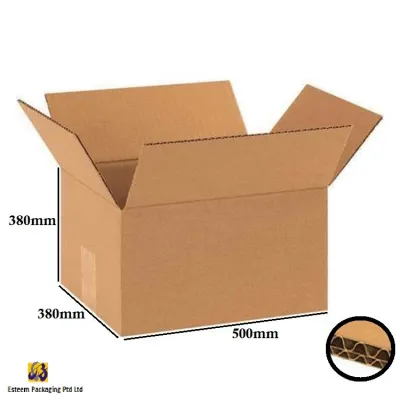
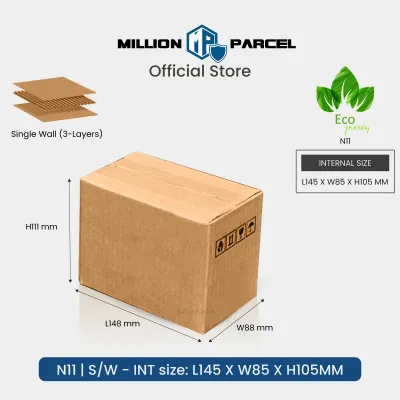
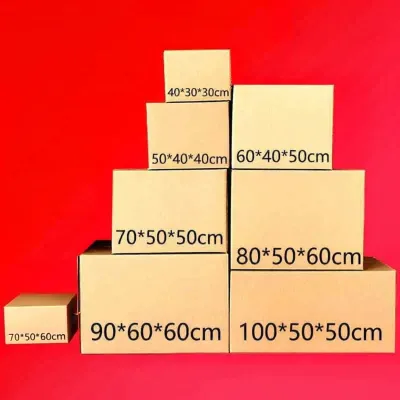
Prices are valid at publication and may change. Please refer to the product page for the latest price.
One of the most critical steps in preparing a monitor for packaging is detaching the stand. Most modern monitors feature a quick-release button or VESA mount screws that allow you to separate the heavy base and neck from the screen panel. Packaging a monitor with its stand still attached is highly discouraged. The stand creates an awkward, uneven shape that requires a massive, inefficient box. More importantly, any external pressure applied to the box during transit will transfer directly through the rigid stand, concentrating force on the mounting bracket and cracking the delicate LCD or LED panel from behind.
If you must pack the stand inside the same carton as the monitor, you must measure it as a separate, independent object. Measure its maximum length, width, and height, and plan to wrap it heavily in bubble wrap. It should be placed in a separate compartment or positioned on the opposite side of a protective cardboard barrier within the box, ensuring it can never slide into or press against the screen.
Additionally, pay close attention to any minor physical features on the back of your monitor. Power buttons, joystick controllers, cable management clips, and protruding port arrays can add several centimeters to the overall depth. Ensure you measure from the absolute furthest point of these protrusions to the front surface of the screen to avoid selecting a box that is too shallow.
How to Calculate Your Required Carton Box Monitor Dimensions
Once you have recorded the exact physical dimensions of your detached monitor panel, you cannot simply buy a box of the same size. You must calculate the necessary internal volume of the carton by adding a generous safety margin for shock-absorbing packaging materials. This cushioning layer is what actually protects your screen from drops, vibrations, and rough handling by courier services.

The standard sizing formula for packaging fragile electronics is to add a minimum of 5 to 8 centimeters (approximately 2 to 3 inches) of clearance on all six sides of the item. This means you will add 10 to 16 centimeters to your monitor’s physical width, height, and depth to determine the minimum internal dimensions of your carton. For example, if your detached monitor panel measures 60 cm wide, 35 cm high, and 8 cm deep, your ideal internal box dimensions should be at least 70 to 76 cm in length, 45 to 51 cm in height, and 18 to 24 cm in depth.
When browsing for packaging supplies, it is vital to understand the difference between internal and external box dimensions. Carton manufacturers and packaging suppliers almost always list their products by internal dimensions (Length x Width x Height) because this represents the actual usable space inside the box. However, double-wall corrugated boxes have thick walls that make the external dimensions significantly larger. Always double-check that you are referencing the internal specifications of the box to ensure your wrapped monitor and its cushioning will fit comfortably inside.
Equally important to the size of the carton is its structural strength. Monitors are dense, heavy, and highly susceptible to torsional stress. A standard single-wall cardboard box, commonly used for lightweight household items, does not offer sufficient puncture resistance or stacking strength for electronics. For any monitor larger than 24 inches, you should look specifically for double-wall corrugated cartons. These boxes feature two layers of fluted cardboard sandwiched between three linerboards, providing excellent structural rigidity and ensuring the box does not collapse when other heavy packages are stacked on top of it during shipping.
Estimated Box Sizes for Common Monitor Screens
While physical measurements are mandatory for a perfect fit, understanding the typical dimensions of common screen sizes can help you narrow down your search for the right packaging. The following estimates are based on standard 16:9 aspect ratio widescreen monitors. Keep in mind that bezel designs, speaker integrations, and rear casing curves vary significantly between different brands and models, which will alter the final physical footprint.
24-Inch Monitors
A standard 24-inch monitor panel typically has a physical footprint of approximately 54 cm in width, 32 cm in height, and 5 to 7 cm in depth. Because these models are relatively compact and lightweight, they are the easiest to pack. To accommodate the necessary 5 to 8 cm of protective bubble wrap or foam padding on all sides, you should search for a carton with minimum internal dimensions of 65 cm (length) x 18 cm (width) x 45 cm (height). Standard medium-sized shipping boxes often fit this profile well, but you must ensure the cardboard is sturdy enough to handle the weight without flexing.
27-Inch Monitors
The 27-inch monitor is currently one of the most popular sizes for home offices and gaming setups. A typical 27-inch panel measures roughly 61 to 64 cm in width, 36 to 38 cm in height, and 6 to 8 cm in depth. Because of the increased surface area, the screen is much more vulnerable to twisting forces and corner impacts. To package a 27-inch monitor safely, you will need a carton with minimum internal dimensions of 75 cm x 20 cm x 50 cm. It is highly recommended to use molded foam corner protectors or thick foam blocks in addition to standard bubble wrap, as this prevents the corners of the monitor from shifting toward the outer walls of the box.
32-Inch and Ultrawide Monitors
Large-format screens, including 32-inch displays and ultrawide models (with 21:9 or 32:9 aspect ratios), present unique packaging challenges. A standard flat 32-inch panel measures approximately 73 cm in width, 43 cm in height, and 8 cm in depth, requiring a box with internal dimensions of at least 85 cm x 22 cm x 55 cm. Ultrawide monitors, such as 34-inch or 49-inch models, are exceptionally wide but relatively short in height. For example, a 34-inch ultrawide can measure over 82 cm in width, while a 49-inch super-ultrawide can exceed 115 cm in width.
Standard rectangular boxes are rarely suitable for ultrawide screens because they leave massive, empty vertical spaces at the top and bottom of the box. Filling these huge voids with packing materials is both expensive and inefficient. Instead, look for specialized, elongated cartons designed specifically for wide electronics, or consider sourcing a heavy-duty television shipping box, which can often be adjusted or cut down to match the unique dimensions of an ultrawide screen.
Common Box Sizing Mistakes That Risk Screen Damage
Selecting the wrong carton size or packing a monitor incorrectly can easily lead to a shattered display panel or bent internal components. Understanding the most common packaging mistakes can help you take the necessary precautions to safeguard your investment.
One of the most frequent errors is purchasing a box that matches the physical dimensions of the monitor exactly. Some users assume that a tight fit is ideal because it prevents the monitor from moving. However, without a thick barrier of shock-absorbing material between the screen and the cardboard wall, any external impact on the box during handling will transfer directly to the glass panel. If a courier drops the box or bumps it against a hard surface, the screen will almost certainly crack.
Another major risk is attempting to force a monitor into a flat box without detaching its stand. Even if the box seems wide enough to accommodate the angled stand, the rigid metal or plastic neck will press hard against the rear casing of the monitor. During transit, packages are often stacked horizontally or subjected to road vibrations. This constant, concentrated pressure on the back of the panel can easily crush the delicate liquid crystal layers inside, rendering the screen useless even if the outer glass remains unbroken.
Using flimsy, single-wall cardboard cartons is another critical mistake. While these boxes are inexpensive and readily available at local stationery or hardware shops, they lack the puncture resistance required for heavy electronics. If another sharp or heavy package slides against your box in a delivery van, it can easily pierce a single-wall carton and strike the screen directly. Always verify that your chosen carton is rated for heavy-duty use and features double-wall construction.
Finally, failing to fill the remaining void spaces inside a correctly sized box is a recipe for disaster. If you pack a monitor in a large box but leave empty pockets of air, the monitor will slide back and forth with significant momentum every time the box is lifted, tilted, or placed on a conveyor belt. This shifting can cause the monitor to compress its own padding, eventually leaving the screen resting directly against the outer cardboard. Use packing peanuts, air pillows, or tightly crumpled packing paper to fill every single empty space until the monitor remains completely stationary when the box is gently shaken.
Frequently Asked Questions (FAQ)
Can I use the original monitor box for shipping?
The original retail box is always the best option for transporting your monitor, provided you still have the custom-molded styrofoam or cardboard inserts that came with it. These inserts are engineered specifically to hold your exact monitor model securely without putting pressure on the screen. However, keep in mind that retail boxes are designed for bulk transport on pallets, not individual shipping. If you are sending the monitor via a courier service, you should place the original retail box inside a slightly larger, heavy-duty cardboard shipping box with a protective layer of packing paper or bubble wrap in between to absorb external shocks.
Do I need a different box size for a curved monitor?
Yes, curved monitors require significantly deeper boxes than flat screens. While a flat 27-inch monitor may only have a panel depth of 7 cm, a curved 27-inch monitor (especially those with aggressive 1000R or 1200R curves) can have an overall physical depth of 15 to 20 cm because of the screen’s arc. When choosing a box, you must measure the depth from the furthest forward point of the screen’s side bezels to the furthest backward point of the rear casing. You will need a much wider and deeper carton to accommodate this curve safely without placing any direct pressure on the delicate glass arc.

Community discussion
Share your experience or ask a question. Comments are reviewed before publication.