
Choosing the right sheet of Paper A4 is the most direct way to ensure your printed documents look professional while protecting your office hardware. The ideal weight depends entirely on your specific task: 70gsm is best for high-volume, single-sided internal drafts; 80gsm serves as the versatile daily standard for double-sided business reports; and 100gsm is the premium choice reserved for client proposals and color-heavy presentations. Matching your document’s purpose to the correct paper weight prevents common office headaches like ink bleed-through, paper jams, and excessive printing costs.
Quick Guide: Which Paper A4 Weight Do You Actually Need?
When browsing stationery supplies, you will primarily encounter three standard weights for Paper A4: 70gsm, 80gsm, and 100gsm. Each of these numbers represents the density and thickness of the sheet, directly influencing how the paper feels in the hand, how it absorbs ink, and how smoothly it travels through your printer’s internal rollers. Selecting the correct option requires balancing print quality, cost-efficiency, and the physical limitations of your office hardware.
To help you make an immediate decision, use this quick diagnostic checklist to map your primary printing goals to the correct paper weight:
Products mentioned in this guide
![PaperOne A3 A4 A5 Printing Paper | Double A A4 Printing Paper | Fujifilm A4 Printing Paper [70gsm | 80gsm | 100gsm]](https://img.lazcdn.com/g/p/e6656a7d0c70606a115a8596caf6a15d.png_400x400q80.png_.webp)
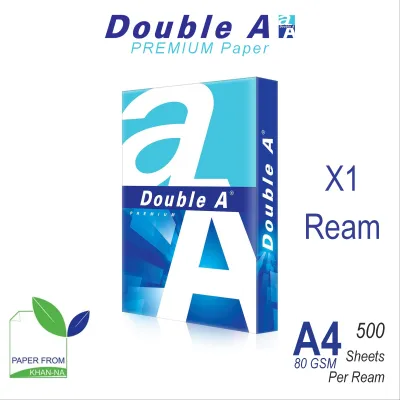
![PaperOne A4 Printing Paper - Copier Paper 70gsm - 75gsm [Available in Single Ream / Box]](https://img.lazcdn.com/g/p/8b1532a731f2e376630ddd65374d9b96.png_400x400q80.png_.webp)
![PaperOne A4 Printing Paper - All Purpose Paper 80gsm [Available in Single Ream / Box]](https://img.lazcdn.com/g/p/27dcdcd07b80cf8dfb582f4178a0997b.png_400x400q80.png_.webp)
![PaperOne™ Digital Premium Quality 85gsm / 80gsm Carbon Neutral Copy Paper A4 [1 Box]](https://img.lazcdn.com/g/p/314e28db684b5a59446140a7a613d0c3.jpg_400x400q80.jpg_.webp)
Prices are valid at publication and may change. Please refer to the product page for the latest price.
- Choose 70gsm if your goal is: High-volume printing, draft documents, internal memos, or student notes where you only print on one side of the page and want to minimize the cost per sheet.
- Choose 80gsm if your goal is: Standard business correspondence, double-sided printing, everyday office reports, or letters that require a professional appearance without breaking the budget.
- Choose 100gsm if your goal is: Client presentations, marketing flyers, certificates, resumes, or documents featuring heavy graphics and full-color charts that require maximum opacity and a premium, sturdy texture.
By aligning your printing tasks with these categories, you avoid paying a premium for everyday drafts while ensuring your high-stakes client documents do not feel flimsy or look cheap.
What Does GSM Mean and How Does It Affect Your Printer?
The acronym GSM stands for “Grams per Square Meter.” This is the universal metric used across the paper and printing industries to measure paper density and thickness. It is calculated by weighing a single sheet of paper that measures exactly one square meter. Because all standard A4 sheets share the same dimensions (210mm by 297mm), a higher GSM rating directly translates to a thicker, denser, and stiffer sheet of paper.

This physical thickness plays a critical role in how your printer’s internal mechanics operate. Standard home and office printers—whether laser or inkjet—rely on a series of rubber feed rollers, tension springs, and guide paths to pull a single sheet of paper from the tray, guide it past the print head or drum, and deposit it into the output tray.
- Paper Feed Rollers: These rollers are calibrated to grip paper within a specific thickness range. If the paper is too thin (below 70gsm), the rollers may grab multiple sheets at once, causing a multi-page feed error or a static-induced jam.
- Path Bending and Curling: Thicker paper (above 90gsm or 100gsm) is significantly stiffer. If your printer has a tight, curved paper path, stiff paper may struggle to bend around the rollers, leading to physical blockages or roller slippage.
- Fuser and Ink Jetting: Laser printers use heat and pressure (the fuser) to melt toner onto the page. Thicker paper absorbs more heat, which can sometimes result in unfixed toner if the printer driver is not set to the correct heavy-paper mode.
Before purchasing paper in bulk, always consult your printer’s user manual to verify its supported GSM range. While most modern office printers easily handle weights from 60gsm up to 120gsm, compact home printers often have narrower tolerances, especially when feeding paper from a bottom cassette rather than a straight-through rear bypass tray.
Match Your Printing Needs to the Right A4 Paper Weight
Not all printing tasks are created equal. Using a premium, heavy sheet for a temporary internal checklist is a waste of resources, while printing a high-value contract on thin, translucent paper can undermine your professional credibility. Understanding the specific performance characteristics of each weight category allows you to optimize your office budget and output quality.
70gsm: Best for High-Volume Daily Office Printing
The 70gsm variant is the lightweight workhorse of high-volume printing environments. It is designed primarily for utility, offering a highly economical solution for documents that have a short lifespan or are intended for internal use only.
- Ideal Scenarios: Use 70gsm paper for printing high-volume internal training manuals, initial draft layouts, daily transaction logs, packing slips, and personal study notes.
- Observable Signals: When holding a sheet of 70gsm paper, you will immediately notice its high flexibility and light weight. If you hold it up to standard office lighting, it appears slightly translucent, allowing you to see the outline of text or shapes on the reverse side even before any ink is applied.
- Key Limitations: The primary drawback of 70gsm paper is its low opacity. If you attempt to print double-sided (duplex) documents, the ink or toner from one side will clearly show through to the other, making the text difficult to read. Heavy ink coverage from inkjet printers can also cause the thin fibers to saturate, leading to paper warping, buckling, or severe ink feathering.
- Actionable Advice: Restrict your use of 70gsm paper to single-sided, text-only printing where minimizing the cost per page is your absolute priority.
80gsm: The Versatile Standard for Double-Sided and Professional Documents
The 80gsm weight is the globally recognized industry standard for office and home printing. It represents the “sweet spot” where paper thickness, opacity, and manufacturing cost are perfectly balanced for everyday professional applications.
- Ideal Scenarios: This weight is the ideal choice for standard business letters, multi-page reports, double-sided contracts, invoices, and general correspondence. It is the paper most commonly loaded into office copy machines.
- Observable Signals: A sheet of 80gsm paper feels noticeably sturdier and more rigid than 70gsm. It offers excellent opacity, meaning that standard black text printed on one side will not distractingly show through to the other side under normal reading conditions. It feeds smoothly through almost all standard office printers without requiring manual tray adjustments.
- Comparison: Compared to 70gsm, 80gsm paper provides a far more professional tactile experience and superior double-sided performance. While it is slightly more expensive per ream, it is significantly more cost-effective and practical for daily operations than 100gsm paper, making it the most logical default choice for general office inventories.
- Actionable Advice: Keep 80gsm paper as your primary, default stock for all standard home and office printing needs to maintain a consistent balance of quality and cost.
100gsm: Ideal for Client Presentations, Certificates, and Premium Handouts
When you need to make a strong visual and tactile impression, upgrading to 100gsm paper is highly effective. This premium weight is designed to project quality and handle complex print jobs with ease.
- Ideal Scenarios: Reserve 100gsm paper for external-facing documents such as formal client proposals, marketing brochures, resumes, certificates, and presentation slide decks that feature vibrant, full-color charts or high-resolution images.
- Observable Signals: This paper has a distinct, substantial stiffness and a smooth, bright finish. It is highly opaque, ensuring that even heavy, full-color graphics do not bleed or show through to the reverse side. The dense fiber structure provides excellent ink holdout, meaning colors remain sharp, vibrant, and well-defined without spreading or dulling.
- Hardware Warning: Because of its thickness, 100gsm paper can occasionally struggle in printers with complex internal paper paths. To prevent bending, curling, or feeding errors, verify your printer's specifications. When printing on 100gsm or heavier stock, utilize the printer's rear feed slot or manual bypass tray, which typically offers a straighter path through the machine.
- Actionable Advice: Treat 100gsm paper as a specialized resource. Store it separately and use it exclusively for high-stakes, external-facing documents where the tactile feel directly influences the reader's perception of your brand.
How to Prevent Paper Jams and Ink Bleed-Through
Even the highest-quality paper can perform poorly if your printer settings or storage conditions are incorrect. To achieve clean prints and avoid frustrating hardware downtime, implement these practical maintenance and configuration steps.
Diagnose and Adjust Printer Settings: Many paper jams occur because the printer’s software settings do not match the physical paper loaded in the tray. When you load 100gsm paper but leave your print driver set to “Plain Paper” (which defaults to 80gsm), the printer may pull the paper too quickly or apply incorrect fuser heat. Always open your computer’s print dialog box, navigate to the paper properties, and select the appropriate weight or paper type (such as “Heavyweight” or “Thick”) before clicking print.
Manage Ink Volume to Prevent Bleed-Through: If you must print graphics or heavy text on lighter paper like 70gsm, you can prevent ink bleed-through and feathering by adjusting your print quality. High-quality settings spray a large volume of liquid ink onto the page, which easily saturates thin paper. By switching your print settings to “Draft” or “Eco-Mode,” the printer uses less ink, allowing the page to dry faster and preventing the liquid from soaking through to the other side.
Protect Your Paper from Singapore’s Climate: Singapore’s high relative humidity, which regularly exceeds 80%, is a major contributor to paper jams and printing failures. Paper is highly hygroscopic, meaning it rapidly absorbs moisture from the surrounding air. When paper dampens, it loses its stiffness, begins to curl at the edges, and clings to adjacent sheets due to increased static and surface tension.
- Storage: Keep your paper inventory in a cool, dry, air-conditioned room rather than a humid storage closet.
- Sealing: Leave paper reams sealed in their original moisture-resistant wrappers until you are ready to load them into the printer.
- Loading: Avoid overfilling the printer tray. If the printer sits idle for several days, remove the unused paper and store it in a sealed plastic container to keep it dry.
- Fanning: Always fan the edges of the paper stack gently before loading it into the feeder tray to break any static seals between the sheets.
Frequently Asked Questions (FAQ)
Can I use 100gsm paper in a standard home printer?
Yes, most standard home printers can handle 100gsm paper, but compatibility depends on your specific model’s feed mechanism. To prevent jams, avoid overloading the paper tray and use the rear manual feed slot if your printer has one, as this provides a straighter path for thicker paper.
Is 80gsm paper always better than 70gsm?
Not necessarily. While 80gsm paper offers superior stiffness and opacity for double-sided printing, 70gsm paper is more cost-effective and lighter, making it the better and more sustainable option for high-volume, single-sided internal drafts where premium presentation is not required.
How do I know if my paper is causing my printer to jam?
If your printer frequently experiences multi-page feeds, paper curling immediately after printing, or roller slippage without a physical blockage, the paper is likely the cause. This is often due to moisture absorption from local humidity or using a paper weight that does not match your printer’s software settings.

Community discussion
Share your experience or ask a question. Comments are reviewed before publication.