
Selecting the right A4 paper grammage is key to achieving professional-looking documents, preventing printer jams, and managing your stationery budget. The ideal paper weight depends entirely on your specific task—whether you are running high-volume draft prints, preparing client contracts, or producing color presentations. By matching the paper’s weight to your printer’s capabilities and the document’s purpose, you can ensure clean, legible results every time.
Understanding Paper Grammage and Printer Compatibility Limits
To make an informed choice, you must first understand what paper grammage represents. Grammage is measured in grams per square meter, commonly abbreviated as gsm. This metric indicates the weight of a single sheet of paper measuring one square meter. For standard A4 paper, which has fixed dimensions of 210 mm by 297 mm, gsm is directly related to the paper’s thickness, stiffness, and opacity. Generally, a higher gsm means a thicker, stiffer sheet that is less prone to show-through when printed on both sides.
Before purchasing bulk supplies of heavier paper, verify your printer’s physical limits. Every printer, whether a compact home inkjet or a heavy-duty office laser copier, has a maximum supported paper weight specified by the manufacturer. Feeding paper that exceeds this limit can cause severe paper jams, misfeeds, or even permanent damage to the internal rollers. You can typically find these specifications in your printer’s user manual under “supported media weights.”
Products mentioned in this guide

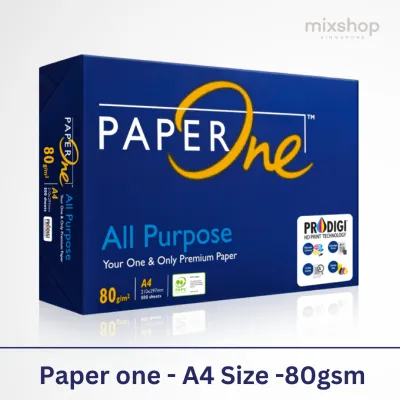
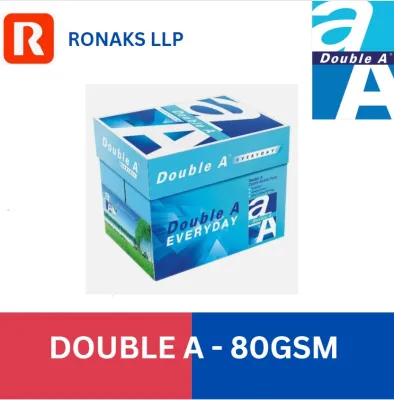
![PaperOne™ Digital Premium Quality 100gsm Copy Paper A4 [1 Box]](https://img.lazcdn.com/g/p/53d006c39030b6a26f2964c4e8a6afae.jpg_400x400q80.jpg_.webp)
![PaperOne™ Digital Premium Quality 100gsm Copy Paper A4 [2 Reams]](https://img.lazcdn.com/g/p/19b942556bf5e935f0ea0c7e4750b7df.jpg_400x400q80.jpg_.webp)
![PaperOne™ All Purpose Premium Quality 80gsm Copy Paper A4 [1 Box]](https://img.lazcdn.com/g/p/287f7942800722dd8239ab45c8063dae.jpg_400x400q80.jpg_.webp)
![PaperOne™ Copier Paper 70gsm / 75gsm Copy Paper A4 [1 Box]](https://img.lazcdn.com/g/p/62f961291078a3b12171dd45eea2a9a4.jpg_400x400q80.jpg_.webp)

Prices are valid at publication and may change. Please refer to the product page for the latest price.
When planning to use heavier weights near the upper limit of your printer’s stated capacity, always conduct a single-sheet test print first. Do not load a full tray of heavy media immediately. Instead, place a single sheet in the manual feed slot or bypass tray to observe how the printer handles the stiffness. Watch for any signs of strain from the motor, slipping rollers, or toner failing to fuse properly to the surface. This simple trial helps you verify compatibility before committing to a large print job.
Choosing Standard Weights for Everyday Office and Draft Printing
For high-volume everyday tasks, internal memos, and draft documents, selecting a cost-effective and reliable paper weight is paramount. The most common entry-level option is light paper, typically around 70 gsm. While 70 gsm paper is highly economical and takes up less physical storage space, it comes with distinct trade-offs. It is noticeably thinner and more translucent, which often leads to significant show-through or “ghosting” during double-sided printing. If you use high-flow inkjets or heavy black-and-white toner coverage, the ink can easily shadow through to the reverse side, making the document difficult to read.

To balance smooth feeding, opacity, and overall cost, standard 80 gsm paper serves as the optimal baseline for daily office use. This weight is the industry standard because it offers sufficient stiffness to feed reliably through high-speed office copiers without frequent double-feeding or jamming, while providing enough opacity for legible double-sided printing of text-heavy documents. It is highly compatible with standard office inks and toners, ensuring quick drying speeds and minimal curling under normal printing temperatures.
When procuring standard copy paper for high-volume everyday tasks, storage and budget considerations should guide your purchasing decisions. Buying in bulk, such as by the carton rather than individual reams, can offer better value, with a standard 500-sheet ream of everyday 80 gsm paper often costing under S$10. However, you must have a dry, temperature-controlled storage area. In humid climates like Singapore, paper left exposed to the air can quickly absorb moisture, causing the sheets to wave or curl even before they enter the printer. This moisture absorption leads to increased friction between sheets, resulting in multi-sheet feeds and frustrating printer downtime.
Upgrading to Heavier Weights for Client-Facing Documents
When your documents leave your office and enter the hands of clients, the tactile quality of the paper becomes a silent ambassador for your brand. Upgrading to mid-to-high weights, specifically in the 90 gsm to 120 gsm range, is highly recommended for client-facing proposals, formal contracts, and double-sided presentations. These heavier sheets provide excellent opacity, virtually eliminating show-through even when your documents feature rich color graphics, charts, or bold headings on both sides of the page.
The physical properties of 90 to 120 gsm paper—such as its enhanced stiffness, substantial weight, and smoother surface texture—significantly influence how the recipient perceives the information. A heavier document feels more substantial and premium, which psychologically associates your work with professionalism and attention to detail. The increased stiffness also ensures that the pages do not flop or bend easily when held, making them much easier to read during meetings.
However, before upgrading your entire office inventory to these premium weights, verify whether your standard office printer can handle thicker sheets. While most modern office printers easily accommodate up to 120 gsm paper, some entry-level desktop models may struggle with the stiffness, leading to slow feed rates or incomplete toner bonding. If your in-house equipment cannot reliably process these heavier sheets without curling or jamming, it may be more practical to utilize a professional digital print service for your high-stakes external communications.
Navigating Specialty and High-Weight Papers for Visual Projects
For visual projects, marketing collateral, and design portfolios, standard copy paper is often inadequate. When you need vibrant color reproduction and sharp image details, you must step outside standard uncoated paper and select specialized coated media, such as matte or glossy photo paper, which often ranges from 120 gsm to over 200 gsm. The primary difference lies in the surface treatment: plain heavy paper absorbs ink deeply into its fibers, which can cause colors to look dull and lines to bleed, whereas coated media holds the ink or toner on the surface, resulting in crisp details and rich, accurate color saturation.
Using these specialty high-weight papers requires critical compatibility checks to prevent equipment damage. First, you must match the paper type to your specific printer technology. Glossy paper designed for inkjet printers has a specialized chemical coating that absorbs liquid ink; using this same paper in a laser printer can cause the coating to melt under the high heat of the fuser, permanently damaging your printer. Conversely, laser-compatible glossy paper uses heat-resistant coatings that will not absorb inkjet ink, resulting in a smeared, wet mess if used in an inkjet printer.
Additionally, always check if your printer features a straight-pass or rear-feed paper path. Thicker specialty papers (typically those exceeding 160 gsm) cannot bend around the tight rollers of a standard bottom-loading paper tray without jamming. If your printer only has a U-turn paper path, you should establish a clear stop condition: avoid forcing thick or highly rigid coated sheets through the machine. Forcing incompatible media can strip the rubber feed rollers, scratch the drum, or cause severe internal blockages that require professional repair.
Building a Practical A4 Paper Inventory for Your Workspace
Managing a workspace efficiently requires a sensible paper procurement and storage strategy that balances diverse printing needs without wasting budget or physical space. Rather than stocking a single type of paper for all tasks, implement a tiered inventory approach. Keep a large bulk supply of standard 80 gsm paper for everyday printing, drafts, and internal records. Alongside this, maintain a smaller, carefully managed stock of premium 100 gsm or 120 gsm paper reserved exclusively for client proposals, official correspondence, and high-quality color documents.
Proper storage is critical to maintaining the quality of your paper inventory, especially in humid environments. Always keep paper sealed in its original moisture-resistant wrapping until you are ready to load it into the printer. Store the reams flat on a shelf or in a cabinet, away from direct sunlight, air conditioning drafts, and damp floors. If paper is allowed to absorb ambient moisture, it will swell and warp, leading to frequent misfeeds and poor print quality. If you have opened a ream and only used a portion, consider storing the remaining sheets in a sealable plastic container to protect them from humidity.
Finally, when selecting your paper inventory, pay close attention to the packaging labels. Look for relevant environmental certifications, such as the Forest Stewardship Council (FSC) logo, to ensure your procurement aligns with modern sustainability standards. Additionally, check the label for specific surface finishes or brightness ratings, as these factors, combined with the correct grammage, will ensure your printed materials consistently meet your workspace’s aesthetic and functional requirements.
Frequently Asked Questions (FAQ)
Can I use 100 gsm paper in a standard home printer?
Yes, most standard home printers can easily handle 100 gsm paper, but you should always verify this by checking your specific printer model’s manual for its maximum supported paper weight. The internal paper path plays a crucial role; printers with a straight-pass or rear-feed tray handle 100 gsm paper much better than those with a tight U-turn path, which can occasionally cause stiffer sheets to jam. To minimize the risk of feeding issues, try loading the 100 gsm paper one sheet at a time through the manual feed slot or bypass tray if your printer is equipped with one.
Does a higher grammage always mean better print quality?
No, a higher grammage does not automatically guarantee better print quality, as grammage primarily affects the paper’s physical stiffness, thickness, and opacity rather than its ability to render sharp images. The actual visual quality of your prints—such as color vibrancy, sharpness, and contrast—depends heavily on the paper’s surface coating and its compatibility with your printer’s ink or toner. For high-resolution graphics and photos, a specialized coated paper (such as matte or glossy) of a lower weight will often yield far superior visual results than a heavy, uncoated 120 gsm sheet.

Community discussion
Share your experience or ask a question. Comments are reviewed before publication.