
Choosing the right A4 laminator machine depends on matching your weekly laminating volume, required pouch thickness, and operational environment to the technical specifications of the device. A home user preserving family photos needs a very different machine than a teacher preparing classroom materials or an office administrator laminating professional signage. By evaluating how often you will use the machine, the thickness of the laminating pouches you require, and the continuous run-time limits of the device, you can select a model that delivers smooth, bubble-free results without risking motor burnout or frequent jams.
Assessing Your Laminating Volume and Frequency
To find the most suitable A4 laminator machine, you must first establish your actual usage patterns. Laminating needs generally fall into three categories: occasional, weekly, and daily. Occasional users might only laminate a few sheets a month, such as certificates, recipe cards, or seasonal crafts. Weekly users, such as tutors or small business owners, often process batches of ten to twenty sheets at a regular interval. Daily users, including busy administrative offices or active classrooms, require a machine capable of handling multiple large batches throughout the day.
Understanding these volume thresholds helps you avoid overbuying an expensive commercial unit or under-specifying a light-duty machine that will overheat during a large project. Every laminator has a duty cycle, which includes a maximum continuous run time and a required cool-down period. Light-duty machines often need to rest after 20 to 30 minutes of continuous heating, whereas heavy-duty models can run for hours without interruption.
Products mentioned in this guide
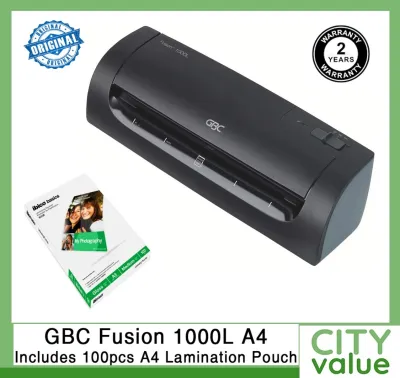
![[SG] Aurora A4/A3 Laminator with free A4 pouch | LM4231H / LM3231H [Evergreen Stationery]](https://img.lazcdn.com/g/p/e9380a4387732b31c8219f5ec66c95da.jpg_400x400q80.jpg_.webp)
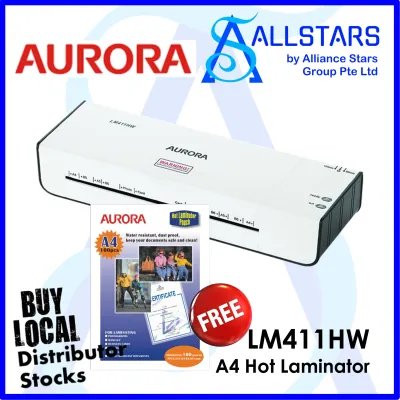
![[SG] GBC Inspire Plus A4/A3 Laminator + FREE 100pcs A4 Laminating Pouch | WHILE STOCKS LAST [Evergreen Stationery]](https://img.lazcdn.com/g/p/2a4715d31debd35f8897e5c972d306d7.jpg_400x400q80.jpg_.webp)
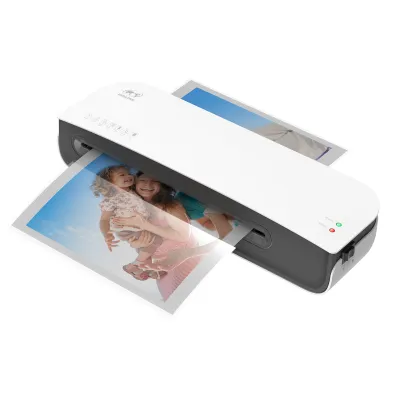
![[✅SG Ready Stock] Laminator A4 Laminating Machine Hot Cold Laminating Film Laminator Home School Office Supplies过塑机覆膜机](https://img.lazcdn.com/g/p/b43d141aaba4b96660a1a587efd2c8dc.jpg_400x400q80.jpg_.webp)
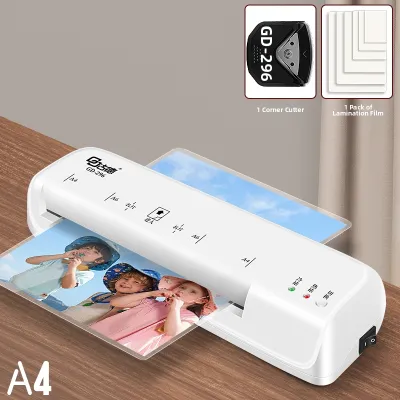
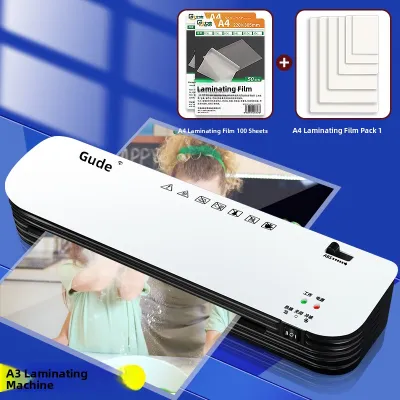
Prices are valid at publication and may change. Please refer to the product page for the latest price.
Estimating your monthly pouch consumption is a practical way to align your purchase with these duty cycles. If you expect to use fewer than 50 pouches a month, a basic entry-level model is usually sufficient. For volumes exceeding 100 pouches monthly, investing in a machine with a more robust motor and faster heating elements will save significant time and prevent premature wear on the internal rollers.
Matching A4 Laminator Features to Your Specific Scenario
Different environments demand distinct features to ensure efficiency, safety, and convenience.

Home Use: Occasional Crafting and Document Protection
For household applications, convenience and storage are the primary considerations. A home laminator is rarely permanently set up on a desk; instead, it is usually stored in a cupboard or drawer and brought out only when needed. Look for a compact footprint and lightweight design that makes the machine easy to retrieve and pack away.
Simple operation is highly beneficial for occasional users who do not want to consult a manual every time they use the device. A basic one-button interface with clear visual indicators—such as a red light for heating and a green light for ready—minimizes the learning curve.
Additionally, you should check the product label for the maximum pouch thickness compatibility. Most household projects, like standard photos, drawings, or printed recipes, use standard 75-micron to 100-micron pouches. Ensuring the machine supports these standard sizes is usually more than enough for everyday domestic protection.
Classroom Use: High-Volume and Frequent Laminating
Educational environments present a much more demanding set of requirements. Teachers often need to laminate large batches of flashcards, posters, and worksheets at the start of a term or before a major activity. In these situations, a machine that triggers an automatic thermal shutdown after just a few minutes of use can cause frustrating delays.
When selecting a machine for a classroom, prioritize models designed for continuous operation. Check the manufacturer’s specifications for processing speeds, which are typically measured in millimeters per minute. A faster processing speed ensures that bulk teaching materials can be completed efficiently during short preparation periods.
Because classrooms are fast-paced and multiple people may use the same machine, jams are more likely to occur due to hurried feeding. An easily accessible manual jam release lever or a reverse switch is essential. This feature allows you to quickly disengage the rollers and retrieve a misaligned pouch before the adhesive melts and damages the internal components.
Small Office Use: Professional Finishes and Daily Reliability
In a shared professional workspace, the focus shifts toward versatility, presentation quality, and daily reliability. A small office laminator must handle a diverse range of documents, from thin paper notices to thick ID cards, luggage tags, and heavy-duty signage.
To accommodate this variety, verify that the machine is compatible with a wide range of pouch thicknesses, typically spanning from 75 microns up to 150 microns or more. Adjustable temperature or speed settings are crucial here, as thicker pouches require more heat or slower passage speeds to melt the adhesive uniformly.
A productive office environment also benefits from low noise levels and rapid warm-up times. A machine that takes ten minutes to heat up can disrupt workflow, so look for models that indicate a warm-up time of under three minutes. Clear audio or visual indicators let busy employees know exactly when the machine is ready, preventing wasted time and failed laminating attempts.
Key Specifications to Verify Before Purchasing
Before finalizing your purchase, it is important to look past marketing claims and verify the technical specifications listed on the product label or in the user manual. The first specification to check is the pouch thickness compatibility, which is measured in microns (sometimes denoted as mic). Ensure the minimum and maximum micron limits align with the specific laminating pouches you plan to buy.
Next, examine the stated warm-up time and processing speed. While marketing materials might highlight rapid speeds, the user manual will provide the realistic time expectations for different pouch thicknesses. Faster speeds are highly desirable for high-volume environments but may carry a higher price tag.
Anti-jam features are another critical specification. Look for a physical release lever (often labeled as ABS) or an electronic reverse function. These mechanisms allow you to manually separate the rollers to pull out a misaligned pouch safely.
Finally, verify the maximum continuous run time and the required cool-down period. Operating a machine beyond its rated continuous run time can degrade the rollers and heating elements, leading to uneven lamination or permanent device failure.
Standard Operating and Maintenance Practices
Proper operation and regular maintenance are essential to extend the lifespan of your A4 laminator machine and ensure consistent performance. Always use the correct pouch size and thickness as explicitly specified on the machine’s label. Using a pouch that is too thick for the machine’s heating capacity can result in a cloudy, incomplete seal, while a pouch that is too thin may warp or melt entirely inside the rollers.
Adhesive buildup on the internal rollers is a common cause of wrapping and jamming. To prevent this, clean the rollers regularly using manufacturer-approved cleaning sheets or by running a clean, blank carrier sheet through the machine while it is still warm. This process coaxes excess adhesive off the rollers and onto the disposable sheet.
When you are finished laminating, allow the machine to complete its cool-down cycle before unplugging it from the wall. Many modern laminators have a fan that continues to run after the heating element is turned off; cutting the power prematurely can trap intense heat inside the housing, potentially warping plastic parts.
If you ever observe unusual noises, smoke, or persistent jams, stop operation immediately, unplug the unit, and consult the user manual. Attempting to force a stuck pouch through a malfunctioning machine can strip the internal gears and void the warranty.
Frequently Asked Questions (FAQ)
Can I laminate items thicker than standard paper?
Whether you can laminate thicker items, such as cardstock, pressed leaves, or multiple layers of paper, depends entirely on the machine’s maximum pouch thickness and internal roller gap. You must check the manufacturer’s specifications on the product label or in the user manual before attempting to feed anything thicker than standard copy paper. Forcing thick or rigid items that exceed the stated limits can strip the internal gears, stall the motor, or prevent the pouch from sealing correctly. If your machine supports thicker pouches (such as 150 microns or higher), it can generally handle cardstock, provided the total combined thickness of the card and the pouch remains within the manufacturer’s allowable limit.
What should I do if a pouch gets stuck inside the machine?
If a laminating pouch becomes misaligned or stuck, immediately turn off and unplug the machine to prevent the adhesive from melting further and bonding to the rollers. If your laminator is equipped with a manual jam release lever (often marked ABS) or a reverse function, engage it according to the manufacturer’s instructions to disengage the rollers and gently pull the pouch out from the feed entry. Never use sharp metal tools, scissors, or tweezers to scrape or pry a stuck pouch off the rollers. Doing so can permanently scratch or gouge the silicone surface of the rollers, which will cause all future laminations to bubble, crease, or jam in the exact same spot.

Community discussion
Share your experience or ask a question. Comments are reviewed before publication.