
Protecting irreplaceable documents like academic degrees, professional certifications, marriage certificates, and historical family records requires more than just a standard plastic sleeve. In humid climates like Singapore, ambient moisture can degrade paper fibers over time, causing inks to bleed, paper to yellow, and mold to develop. A dedicated A4 laminator provides a permanent, airtight barrier against humidity, spills, dust, and physical wear. However, choosing an unsuitable machine can lead to devastating results, such as scorched paper, bubbled plastic, or a jammed certificate trapped inside a hot roller mechanism.
To safeguard your most valuable papers, you must look beyond basic office laminators and evaluate specific technical features. A suitable machine must handle the exact weight of your certificate paper, accommodate the correct pouch thickness, and offer precise temperature controls to protect sensitive inks. By understanding how roller systems, heat settings, and entry clearances interact with different paper types, you can confidently select a laminator that preserves your achievements for decades without risking irreversible damage during the process.
Core Specifications for A4 Document Protection
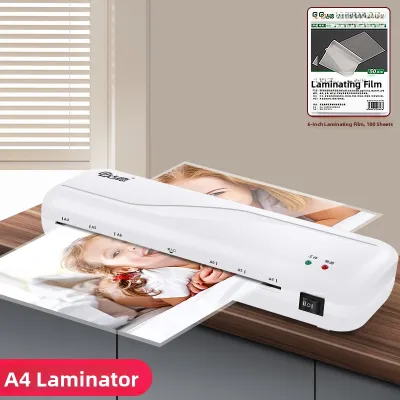
When evaluating an A4 laminator, the first step is verifying the physical compatibility between the machine’s entry slot, your document, and the laminating pouches. While A4 refers to a standard paper size of 210 by 297 millimeters, a laminator designed strictly for A4 paper with zero margin for error can easily cause alignment issues. Look for a machine that features an entry slot width slightly wider than the standard A4 width, typically around 230 to 240 millimeters. This extra clearance provides a safety buffer, preventing the edges of the pouch from catching, folding, or crimping as you feed the document into the rollers.
Products mentioned in this guide
![[SG] GBC Inspire Plus A4/A3 Laminator + FREE 100pcs A4 Laminating Pouch | WHILE STOCKS LAST [Evergreen Stationery]](https://img.lazcdn.com/g/p/2a4715d31debd35f8897e5c972d306d7.jpg_400x400q80.jpg_.webp)
Prices are valid at publication and may change. Please refer to the product page for the latest price.
The thickness of the laminating pouch is measured in microns. Standard laminators often support pouches ranging from 75 microns to 125 microns per flap. For certificates and important documents, you must verify if the machine can handle thicker pouches, such as 150 microns or even 250 microns. Thicker pouches provide a much higher level of rigidity, turning a flexible piece of paper into a sturdy, unbendable sheet that can stand upright or resist creasing when handled. However, thicker pouches require more heat and slower transit speeds to seal correctly, meaning your chosen laminator must have the heating capacity to handle these higher micron ratings.
Beyond the pouch itself, you must consider the maximum document thickness the laminator’s rollers can accept. Certificates are rarely printed on standard 80 gsm office paper; they are typically issued on heavy cardstock, textured parchment, or embossed paper ranging from 120 gsm to over 300 gsm. A laminator’s specification sheet will list a maximum laminating thickness, which represents the combined thickness of the paper and both layers of the laminating pouch. If you attempt to feed a heavy cardstock certificate inside a 150-micron pouch through a basic laminator with a low thickness limit, the rollers may stall, resulting in uneven heat distribution, bubbles, or a severe jam that ruins the document.
To ensure a successful seal, always check the manufacturer’s specifications for the maximum pass-through thickness, which is often detailed in millimeters, such as 0.5 mm or 0.6 mm. Before purchasing, calculate the combined thickness of your target documents and preferred pouches. For example, a 250 gsm cardstock sheet is approximately 0.3 mm thick, and two layers of 125-micron pouch add another 0.25 mm, bringing the total to 0.55 mm. Ensuring your laminator’s maximum thickness limit comfortably exceeds this total is a reliable way to prevent mechanical failures and achieve a smooth, professional finish.
Essential Features for Certificates and Delicate Papers
Certificates are often printed using specialized inks, foil stamps, or thermal processes that react unpredictably to high heat. Standard, single-temperature laminators run at a fixed heat level designed for basic office paper, which can easily scorch delicate parchment or melt modern digital prints. To protect these sensitive materials, prioritize a laminator with adjustable temperature settings. These machines allow you to match the heat output to the specific thickness of the pouch and the sensitivity of the paper, ensuring a secure bond without overheating the document’s surface.

For extremely delicate items, such as old hand-signed documents, thermal prints, or heat-sensitive inks, a cold lamination mode is an indispensable feature. Cold laminators do not use heat to melt the adhesive; instead, they rely on pressure-sensitive pouches that bond when passed through the machine’s rollers. Having a machine that supports both hot and cold lamination modes gives you the flexibility to preserve modern laser-printed certificates with heat, while safely sealing older, heat-sensitive family documents using the cold pressure method.
Even with careful alignment, document jams can occur due to static electricity, adhesive buildup, or minor feeding angles. When a certificate gets stuck inside a hot laminator, every second counts to prevent the paper from scorching or catching fire. An anti-jam mechanism, typically in the form of a manual jam release lever or a reverse button, is a critical safety feature to look for. A manual release lever disengages the rollers, allowing you to gently pull the trapped document back out of the entry slot. A motorized reverse function goes a step further by actively driving the rollers backward to eject the misfed pouch safely.
Another essential safety and convenience feature is an automatic shutoff function. Laminators operate at high temperatures, and leaving them powered on indefinitely can degrade the internal rollers, waste electricity, and pose a safety hazard in home or office environments. An auto-sleep or auto-shutoff feature detects when the machine has been idle for a set period, typically 30 minutes, and automatically cuts power to the heating elements. This not only extends the lifespan of your machine but also provides peace of mind if you accidentally leave the workspace without turning the unit off.
Finally, pay attention to the warm-up time indicators on potential models. Most modern laminators use either light-emitting diodes or audible beeps to signal when the rollers have reached the target operating temperature. Attempting to laminate before the machine is fully heated will result in a cloudy, incomplete seal that can peel apart over time. If you only laminate occasionally, a standard warm-up time of three to five minutes is highly practical. However, if you manage a small school or office where documents are laminated throughout the day, looking for a rapid-heating model that warms up in under two minutes can significantly improve your workflow efficiency.
Usability and Workflow Considerations
While the quality of the seal is paramount, the practical usability of the laminator determines how easily it integrates into your home or workspace. Laminating speed is a key specification to check, especially if you have a large backlog of certificates or student awards to process. Speed is typically measured in millimeters per minute. A standard entry-level laminator might process documents at a rate of 250 mm/min, which means an A4 sheet will take just over a minute to pass through. High-speed models can exceed 500 mm/min, cutting your processing time in half, which is highly beneficial for high-volume tasks.
Physical footprint and noise levels are equally important, particularly for shared offices, home study rooms, or compact apartments in Singapore where desk space is at a premium. Look for a compact, low-profile design that can be easily tucked into a drawer or placed on a shelf when not in use. Some models feature integrated cable management and vertical storage capabilities to save space. Additionally, check user reviews or manufacturer specifications for noise levels; a quiet motor that operates below 50 decibels ensures you can laminate documents without disrupting phone calls, online meetings, or quiet study environments.
Power consumption is another factor that impacts long-term operating costs. Hot laminators require a significant amount of energy to heat up their internal elements, often drawing between 300 and 600 watts during the initial warm-up phase. Once the target temperature is reached, efficient models use cycling thermostats to minimize power draw. Choosing a model with an energy-efficient design and a rapid warm-up cycle helps keep electricity consumption low, making it a more sustainable choice for both your wallet and the environment.
Building Your Shortlist: Evaluating A4 Laminator Candidates
To build a reliable shortlist of A4 laminators, you must systematically cross-reference manufacturer specifications with your specific document protection needs. Begin by listing the maximum paper weight and pouch thickness you plan to use, then eliminate any models that do not explicitly support those parameters. Do not rely on generic marketing claims like heavy-duty or professional-grade; instead, look for concrete numbers in the technical specification sheet, such as “supports up to 250 microns” or “maximum thickness 0.6 mm.”
Next, evaluate the warranty terms and the availability of local customer support. A laminator is a mechanical device with moving parts and heating elements, making it susceptible to wear and tear over time. Purchasing a reliable machine in Singapore typically involves budgeting around S$50 to S$150, depending on the heating speed and roller configuration. Ensuring the model is backed by a local warranty ensures you can easily obtain a replacement or professional repair if the heating element fails or the rollers become misaligned. Additionally, check if the manufacturer includes or recommends specific maintenance tools, such as cleaning sheets. Running a cleaning sheet through the rollers after each session removes squeezed-out adhesive residue, preventing future jams and maintaining a smooth feed path.
Be vigilant for red flags when browsing product descriptions on online marketplaces or stationery supplier websites. Avoid models that fail to specify their maximum pouch thickness limits or those that lack clear safety certifications, such as the CE mark or local safety marks. Another major red flag is a machine that lacks any form of jam release mechanism; without a release lever or reverse function, a single misfeed can permanently ruin both your valuable certificate and the laminator itself. By filtering out these low-quality options, you can focus your budget on a reliable, safe, and durable machine that delivers consistent results.
Frequently Asked Questions (FAQ)
Can I laminate thermal paper or inkjet-printed certificates?
Thermal paper, commonly used for receipts and some older medical or official printouts, is highly sensitive to heat and will turn completely black if passed through a hot laminator. Inkjet-printed certificates are also vulnerable, as the high heat can cause the water-based inks to bleed, smudge, or fade. To protect these documents, you must use a laminator with a dedicated cold lamination mode paired with self-adhesive cold laminating pouches. This pressure-based method seals the document securely without applying any heat, preserving the integrity of the sensitive inks and thermal coatings.
What is the ideal pouch thickness for long-term certificate storage?
The recommended pouch thickness depends on how you plan to store and display the certificate. For certificates that will be placed inside a protective frame or stored flat in a binder sleeve, a standard 80 to 100-micron pouch offers excellent clarity and basic protection against moisture and dust. If the certificate will be handled frequently, passed around, or displayed without a frame, a thicker 125 to 150-micron pouch is highly recommended. This added thickness provides the necessary rigidity to prevent bending, dog-eared corners, and physical creasing, ensuring the document remains pristine over years of handling.

Community discussion
Share your experience or ask a question. Comments are reviewed before publication.