
Navigating Singapore’s highly efficient public transport network is incredibly straightforward when you have the right tools. The EZ-Link card, a contactless smart card operating on the CEPAS standard, serves as the primary payment method for millions of daily commutes across the island’s MRT trains and public buses. Beyond transit, this versatile card is widely accepted for retail purchases, dining, and motoring fees, making it an essential companion for both residents and visitors. Understanding how to acquire, register, and reload your card ensures a seamless daily travel experience without unexpected interruptions at the transit gantries.
Getting started with your card involves a few simple decisions regarding which card type fits your lifestyle, where to buy it, and how to keep it funded. By taking a few minutes to register your card, you also unlock valuable security features that protect your funds in case of loss. This comprehensive guide walks you through every step of the process, from choosing your card to managing your balance and troubleshooting common issues.
Choosing the Right EZ-Link Card for Your Needs
Before purchasing a card, it is helpful to understand the different options available to ensure you select the one that best matches your commuting habits and eligibility. The most common option is the standard adult EZ-Link card, which is designed for general commuters and visitors. This card has a set purchase price that is split into two components: a non-refundable card fee, which covers the cost of the physical card itself, and an initial stored value that you can immediately use for transit fares.
Products mentioned in this guide
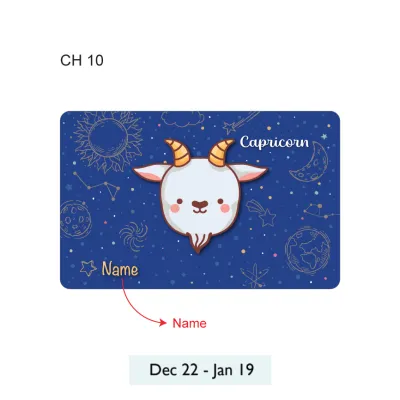
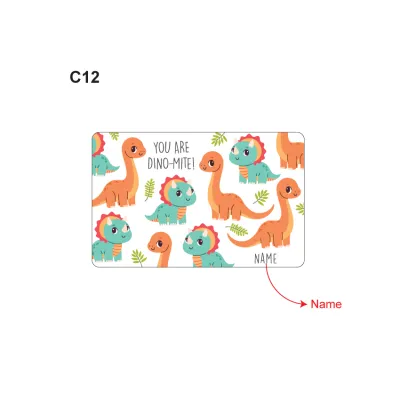
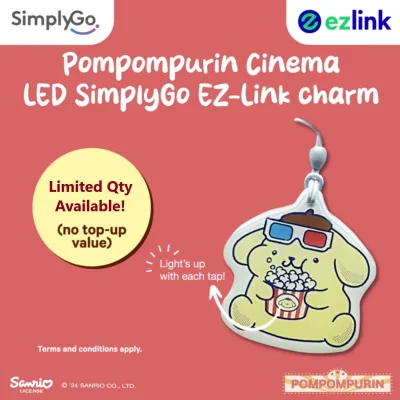
Prices are valid at publication and may change. Please refer to the product page for the latest price.
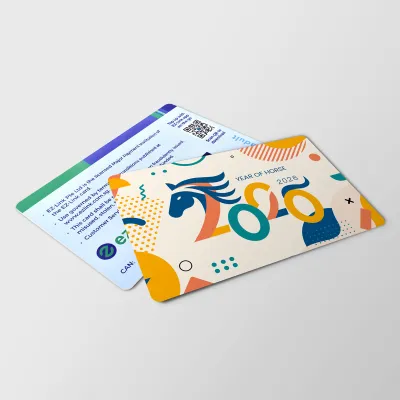
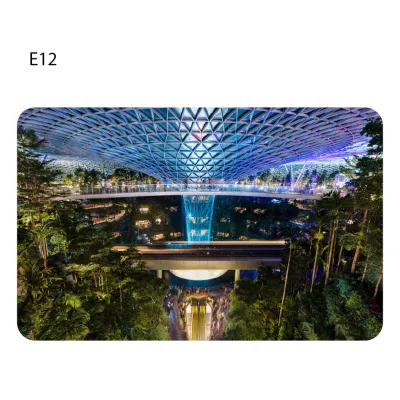
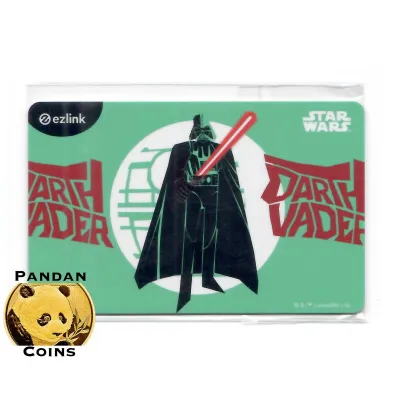
For those who prefer a more personalized touch, customized and co-branded designs are frequently released. These special edition cards often feature popular pop-culture characters, local artwork, or commemorative themes. While they function exactly like standard adult cards, they are highly collectible and may have different initial pricing structures or distribution channels depending on the release.
Concession cards are available for eligible individuals who qualify for discounted transit fares, such as primary, secondary, and tertiary students, senior citizens, and persons with disabilities. These cards require formal eligibility verification and must be applied for through official transit customer service channels rather than purchased over the counter. If you qualify for a concession card, it is highly recommended to apply for one to take advantage of subsidized travel rates across Singapore’s public transport network.
When evaluating your choices, consider the upfront non-refundable card fee against the usable initial stored value. Standard cards are readily available for immediate use, whereas concession cards require personal documentation and processing time. Choosing the right card from the start ensures you do not pay more than necessary for your daily journeys.
Where and How to Purchase an EZ-Link Card
Acquiring a new card is a quick process, with multiple physical and digital channels available across Singapore. If you prefer to buy a card in person, you can visit transit ticket offices or passenger service centres located inside most MRT stations. The staff at these counters can provide you with a standard adult card and answer any immediate questions you might have about using it.

Authorized retail convenience stores, such as major 24-hour chains located throughout the island, also stock standard cards at their checkout counters. This is often the most convenient option if you need a card outside of regular transit office operating hours or if you are staying far from an MRT station. Simply ask the cashier at the counter for a transit card, and they will assist you with the purchase.
For digital-first options, you can order physical cards or activate digital versions of transit cards directly within official mobile transit applications. Additionally, official brand stores on authorized online marketplaces occasionally sell special edition or themed cards. These online purchases are shipped directly to your residential address, making them a great option if you want to secure a specific design before arriving in Singapore.
When purchasing your card, keep in mind that accepted payment methods vary by location. Transit ticket offices and passenger service centres typically accept local debit cards, credit cards, and mobile payment options, but they may not accept cash. Convenience stores, on the other hand, generally accept cash alongside digital payment methods. It is always wise to have a card or mobile payment option ready to ensure a smooth transaction.
Why and How to Register Your EZ-Link Card
Registering your card is a highly recommended step that takes only a few minutes but offers significant long-term benefits. The primary advantage of registration is loss protection. If you happen to misplace your card, you can report it lost through official channels to block further transactions immediately, preventing anyone else from spending your remaining balance.
Another key benefit of registration is the ability to recover your funds. Once a lost or expired card is blocked, you can request a refund of the remaining stored value, which can be transferred back to your bank account or onto a new card. Furthermore, registration allows you to track your transaction history online, making it easy to monitor your transit fares and retail expenditures for budgeting purposes.
To register your card, you can use official mobile applications or designated web portals. The mobile app is generally the most convenient method, as it allows you to manage your card on the go and receive real-time notifications about your balance and transactions.
During the registration process, you will need to provide the following details:
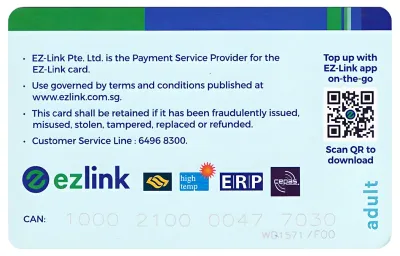
- The unique 16-digit CAN number printed on the back of your physical card.
- Your personal identification details, such as your full name and contact information.
- A secure verification step, which typically involves entering a one-time password sent to your registered mobile phone number.
Step-by-Step Methods to Top Up Your EZ-Link Card
Keeping your card funded is essential for uninterrupted travel, and Singapore offers a wide variety of convenient reloading methods to suit different preferences. Whether you prefer traditional physical machines or seamless digital top-ups, you can easily add value to your card in seconds.
Offline Top-Up Methods
General Ticketing Machines (GTMs): Located at all MRT and LRT stations, these automated machines are the most common way to top up. To use them, place your physical card on the designated reader tray, select the top-up option on the touch screen, choose your desired top-up amount, and select your payment method. GTMs accept local debit cards, credit cards, and mobile payment platforms. Once the transaction is approved, wait for the screen to confirm the update before removing your card.
Convenience Store Counters: You can top up your card at participating convenience stores across the island. Simply hand your card to the cashier, state the amount you wish to add, and make your payment. Keep in mind that some retail merchants may charge a nominal service fee for over-the-counter top-up transactions, so it is best to check with the cashier beforehand.
Online and Contactless Top-Up Methods
Official Transit Apps with NFC: If your smartphone is equipped with Near Field Communication (NFC) capabilities, you can top up your physical card directly from your phone. Open the official transit app, select the top-up option, and place your physical card against the back of your phone. Choose your top-up amount and pay securely using a linked credit card, debit card, or digital wallet. Ensure you keep the card pressed firmly against the phone until the app displays a confirmation message indicating the write process is complete.
Participating Bank Applications and ATMs: Some local banks allow you to top up your transit cards directly through their mobile banking applications or at their automated teller machines (ATMs) located islandwide. This provides an alternative digital path if you prefer to manage all your financial transactions through a single banking portal.
Setting Up Auto-Top-Up Features
Automatic Reload Services: For the ultimate convenience, you can link your card to an automatic reload service. This feature ensures that whenever your card balance falls below a specific minimum threshold, a pre-selected amount is automatically loaded onto your card at the transit gantry. This eliminates the need to queue at ticketing machines or monitor your balance manually.
Eligibility and Activation: Auto-top-up services are subject to bank approval and card compatibility. You can apply for this feature through the official transit app or designated web portals. Follow the on-screen instructions to link your preferred credit card, debit card, or bank account, and complete the activation process at a designated transit terminal if required.
Managing Balances, Expiry, and Card Replacement
Monitoring your card’s status is key to avoiding unexpected rejections at transit gantries. Fortunately, checking your remaining balance and expiry date is simple and can be done through several convenient channels.
Every time you tap out at an MRT gantry or exit a public bus, the reader screen briefly displays your remaining balance. You can also tap your card at any station ticketing machine to view both your current balance and the exact expiry date of the card. For registered cards, this information is readily available in real-time on your mobile app dashboard, allowing you to check your status before you even leave the house.
EZ-Link cards have a limited lifespan, typically lasting several years from the date of manufacture. When your card reaches its expiry date, it can no longer be used for transit or retail payments. To resolve this, visit a transit ticket office to transfer your remaining balance to a new card. Note that while the balance transfer is free, a replacement fee may apply for the new physical card.
If your registered card is damaged or lost, report it immediately via the official mobile app or customer service hotline to secure your funds. You can request a replacement card online or at designated transit offices. Once verified, any remaining balance from the old card will be transferred to your new account. If you decide you no longer need your card, you can request a refund of the remaining stored value at a transit ticket office, though the initial physical card purchase fee remains non-refundable.
Frequently Asked Questions (FAQ)
Can I use my EZ-Link card for retail purchases instead of just transit?
Yes, because the card operates on the CEPAS standard, it is widely accepted for non-transit payments across Singapore. You can use it to pay at participating convenience stores, supermarkets, food courts, fast-food outlets, and select retail shops. It can also be used to pay for electronic road pricing and parking charges in compatible vehicle card readers. Always look for the official acceptance logos or the CEPAS symbol at the merchant’s payment counter before attempting to tap and pay.
What happens if my card is rejected at the transit gantry?
A card rejection typically occurs due to an insufficient balance, an expired card, or a technical error such as an incomplete previous journey record where you forgot to tap out. If your card is rejected, step aside safely and check your balance at a nearby ticketing machine. If the balance is sufficient but the card remains blocked, approach the staff at the station’s passenger service centre. They can analyze your card, resolve any transaction errors, and help you get back on your way.
Is there a maximum stored value limit I should be aware of?
Yes, there is a maximum limit on the amount of funds you can hold on your card at any given time to ensure security and minimize potential loss. You can verify the current maximum wallet limit on the official transit website or within the mobile app. If you plan to use your card frequently for high-value retail purchases, it is best to monitor your balance regularly and top up in smaller, manageable increments rather than attempting to load a very large sum at once.

Community discussion
Share your experience or ask a question. Comments are reviewed before publication.