
To buy and top up an ezlink card in Singapore, you can purchase a physical card at MRT Passenger Service Centres, SimplyGo Ticket Offices, convenience stores, or official online channels, and reload it using ticketing machines, retail counters, or the official SimplyGo mobile app. Navigating Singapore’s efficient public transport system requires a reliable transit card, and understanding the purchasing and reloading processes ensures a seamless commuting experience.
Keeping your card active and funded is straightforward when you know where to go and which methods suit your daily routine. This guide provides step-by-step instructions for acquiring your card, utilizing physical and digital top-up channels, managing your balance, and troubleshooting common card issues.
Understanding the EZ-Link Card and Its Core Uses
The ezlink card is a contactless, pocket-sized smart card that serves as the primary payment method for Singapore’s public transportation network. Operating on Near Field Communication (NFC) technology, the card allows commuters to pay for rides on the Mass Rapid Transit (MRT), Light Rail Transit (LRT), and public buses with a simple tap. Beyond transit, the card is widely accepted for retail transactions at convenience stores, vending machines, select supermarkets, hawker centers, and municipal parking systems across the island.
Products mentioned in this guide
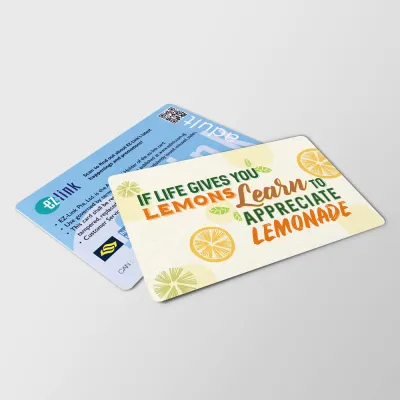
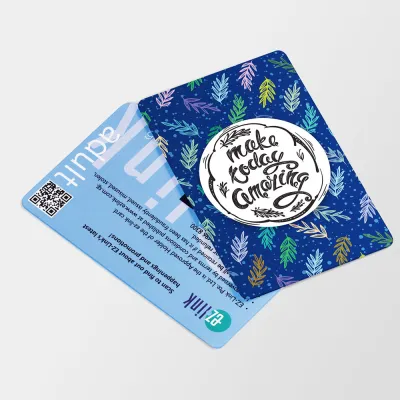
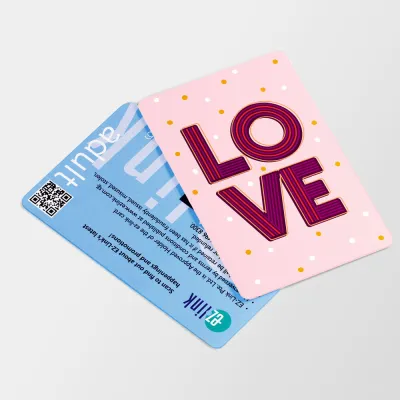
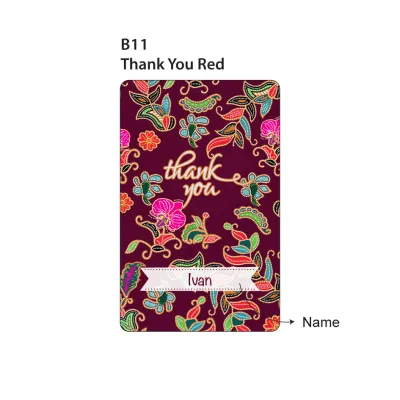
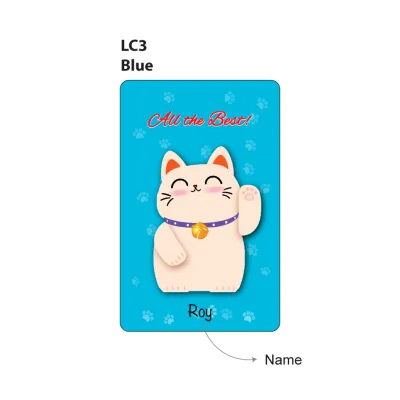
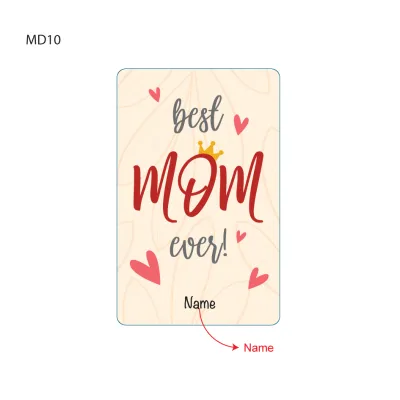
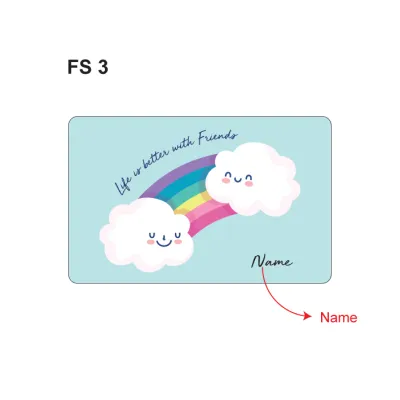
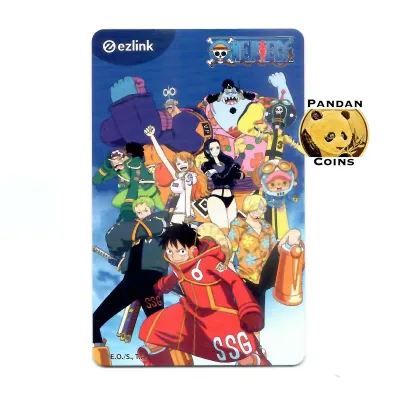
Prices are valid at publication and may change. Please refer to the product page for the latest price.
From a physical standpoint, the card conforms to the standard ISO/IEC 7810 ID-1 size dimensions, measuring exactly 85.60 mm by 53.98 mm with a thickness of 0.76 mm. This standardized credit card size ensures it fits perfectly into standard wallet slots, protective card sleeves, lanyards, and stationery organizers. Inside the plastic exterior lies an embedded microchip and an antenna loop that communicates with transit gantries and payment terminals when held within a few centimeters of a reader.
Commuters should distinguish between standard adult cards and specialized concession cards. Standard adult cards are available to anyone, including tourists and residents, without registration. In contrast, concession cards are personalized, registered cards issued to specific demographics—such as students, senior citizens, work pass holders, and persons with disabilities—offering subsidized travel fares. This guide focuses primarily on purchasing and managing the standard adult card, which is the most common option for general commuters.
Integrating your card into your daily routine offers unmatched convenience, eliminating the need to purchase single-trip tickets or handle cash for minor retail purchases. Because the card operates on a stored-value system, maintaining a sufficient balance is critical to avoiding delays at transit gantries. Keeping your card funded ensures you can move smoothly through the city’s transport network without interruption.
Where and How to Buy an EZ-Link Card in Singapore
Purchasing at Transit Stations and Passenger Service Centres
The most direct way to acquire a physical card is by visiting a transit hub. SimplyGo Ticket Offices and Passenger Service Centres are located inside or adjacent to most major MRT and LRT stations across Singapore. These service points are staffed by transit representatives who can assist you with your purchase and answer immediate operational questions.

When buying a card at a station, the standard upfront cost is S$10. This total includes a non-refundable card fee of S$5 and an initial usable stored value of S$5. The non-refundable fee covers the cost of manufacturing the physical card, its embedded chip, and the administrative overhead of the transit system. You can pay for your card using widely accepted payment methods, including NETS, credit cards, debit cards, or cash at designated ticketing locations.
Upon completing your purchase, the customer service representative will hand you the active card along with a printed transaction receipt. It is highly recommended to verify the receipt immediately to ensure the initial S$5 stored value has been correctly credited to your card. Keep this receipt safe, as it displays the unique 16-digit Card Access Number (CAN) printed on the back of your card, which is useful for future registration and tracking.
Buying from Convenience Stores and Authorized Retailers
If you are not near an MRT station, you can easily purchase a card from authorized retail partners throughout Singapore. Major convenience store chains, such as 7-Eleven and Cheers, stock these cards over the counter. This option is highly convenient for travelers arriving late at night or residents living in suburban areas away from major transit interchanges.
When purchasing from a convenience store, the pricing structure may differ slightly from station ticket offices. A typical retail purchase costs S$10, which includes a S$5 non-refundable card fee and S$5 of pre-loaded stored value. However, some convenience stores also sell special promotional, limited-edition, or character-themed cards. These specialized variants often carry a higher non-refundable design fee, so it is wise to clarify the pricing with the cashier before completing the transaction.
To ensure you receive the correct product, ask the cashier specifically for a “standard adult ezlink card.” This helps avoid any confusion with other regional transit cards or tourist-specific passes that may have different validity periods or higher upfront costs. Once purchased, the card is immediately active and ready for use on any bus, MRT, or LRT line.
Ordering Online for Home or Hotel Delivery
For those who prefer planning ahead, ordering a card online is a highly convenient alternative. Official transit e-commerce storefronts and authorized online marketplaces offer physical cards for purchase. This method is particularly useful for tourists who want to have their transit cards delivered to their hotel or home address before starting their itinerary in Singapore.
When ordering online, you must account for shipping fees and delivery lead times. Standard local delivery typically takes between three to five business days, though expedited shipping options may be available for an additional charge. Online purchases may also feature unique, web-exclusive card designs, though these still function identically to standard cards at transit gantries.
To protect yourself from fraud, only purchase cards from verified official stores or highly rated authorized sellers on major e-commerce platforms. Avoid third-party individual sellers offering pre-owned cards, as these may be blacklisted, physically damaged, or carry depleted balances. Always verify that the online listing specifies the card is brand new, unactivated, and includes the standard manufacturer warranty against chip defects.
Step-by-Step Guide to Topping Up Your Card
Using General Ticketing Machines at Stations
Locating a self-service ticketing machine is the most common physical method to reload your card. These machines, commonly referred to as SimplyGo Kiosks or General Ticketing Machines (GTMs), are positioned near the passenger gantries at all MRT and LRT stations. They feature large, intuitive touchscreens and support multiple languages.
To perform a top-up, place your physical card flat onto the designated yellow card reader tray. Do not remove or slide the card during the transaction, as physical movement can interrupt the electromagnetic connection between the reader and the card’s internal antenna. The screen will automatically update to display your current card balance, card expiry date, and available options.
Select the “Top-Up” option on the touchscreen and choose your preferred payment method. Modern kiosks accept contactless bank cards (Visa, Mastercard, JCB), NETS debit cards, and mobile payment wallets such as Apple Pay or Google Pay. Select your desired top-up amount, which must be in increments of S$10, and follow the on-screen prompts to complete the payment.
Once the payment is processed, the machine will write the new balance to your card’s microchip. Wait for the screen to display a confirmation message showing “Transaction Successful” and your updated total balance. Only retrieve your physical card from the reader tray after this confirmation appears, and opt to print a physical receipt if you require a record for expense tracking.
Topping Up at Convenience Stores and Kiosks
If you prefer reloading your card while running errands, you can do so at authorized convenience store counters and standalone payment kiosks. Outlets such as 7-Eleven, Cheers, and selected supermarket customer service desks are equipped to handle card reloads directly at the point-of-sale terminal.
To top up over the counter, hand your physical card to the cashier and state the exact amount you wish to add. Retail top-ups typically require a minimum amount of S$10. It is important to note that convenience stores may charge a nominal administrative fee (typically S$0.50) per transaction for providing this service, which will be added to your total bill.
Alternatively, you can use standalone self-service payment kiosks such as AXS or SAM machines, which are located in shopping malls, community centers, and transit interchanges. These terminals feature dedicated card reader slots or pads. Simply select the transit services option on the screen, place your card on the reader, and pay using your bank card or NETS. These kiosks provide a convenient, fee-free physical alternative when station machines are busy.
Reloading via Official Transit Apps and Auto-Top-Up
For maximum convenience, you can manage and reload your card digitally using the official SimplyGo mobile application. This eliminates the need to stand in lines at physical ticketing machines or carry cash and physical bank cards for top-ups.
To get started, download the official application onto an NFC-enabled smartphone. Register a user account and add your physical card to your profile. You can do this by enabling NFC on your phone and tapping the card against the back of your device, or by manually typing in the 16-digit CAN number found on the back of the card. Once linked, the app will display your card’s transaction history, current balance, and expiry date.
To perform a manual top-up via the app, select your linked card and tap the “Top-Up” button. Choose your desired reload amount and select your payment method, which can be a pre-saved credit card, debit card, or digital wallet. After confirming the payment, tap your physical card against the back of your phone to transfer the funds directly to the card’s chip via NFC.
For a completely hands-free experience, you can register for the Auto-Top-Up service through the app. This feature links your card directly to a credit card, debit card, or bank account. You can configure the system to automatically trigger a reload of a pre-set amount (such as S$20) whenever your card balance falls below a specific threshold (such as S$3). The top-up occurs seamlessly at the transit gantry when you tap in, ensuring you never face an insufficient balance error.
Checking Your Balance and Managing Card Validity
Monitoring your card’s balance and validity is essential to prevent unexpected interruptions during your daily commute. There are several accessible ways to verify your remaining funds before traveling. The quickest method is to observe the display screen on the transit gantry or bus card reader when you tap out at the end of your journey; the screen briefly displays both the fare deducted and your remaining balance.
You can also check your balance by placing your card on a SimplyGo Kiosk reader tray, tapping it against an NFC-enabled smartphone running the official app, or asking a cashier at any authorized retail point-of-sale terminal. Keeping a regular eye on your balance helps you plan your reloads and ensures you always have the minimum travel value required to initiate a journey.
Every physical card has a limited lifespan of five years from its date of manufacture. You can verify your card’s exact expiry date by checking the card details in the mobile app, viewing the information screen at a station kiosk, or reviewing a printed receipt from a physical top-up transaction. It is wise to check this date periodically, as expired cards will be rejected by transit gantries even if they contain remaining funds.
If your card is nearing its expiry date, is physically damaged, or has been lost, you should visit a SimplyGo Ticket Office to address the issue. For expired or damaged cards, transit staff can transfer the remaining stored value to a new replacement card. If you lose a card that you previously registered on the mobile app, you can immediately report it lost through the app to freeze the remaining balance and prevent unauthorized use, after which you can apply for a refund or transfer the funds to a new card.
Troubleshooting Common Purchase and Reload Issues
While the transit card system is highly reliable, you may occasionally encounter technical issues during the purchase or reload process. If a digital top-up fails via the mobile app but your bank account shows a pending charge, do not attempt multiple immediate transactions. The system typically reconciles pending transactions automatically within 24 to 48 hours, reversing any failed attempts; if the charge is not reversed, contact official customer support with your transaction log.
If a physical ticketing machine or transit gantry fails to detect your card, the issue may be caused by surface dirt or physical interference. Ensure your card is removed from thick wallets or cardholders that contain other contactless RFID cards, as this can cause “card clash.” If the card surface is dirty, wipe it gently with a dry microfiber cloth or a mild isopropyl alcohol wipe to clean the contact area, avoiding harsh solvents that could degrade the protective plastic coating.
If your card is physically cracked, deeply creased, or bent, the internal copper antenna loop may be permanently severed. A broken antenna cannot transmit signals to readers, making the card unusable. In this scenario, stop attempting to use the card, as it will continue to fail at gantries and could cause delays for other commuters. Visit the nearest Passenger Service Centre or SimplyGo Ticket Office to have the card assessed by a professional and to arrange for a balance transfer to a functional card.
Frequently Asked Questions (FAQ)
Can I get a refund for the remaining balance on my card?
Yes, you can obtain a refund for the remaining stored value on your card. To process a refund, visit any SimplyGo Ticket Office located at major MRT stations. While the usable stored value is fully refundable, please note that the initial S$5 card purchase fee is non-refundable. It is advisable to bring a valid photo identification card for verification purposes when requesting a cash refund or a direct bank transfer of the remaining funds.
Is there a maximum stored value limit?
Yes, the card has a maximum stored value limit of S$500. This financial limit is set by the transit authority as a security measure to minimize potential monetary loss in the event that your card is lost or stolen. For daily commuting and minor retail purchases, it is generally recommended to keep your balance at a moderate level rather than topping up to the absolute maximum limit.
Can I tap out if my card balance is insufficient?
To initiate a journey at an MRT gantry or board a public bus, your card must have a minimum travel value, which is typically equivalent to the maximum single-trip fare (approximately S$3.00). If your balance is below this threshold, the entry gantry will not open. If you have sufficient funds to enter but your final travel fare exceeds your balance upon tapping out, the gantry may allow you to exit but your card will fall into a negative balance. You must top up your card to a positive balance before you can use it for your next trip.

Community discussion
Share your experience or ask a question. Comments are reviewed before publication.