
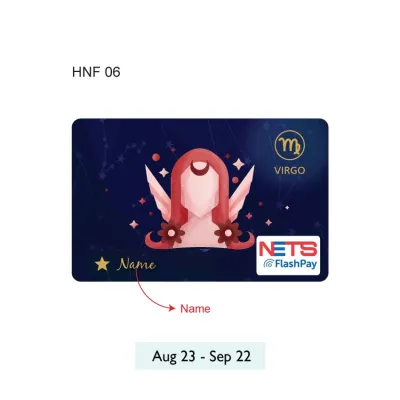
A NETS FlashCard is a versatile, contactless stored-value card widely used across Singapore for seamless, everyday transactions. Designed to simplify daily routines, this reloadable card allows you to pay for public transportation, motoring expenses, retail purchases, and dining with a simple tap. By eliminating the need to carry loose change or enter PINs for small transactions, it serves as a highly efficient payment companion for residents and visitors alike.
Physically, the card conforms to the standard CR80 dimensions, measuring 85.60 mm by 53.98 mm. This standard size ensures it fits perfectly into standard wallets, cardholders, lanyard sleeves, and vehicle In-Vehicle Unit (IU) slots. Operating on contactless radio frequency identification (RFID) technology, the card requires close physical proximity to a reader to complete a transaction, making payments both swift and secure.
Navigating Public Transit and Daily Commutes
Using your card for public transportation is incredibly straightforward. When commuting via the Mass Rapid Transit (MRT) or Light Rail Transit (LRT), you simply tap your card against the reader on the entry gantry. The system validates the card, opens the gates, and displays your current balance on the screen. Upon reaching your destination, tap the card again at the exit gantry to complete the journey and deduct the correct distance-based fare.
Products mentioned in this guide
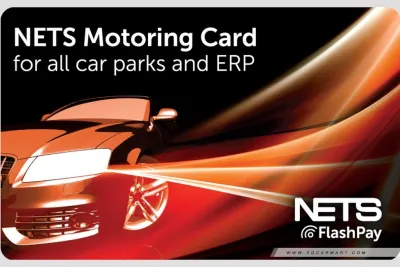
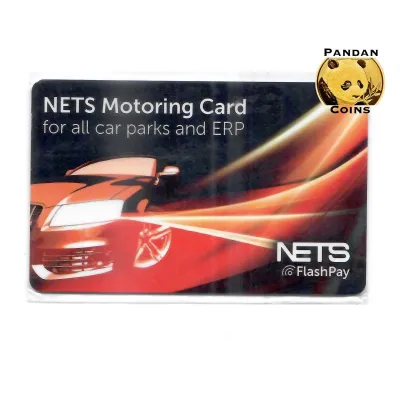
Prices are valid at publication and may change. Please refer to the product page for the latest price.
For public buses, the process is highly similar but requires attention at both ends of your journey. You must tap your card on the reader located near the front door when boarding the bus. Before alighting, tap the card on the reader near the exit doors. Failing to tap out when exiting a bus results in the system charging you the maximum possible fare for that bus route, so making this a habit is essential for managing your travel budget.
When it comes to point-to-point private transport, compatibility can vary. Many local taxis accept contactless payment cards, but it is always best to check the terminal compatibility on the passenger window or ask the driver before starting your trip. Some private hire rides and taxi operators may apply an administrative fee or service charge for card payments, so verifying these policies beforehand helps prevent unexpected costs.
To ensure a smooth commute, keep your card easily accessible but separate from other contactless payment cards. Placing multiple RFID or smart cards together in a single wallet slot can cause “card clash,” where the gantry reader detects more than one card and fails to open. Keeping your transit card in an outer pocket or a dedicated lanyard sleeve prevents this interference.
Managing Tolls, Parking, and Driving Expenses
For motorists, the card serves as a vital tool for managing road-related expenses. To pay for Electronic Road Pricing (ERP) charges, you must insert the card into your vehicle’s In-Vehicle Unit (IU). Ensure the card is inserted fully and in the correct orientation, which typically means the gold contact chip faces downward or upward depending on your specific IU model. A successful insertion is usually confirmed by a solid green light or a balance display on the unit.

When entering and exiting automated car parks, the Electronic Parking System (EPS) reads the card directly from your IU. The system automatically calculates your parking duration and deducts the fee from your card balance as you drive through the gantry. This automated process eliminates the need to wind down your window, reach for a physical ticket, or manually pay at a separate kiosk before exiting.
In older car parks or those without automated EPS gantries, you may need to tap your card manually. In these scenarios, locate the card reader at the entry or exit barrier, bring your vehicle close to the kiosk, and tap the card firmly against the designated reader pad. Always wait for the barrier to lift completely before driving through to avoid damaging your vehicle or the gantry equipment.
Maintaining a sufficient balance is crucial for trouble-free driving. If your card balance falls below the required toll or parking fee, the IU will emit a warning beep, and the gantry barrier will not lift. Regularly checking your balance before embarking on a journey ensures you do not cause traffic delays at car park exits or ERP gantries.
Paying for Retail, Groceries, and Dining
Beyond transit and motoring, the card is widely accepted at physical checkout counters across the island. To determine if a merchant accepts this payment method, look for the official acceptance logo displayed on the point-of-sale (POS) terminal or near the cash register. If you do not see the logo, you can always ask the cashier if they accept contactless payments via this specific card network.
This payment method is highly convenient for quick stops at convenience stores, supermarkets, and local food courts. Instead of counting out physical coins or waiting for change, you simply inform the cashier of your payment preference and tap your card on the terminal. The transaction completes in seconds, making it an ideal choice for busy lunch hours and quick grocery runs.
Self-checkout kiosks and automated vending machines also frequently support this card. At a self-checkout counter in a supermarket or pharmacy chain, select the contactless card option on the touch screen, wait for the payment terminal to light up, and tap your card. Many modern vending machines dispensing drinks, snacks, or personal care items feature compatible card readers, allowing for cashless convenience on the go.
Maintaining Your Card and Checking System Transitions
Keeping your card active and funded requires knowing where and how to top up. You can add value to your card at various physical locations, including transit ticketing machines located at MRT stations, local bank ATMs (such as DBS/POSB, OCBC, and UOB), and authorized retail counters at convenience stores. Note that while transit machines and bank ATMs generally offer free top-ups, some retail counters may charge a nominal service fee per transaction.
Monitoring your card’s physical condition and expiry date is essential for uninterrupted use. The expiry date is typically printed on the back of the card, but you can also verify it using transit ticketing machines or compatible mobile applications. Because the card relies on internal antenna coils, avoid bending, puncturing, or exposing the card to extreme heat, as physical damage can render the contactless chip unreadable.
As transit authorities update payment infrastructures, staying informed about system transitions is highly beneficial. Keep an eye on official announcements regarding transit payment compatibility to ensure your card remains supported on public buses and trains. If your card expires, is damaged, or is no longer needed, you can apply for a refund of the remaining stored value through authorized transit ticket offices or designated customer service points, subject to standard verification procedures.
Frequently Asked Questions (FAQ)
Can I use my NETS FlashCard for online shopping?
No, the card is designed exclusively for physical, contactless point-of-sale transactions, transit readers, and vehicle In-Vehicle Units. It does not feature a card verification value (CVV) or support online payment gateways, meaning it cannot be used for e-commerce checkouts or online digital purchases.
What happens to the remaining balance if my card expires?
If your card reaches its expiry date, the stored value is not lost. You can check the expiry date on the back of the card or via a ticketing machine. To recover the remaining balance, you can present the expired card at authorized transit ticket offices or designated customer service counters to request a refund.
Is the NETS FlashCard the same as a standard NETS bank card?
No, they are distinct payment tools. A standard bank card is linked directly to your personal bank account and requires a PIN or chip insertion for direct debit transactions. The FlashCard is a prepaid, standalone stored-value card that must be topped up in advance and does not require a PIN for quick, contactless payments.

Community discussion
Share your experience or ask a question. Comments are reviewed before publication.