
Selecting the right copy paper for your office or home printer involves more than just grabbing the first ream you see on the shelf. While different paper packages might look nearly identical, the weight of the paper—measured in GSM—plays a critical role in how your printed documents look, feel, and perform. Choosing the wrong weight can lead to frustrating paper jams, messy ink bleed-through, or documents that feel too flimsy for professional use.
Double A paper is widely recognized for its smooth texture and reliable performance, but it comes in several distinct weight options to suit different tasks. By understanding what these options mean, you can optimize your printing workflow, reduce paper waste, and ensure your documents always make the right impression. Whether you are printing high-volume internal drafts or preparing a crucial business proposal, matching the paper weight to your specific needs is the first step toward trouble-free printing.
Understanding GSM in Copy and Print Paper
GSM stands for Grams per Square Meter, which is the standard metric unit used globally to measure the density and weight of paper. It is important to note that GSM is not a direct measurement of paper thickness, although heavier papers do tend to feel thicker. Instead, it tells you how much a single square meter of that specific paper grade weighs, providing a reliable indicator of its overall substance and density.
Products mentioned in this guide
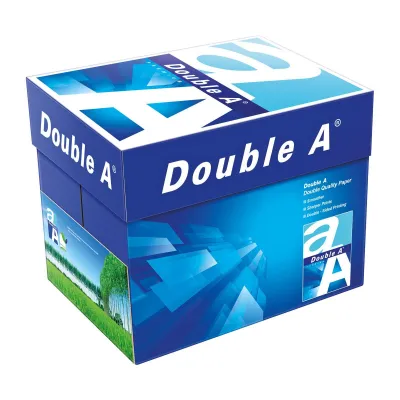
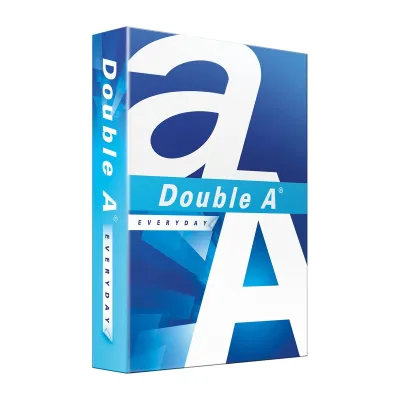
![[1 Boxes - 5 Reams] A4 80Gsm Double A Copy Paper (500 sheets per ream) *Sent via Courier only*](https://img.lazcdn.com/g/p/56270c40316554de4e5596f6fbe9bac5.jpg_400x400q80.jpg_.webp)

![PaperOne A3 A4 A5 Printing Paper | Double A A4 Printing Paper | Fujifilm A4 Printing Paper [70gsm | 80gsm | 100gsm]](https://img.lazcdn.com/g/p/e6656a7d0c70606a115a8596caf6a15d.png_400x400q80.png_.webp)
Prices are valid at publication and may change. Please refer to the product page for the latest price.
When you choose a paper with a higher GSM, you are generally getting a sheet with greater opacity and stiffness. High opacity means that light and ink do not easily pass through the sheet, which is a critical factor if you plan to print on both sides of the page. Increased stiffness helps the paper remain flat and resist curling, especially when exposed to the high heat of laser printers or the heavy moisture of inkjet inks.
However, GSM is not the sole factor determining how a sheet of paper behaves in your hand or inside your printer. The actual physical thickness, brightness, and surface smoothness also depend heavily on the manufacturer’s specific milling, pressing, and coating processes. Observing the tactile feel and verifying the manufacturer’s specifications is always recommended when switching paper types.
Practical Differences Between Double A Weight Options
Double A offers its premium copy paper in three primary weight variants: 70 GSM, 80 GSM, and 100 GSM. Each of these options is engineered to balance cost, performance, and print quality for specific types of office and home printing tasks. Understanding these distinctions helps you avoid paying extra for premium weight when a lighter sheet would suffice, or conversely, using a lightweight sheet for a document that requires a professional touch.

The relationship between paper weight and ink opacity is particularly important when planning your print jobs. Heavier sheets naturally contain more fibers per square inch, creating a denser barrier that prevents ink from showing through to the reverse side. If your workflow relies heavily on double-sided printing, choosing the correct GSM is essential to keep your text legible and your documents looking clean.
Before purchasing a large quantity of any paper weight, it is always wise to verify the specific product packaging and local availability. While these three weights are standard, packaging designs and regional distribution can vary, and some specialty weights may only be available in specific ream sizes or box quantities.
70 GSM: High-Volume and Internal Drafts
The 70 GSM variant is the lightest standard option in the Double A lineup, making it a highly practical and cost-effective choice for everyday office operations. This paper is ideal for high-volume printing tasks where a premium, heavy feel is not necessary, such as printing internal memos, temporary drafts, packing slips, or reference guides. By opting for a lighter sheet, businesses can reduce their overall paper expenses and minimize storage space.
However, the primary trade-off with 70 GSM paper is its lower opacity. Because the paper is thinner and less dense, ink from high-coverage prints or dark text can easily show through to the other side of the page. For this reason, 70 GSM paper is best reserved for single-sided printing, as double-sided documents can quickly become difficult to read due to distracting ink show-through.
Additionally, lighter paper requires a well-maintained printer to feed reliably. Because 70 GSM sheets are more flexible and less stiff, they rely heavily on clean, unworn printer pickup rollers and separation pads to feed through the paper path without double-feeding or wrinkling. If your office printer is older or has not been serviced recently, you may need to monitor it closely when running large batches of lightweight paper.
80 GSM: The Standard for Professional Documents
For most offices and home workspaces, 80 GSM paper serves as the default, go-to standard for daily printing. This weight strikes an excellent balance between cost-efficiency and physical performance, making it versatile enough to handle a wide variety of tasks. Whether you are printing standard business reports, external correspondence, school essays, or daily worksheets, 80 GSM paper provides a clean, professional appearance.
One of the key advantages of 80 GSM paper is its suitability for double-sided printing. The increased density over 70 GSM paper provides sufficient opacity to minimize ink show-through, allowing you to print on both sides of the sheet comfortably without sacrificing legibility. Furthermore, its moderate stiffness ensures reliable feeding through the intricate paper paths of modern office copiers, laser printers, and inkjet devices.
Because it is the industry standard, almost every standard office and home printer is optimized to run 80 GSM paper smoothly. It feeds reliably from standard paper trays, resists curling under the intense heat of laser fusing units, and absorbs standard inkjet inks quickly to prevent smudging, making it the most hassle-free choice for general use.
100 GSM: Premium Presentations and Important Records
When you need to make a strong impression or create documents that will be handled frequently, 100 GSM paper is the ideal choice. This heavier, more substantial paper is designed for high-impact documents such as certificates, legal contracts, resumes, formal proposals, and client-facing presentations. The moment someone holds a document printed on 100 GSM paper, the tactile weight and stiffness immediately convey a sense of premium quality and importance.
Beyond its luxurious feel, 100 GSM paper offers outstanding opacity and ink absorption. It can easily handle heavy ink coverage, vibrant color graphics, and double-sided printing without any noticeable show-through or bleed-through. This makes it the preferred medium for color-heavy documents, charts, and marketing materials that need to look sharp and professional on both sides.
However, before loading your printer with 100 GSM paper, it is crucial to verify your machine’s maximum supported paper weight. Heavier sheets are significantly stiffer and thicker, which can cause feeding issues or paper jams in smaller home printers that are only designed for standard office weights. Always check your printer’s specifications to ensure it can accommodate 100 GSM media safely.
Matching Paper Weight to Your Printer and Workflow
To ensure a smooth printing experience, you must match your chosen paper weight to the capabilities of your specific printing hardware. Every printer, from compact home inkjets to high-speed office multi-function copiers, has a designated paper weight range specified by the manufacturer. Operating outside this range can lead to frequent paper jams, poor print quality, or even mechanical wear on the feed rollers.
Before purchasing a new paper weight, take a moment to consult your printer’s user manual or the manufacturer’s online specification sheet. Look for the supported media weight range, which is typically listed in GSM or pounds. If you are using 100 GSM paper, you may also need to adjust your printer’s driver settings on your computer. Selecting a media type like “Heavy Paper”, “Thick Paper”, or “Cardstock” instructs the printer to slow down the feeding speed and adjust the fuser temperature, ensuring the toner or ink adheres perfectly to the thicker sheet.
If you are transitioning to a heavier paper weight or using an older printer with worn pickup rollers, it is highly recommended to test a small batch first. Try feeding a few sheets through the manual feed tray or bypass slot, which typically offers a straighter, less curved paper path designed specifically for heavier media. This simple trial helps you verify compatibility and avoid frustrating interruptions during a critical print job.
Frequently Asked Questions (FAQ)
Is 80 GSM always better than 70 GSM for Double A paper?
No, 80 GSM is not universally better than 70 GSM; the right choice depends entirely on your specific printing task and budget. While 80 GSM paper offers superior opacity and stiffness—making it the ideal choice for double-sided printing and external documents—70 GSM paper is more cost-effective and perfectly adequate for single-sided internal drafts, temporary notes, and high-volume printing where a premium feel is not required.
Can my standard home printer handle 100 GSM Double A paper?
Most modern home printers can comfortably handle 100 GSM paper, but compatibility varies strictly by individual printer models. To prevent paper jams, always consult your printer’s manual to verify its maximum supported paper weight. If your printer struggles to feed 100 GSM paper from the main tray, try using the manual feed slot or bypass tray, which provides a more direct path for thicker media.

Community discussion
Share your experience or ask a question. Comments are reviewed before publication.