
Choosing between Double A A4 80gsm and 100gsm paper depends on your specific printing tasks, document goals, and budget. For everyday office tasks, high-volume copying, and single-sided text documents, 80gsm paper serves as the standard, highly efficient choice. Conversely, when your work involves double-sided printing, heavy ink coverage, or client-facing presentations that require a premium tactile feel, upgrading to 100gsm paper provides the necessary opacity and structural integrity.
To understand why these two options perform differently, it helps to look at what these numbers actually represent. The term GSM stands for “grams per square meter,” which is the standard metric unit used globally to measure paper weight. Because all standard A4 sheets share the exact same physical dimensions of 210 by 297 millimeters, any change in the GSM rating directly indicates a change in the density, thickness, and stiffness of the individual sheets.
A difference of 20gsm might sound minor on paper, but it significantly alters how the sheet behaves in your hands and inside a printer. The heavier 100gsm sheet contains more raw fiber per square meter, resulting in a noticeably thicker profile and a stiffer structure. This physical variance directly influences how light passes through the sheet, how the paper fibers absorb liquid inks, and how the page feels when turned by a reader.
Products mentioned in this guide
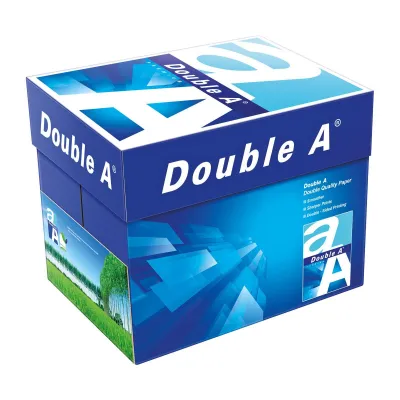
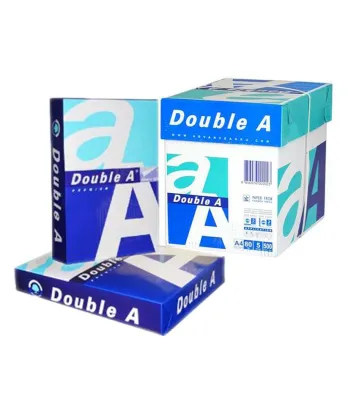
![[1 Boxes - 5 Reams] A4 80Gsm Double A Copy Paper (500 sheets per ream) *Sent via Courier only*](https://img.lazcdn.com/g/p/56270c40316554de4e5596f6fbe9bac5.jpg_400x400q80.jpg_.webp)
![[BUNDLE OF 5 REAMS] DOUBLE A Copy Paper A4 80gsm / 70gsm](https://img.lazcdn.com/g/p/8c01714ed521063409be99d2cec9e0c0.jpg_400x400q80.jpg_.webp)
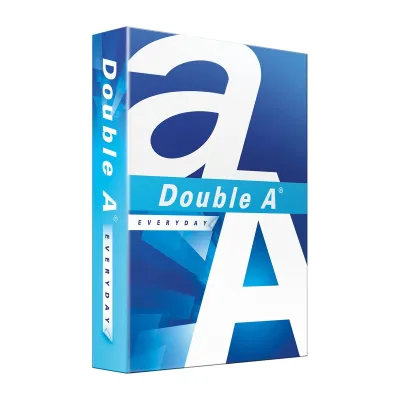
Prices are valid at publication and may change. Please refer to the product page for the latest price.
Comparing Double A 80gsm and 100gsm: Key Performance Factors
Opacity is one of the most critical differences when comparing these two weights. When you hold a printed sheet of 80gsm paper up to the light, you will likely notice a degree of show-through, where the text on the reverse side is partially visible. For single-sided documents, this is rarely an issue, but for double-sided printing, show-through can make reading highly distracting. The 100gsm paper offers a much higher level of opacity, effectively blocking light and preventing text or graphics on the back from interfering with the front-facing content.
The way paper interacts with different printing technologies also depends heavily on its weight. Laser printers use heat and pressure to fuse dry toner powder onto the surface of the sheet, which both 80gsm and 100gsm papers handle with ease. However, inkjet printers spray liquid ink that must be absorbed by the paper fibers. When printing high-density graphics or solid color blocks on 80gsm paper, the excess moisture can saturate the thin fibers, leading to cockling—a physical warping or wrinkling of the page. The thicker 100gsm sheet has a greater capacity to absorb liquid ink without warping, keeping your finished prints flat and professional.
Beyond visual performance, the tactile feel of your documents plays a subtle but powerful role in how your work is perceived. Stiffer paper naturally resists bending and folding, giving it a crisp, substantial feel in the hand. When you hand a client a proposal or a resume printed on 100gsm paper, the physical weight conveys a sense of quality and attention to detail. While 80gsm paper is perfectly functional, it feels flexible and lightweight, which is ideal for casual reading but less impressive for formal business interactions or official certificates.
The surface smoothness of the paper also interacts with its weight. Heavier sheets often provide a more uniform surface profile, which can enhance the sharpness of fine text and detailed lines. When toner is fused onto a highly stable 100gsm surface, the risk of micro-smudging during the high-speed feeding process is reduced, resulting in cleaner edges around your characters and graphics.
How to Choose: Matching Paper Weight to Your Printing Tasks
Selecting 80gsm paper is the most practical decision for high-volume, everyday office operations. If your daily tasks consist of printing internal memos, draft reports, standard emails, or student assignments, this weight offers excellent performance while keeping costs manageable. Because 80gsm sheets are thinner, they take up less physical space in your filing cabinets, binders, and recycling bins. This makes them highly efficient for archiving large volumes of text-heavy documents where premium presentation is not a priority.

From an economic perspective, 80gsm paper is highly cost-effective, allowing businesses to purchase in bulk cartons without stretching their stationery budgets. It also reduces shipping weight and fuel consumption during transport, making it a slightly more resource-efficient choice for organizations tracking their carbon footprint. Reserving 100gsm paper for external communication ensures that your premium paper budget is spent only where it delivers the highest visual and tactile return on investment.
On the other hand, 100gsm paper is a highly suitable choice for high-impact, professional documents. You should opt for this heavier weight when preparing client-facing proposals, marketing brochures, presentation handouts, or official certificates. It is also the standard choice for double-sided reports that feature colorful charts, diagrams, or dark background elements. The added thickness ensures that your graphics remain vibrant and sharp on one side without casting shadows or bleeding through to the other.
Before committing to a specific paper weight, it is important to verify the physical requirements of your project. If you plan to bind a very thick report or manual, using 100gsm paper throughout can make the finished spine excessively bulky and difficult to fold or bind cleanly. In such cases, using 80gsm for the inner pages and a heavier stock only for the cover may yield a more balanced result. Additionally, if your project requires specialized media like glossy photo paper or heavy cardstock, standard copy paper weights will not suffice, and you should check your printer’s compatibility with those specific materials.
Printer Compatibility and Paper Handling Tips
While most modern office copiers handle a wide range of paper weights seamlessly, smaller home printers can sometimes be more sensitive to thicker media. Before loading 100gsm paper into your machine, it is highly recommended to consult your printer’s user manual or online specifications. Look for the section detailing the supported media weight range to ensure 100gsm falls within the manufacturer’s approved limits, preventing unnecessary wear on the internal rollers.
In larger office environments, multi-function printers often have dedicated bypass trays designed specifically for heavier media. Utilizing these trays for 100gsm paper bypasses the complex internal routing of the main cassettes, reducing mechanical wear on the pickup rollers. It is also wise to periodically clean the rubber pickup rollers with a dry, lint-free cloth, as paper dust from high-volume printing can reduce traction, a problem that becomes more noticeable when the printer attempts to pull heavier 100gsm sheets.
To prevent paper jams and ensure smooth feeding, always adjust the physical paper guides in your printer’s input tray so they rest snugly against the edges of the paper stack without pinching them. When sending a print job to a machine loaded with 100gsm paper, take a moment to open your computer’s print dialog box and select the correct Paper Type or Media Type setting, such as Heavy or Thick. This adjustment instructs the printer to optimize its roller speed and fuser temperature, ensuring the toner bonds perfectly to the thicker sheet without causing feed errors.
Proper storage is equally vital for maintaining paper quality, especially in humid environments like Singapore. High humidity can cause paper fibers to absorb moisture from the air, leading to curling, misfeeds, and frequent paper jams. To protect your paper, keep unused sheets sealed in their original moisture-proof wrapper until you are ready to load them into the printer. Store your paper packages flat on a shelf or in a cabinet rather than standing them on end, which can cause the sheets to warp over time under their own weight.
Frequently Asked Questions (FAQ)
Is 100gsm paper too thick for standard home printers?
Most modern home inkjet and laser printers are fully capable of handling 100gsm paper without any issues, as standard consumer models typically support media weights up to 105gsm or 120gsm. However, older or budget-friendly compact printers with tight, curved paper paths may occasionally experience feeding difficulties with thicker sheets. If your printer struggles to pull 100gsm paper from the main tray, check if your machine features a manual feed slot or a rear bypass tray, which provides a straighter path through the printer and minimizes the risk of jams.
Does 80gsm paper bleed through when printing double-sided?
When printing standard, double-sided text documents using a laser printer, 80gsm paper generally performs acceptably with minimal, non-distracting show-through. However, if you are using an inkjet printer or printing documents with heavy graphics, dark backgrounds, or saturated colors, 80gsm paper is highly susceptible to both show-through and ink bleeding. For pages with significant ink coverage, upgrading to 100gsm paper is highly recommended to ensure the reverse side remains clean, legible, and professional.

Community discussion
Share your experience or ask a question. Comments are reviewed before publication.