
Choosing between Double A 80gsm and 100gsm A4 paper depends entirely on your specific printing equipment, document purpose, and budget. While 80gsm is the standard for high-volume, everyday internal documents and reliable double-sided printing, 100gsm provides the extra stiffness and opacity needed for formal external presentations, heavy color graphics, and premium tactile quality. Before buying in bulk, you must verify your printer’s maximum supported paper weight and conduct a small-batch test to ensure smooth feeding and acceptable show-through.
Understanding Paper Weight: 80gsm vs 100gsm Explained
Paper weight is globally measured in gsm, which stands for grams per square meter. This metric represents the density and mass of the paper sheet rather than its absolute physical thickness, though higher gsm values generally correspond to a thicker, sturdier sheet. When comparing Double A 80gsm and 100gsm variants, you are looking at two distinct classes of paper engineered for different operational demands.
The 80gsm variant represents the standard weight for modern office environments. It offers a balanced profile with sufficient stiffness for high-speed feeding and acceptable opacity for standard text printing. It feels familiar, lightweight, and flexible in hand, making it the default choice for everyday tasks.
Products mentioned in this guide
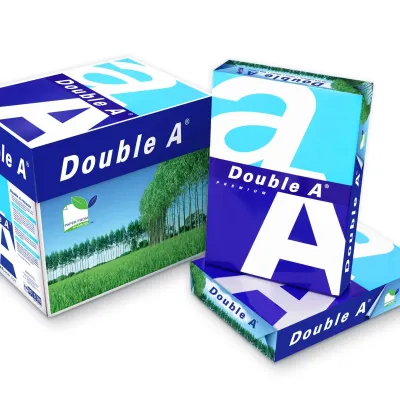
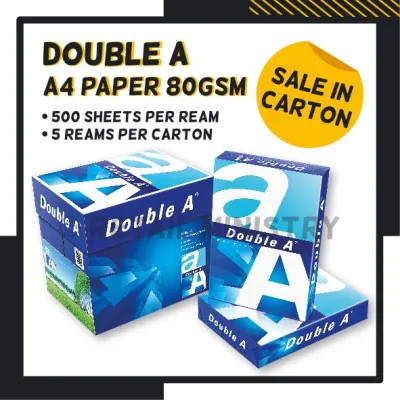
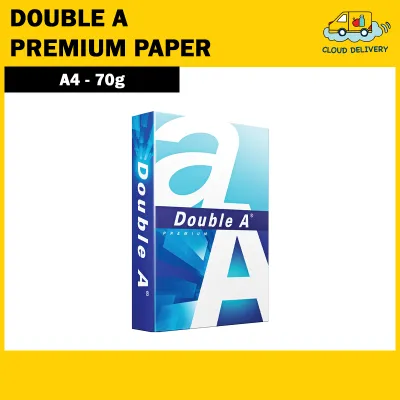

![PaperOne A3 A4 A5 Printing Paper | Double A A4 Printing Paper | Fujifilm A4 Printing Paper [70gsm | 80gsm | 100gsm]](https://img.lazcdn.com/g/p/b74fbf6149d0f8eb75e70b4897298a49.png_400x400q80.png_.webp)
Prices are valid at publication and may change. Please refer to the product page for the latest price.
In contrast, the 100gsm variant is noticeably heavier, stiffer, and more opaque. The increased density provides a premium tactile feel that immediately signals quality to anyone holding the document. This extra weight prevents the paper from flopping or bending easily, which significantly enhances the perceived professionalism of formal presentations, proposals, and official correspondence.
Double A paper is known for its smooth surface and high fiber count, which contribute to its overall performance. The 80gsm sheet leverages this fiber structure to maintain a relatively high level of stiffness for its weight class, allowing it to glide smoothly through high-speed copiers without curling. The 100gsm sheet takes this structural integrity further, offering a dense, compact fiber network that minimizes light transmission and provides a substantial, professional weight.
Key Comparison Dimensions for Daily Printing
To choose the right paper weight for your daily operations, you must evaluate how each option interacts with your office equipment and printing processes. The physical differences between 80gsm and 100gsm directly affect printer mechanics, ink absorption, and visual presentation.

Matching the paper’s physical properties to your specific printer type and ink technology is essential for achieving clean prints and avoiding operational disruptions. Factors such as paper path design, toner fusion temperatures, and liquid ink saturation behave differently depending on the density of the sheet.
Printer Compatibility and Paper Feed
Before loading heavier paper into your machine, you must check your printer’s official user manual to verify its maximum supported paper weight. Standard office printers and compact home units often have strict gsm limits, and exceeding these specifications can lead to mechanical issues or hardware damage over time.
Using thicker 100gsm paper in a machine optimized solely for standard utility paper increases the risk of paper jams, misfeeds, and accelerated wear on the pickup rollers. Because 100gsm sheets are stiffer, they do not bend as easily around tight rollers, which can cause the printer’s sensors to trigger error codes or pull multiple sheets at once.
The design of your printer’s paper path plays a critical role in how it handles different weights. Laser printers, inkjets, and large multifunction copiers use various mechanisms to pull and flip paper. While a straight-through manual feed tray handles 100gsm paper with ease, a curved internal duplexing path may struggle with the stiffness of heavier sheets, making 80gsm the safer choice for automated double-sided printing.
When evaluating printer compatibility, the paper path design is a primary factor. Printers with a straight paper path—where the paper enters from a rear tray and exits directly out the front—experience minimal resistance and can easily handle heavier 100gsm sheets. However, many office multifunction printers use a “U-path” or “S-path” where the paper must make sharp 180-degree turns around internal rollers. In these systems, the natural resistance of 100gsm paper can cause the sheet to slip or fail to clear the turn in time, leading to internal timing errors and paper jams.
Print Quality and Double-Sided Transparency
When printing on both sides of a sheet, opacity becomes a primary concern. Holding a printed page up to the light reveals the difference in show-through between the two weights. The 80gsm paper, while highly functional, exhibits a moderate level of transparency that can make double-sided text or graphics look cluttered if the ink or toner is heavily applied.
The interaction between the printing medium and the paper fibers also varies by weight. Laser printers use heat and pressure to fuse dry toner to the surface, which works exceptionally well on both weights. Inkjet printers, however, spray liquid ink that must be absorbed by the paper fibers; the higher density of 100gsm paper provides more fiber volume to absorb this moisture, reducing the risk of paper warping or buckling under heavy ink coverage.
For documents featuring high-coverage color charts, dark backgrounds, or bold headings, a visual check of 100gsm paper reveals superior opacity. The thicker sheet prevents the ink or toner from visibly bleeding or showing through to the reverse side, ensuring that both sides of your double-sided documents remain crisp, legible, and professional.
The choice of printing technology also dictates how paper weight affects the final output. Laser printing relies on static electricity to transfer dry toner powder to the page, which is then melted into the paper fibers using a heated fuser unit. Because this process does not introduce moisture, both 80gsm and 100gsm papers maintain their flat, smooth profile. Inkjet printing, on the other hand, deposits liquid ink droplets that physically wet the paper. On standard 80gsm paper, heavy ink saturation can cause the paper fibers to expand and swell, resulting in a wavy, warped appearance known as cockling. The extra fiber mass of 100gsm paper absorbs this moisture more effectively, keeping the page flat and professional even with high-density color prints.
Matching Paper Weight to Your Specific Tasks
Selecting the ideal paper weight requires a clear understanding of your document’s lifecycle and target audience. A structured decision framework helps ensure you do not waste resources on premium paper when utility paper suffices, or compromise your brand image by using standard paper for critical presentations.
It is important to remember that a higher paper weight is not universally better for every scenario. Each weight has distinct operational advantages and trade-offs that make it highly suited for specific workflows and completely impractical for others.
When to Choose 80gsm
The 80gsm paper is the ultimate workhorse for high-volume, everyday office tasks. It is the ideal choice for printing internal drafts, standard black-and-white text documents, emails, and routine double-sided copies where premium presentation is not required.
From a logistics and storage perspective, 80gsm paper offers significant advantages. It takes up less physical space in filing cabinets and storage shelves, allowing you to archive more documents in a limited area. Additionally, if you need to mail or ship large volumes of printed reports, the lighter weight of 80gsm paper helps minimize postage and shipping costs.
Using 80gsm paper also helps maximize the lifespan of your printer’s consumable parts. Because it is highly flexible and matches the default design specifications of almost all office copiers, it causes minimal friction and wear on pickup rollers and separation pads, leading to fewer maintenance interventions and less downtime.
When to Choose 100gsm
The 100gsm paper should be reserved for documents that require an immediate impression of quality and authority. It is highly recommended for external client proposals, legal contracts, official certificates, resumes, and formal correspondence where the tactile experience reflects your brand’s standards.
If your documents feature heavy color graphics, detailed charts, or high-resolution images, 100gsm paper is essential. The increased opacity and density prevent the heavy ink or toner coverage from distorting the paper or showing through to the other side, keeping your visual presentations sharp and clean.
Furthermore, the physical stiffness of 100gsm paper makes it ideal for materials that will be handled frequently or placed in presentation folders. It resists creasing, dog-ears, and tearing much better than lighter paper, ensuring that your marketing handouts, menus, or reference guides remain pristine during extended use.
Cost, Value, and Purchasing Considerations
When managing an office budget, balancing paper quality with cost is a continuous challenge. A ream of 100gsm paper carries a higher price tag per sheet compared to a standard ream of 80gsm paper. While the individual price difference in S$ might seem small, it scales rapidly when purchasing in bulk or managing high-volume print environments.
To evaluate the long-term budget impact, you must analyze your monthly print volume and the nature of your documents. If your office primarily prints internal drafts that are discarded or recycled quickly, standardizing on 100gsm paper would lead to unnecessary expenditure and paper waste. Conversely, using cheap paper for client-facing materials might result in a poor impression, which carries its own indirect cost.
A highly effective strategy is to stock both paper weights in your office and establish clear guidelines for their use. Keep the primary paper trays loaded with 80gsm paper for everyday utility printing, and reserve a secondary tray or manual feed slot for 100gsm paper. This dual-stock approach allows your team to easily match the paper weight to the task, optimizing your stationery budget in S$ without compromising on presentation quality when it matters.
To implement a dual-stock system successfully, clear communication and labeling are essential. Clearly label the printer trays so that users know which tray contains the everyday 80gsm paper and which is reserved for the premium 100gsm stock. Additionally, configure the default print settings on office computers to print to the 80gsm tray, requiring users to manually select the 100gsm tray in the print dialog box when printing formal documents. This simple administrative control prevents accidental use of premium paper for routine drafts, ensuring your office stationery budget in S$ is spent efficiently.
How to Verify the Right Choice for Your Setup
Before committing to a bulk purchase of either paper weight, you should perform a few simple verification steps to ensure compatibility with your specific office setup. First, locate your printer’s official user manual or specification sheet online to check the recommended paper weights and the maximum gsm limits for each input tray.
Next, obtain a single ream of the desired paper weight to run a small-batch test. Load the paper into your printer and run a series of double-sided test prints containing both text and color graphics. Observe the paper path for any signs of hesitation, curling, or physical jams, and inspect the finished prints for acceptable opacity and toner adhesion.
Finally, check the paper packaging for specific manufacturer guidelines regarding storage and environmental conditions. In humid climates, paper can absorb moisture from the air, which increases the risk of paper jams and print curling. Store your paper in its original wrapper in a cool, dry cabinet, and only open a new ream when you are ready to load it into the printer tray to maintain optimal performance.
Environmental factors also play a significant role in paper performance, especially in tropical climates like Singapore’s. High relative humidity can cause paper sheets to absorb moisture from the air, which softens the fibers and reduces the paper’s natural stiffness. This moisture absorption can lead to increased paper jams, multi-sheet feeds, and severe curling after the paper passes through the hot fuser of a laser printer. To prevent these issues, always store unopened reams of both 80gsm and 100gsm paper in a dry, temperature-controlled environment. When loading paper, only load the amount needed for immediate use, and keep the remaining sheets sealed in their original moisture-resistant wrapper.
Frequently Asked Questions (FAQ)
Can I mix 80gsm and 100gsm paper in the same printer tray?
No, you should avoid mixing different paper weights in the same printer tray. Doing so can confuse the printer’s paper feed sensors and lead to frequent multi-sheet pickups, where the roller grabs a thin sheet and a thick sheet simultaneously, causing an immediate paper jam. For consistent feeding and to prevent sensor errors, always load a single, uniform paper weight into the active tray and adjust your printer’s driver settings to match the loaded media.
Does 100gsm paper guarantee no ink bleed-through for wet inks?
While 100gsm paper offers excellent opacity and handles standard printer inks and toners exceptionally well, it does not automatically guarantee zero bleed-through for highly saturated wet inks, such as those from fountain pens, calligraphy nibs, or heavy art markers. Bleed-through and feathering depend heavily on the paper’s surface sizing and coating rather than just its weight. If you plan to use wet writing instruments, you should conduct a small spot test on a single sheet to verify how the paper fibers interact with your specific ink before proceeding with a large project.

Community discussion
Share your experience or ask a question. Comments are reviewed before publication.