
Choosing between Double A 70gsm and 80gsm copier paper is not a matter of finding a universally superior product, but rather of matching the specific paper weight to your office’s daily printing workflows, equipment capabilities, and budget. Both weights offer distinct advantages designed to optimize different types of document production. Selecting the wrong weight can lead to unnecessary operational expenses, frequent printer jams, or a compromised professional image when presenting documents to external clients.
To make an immediate decision, consider the primary destination of your printed pages. Double A 70gsm is the ideal choice for high-volume, everyday internal documents, draft printing, and single-sided reference sheets where minimizing cost per page is the priority. Conversely, Double A 80gsm is the standard recommendation for external communications, official contracts, double-sided printing, and professional presentations. The heavier weight provides the necessary opacity and a premium tactile feel that commands attention and ensures readability.
Thickness and Opacity: How 70gsm and 80gsm Feel in Hand
To understand the physical differences between these two options, it is helpful to look at how paper is measured. The term “gsm” stands for grams per square meter, which is the standard metric unit for measuring paper density or grammage. While gsm directly measures weight rather than thickness (often referred to as caliper), a higher grammage almost always correlates with a thicker, denser sheet of paper when comparing products within the same brand line. Double A utilizes short-fiber eucalyptus pulp, which naturally provides a high fiber count per gram, resulting in a highly compact and smooth sheet for both weights.
Products mentioned in this guide
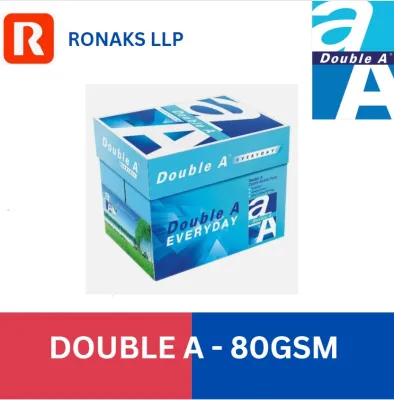
Prices are valid at publication and may change. Please refer to the product page for the latest price.
When you hold a sheet of Double A 80gsm paper, the tactile difference is immediately apparent. It feels sturdier, more rigid, and more substantial. This stiffness is highly beneficial when documents are handled frequently by clients, legal partners, or internal stakeholders, as it resists creasing, tearing, and dog-ears. In contrast, the 70gsm sheet is lighter, more flexible, and has a softer drape. While this makes it perfectly acceptable for quick reading and filing, it lacks the executive presence that a heavier sheet naturally conveys during face-to-face meetings.
Opacity is another critical performance metric where these two weights diverge. Opacity refers to how much light—and consequently, how much printed ink or toner—shows through to the reverse side of the sheet. The extra density of the 80gsm sheet provides a significantly higher level of opacity, which dramatically reduces ink show-through (often called “ghosting” or “bleed-through”). This makes 80gsm the minimum recommended standard for double-sided (duplex) printing, especially when your documents contain bold headings, dark charts, or high-contrast graphic elements.
If you use 70gsm paper for double-sided printing, the text from the reverse side will often show through, creating visual clutter that impairs readability. However, for single-sided text documents, such as internal memos, packing slips, or draft spreadsheets, the lower opacity of 70gsm is rarely an issue. To verify these differences in your own office, take a sample sheet of each weight, hold them up to a standard overhead light source, and observe the light transmission. You can also print a high-contrast black logo on one side of each sheet to visually inspect the level of show-through on the reverse side.
Printer Compatibility and Jamming Risks in Humid Climates
Both Double A 70gsm and 80gsm papers are engineered with a smooth surface finish and precise cutting technology designed to minimize dust buildup and ensure reliable feeding through modern office machinery. Standard laser printers, high-speed digital copiers, and desktop inkjet printers are generally designed to handle both weights without difficulty. However, the physical environment of your office plays a massive role in how these papers behave once they enter the printer’s paper path.

In highly humid environments, such as Singapore’s tropical climate, paper storage and handling become critical operational concerns. Cellulose fibers in paper are naturally hygroscopic, meaning they absorb moisture from the surrounding air. When paper absorbs moisture, its structural integrity softens, making it more pliable and prone to curling. Because 70gsm paper has less fiber mass than 80gsm paper, it is more susceptible to these moisture-induced structural changes. When damp 70gsm paper passes through the high-heat fuser rollers of a laser printer, the rapid evaporation of moisture can cause the paper to curl aggressively as it exits, leading to post-print curling or immediate paper jams.
Furthermore, moisture-laden sheets tend to cling to one another due to increased surface friction and electrostatic attraction. This can cause the printer’s pick-up rollers to pull multiple sheets into the paper path simultaneously, resulting in a multi-feed jam. The greater structural rigidity of 80gsm paper helps it resist this clinging effect and maintain its flat profile even when exposed to moderate ambient humidity, making it inherently more forgiving in non-climate-controlled storage areas.
To prevent humidity-related printing issues, always check your specific printer manufacturer’s recommended paper weight specifications in the user manual before purchasing paper in bulk. While almost all office printers support 80gsm, some high-speed production copiers or older desktop units may have specific feed-roller settings or paper path designs that perform more reliably with one weight over the other. To maintain optimal performance for both weights, implement these low-risk storage practices:
- Keep paper reams sealed in their original moisture-resistant, polyethylene-coated wrappers until they are ready to be loaded into the printer.
- Store paper cartons off the floor on pallets or shelving, away from damp walls and direct sunlight.
- Avoid loading more paper into the printer tray than will be used within a 24-to-48-hour period, especially in offices where air conditioning is turned off overnight.
- Fan the paper stack gently before loading it into the tray to break any static or moisture-induced cling between the sheets.
Cost-Efficiency: Balancing Budget and Document Quality
Managing office overhead requires a careful analysis of both upfront purchasing costs and the long-term operational expenses associated with document production. From a pure procurement perspective, Double A 70gsm is consistently more cost-effective per ream than the 80gsm variant. For organizations that print thousands of pages every week—such as educational institutions, logistics hubs, legal departments, and administrative centers—the 10% to 15% price difference between these two weights can add up to substantial annual savings.
However, focusing solely on the initial purchase price can lead to hidden costs that erode these savings. If your office frequently uses 70gsm paper for tasks where it is poorly suited, you may experience a high rate of double-sided printing waste. When employees print duplex documents on 70gsm paper only to find them unreadable due to show-through, those documents are typically discarded and reprinted on single sheets, doubling both paper and toner consumption. Similarly, frequent paper jams caused by moisture-softened 70gsm paper consume valuable staff time and can lead to premature wear on printer feed rollers and separation pads.
There is also an intangible but highly significant professional cost associated with document quality. Sending a thin, flimsy 70gsm contract, proposal, or invoice to a client can subtly signal a lack of attention to detail or a highly budget-constrained operation. Using 80gsm paper for all client-facing materials ensures a crisp, professional presentation that reflects positively on your brand’s standards of quality and reliability. The extra cost per sheet is a minor investment when weighed against the value of a successful business proposal or a signed contract.
To optimize your office’s paper budget, conduct a brief audit of your monthly paper consumption. Identify what percentage of your printing is purely internal (such as emails, draft reports, packing lists, and system logs) versus external or formal (such as client proposals, official letters, legal agreements, and marketing collaterals). Based on this audit, you can design a highly efficient dual-paper strategy. By keeping both weights in stock and assigning them to different printer trays or specific machines, you can leverage the cost savings of 70gsm for drafts while reserving 80gsm for high-value outputs.
At a Glance: 70gsm vs 80gsm Specification Comparison
The following table provides a quick-reference summary of how Double A 70gsm and 80gsm paper weights compare across key operational attributes. Because paper pricing fluctuates based on volume, vendor contracts, and market conditions, this comparison focuses on relative performance and value characteristics rather than specific monetary figures.
| Feature | Double A 70gsm | Double A 80gsm |
|---|---|---|
| Best Use Case | High-volume internal drafts, single-sided text, packing slips | External proposals, legal contracts, double-sided printing, presentation slides |
| Tactile Feel | Lightweight, highly flexible, standard office feel | Substantial, rigid, premium tactile feedback |
| Opacity (Show-through) | Moderate; suitable for text-only, single-sided documents | High; minimal show-through, ideal for heavy ink and double-sided use |
| Humidity Resistance | Moderate; requires careful storage to prevent curling in humid climates | High; greater structural rigidity resists curling and multi-feeding |
| Relative Cost-Efficiency | High; lower cost per ream, reduces operational overhead for bulk printing | Moderate; higher upfront cost, justified by professional appearance and low waste |
Decision Framework: How to Choose the Right Weight
To finalize your purchasing decision and establish a streamlined office printing workflow, use the following structured decision framework based on your office’s specific needs.
Choose 70gsm if your office matches these conditions:
- High-Volume Internal Workloads: Your primary printing consists of single-sided internal documents, system reports, rough drafts, or temporary reference sheets.
- Strict Cost Controls: You operate a high-volume printing environment where minimizing the direct cost per printed page is a key performance indicator.
- Climate-Controlled Environment: Your office and paper storage areas are consistently air-conditioned, keeping humidity levels low and minimizing the risk of paper curling.
- Single-Sided Default: Your printer fleet is primarily configured for single-sided printing, eliminating the risk of unreadable double-sided show-through.
Choose 80gsm if your office matches these conditions:
- Client-Facing Communications: You regularly print proposals, contracts, marketing materials, or correspondence that will be handled directly by clients or partners.
- Duplex Printing Standard: Your office defaults to double-sided printing to save physical space and reduce overall sheet consumption, requiring high opacity to prevent show-through.
- High-Speed Copiers: You utilize high-speed office copiers and multi-function printers that require stiffer paper to prevent misfeeds and jams during rapid paper transport.
- Varying Humidity Levels: Your paper storage or printing equipment is located in areas without 24/7 climate control, making humidity resistance a priority.
Before placing a bulk order with an office supply vendor, always perform a physical verification check. Purchase a single ream of both Double A 70gsm and 80gsm paper. Load them into your primary office printers, run a series of test prints—including both single-sided text and double-sided documents with graphics—and observe how the paper feeds, how it feels in hand, and how well it resists curling. Once you have verified which weight performs best in your specific machines and environment, you can confidently negotiate bulk pricing with your local supplier to secure the most cost-effective solution for your business.
Frequently Asked Questions (FAQ)
Can I mix 70gsm and 80gsm paper in the same printer tray?
No, you should never mix different paper weights within the same printer feed tray. Printer pick-up rollers and separation pads rely on consistent friction coefficients and paper thickness to feed a single sheet at a time. Mixing 70gsm and 80gsm paper alters these physical dynamics mid-run, which frequently results in multi-sheet feeds, paper skewing, or immediate paper jams. If you need to use both weights, assign them to separate dedicated paper trays and select the appropriate tray through your print driver settings before sending your job.
Does Double A 70gsm feel thinner than other brands' 70gsm paper?
No, Double A 70gsm paper often feels slightly denser and smoother than many budget-brand 70gsm papers. This is due to Double A’s unique manufacturing process, which utilizes high-quality short fibers from farmed eucalyptus trees. This dense fiber structure provides excellent surface smoothness and a more compact sheet profile. However, while it may feel superior to other 70gsm options, it still lacks the absolute stiffness, weight, and opacity of a standard 80gsm sheet. If tactile rigidity is your primary requirement, you should still opt for the 80gsm weight.

Community discussion
Share your experience or ask a question. Comments are reviewed before publication.