
Quick Answer: Evaluating Digital Blackboards for Architectural Use
Selecting the ideal digital blackboard for architectural work depends heavily on your specific studio workflow. There is no single brand that universally outperforms all others; instead, the market is divided between high-precision pen displays designed for individual drafting and large-format interactive boards built for collaborative client presentations. Individual architects focusing on detailed technical drawings require different specifications than design teams conducting group brainstorming sessions. Before committing to a purchase, it is essential to verify manufacturer specifications regarding active drawing area, pressure sensitivity, and native software compatibility. By aligning these technical capabilities with your daily tasks, you can secure a device that enhances both your creative output and your long-term productivity.
Baseline Standards for Professional Architectural Drafting
Professional architectural drafting demands a digital workspace that closely mimics the physical drafting table while offering modern digital efficiencies. The active drawing area must be large enough to display complex floor plans, sections, and elevations without requiring constant zooming or panning. For desktop setups, a minimum diagonal screen size of 15.6 inches is recommended for portability, while 24-inch to 32-inch displays offer a more comfortable, stationary workspace.

Software integration is another non-negotiable standard. The device must offer seamless compatibility with industry-standard computer-aided design (CAD) and building information modeling (BIM) tools, such as AutoCAD, Revit, SketchUp, and Rhino. Ensure the manufacturer provides stable drivers that support native pen protocols on your operating system.
Products mentioned in this guide
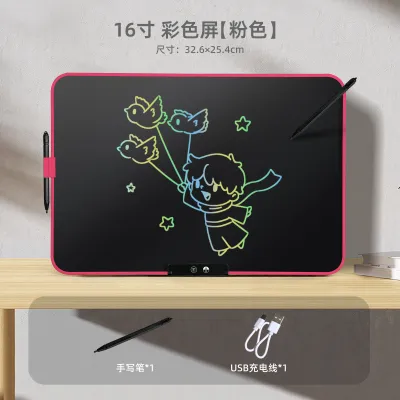
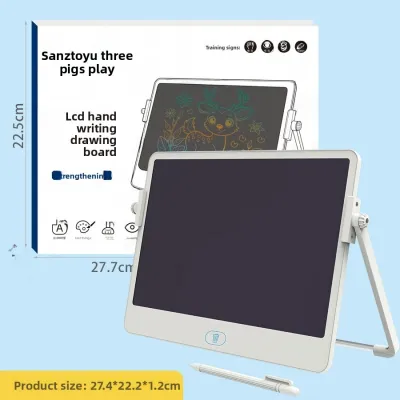
Prices are valid at publication and may change. Please refer to the product page for the latest price.
Ergonomics play a critical role during long drafting sessions. Look for displays that support VESA mounting or come with robust, adjustable stands to prevent neck and back strain. Anti-glare screen treatments are vital for reducing eye fatigue under bright studio lighting, while customizable physical shortcut keys allow you to execute common commands instantly.
Evaluating Precision and Stylus Responsiveness
Achieving precise line weights and accurate spatial representations requires a highly responsive stylus and screen combination. When comparing devices, check the pressure sensitivity levels; a standard of 8,192 levels is ideal for capturing subtle variations in line thickness. Tilt recognition, typically up to 60 degrees, is equally important for rendering realistic shading and organic sketches.
Parallax—the physical distance between the stylus tip and the digital cursor on the screen—can severely disrupt drafting accuracy. Fully laminated screens eliminate this gap by bonding the display panel directly to the protective glass, ensuring the digital ink appears exactly where the pen touches. Additionally, a high screen refresh rate (ideally 60Hz or higher) reduces lag, keeping the digital ink synchronized with your hand movements.
Stylus mechanics also influence the overall drawing experience. Electromagnetic resonance (EMR) technology is highly preferred as it powers the stylus wirelessly, eliminating the need for batteries or charging. You should also verify the availability and cost of replacement nibs. Felt nibs provide a tactile, paper-like friction that prevents the pen from slipping, whereas plastic nibs offer a smoother, faster glide across the glass surface. Finally, check the initial activation force (IAF) in the product specifications; a lower IAF ensures the screen registers even the lightest touch.
Assessing Durability for Studio Environments
An architectural studio is a dynamic environment where digital tools must withstand frequent use, dust, and occasional transport. The screen surface is the most vulnerable component, making scratch resistance a primary concern. Look for devices featuring chemically strengthened glass with a high Mohs hardness rating. It is also wise to check whether the anti-glare matte finish is chemically etched into the glass or applied as a temporary film, as etched glass offers significantly greater longevity.
The structural integrity of the chassis and connection ports is equally critical. Aluminum alloy bodies provide superior rigidity compared to plastic alternatives, protecting internal components from flexing. Because cables are frequently plugged and unplugged, reinforced connection ports (such as USB-C and HDMI) and integrated cable management systems help prevent port failure over time.
For professionals based in Singapore, local support and warranty terms are essential considerations. Verify whether the manufacturer offers local authorized service centers or on-site support for larger interactive displays. A robust warranty that guarantees rapid replacement or repair minimizes project downtime when hardware issues arise.
Analyzing Value and Long-Term Investment
Investing in a digital blackboard requires a clear understanding of the total cost of ownership across different product categories. Price brackets vary widely depending on the technology and size of the device:
- Entry-Level Drafting Tablets: Typically priced under S$200, these screenless tablets are highly portable but require drawing while looking at an external monitor.
- Mid-Range Pen Displays: Ranging from S$400 to S$1,500, these devices feature integrated screens and offer an excellent balance of precision and value for individual professionals.
- Professional Interactive Boards: Often exceeding S$2,000 and reaching up to S$5,000 or more, these large-format, standalone systems are designed for collaborative meeting rooms and presentation spaces.
Beyond the initial purchase price, factor in potential hidden costs. Proprietary replacement styluses can range from S$80 to S$150, and specialized ergonomic stands or VESA mounts are often sold separately. Additionally, some collaborative boards require ongoing software subscription licenses to unlock advanced whiteboarding and cloud sharing features.
Consider the expected lifespan and upgrade path of your chosen setup. Tethered pen displays rely on an external computer for processing power, meaning they can remain functional for many years as long as the manufacturer continues to update the drivers. Conversely, standalone interactive boards with built-in operating systems may face software obsolescence sooner as hardware demands evolve.
Decision Framework: Matching Setups to Workflows
To make an informed decision, map the technical characteristics of each device category to your daily architectural tasks:
- Choose High-End Pen Displays if your primary focus is detailed technical drafting, 3D modeling, and rendering. These devices offer the highest color accuracy, lowest parallax, and seamless integration with desktop CAD software.
- Choose Large-Format Interactive Boards if your workflow centers on collaborative design reviews, spatial planning sessions, and interactive client presentations. These systems excel at multi-user annotation and real-time brainstorming.
Before finalizing your purchase, always verify that the device natively supports your specific operating system (Windows or macOS) and primary rendering engines. Testing a demo unit in a local showroom can also help you evaluate the physical friction of the stylus against the screen before committing to an investment.
Frequently Asked Questions (FAQ)
How do I clean and maintain the screen without damaging the coating?
To maintain the screen’s optical clarity and touch sensitivity, use a clean, dry microfiber cloth to remove dust and fingerprints daily. For stubborn smudges, slightly dampen the cloth with water or a specialized screen cleaner recommended by the manufacturer. Never use abrasive materials, paper towels, or harsh chemical solvents like acetone, and avoid spraying liquids directly onto the screen edges where moisture could seep into the bezel.
Can I use third-party styluses with professional digital blackboards?
Most professional digital blackboards utilize proprietary communication protocols that restrict full functionality to the manufacturer’s official stylus. While some third-party pens may register basic touch inputs, advanced features such as pressure sensitivity, tilt recognition, and customizable shortcut buttons often will not function. To ensure optimal precision and avoid voiding your device warranty, always consult the manufacturer’s official compatibility list before using an alternative stylus.

Community discussion
Share your experience or ask a question. Comments are reviewed before publication.