
Selecting the right desktop calendar depends on how you visualize your time, organize daily tasks, and manage your desk space. While a tear-off calendar offers a clean slate every morning, a monthly grid provides a broad overview of deadlines, and a weekly planner bridges the gap with detailed daily tracking. Finding the right format requires matching your cognitive planning style with the physical constraints of your workspace. Whether you are setting up a home office in a compact Singapore apartment or organizing a corporate workstation, the physical layout of your calendar directly impacts your daily productivity and focus.
Functional Differences Between Calendar Formats
To choose the right tool, it is essential to understand how each format structures time. A tear-off calendar focuses entirely on the present day. Each page represents a single 24-hour period, which you tear away or flip over at the end of the day. This design provides a powerful psychological reset, encouraging you to let go of yesterday’s unfinished tasks and focus on the immediate present. However, because the entire page is dedicated to one day, the writing space for future planning is highly restricted. You cannot easily flip forward to jot down a note for next week without disrupting the physical order of the pages, making it a poor choice for forward-looking project management.
Monthly grid layouts offer a bird’s-eye view of your month, typically displaying four to six weeks on a single page spread. This format is the standard for tracking long-term deadlines, project milestones, public holidays, and broad event schedules. It excels at showing the relationship between weeks, helping you visualize how much time you have left before a major deadline. The primary limitation is the size of the individual date boxes; they offer limited space, making them unsuitable for detailed daily task lists or hourly scheduling. If you try to write multiple appointments in a single box, the text quickly becomes illegible.
Products mentioned in this guide
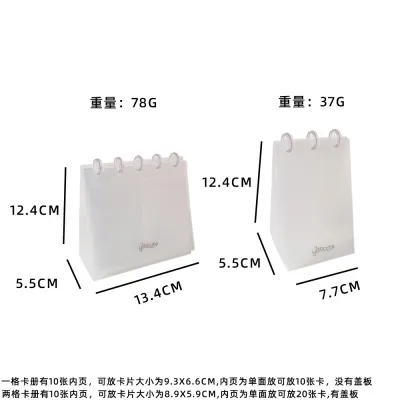
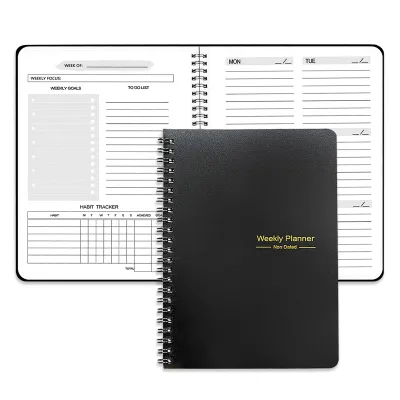
Prices are valid at publication and may change. Please refer to the product page for the latest price.
Weekly planner formats provide a balanced view of seven days, usually spread across a single page or a two-page layout. This format accommodates detailed daily tasks, meetings, and appointments while keeping the broader weekly horizon in view. It serves as an excellent middle ground for those who need more detail than a monthly grid can offer but still want to see what lies ahead over the next few days. Weekly planners help you coordinate daily deliverables alongside your appointments without overwhelming your desk with a massive planner book, making them highly popular among students and busy professionals alike.
How to Evaluate Layout, Space, and Usability
When integrating a calendar into your workspace, physical dimensions and usability are just as important as the layout. The trade-off between writing space and desk footprint is a primary consideration. A large monthly grid desk pad offers ample writing space but consumes significant desk real estate, which can be challenging on compact study desks or shared office cubicles. Conversely, a vertical tent-style monthly calendar has a small footprint but offers tiny grid boxes that limit your writing. Weekly planners often strike a balance, but their usability depends on whether they lie flat or stand upright.

Page-turning mechanics and binding durability also affect daily use. Tear-off calendars rely on clean perforations or glue-top bindings. If the perforation is poor, pages tear unevenly, leaving messy paper remnants that ruin the aesthetic of your desk. Monthly and weekly desktop calendars typically use double-loop wire binding (twin-ring) or glue binding. Wire binding allows pages to flip 360 degrees smoothly, whereas glue-bound pads are meant to be torn off once the period ends. If you prefer to keep past notes for reference, a wire-bound format is superior to a tear-off or glue-bound pad because it preserves your historical records.
Visual scanning speed and information density vary significantly across these formats. A monthly grid allows your eyes to scan four to five weeks in milliseconds, making it excellent for spotting open slots or upcoming busy periods. A weekly planner requires more active reading but presents a higher density of actionable information. A tear-off calendar has the lowest information density but the highest focus, eliminating the distraction of future tasks so you can concentrate on the work at hand. Choosing between them requires deciding whether you need to scan your schedule quickly or focus deeply on a single day.
Which Desktop Calendar Fits Your Planning Style?
Selecting the right format comes down to your specific workflow and habits. A conditional decision framework can help narrow down your choices based on how you work.
Choose a tear-off format if you thrive on a daily ritual, prefer a psychological reset each morning, and want to eliminate visual clutter. It is ideal for those who use digital calendars for scheduling but want a physical, tactile reminder of the current date on their desk. It also suits individuals who prefer to focus on one day at a time without being distracted by upcoming deadlines. If your daily work is highly reactive and changes rapidly, a tear-off calendar keeps you grounded in the present.
Choose a monthly grid if your primary need is tracking long-term deadlines, project phases, school terms, or sparse events. It works best for individuals who need to see the “big picture” at a glance and do not require their calendar to double as a detailed daily to-do list. It is also highly effective as a shared family or team calendar where multiple people need to coordinate major events. If you manage projects with long lead times, a monthly grid is indispensable.
Choose a weekly planner if you manage dense daily schedules, multiple meetings, and detailed task lists. This format is highly suited for professionals and students who need to coordinate daily deliverables alongside their appointments. It allows you to plan your week incrementally, adjusting tasks as priorities shift. It provides the necessary structure for balancing meetings with focused work blocks.
Verify first if you require hourly time-blocking. Standard desktop formats, especially compact tent calendars, rarely offer hourly slots. If your day is packed with back-to-back meetings that require precise time-blocking, a dedicated vertical weekly planner book or a digital calendar integration will serve you better than a standard desktop grid. Attempting to force an hourly schedule into a standard monthly or weekly desktop calendar often leads to frustration and cluttered pages.
What to Check on the Product Label or Listing
Before purchasing a desktop calendar, it is crucial to verify its physical specifications to ensure it fits your writing instruments and desk setup.
First, check the paper weight and ink compatibility. Paper weight is typically measured in grams per square meter (gsm). If you prefer using fountain pens, gel pens, or markers, look for a paper weight of at least 100 gsm to 120 gsm. Lighter paper, such as 70 gsm or 80 gsm, is highly prone to ink feathering and bleed-through, which can ruin the reverse side of the page. Because smoothness, bleed resistance, and drying speed depend on the exact combination of your pen’s ink and the paper’s texture, it is wise to perform an observable trial. Test a small, inconspicuous corner of the calendar with your preferred pen to check how quickly the ink dries and whether it bleeds through before writing your main schedule.
Next, evaluate the stand stability, base footprint, and weight distribution. A desktop calendar must stand securely without sliding or collapsing when you write on it. Check the product description for a thick, heavy-duty cardboard stand with a wide, triangular base. If you have a smooth glass or polished wood desk surface, look for bases with non-slip textures or sufficient weight distribution to prevent sliding. A flimsy stand will collapse under the pressure of writing, forcing you to pick it up every time you make an entry.
Finally, inspect the binding type, page perforation quality, and refill availability. For wire-bound calendars, ensure the twin-ring binding is made of coated metal that resists bending. For tear-off designs, look for listings that explicitly mention “easy-tear perforations” or a “peel-off glue top” to ensure clean page removal. If you want to minimize waste, check if the calendar frame is reusable and if the manufacturer sells refills for subsequent years. This is particularly relevant for premium wooden or acrylic desk stands that are designed to last for years.
Frequently Asked Questions (FAQ)
Can I use a monthly grid calendar for detailed daily task management?
Standard monthly grid boxes are usually too small for high-density daily planning. If you try to cram multiple tasks into a single grid square, the calendar quickly becomes unreadable. To adapt a monthly grid, use small color-coded sticky notes for temporary tasks or pair the calendar with a separate daily notepad. This keeps the main grid clean while allowing you to manage daily details without cluttering your monthly overview.
Do tear-off calendars require a specific type of desk surface?
Tear-off calendars do not require a specialized surface, but they do need a stable, flat area to function well. When tearing a page away, you apply lateral force. If the calendar stand is lightweight or lacks a slip-resistant base, it will slide or tip over. For the best experience, place the calendar on a flat, clean desk surface and hold the top binding firmly with one hand while tearing the page with the other. Alternatively, look for models with weighted bases or rubberized feet to prevent movement.

Community discussion
Share your experience or ask a question. Comments are reviewed before publication.