
When comparing cross-cut and strip-cut CD shredders, cross-cut mechanisms consistently provide higher data security by reducing optical discs into tiny, multi-directional fragments rather than long, continuous strips. While strip-cut shredders offer faster processing speeds and simpler mechanical designs, they leave large portions of the disc’s reflective data layer intact, making physical reconstruction theoretically possible with specialized equipment. Choosing the right machine requires balancing your organization’s specific data confidentiality requirements against operational factors like throughput speed, maintenance protocols, and equipment longevity.
Understanding CD Shredder Cut Types and Security Standards
To understand how these machines operate, it is essential to look at the physical structure of optical media. A standard CD consists of a polycarbonate plastic substrate, a thin reflective metallic layer where data is stored in microscopic pits, and a protective lacquer coating. When a shredder processes a disc, it must disrupt this reflective layer so that lasers can no longer read the binary code.
Strip-cut shredders use a single set of straight, interlocking cutting cylinders to slice the disc vertically into long, continuous ribbons. For a standard 120mm disc, a strip-cut machine typically divides the media into several parallel strips, often ranging from 4mm to 6mm in width. Because the cut is only along one axis, large segments of the data tracks remain physically contiguous on each strip, meaning a determined actor could potentially align the pieces and read the data using specialized optical recovery tools.
Products mentioned in this guide
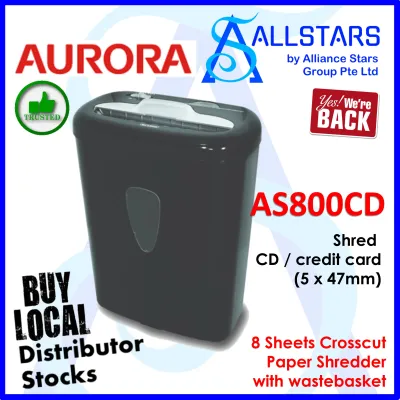
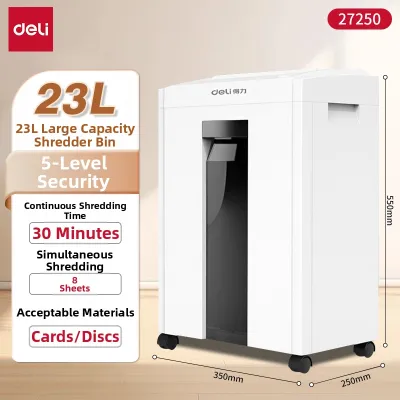
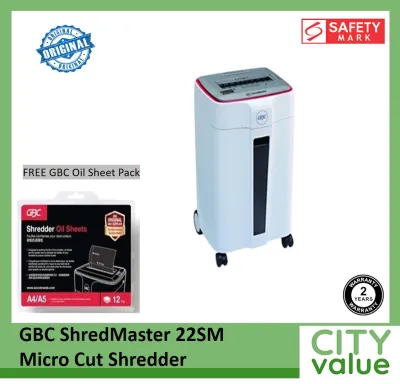
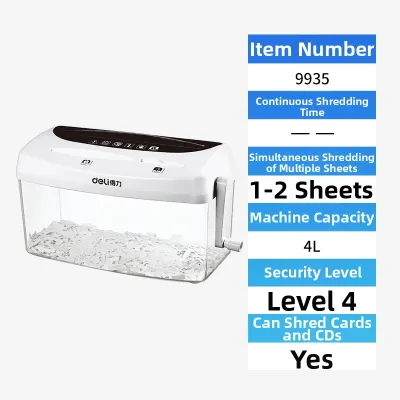
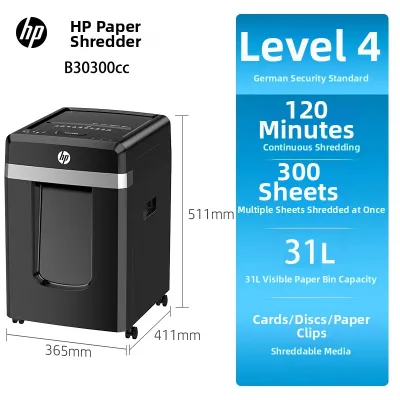
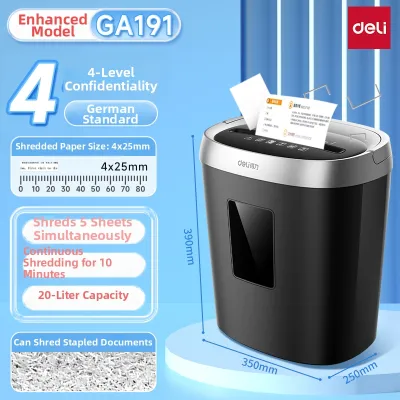
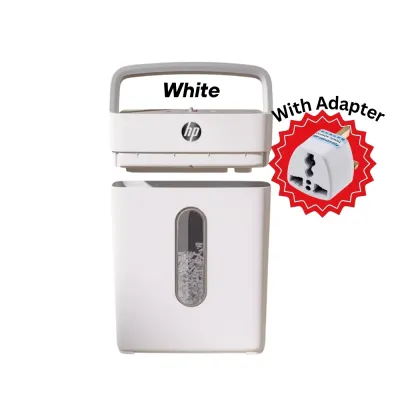
Prices are valid at publication and may change. Please refer to the product page for the latest price.
In contrast, cross-cut shredders employ a more complex cutting mechanism featuring two sets of counter-rotating shafts with notched blades. This design cuts the disc both vertically and horizontally, transforming the polycarbonate into small, rectangular or diamond-shaped particles. By breaking the data tracks along two distinct axes, cross-cut machines drastically reduce the surface area of any single fragment, making manual or digital reconstruction exponentially more difficult and cost-prohibitive.
These physical differences align directly with international security standards, such as the DIN 66399 standard, which classifies the destruction of optical media under the “O” category. This standard ranges from O-1 (coarse strips) to O-7 (extremely fine particles). When evaluating a CD shredder, verifying the manufacturer’s declared DIN “O” rating provides a standardized benchmark for security, allowing you to match the machine’s output particle size with your specific regulatory or corporate compliance mandates.
Comparing Security, Speed, and Maintenance Trade-offs
The primary trade-off between cross-cut and strip-cut mechanisms lies in the balance of security, operational speed, and ongoing maintenance. Cross-cut shredders offer high security because their tiny, irregular particles pack tightly together, leaving virtually no readable data tracks intact. This makes them the recommended choice for destroying sensitive financial records, proprietary software, or personal identification data stored on optical discs.

However, this increased security comes with operational trade-offs. Because cross-cut machines must slice through tough polycarbonate in two directions simultaneously, they require more motor power and experience higher mechanical resistance. This typically results in slower processing speeds, measured in meters per minute, compared to strip-cut models. If your office needs to destroy large archives of low-sensitivity discs quickly, a strip-cut shredder’s faster throughput may offer a practical advantage.
Waste bin utilization also differs significantly between the two designs. Strip-cut ribbons tend to curl and tangle, creating a high-volume, low-density nest of plastic that quickly fills the waste bin with air pockets, requiring frequent emptying despite containing relatively little actual material. Cross-cut particles, being much smaller and flatter, settle more densely at the bottom of the bin, allowing you to shred more discs before needing to clear the container.
Maintenance requirements are notably higher for cross-cut shredders. Slicing hard polycarbonate into tiny pieces generates significant friction and heat, which can accelerate wear on the cutting cylinders. Users must carefully monitor the manufacturer’s specified continuous run times and cool-down periods to prevent thermal overload. In humid climates like Singapore, where ambient indoor temperatures can rise quickly in non-air-conditioned storage areas, adhering to these duty cycles is critical to preventing motor burnout and maintaining mechanical integrity.
Key Specifications to Verify Before Buying
Before purchasing a CD shredder, it is vital to verify several key technical specifications to ensure the machine can handle the physical demands of optical media without premature failure. First and foremost, confirm that the shredder is explicitly rated for CDs, DVDs, and Blu-ray discs. Many standard office shredders are designed solely for paper; attempting to feed a rigid polycarbonate disc into a paper-only cutting assembly can instantly chip the blades, strip the drive gears, or void the warranty.
Next, examine the manufacturer’s declared security level and particle dimensions. For basic data protection, look for a machine that produces particles conforming to at least an O-3 or O-4 security rating. If your organization must comply with strict data privacy laws, verify that the shredder’s output meets the exact millimeter dimensions required by your industry’s regulatory guidelines.
Pay close attention to the sheet capacity and duty cycle ratings. For optical media, most office-grade shredders are rated for a capacity of exactly one disc per pass. Attempting to feed multiple discs simultaneously will overload the motor. The duty cycle—the amount of time the machine can run continuously before requiring a cool-down period—is equally important. A light-duty shredder might offer a 2-minute run time followed by a 20-minute cool-down, whereas a heavy-duty commercial model might support continuous operation.
Finally, look for a dedicated media slot design. High-quality multi-media shredders feature a separate feed slot and a dedicated cutting assembly specifically engineered for plastics. This design prevents plastic shards from mixing with paper waste, which simplifies recycling efforts. It also ensures that the high-impact forces of cutting polycarbonate are isolated to a heavy-duty cutting shaft, protecting the more delicate paper-shredding blades from premature wear.
Decision Framework: Which CD Shredder Fits Your Needs?
To determine the ideal shredder for your workspace, you can apply a simple decision framework based on data sensitivity, volume, and compliance requirements.
You should choose a cross-cut CD shredder if your primary concern is preventing unauthorized data access at all costs. This option is highly recommended for medical clinics handling patient records, financial institutions destroying transaction backups, or corporate offices managing proprietary intellectual property. If your organization is subject to strict data protection regulations, the smaller particle size of a cross-cut machine is often a mandatory baseline to demonstrate compliance and mitigate the risk of data breaches.
Conversely, a strip-cut CD shredder may be suitable if you are processing low-sensitivity, everyday discs where the primary goal is simply to render the media unplayable rather than completely unrecoverable. For example, destroying old promotional videos, outdated public software installations, or personal music backups generally does not require high-security destruction. In these scenarios, a strip-cut model offers a faster, more cost-effective solution with lower initial equipment costs and simpler maintenance routines.
Before making a final decision, always verify if you need to destroy other specialized media alongside standard CDs. If your workflow includes thick plastic ID cards, proximity badges, or smart cards containing embedded metal chips or magnetic strips, you must confirm that the shredder’s cutting assembly is rated to handle these materials. Feeding metal-embedded cards into a standard plastic-rated cutter can cause severe, irreversible damage to the blades.
Safe Operation and Maintenance Tips for Optical Discs
Operating a CD shredder safely and maintaining it correctly is essential for maximizing the lifespan of the equipment and ensuring consistent performance. Before you begin shredding, take the time to prepare the media. Always remove the discs from their plastic jewel cases, paper sleeves, or cardboard jackets. Additionally, peel off any thick adhesive paper labels or inserts from the surface of the disc, as sticky adhesives can transfer to the cutting cylinders, attracting plastic dust and causing the blades to bind or jam over time.
When feeding discs into the machine, strictly adhere to the manufacturer’s operational limits. Never attempt to force a disc into the slot or feed more than the recommended capacity of one disc at a time. Hold the disc gently by the edges or the center hole, insert it straight into the dedicated media slot, and let the automatic feed mechanism draw it in. Avoid pushing or forcing the disc at an angle, which can cause uneven wear on the cutting shafts or lead to immediate jams.
Regular maintenance of the cutting assembly is crucial, especially for cross-cut models. Over time, shredding polycarbonate generates fine plastic dust and small fragments that can accumulate in the teeth of the blades. Periodically clear this debris using a soft brush or compressed air, ensuring the machine is completely unplugged first. If specified in your user manual, apply manufacturer-approved shredder lubricant sheets or oil to the cutting cylinders to reduce friction, minimize heat buildup, and maintain smooth operation.
Lastly, establish clear stop conditions for your operators. If the shredder begins to make unusual grinding noises, slows down significantly, or triggers its thermal overload indicator, immediately power off the unit and unplug it from the wall outlet. Allow the motor to cool down completely before attempting to resume operation or inspect the cutting head. Ignoring these warning signs can lead to permanent motor burnout or mechanical failure.
Frequently Asked Questions (FAQ)
Can I use a standard paper shredder to destroy CDs?
No, you should not use a standard paper-only shredder to destroy CDs. Polycarbonate plastic is significantly harder and more rigid than paper, and attempting to process it through standard paper cutting cylinders can dull the blades, chip the cutting teeth, or strip the plastic drive gears inside the motor. Always verify that your shredder has an explicit rating for CDs or features a dedicated, heavy-duty media slot designed specifically to handle rigid plastics safely.
Does a cross-cut shredder completely prevent data recovery?
While a cross-cut shredder drastically reduces the risk of data recovery by cutting the disc into tiny, multi-directional fragments, it does not offer absolute, 100% protection against highly advanced forensic reconstruction. For standard corporate, financial, and personal security, cross-cut particles are more than sufficient to make physical reconstruction practically impossible. However, for top-secret government classifications or highly regulated defense data, you must verify if your specific compliance standards require specialized high-security disintegrators, chemical destruction, or professional pulverizing services.
How do I clear a jammed CD from the shredder?
If a CD becomes jammed in the shredder, the first and most important step is to immediately unplug the machine from the power outlet to eliminate any risk of accidental activation. Once power is disconnected, check if your machine has a manual reverse function; if so, plug it back in briefly to run the blades in reverse to back the disc out. If the jam persists, unplug the machine again and use the manufacturer-provided clearing tools or a pair of long-nose pliers to gently grasp and pull the visible plastic fragments. Never use metal screwdrivers, knives, or excessive force near the cutting cylinders, as this can permanently damage the blades and pose a severe safety hazard.

Community discussion
Share your experience or ask a question. Comments are reviewed before publication.