
Selecting the right copy printing paper begins with understanding GSM, which stands for Grams per Square Meter. This metric measures the density and weight of the paper, directly influencing how a sheet feels, how much ink it can absorb, and whether text will show through to the other side. Choosing the correct weight ensures your documents look professional while preventing frustrating printer jams.
While GSM is a reliable indicator of paper weight, it is not a universal guarantee of performance. The ideal choice depends on your specific printing hardware, the type of ink you use, and the purpose of the document. Matching the paper weight to your task prevents wasted resources and keeps your office equipment running smoothly.
What GSM Actually Means for Copy and Printing Paper
Grams per Square Meter (GSM) represents the weight of a single sheet of paper measuring exactly one square meter. Although a higher GSM generally correlates with a thicker sheet, physical thickness can vary between brands. This variation occurs because different manufacturing processes, wood pulp densities, and surface coatings alter the compact nature of the paper fibers.
Products mentioned in this guide
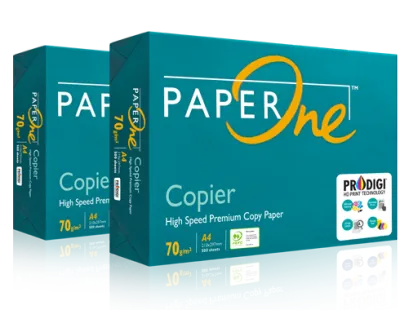
![PaperOne™ Digital Premium Quality 100gsm Copy Paper A4 [2 Reams]](https://img.lazcdn.com/g/p/19b942556bf5e935f0ea0c7e4750b7df.jpg_400x400q80.jpg_.webp)
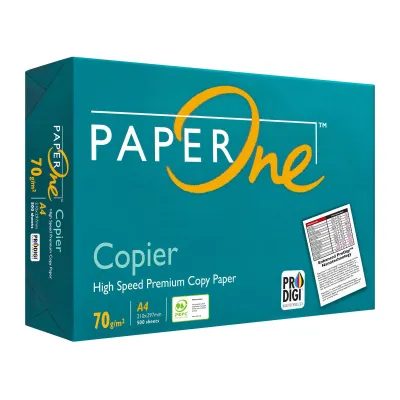
![PaperOne™ Copier Paper 70gsm / 75gsm Copy Paper A4 [1 Box]](https://img.lazcdn.com/g/p/62f961291078a3b12171dd45eea2a9a4.jpg_400x400q80.jpg_.webp)



Prices are valid at publication and may change. Please refer to the product page for the latest price.
As the GSM rating increases, the paper typically becomes stiffer and more opaque. Higher opacity is crucial because it prevents light and ink from passing through the sheet, making the paper feel more substantial and premium. Lower GSM papers are more pliable and translucent, which can affect how they handle heavy ink coverage.
It is a common misconception that a higher GSM is always superior. In reality, heavier paper is more expensive, takes up more physical storage space, and can easily overload standard office rollers. The best paper weight is the one that aligns with your specific document needs and your printer’s mechanical limits.
Matching Paper Weight to Your Specific Printing Tasks
Different documents require different paper characteristics to achieve the best balance of cost, readability, and tactile quality. Selecting the right weight ensures your printed materials serve their purpose effectively.

Everyday Documents and High-Volume Drafts
For daily office tasks, internal memos, and high-volume draft printing, paper weights between 70 GSM and 80 GSM are the industry standard. These weights offer a practical balance between cost-efficiency and basic readability for text-heavy documents.
Using 70 GSM paper is highly economical and reduces the physical bulk of large files, making it easier to store documents in standard folders. However, because this paper is thinner, it has lower opacity. You will likely notice some show-through, meaning it is best reserved for single-sided printing where back-page visibility is not an issue.
An 80 GSM paper is the most versatile option for general office use. It provides sufficient opacity for standard black-and-white text documents while remaining lightweight enough to feed smoothly through high-speed copiers without causing frequent multi-sheet feeds.
Double-Sided Printing and Professional Presentations
When your tasks involve double-sided (duplex) printing, color graphics, or external-facing materials, you should step up to 100 GSM or 120 GSM paper. These heavier weights provide the necessary opacity to prevent ink from showing through or bleeding to the opposite side.
For client proposals, resumes, and official reports, 100 GSM paper offers a noticeably smoother texture and a firmer feel. This weight handles moderate color printing well, resisting the buckling or warping that can occur when lightweight paper absorbs liquid ink.
For premium presentations and documents with heavy color coverage, 120 GSM paper provides a highly professional, substantial feel. However, before purchasing bulk quantities of heavy paper, verify that your printer’s automatic duplexing unit can handle this weight, as some built-in duplexers have lower weight limits than the manual feed tray.
Verifying Printer Compatibility and Storage Conditions
Using the correct paper weight is only half the battle; you must also ensure your hardware and storage habits support your chosen media. Neglecting these factors can lead to persistent feeding issues and equipment wear.
Always consult your printer’s user manual or manufacturer specification sheet to find the exact minimum and maximum supported GSM limits. Standard paper trays typically support up to 120 GSM, while heavier cardstocks often require the use of a manual bypass tray to prevent tight roller bends and subsequent paper jams.
When purchasing copy printing paper, examine the packaging labels for quality indicators. Look for precision-cut edges, which minimize paper dust and prevent sheets from clinging together due to static electricity. High-quality packaging also features a moisture-resistant inner lining to protect the paper before use.
In tropical, high-humidity environments like Singapore, paper left exposed to the air quickly absorbs ambient moisture. This absorption causes the edges to curl and swell, leading to misfeeds and jams regardless of the paper’s GSM. To prevent this, store your paper in its original wrapper until you are ready to load it, and keep open reams in a dry, air-conditioned space or a sealed storage container.
Because ink drying speed and bleed resistance depend on the interaction between the paper’s surface sizing and your specific ink type, always perform a quick test print. Run a single sheet through your machine to observe drying times and check for feathering before committing to a large print run.
Frequently Asked Questions (FAQ)
Does a higher GSM guarantee my printer will not jam?
No, a higher GSM does not prevent paper jams and can actually cause them if the paper exceeds your printer’s maximum weight limit. Jams are frequently caused by factors unrelated to weight, such as moisture absorption, static buildup, worn printer rollers, or poorly cut paper edges. Always match the paper weight to your printer’s specifications and store the sheets in a dry environment to minimize feeding errors.
Can I use the same GSM for inkjet and laser printers?
While you can find 80 GSM or 100 GSM paper rated for both technologies, the paper’s surface treatment is different. Inkjet printers use liquid ink and require paper with specific absorption qualities to prevent bleeding and feathering. Laser printers use heat to fuse dry toner, requiring highly smooth, heat-resistant paper. For the best results, check the packaging to ensure the paper is explicitly rated for your specific printer type.

Community discussion
Share your experience or ask a question. Comments are reviewed before publication.