
There is no single “best” erasable board brand for architectural drafting, as the ideal choice depends heavily on your specific workflow, studio space, and the drafting tools you use daily. Rather than relying on general brand reputation, professional architects should evaluate boards based on surface durability, dimensional accuracy, and compatibility with technical drawing instruments. This guide provides a structured framework to compare brand specifications and select a surface that supports rigorous drafting tasks without compromising on longevity or erase quality.
Key Requirements for Architectural Drafting Boards
Standard office whiteboards are typically designed for quick, temporary notes where minor ghosting or slight surface texture is acceptable. In contrast, architectural drafting demands extreme precision, where even a microscopic bump or slight surface drag can cause a technical pen or drafting marker to skip, ruining a scaled drawing. Professional drafting work requires a surface that remains perfectly flat and smooth over years of continuous use.
Fine-liner pens, technical markers, and graphite pencils require a completely level, non-porous surface to perform consistently. If a board retains ghost images or chemical residue from previous sketches, it can obscure fine lines, hatch patterns, or dimension labels on overlaying tracing paper. Therefore, high resistance to ghosting and chemical staining is a fundamental requirement for any board used in a professional design studio.
Products mentioned in this guide
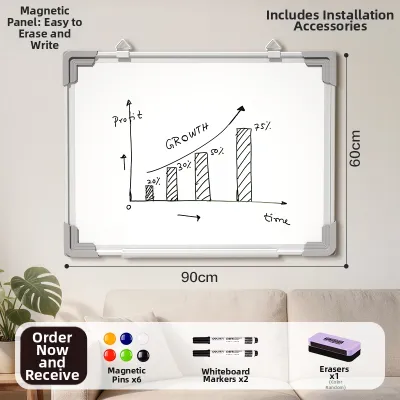
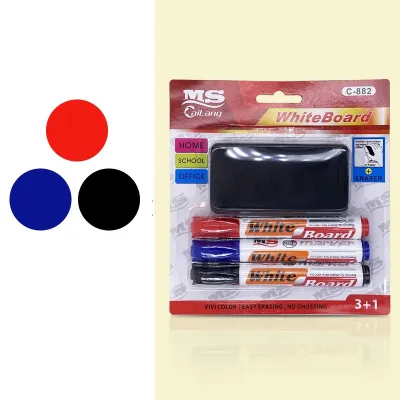
Prices are valid at publication and may change. Please refer to the product page for the latest price.
Architectural work also involves standard paper sizes, such as ISO A0, A1, or A2 sheets. The board must accommodate these large-format blueprints or vellum sheets with sufficient border clearance for T-squares, parallel bars, and triangles to slide freely along the edges. A board that is too small or has a raised, bulky frame can obstruct the movement of these essential drafting tools.
Furthermore, structural rigidity is critical to prevent warping when applying pressure with drafting instruments, compasses, or heavy markers. Any flexing of the board surface will distort measurements and scale, compromising the accuracy of the drawing. In tropical climates like Singapore, high humidity can accelerate the warping of low-grade fiberboard backings, making structural rigidity and moisture-resistant backing materials a primary consideration for local studios.
How to Evaluate Erasable Board Brands for Professional Use
Instead of choosing a brand based solely on popularity or marketing claims, professionals must analyze the underlying material specifications. Manufacturers offer several tiers of surfaces, each with distinct physical properties that affect durability under technical drawing conditions. Understanding these material differences is the most reliable way to predict how a board will perform in a busy studio.

Porcelain-on-steel, often referred to as ceramic or enamel, is widely considered the most durable surface material for professional drafting. This material is created by fusing a glass-like ceramic layer onto a steel sheet at extremely high temperatures, resulting in an incredibly hard, scratch-resistant surface. This hardness is crucial when using metal rulers, dividers, or compasses, which would easily scratch softer materials.
High-pressure laminate (HPL) and painted or coated steel boards are more budget-friendly alternatives, but they are significantly softer than porcelain. While suitable for general brainstorming and loose sketching, they are highly susceptible to micro-scratches from hard plastic or metal drafting tools. Over time, these tiny scratches collect ink pigment, leading to permanent ghosting along frequently drawn lines and making deep cleaning increasingly difficult.
Securing overlays, vellum, or printed blueprints requires a strong magnetic backing, which is another key evaluation metric. While both coated steel and porcelain boards are magnetic, their holding power varies depending on the gauge of the steel backing. Thicker steel backings provide a stronger magnetic hold, preventing heavy rolls of paper or thick tracing sheets from slipping or sagging during a design review.
The frame and edge construction also dictate the board’s longevity and usability. Look for heavy-duty anodized aluminum extrusions with reinforced corner brackets rather than thin plastic frames. A flimsy frame allows the board to twist or bow under its own weight, which compromises the accuracy of parallel rules or drafting arms mounted to the edges.
Matching Board Formats to Studio Workflows
Selecting the right board format requires balancing the physical layout of your studio with your daily workflow. Whether you work in a collaborative firm or a compact home studio, the choice between a permanent wall installation and a mobile, adjustable surface determines how effectively you can integrate the board into your design process.
Wall-Mounted and Large-Format Boards
Wall-mounted boards serve as central hubs for collaborative pin-ups, client presentations, and large-scale schematic design. Because high-quality porcelain-on-steel boards are exceptionally heavy, proper installation is critical. Architects must verify that the studio walls can support the dead load of a large-format board, often requiring secure mounting into wall studs or concrete blockwork rather than simple drywall anchors.
These fixed installations are ideal for displaying full-size A0 or larger blueprints. They allow design teams to overlay tracing paper, sketch modifications in real-time, and step back to evaluate spatial relationships from a distance. When choosing a wall-mounted board, ensure the vertical and horizontal dimensions provide ample clearance for both the drawing sheets and the magnetic accessories used to hold them in place.
Mobile and Desktop Drafting Surfaces
For individual drafting, mobile boards on casters or compact desktop surfaces offer greater flexibility. Mobile easel boards allow architects to adjust the height and tilt angle, which is essential for maintaining ergonomic posture during long drawing sessions. A stable, locking wheel mechanism is vital to prevent the board from shifting or vibrating when applying pressure with a technical pen or drawing straight lines.
Desktop or portable erasable boards are highly suited for smaller workspaces, home offices, or temporary project sites. These compact surfaces can be stored away when not in use, freeing up desk space for computer-aided design (CAD) monitors or physical model building. When evaluating portable options, look for integrated handles, non-slip rubber feet, and a rigid backing that allows for comfortable sketching even when resting on an uneven lap or a small table.
Pre-Purchase Verification and Compatibility Checks
Before finalizing a purchase, cross-reference the manufacturer’s technical data sheets with your existing studio tools. Verify which marker types, such as dry-erase, wet-erase, or liquid chalk, and cleaning solvents are officially approved. Using non-approved solvents or abrasive cleaners to remove stubborn ink can permanently degrade the surface coating, voiding the manufacturer’s warranty.
Carefully distinguish between the overall frame dimensions and the actual usable surface dimensions. A board advertised as 1200 mm by 900 mm may have a thick frame that reduces the active drawing area, potentially preventing an A0 sheet from lying completely flat. Ensure the active surface area matches or exceeds your standard paper sizes to avoid creasing your drawings.
Finally, review the warranty terms regarding surface performance. High-quality brands often provide multi-year or lifetime warranties specifically covering surface ghosting, staining, or delamination under normal use. Understanding these terms, along with the retailer’s return policy for shipping damage or manufacturing defects, protects your investment in a professional-grade drafting tool.
Frequently Asked Questions (FAQ)
Can I use drafting compasses and metal rulers directly on an erasable board?
Using metal drafting compasses, dividers, or aluminum rulers directly on painted steel or high-pressure laminate boards carries a high risk of scratching the surface. Once the protective top coat is scratched, ink from dry-erase markers will seep into the grooves, causing permanent staining that cannot be erased.
To protect your board, use plastic or acrylic drafting tools with smooth, rounded edges whenever possible. If you must use metal instruments, place a sacrificial layer, such as a sheet of clear drafting film, tracing paper, or a thin cutting mat, between the tool and the board surface to prevent direct contact and scratching.
What is the best way to remove stubborn marker stains from a drafting board?
To remove stubborn stains or ghosting, first identify the board’s surface material to select a safe solvent. For porcelain or glass boards, isopropyl alcohol (99% concentration) or specialized dry-erase board cleaners are highly effective. Avoid using abrasive powders, steel wool, or harsh industrial solvents like acetone, which can permanently strip the protective finish of laminate or painted boards.
Apply the approved solvent to a clean, soft microfiber cloth rather than spraying it directly onto the board. Gently wipe the stained area in a circular motion without applying excessive pressure. Once the stain is removed, wipe the surface with a damp cloth to remove any chemical residue, and allow it to dry completely before writing on it again.

Community discussion
Share your experience or ask a question. Comments are reviewed before publication.