
Selecting the right desktop calendar is a highly personal decision that directly influences your daily productivity and workspace organization. Because planning workflows vary from rigid, hour-by-hour scheduling to flexible, big-picture project tracking, there is no single format that works for everyone. The most effective calendar is one that matches your cognitive style, fits comfortably within your physical desk layout, and features paper and binding materials that complement your preferred writing instruments. By evaluating how you process time and how you interact with your workspace, you can transition from a passive date-tracker to an active, frictionless planning system.
Identifying Your Planning Workflow and Desk Constraints
Before looking at specific calendar designs, you must define your scheduling habits and the level of information density you require daily. If your day is filled with back-to-back appointments, client calls, and strict deadlines, you need a calendar that supports high-density, granular tracking. Conversely, if your work consists of long-term projects with flexible daily tasks, a macro-level overview that allows for broad notes and goal setting will serve you much better. Understanding this distinction prevents you from buying a highly structured calendar that goes unused or a minimalist one that leaves you running out of writing space.
Physical desk space is the next critical constraint to measure before making a purchase. A large desk pad calendar offers an expansive writing surface and keeps your entire month visible at a glance, but it requires a significant, dedicated flat area on your desk. If your workspace is already crowded with dual monitors, a large keyboard, and reference documents, a standing tent calendar with a compact footprint is a much more practical choice. Always measure your available desk surface and consider how much room you need for comfortable writing and mouse movement before committing to a specific calendar size.
Products mentioned in this guide
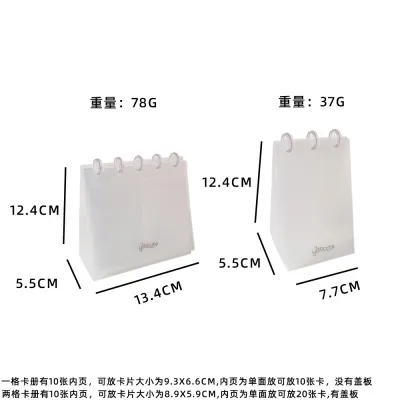
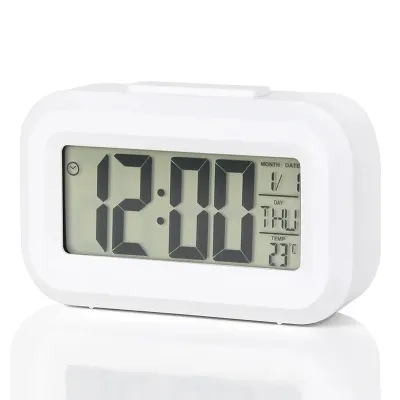
Prices are valid at publication and may change. Please refer to the product page for the latest price.
Another key consideration is how your physical calendar will integrate with your existing digital planning tools. Many professionals use digital calendars for real-time notifications, meeting invites, and shared team schedules, rendering a highly detailed physical schedule redundant. In this hybrid workflow, a desktop calendar functions best as a high-level focus tool—a place to write down your top three daily priorities, track habits, or maintain a visual countdown to major milestones. Deciding whether your physical calendar is your primary planning hub or a secondary, analog dashboard will guide you toward the correct layout complexity.
Finally, consider your visual line-of-sight and how you prefer to interact with your schedule throughout the day. A standing calendar sits upright at eye level, making it an excellent passive reminder that keeps your key dates visible even when your computer screen is cluttered with open windows. A flat desk pad, on the other hand, requires you to look down, but it offers a more natural, ergonomic angle for quick writing and sketching. Assessing whether you prioritize constant visibility or writing comfort will help you choose between a vertical stand and a flat desk layout.
Comparing Core Layout Formats for Different Scheduling Styles
Daily page layouts are designed for maximum detail and are ideal for those who manage complex, fast-moving schedules. These layouts often feature structured time-blocking columns, typically broken down into hourly or half-hourly increments, allowing you to map out your day with precision. For creative professionals or those with self-directed schedules, some daily calendars offer open, freeform spaces alongside the timeline, providing room for rapid logging, mind mapping, or daily journaling. The primary trade-off with daily layouts is that they require daily page-turning, which can obscure upcoming weekly events if you do not actively flip ahead.

Weekly spreads strike a balance between daily detail and weekly perspective, making them highly popular for general office work and project management. Vertical weekly columns are excellent for time-based tracking across the week, allowing you to see open time slots and busy periods side-by-side. Horizontal weekly rows, on the other hand, are optimized for task batching, project tracking, and weekly goal setting, as they provide wider lines that accommodate longer written descriptions. If your workflow relies on seeing the relationship between different days of the week, a weekly spread is often the most efficient format.
Monthly overviews provide a macro-level grid that is indispensable for tracking long-term deadlines, travel plans, and major milestones. The utility of a monthly grid depends heavily on the size of the individual date boxes; small boxes limit you to brief abbreviations or color-coded dots, while larger boxes allow you to write multiple events per day. Many monthly calendars also include dedicated sidebars for monthly goals, habit trackers, and next-month previews, which help you maintain perspective on your broader objectives without getting bogged down in daily minutiae.
Hybrid layouts combine these elements, often featuring a monthly overview on one side of a page and a weekly or notes section on the reverse or adjacent page. While hybrid designs offer the ultimate flexibility, they also increase the physical thickness of the calendar and require more active management. When evaluating hybrid options, consider whether the physical act of flipping back and forth between views will disrupt your focus, or if having multiple layouts available in one compact desktop tool aligns with your planning routine.
Evaluating Physical Usability: Paper, Binding, and Stability
The weight and finish of the paper are critical to the daily writing experience, especially if you have strong preferences for specific pens. Paper weight is measured in GSM (grams per square meter), with standard office paper usually ranging from 70 to 90 GSM. For desktop calendars, look for a minimum of 100 GSM, though 120 GSM or higher is ideal to prevent ink bleed-through and ghosting on the reverse side of the page. Additionally, verify whether the paper has a coated or uncoated finish; coated paper offers a very smooth writing experience but slows down ink drying times, which can lead to smudging, while uncoated paper absorbs ink quickly but may cause feathering with wet fountain pens.
Binding mechanisms dictate how easily you can navigate your calendar and how neat your desk remains throughout the year. Twin-wire spiral binding is highly durable and allows the calendar to lay completely flat or fold back 360 degrees, making it easy to write on both sides of the page. Glue-top binding, which is standard for desk pads, allows you to tear off completed months cleanly, but it means you cannot easily flip back to reference past notes once a page is removed. If you prefer to keep a historical record of your year, look for spiral-bound options or calendars with integrated storage pockets for past pages.
For standing calendars, the design and sturdiness of the base are paramount to usability. A flimsy cardboard stand will slide across your desk, warp under humid conditions, or collapse entirely when you attempt to write a quick note with one hand. Look for bases constructed from thick, multi-layered chipboard or those reinforced with a wooden or metal frame. Non-slip rubber feet or a textured bottom surface are also valuable features, as they keep the calendar securely in place on smooth wooden or glass desks during daily use.
If you opt for a flat desk pad calendar, pay close attention to the backing material and corner construction. A thin paper backing will allow the corners of the calendar to curl upward over time, especially where your forearms rest on the edge of the desk. High-quality desk pads feature a rigid cardboard backing and plastic, vinyl, or leatherette corner protectors that hold the pages flat and prevent fraying. Some designs also include top-bound glue strips with perforated pages, which keep the sheets secure until you are ready to tear them away.
Decision Framework: Choosing the Right Layout for Your Routine
To choose the right desktop calendar, start by matching your primary scheduling style to the layout that best supports it. If your day is defined by external appointments, meetings, and strict time-management techniques, choose a daily time-blocked layout to ensure your hours are allocated realistically. If your work is self-directed and organized around weekly deliverables, opt for a weekly horizontal layout that allows you to batch tasks and shift priorities easily. For those who use digital tools for daily tasks but need a shared, highly visible master schedule, a large monthly desk pad is the most practical option.
Once you have selected your layout, verify the physical specifications to ensure they match your workspace and writing tools. If you exclusively use fountain pens, heavy gel pens, or wet inks, prioritize calendars with uncoated paper rated at 120 GSM or higher to prevent smudging and bleed-through. If you have limited desk space, choose a spiral-bound standing calendar with a heavy chipboard base that fits neatly beside your monitor. By systematically aligning your workflow, space constraints, and material preferences, you will find a desktop calendar that seamlessly enhances your daily routine.
Frequently Asked Questions (FAQ)
How do I test if a calendar's paper is compatible with my pens?
To test paper compatibility without ruining your calendar, turn to the very last page or use an inconspicuous margin on an upcoming month. Write a few sample lines using your daily writing instruments, including gel pens, ballpoints, highlighters, and fountain pens, applying normal writing pressure. Observe the paper for feathering, where the ink spreads sideways along the fibers, and check the reverse side of the page for ghosting or direct bleed-through. Additionally, note how long the ink takes to dry completely to ensure it will not smudge during fast-paced planning sessions.
Is a desktop calendar better than a wall calendar for detailed planning?
A desktop calendar is generally much better for detailed, active planning because it sits within your immediate reach and provides a stable, flat surface for writing. Writing on a wall calendar requires you to stand up and write against a vertical surface, which often results in messy handwriting and brief, incomplete notes. While wall calendars are excellent for passive, long-range visibility and shared family schedules, desktop calendars are designed for high-density, personal interaction and frequent daily updates.

Community discussion
Share your experience or ask a question. Comments are reviewed before publication.