
Selecting the right GBC Shred Master model for your office requires balancing your daily document volume with the level of confidentiality your business must maintain. Because office environments in Singapore range from compact boutique agencies in heritage shophouses to sprawling multinational headquarters in the Central Business District, space, noise, and throughput are critical practical considerations. Rather than simply choosing the largest or most expensive machine, matching a shredder to your specific workflow ensures long-term reliability without overpaying for unnecessary capacity. By evaluating your team’s daily paper output, the sensitivity of your files, and the physical constraints of your workspace, you can identify the exact specifications needed to keep your operations secure and efficient.
Assessing Your Daily Shredding Volume and Capacity Needs
Start by auditing how much paper your office actually generates for disposal. A small team of three to five people might only discard a few dozen pages a day, whereas a large human resources or accounting department can easily produce hundreds of sensitive documents daily. It is also vital to identify peak shredding periods, such as end-of-month financial reconciliations or quarterly archiving cleanups, when the volume spikes dramatically.
When reviewing GBC Shred Master specifications, you will notice a “sheet capacity” rating, which indicates the maximum number of pages the machine can cut in a single pass. However, this maximum limit is typically tested under ideal laboratory conditions with standard paper weights. For daily operations, it is best to feed the machine at roughly 70% to 80% of its maximum sheet-per-pass rating to prevent motor strain and minimize the risk of paper jams.
Products mentioned in this guide
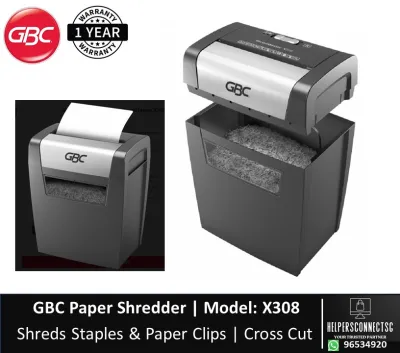
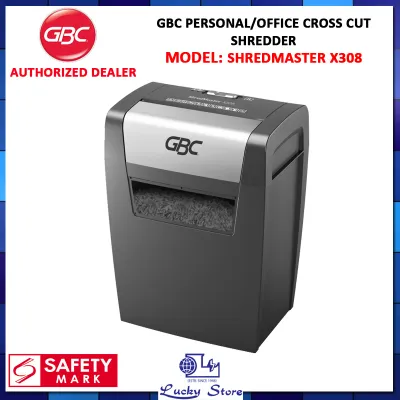
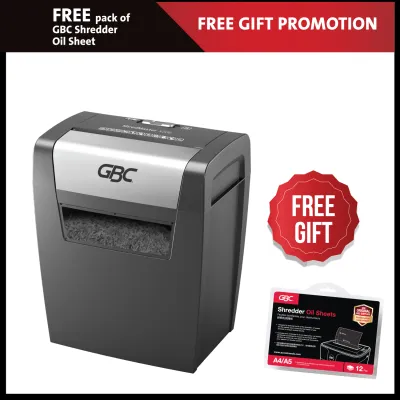
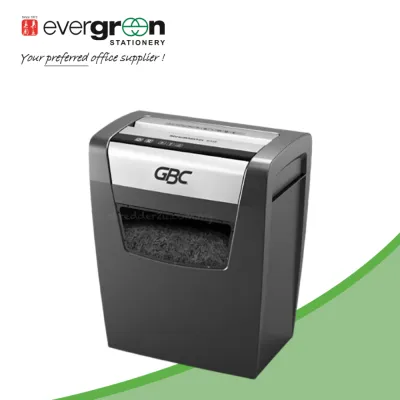
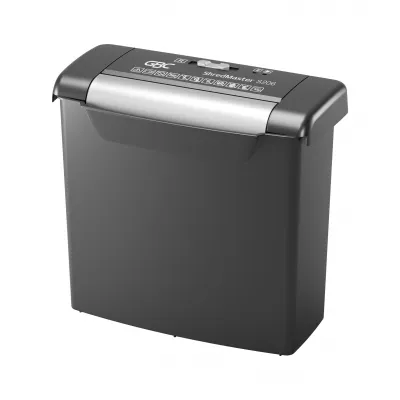
Prices are valid at publication and may change. Please refer to the product page for the latest price.
The physical size of the waste bin, measured in liters, directly dictates how often your staff will need to interrupt their work to empty the machine. For a personal or desk-side shredder, a bin capacity of 15 to 20 liters is usually sufficient for light daily use. Mid-sized offices with ten to twenty users generally require a bin capacity of 30 to 60 liters to avoid constant maintenance, while large departmental machines often feature bins exceeding 80 liters.
The cut type also heavily influences how quickly the bin fills up. Strip-cut shreds create long ribbons that take up a massive amount of volume, requiring frequent emptying even in large bins. Cross-cut and micro-cut particles compress much more tightly, allowing the same bin to hold up to several times more shredded sheets before reaching capacity.
Beyond the single-pass capacity, look closely at the manufacturer’s specified maximum daily sheet throughput. This figure represents the total volume of paper the motor and cutting cylinders are engineered to handle over a 24-hour period. Exceeding this threshold on a regular basis will accelerate wear on the internal gears, degrade the cutting blades, and potentially void your warranty.
Additionally, consider the standard paper weight used in your office. Most manufacturer specifications are based on standard 70gsm or 80gsm paper. If your office frequently handles heavier cardstock, textured letterheads, or laminated sheets, these materials will count as multiple standard sheets during a single pass. Factoring in these material variations during your initial assessment prevents unexpected motor strain and ensures consistent performance.
Matching Security Levels to Your Document Sensitivity
Document destruction security is standardized globally, and GBC Shred Master models utilize different cutting mechanisms to achieve varying levels of protection. Strip-cut models slice paper into parallel vertical strips, which offers basic, low-level security suitable for non-confidential bulk recycling. Cross-cut mechanisms slice paper both horizontally and vertically to create small rectangular confetti, while micro-cut machines reduce a single sheet of paper into thousands of tiny, unreadable particles.

The international DIN 66399 standard categorizes shredder security from P-1 (lowest) to P-7 (highest). For standard office environments, the relevant levels typically range from P-2 to P-5. A P-2 or P-3 rating represents standard cross-cut security, ideal for general business correspondence, internal memos, and expired promotional materials.
If your office handles highly sensitive information, such as employee payroll records, medical histories, proprietary corporate strategies, or client financial data, a P-4 or P-5 security level is essential. P-4 cross-cut and P-5 micro-cut shredders ensure that the resulting paper fragments are so small that reconstructing the document is practically impossible, helping your business comply with local data protection regulations like the Personal Data Protection Act (PDPA).
Before finalizing your purchase, always verify the exact cut size dimensions listed on the product label or official specification sheet. A standard P-4 cut typically measures no larger than 4 x 40 millimeters, while a P-5 micro-cut reduces paper to particles of 2 x 15 millimeters or smaller. Confirming these physical dimensions ensures you are getting the precise level of security your compliance policies require, rather than relying solely on broad marketing terms.
It is also worth noting that higher security levels result in smaller waste volume. Because micro-cut particles are so minute, they compress exceptionally well inside the waste bin. This means a P-5 micro-cut shredder will require far fewer bin-emptying cycles than a P-3 cross-cut model with the same bin volume, saving your team valuable time over the course of a busy work week.
Furthermore, evaluate whether your organization is subject to specific industry audits or international compliance standards. Financial institutions, legal firms, and healthcare providers often have strict internal mandates that dictate a minimum of P-4 or P-5 security for all discarded paper. Aligning your shredder selection with these external regulatory frameworks protects your business from potential liability and data breaches.
Evaluating Office Environment and Operational Features
Every shredder has a duty cycle, which is the maximum amount of time the motor can run continuously before it must shut down to cool down. Light-duty models may run for 3 to 10 minutes before requiring a 30-minute rest, which is perfectly fine for individual desks. For shared departmental use, look for heavy-duty models that offer continuous run times of 30 to 60 minutes, or even continuous-duty motors that can run non-stop without interruption.
In modern, open-plan office layouts common in Singapore’s commercial spaces, acoustic comfort is vital for productivity. A loud shredder can be highly disruptive to nearby employees trying to focus or take phone calls. Check the decibel (dB) rating on the GBC Shred Master specification sheet; models engineered with whisper-quiet technology typically operate below 60 decibels, making them discreet enough to run without disturbing the surrounding workspace.
Paper jams are the most common source of frustration and maintenance issues with office shredders. High-quality models feature advanced anti-jam technologies, such as active sensors that detect the thickness of the paper stack before feeding begins. If the stack is too thick, the machine will refuse to start, or it will automatically trigger an auto-reverse function to back the paper out safely, preventing motor strain and physical damage.
For busy offices where employees cannot afford to stand by the machine feeding paper sheet by sheet, auto-feed capabilities are an excellent investment. These machines allow you to stack a large pile of documents—sometimes up to several hundred sheets—into a secure tray, close the lid, and walk away while the shredder automatically processes the stack in the background.
Consider the physical layout of your office when choosing a model. Measure the available floor space, especially if the shredder needs to fit under a desk, in a narrow corridor, or alongside a shared multi-function printer. Check the machine’s dimensions and weight, and look for models equipped with heavy-duty casters if you anticipate needing to move the shredder between different departments or meeting rooms.
Additionally, pay attention to the design of the waste bin access. Some models feature a pull-out bin drawer, while others require you to lift the heavy motor head off the top of the bin to empty it. For shared office environments, a pull-out bin with a clear viewing window is highly recommended, as it allows staff to check the fill level at a glance and empty the bin safely without lifting heavy components.
Building Your GBC Shred Master Shortlist
To streamline your decision-making process, construct a simple requirement matrix that aligns your office’s specific needs with key shredder specifications. On one axis, list your daily document volume (low, medium, or high) and your required security level (P-3, P-4, or P-5). On the other axis, map out the necessary operational features, such as minimum continuous run time and maximum acceptable noise level.
Once your matrix is established, use it to filter through the available GBC Shred Master models on office supply platforms or distributor websites. Focus strictly on these objective technical specifications rather than generic marketing claims like “heavy-duty” or “high-performance.” This disciplined approach prevents you from overspending on a high-security micro-cut machine when a standard cross-cut model would suffice, or conversely, buying an underpowered personal shredder for a busy corporate department.
A reliable office shredder is a long-term investment, so it is crucial to verify the manufacturer’s warranty terms before purchasing. Look for warranties that offer separate, extended coverage for the cutting cylinders, which are the most critical and expensive components of the machine. Additionally, confirm the availability of local service support and repair centers in Singapore to ensure minimal downtime if the machine ever requires professional maintenance.
Ongoing operational costs should also factor into your shortlist evaluation. Check the availability and pricing of essential consumables, such as specialized shredder oil, oil sheets, and custom-fit waste bags. Using the correct manufacturer-approved oil is vital for maintaining the cutting blades and preserving your warranty coverage, so ensure these items are easily accessible from your preferred office stationery suppliers.
Before making your final purchase, download the official user manual or detailed specification sheet for your shortlisted GBC Shred Master models. Cross-checking these documents allows you to confirm exact operational thresholds, electrical requirements, and safety certifications. This final step ensures that the model you select is fully compatible with your office’s electrical infrastructure and meets all internal corporate safety standards.
Finally, consider the long-term scalability of the machine. If your business is growing rapidly, your document destruction needs will likely increase over the next few years. Selecting a model that slightly exceeds your current daily volume requirements provides a comfortable buffer, ensuring that the machine remains a viable asset as your team expands and your administrative workload increases.
Frequently Asked Questions (FAQ)
How often should I oil the blades of a GBC Shred Master?
To maintain optimal performance and extend the lifespan of your GBC Shred Master, you should consult the user manual for specific oiling intervals. Generally, cross-cut and micro-cut shredders require more frequent lubrication than strip-cut models. A good rule of thumb is to oil the blades every time you empty the waste bin, or at least twice a month if the machine is used regularly. You can identify when the blades need lubrication by listening for a slower running speed, a strained motor sound, or observing paper dust accumulating around the cutting head. Always use official, manufacturer-approved shredder oil or specialized oil sheets, and avoid using aerosol lubricants, vegetable oils, or other unauthorized fluids, as these can create a fire hazard or damage the internal components.
Can I shred credit cards and staples with all GBC models?
Not all GBC Shred Master models are designed to handle non-paper materials, so you must check the product specifications or the physical icons printed on the machine’s entry slot before attempting to shred them. Many standard office models can easily process small staples and paperclips, but heavy-duty or multimedia-compatible models are required for credit cards, CDs, and thick plastic cards. Feeding plastic or metal into a paper-only model can quickly dull or chip the cutting cylinders, leading to permanent damage. Even if your model is rated to handle standard staples, it is highly recommended to remove large binder clips, heavy-duty industrial staples, and thick metal fasteners manually before feeding the paper to preserve the integrity of the blades.
What should I do if the shredder overheats during a large job?
If your GBC Shred Master overheats during a heavy shredding session, the built-in thermal protection sensor will automatically shut down the motor to prevent damage. When this occurs, immediately stop feeding paper into the entry slot and allow the machine to complete its current cutting cycle if it is still running. Do not attempt to force the machine to restart or bypass the safety switch. The standard cool-down period typically ranges from 30 to 60 minutes, depending on the model and the ambient temperature of your office. Once the motor has cooled sufficiently, the thermal indicator light will turn off, and you can resume shredding. If the thermal protection trips repeatedly under normal, recommended loads, consult the user manual or contact local customer support to check for underlying mechanical issues.

Community discussion
Share your experience or ask a question. Comments are reviewed before publication.