
The EZ-Link SimplyGo card is a staple of daily life in Singapore. While most recognize it as the default ticket for MRT trains and public buses, its utility stretches far beyond transit barriers. This contactless smart card operates on the CEPAS (Contactless e-Purse Application System) standard, allowing it to function as a highly versatile prepaid payment tool across thousands of retail outlets, dining establishments, and service kiosks island-wide.
You can use your card at major convenience stores, supermarkets, food courts, quick-service restaurants, vending machines, and selected entertainment venues. However, successful payment depends on the merchant’s point-of-sale (POS) terminal capabilities and active participation in the EZ-Link retail network. Understanding where and how to tap can streamline your daily micro-transactions, helping you go completely cashless without needing to pull out credit cards or scan mobile QR codes.
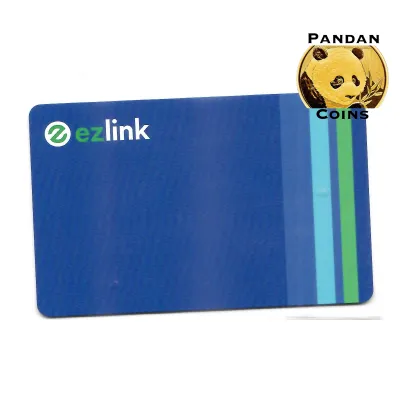
From a physical standpoint, your card adheres to the standard CR80/ID-1 dimensions (85.60 mm × 53.98 mm with a thickness of 0.76 mm). This standard credit card size ensures it fits perfectly into standard wallet slots, cardholders, and lanyard sleeves. Internally, the card features an embedded antenna and a secure microchip operating on the ISO/IEC 14443 Type A contactless communication standard. It communicates via Near Field Communication (NFC) at a frequency of 13.56 MHz, allowing for swift, contactless data transfer when placed within 4 centimeters of a compatible terminal reader.
Products mentioned in this guide

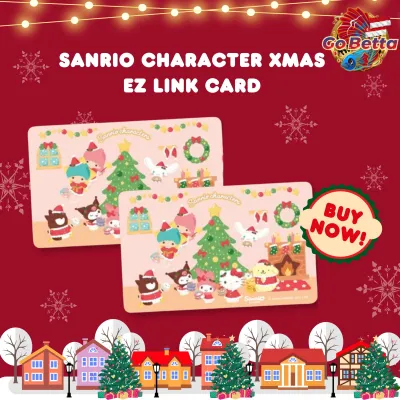
Prices are valid at publication and may change. Please refer to the product page for the latest price.
Scenario 1: Grabbing Daily Essentials at Convenience Stores and Supermarkets
For quick, everyday purchases, your card serves as an incredibly efficient payment method at major convenience store chains across Singapore. When popping into a 7-Eleven or Cheers outlet to grab a quick snack, a cold beverage, or emergency household items, you can bypass the hassle of cash or mobile app loading. Tapping your card on the terminal processes the transaction in under a second, making it ideal for those in a rush during morning commutes or lunch breaks.
Beyond simple snacks, convenience stores allow you to use your card’s stored value to purchase prepaid top-up vouchers, mobile reloads, and other digital services at the counter. This makes the card a useful tool for managing small budgets, especially for students or elderly family members who may not carry active credit cards. Simply present the item or service request to the cashier and indicate your payment method.
In the supermarket sector, major networks like NTUC FairPrice, Cold Storage, and Giant support contactless CEPAS payments at selected outlets. This utility is particularly beneficial during small, everyday grocery runs where you only need a few items. Instead of waiting for a chip-and-pin credit card reader to authorize or struggling to scan a mobile QR code under poor lighting, a simple tap on the checkout terminal completes the transaction instantly.
Before queueing, always look for the official blue-and-yellow EZ-Link or SimplyGo acceptance decals displayed at the checkout counter or on the self-service kiosk screens. If you do not see the sticker, it is best to ask the cashier if they accept CEPAS payments before they begin scanning your items. This proactive check prevents checkout delays and ensures a smooth transaction.
Scenario 2: Paying for Meals at Food Courts and Quick-Service Restaurants
Dining in Singapore is fast-paced, and speed and hygiene are top priorities at busy eating establishments. Food courts and hawker centers across the island have rapidly upgraded to unified cashless payment terminals, many of which accept the card. Venues managed by major operators like Kopitiam, Food Junction, and Food Republic often feature card readers at individual stalls, allowing you to pay for your chicken rice or iced coffee with a quick tap.

Using a contactless card in a food environment is highly hygienic, as it eliminates the need for stall owners to handle physical paper notes and coins while preparing food. It also speeds up queue times significantly during peak lunch and dinner hours. You do not have to worry about counting out exact change or waiting for the vendor to find coins for your change.
Quick-service restaurants, fast-food chains, and local bakeries also widely accept the card. Outlets like McDonald’s, KFC, and Subway, alongside neighborhood bakery chains like BreadTalk and Bengawan Solo, use integrated POS terminals that support rapid CEPAS tapping. This is exceptionally convenient when purchasing small group orders or splitting a bill, as the exact balance can be deducted down to the cent.
Keep in mind that while unified terminal systems are common, some independent hawker stalls or smaller coffee shops may only support specific QR-based payment networks rather than physical card taps. Always verify the supported payment icons on the terminal screen or the stall’s placard before placing your order. If the terminal displays the EZ-Link or CEPAS logo, you are ready to tap and pay.
Scenario 3: Enjoying Entertainment, Attractions, and Vending Machines
When planning a day of leisure, your card can transition seamlessly from your transit ticket to your entertainment wallet. Selected local attractions, museums, and public leisure facilities support CEPAS payments for entry tickets and in-park purchases. For instance, you can use your card to pay for entry at public swimming complexes and ActiveSG gym facilities managed by Sport Singapore, making it a handy companion for your weekly workouts.
Cinema chains like Golden Village and Shaw Theatres frequently support card payments at their self-service ticketing kiosks and concession counters. This allows you to purchase movie tickets, popcorn, and drinks without needing to log into booking apps or pull out a credit card. It simplifies the transition from stepping off the MRT to settling into your cinema seat.
Beyond structured venues, the card is widely accepted at thousands of vending machines located in shopping malls, office buildings, schools, and transit stations. Whether you are purchasing a cold canned drink, a fresh orange juice, a hot meal, or even small toys and sanitizers, these automated machines are almost always equipped with CEPAS-compliant card readers. This widespread coverage ensures you can stay hydrated and energized even when retail shops are closed.
Additionally, various self-service kiosks—such as instant photo booths, automated locker rentals, and selected printing stations—rely on card payments. This makes the card a comprehensive utility tool for navigating daily urban scenarios in Singapore. Rather than carrying a bulky wallet filled with multiple cards and coins, a single card in your pocket can handle these minor, unexpected expenses.
Cross-Scenario Guide: Managing Balances and Verifying Merchant Acceptance
To ensure your card is always ready for retail transactions, it is important to understand how its balance is structured. Under the SimplyGo framework, cards are account-based rather than card-based. This means your monetary balance is stored securely on a backend server linked to your account, rather than directly on the physical chip. When you tap at a retail terminal, the system communicates with the server to authorize the transaction.
Because transactions are processed on a backend server, you must ensure your account has sufficient funds before attempting a purchase. You can easily check your real-time balance using several convenient methods:
- The SimplyGo Mobile App: Download the official app on your NFC-enabled smartphone to view your exact balance, track transaction history, and receive instant push notifications after each retail purchase.
- Physical Ticketing Machines: Insert or tap your card at any SimplyGo Kiosk, Assisted Service Kiosk (ASK), or top-up machine located at MRT stations and bus interchanges.
- AXS Stations: Use any AXS Station island-wide to check your card's current balance and review recent transactions.
Refilling your card’s balance can be done digitally or physically. The most convenient method is enabling the Auto Top-Up feature via the SimplyGo app, which automatically replenishes your card’s balance using a linked credit card, debit card, or bank account whenever it falls below a specific threshold. This ensures you never face a declined transaction at a retail checkout counter.
If you prefer manual top-ups, you can add funds instantly through the SimplyGo app using your mobile phone. Alternatively, physical top-ups are available at MRT station ticketing machines, AXS stations, and over-the-counter at convenience stores like 7-Eleven and Cheers. Note that manual top-ups at convenience stores may incur a small administrative fee, typically around S$0.50 per transaction, so utilizing the app or station machines is recommended to avoid extra costs.
To verify if a specific merchant accepts your card, look for the official SimplyGo or EZ-Link decals near the cash register, on the entry doors, or on the payment terminal itself. You can also consult the updated, comprehensive merchant directory on the official EZ-Link website before heading out. This directory categorizes accepting partners by industry, helping you plan your shopping trips with confidence.
Practical Tips for Seamless Retail Payments
While paying with your card is generally straightforward, a few practical steps can help you avoid common friction points at the point of sale. First, always explicitly inform the cashier that you wish to pay using your “EZ-Link” or “SimplyGo” card before tapping. Many retail POS terminals require the cashier to manually select the correct payment mode on their system before the contactless reader activates.
Another crucial tip is to prevent “card clash.” If you keep your SimplyGo card in your wallet alongside other contactless cards—such as credit cards, office access passes, or other transit cards—the terminal reader may detect multiple signals simultaneously. This can result in a transaction error, or worse, an accidental deduction from the wrong card. To prevent this, keep your card in a dedicated slot, use a shielded cardholder, or remove the card entirely from your wallet before tapping.
If your transaction is declined at the terminal, do not panic. The most common cause is an insufficient balance, especially if you do not have Auto Top-Up enabled. Other causes include terminal communication timeouts or temporary merchant network issues. Always carry a backup payment method, such as cash, a credit card, or a mobile payment app, to resolve the transaction quickly while you troubleshoot your card’s balance.
Finally, always wait for the terminal’s success indicator before removing your card from the reader. This is typically signaled by a distinct beep and a green light or a success message on the screen. Removing your card too quickly can result in an incomplete transaction, requiring the cashier to reset the system and ask you to tap again, which can delay both you and the customers behind you.
Frequently Asked Questions (FAQ)
Can I use the same card for both public transit and retail purchases?
Yes, you can use the exact same physical card for both public transit and retail purchases. Because the card operates on a unified account-based system, any funds you top up to your card are pooled into a single balance. This shared balance is automatically drawn upon whether you are passing through an MRT gantry, boarding a public bus, buying groceries at a supermarket, or purchasing a drink from a vending machine.
Is there a minimum spend requirement for retail transactions?
There is no universal minimum spend requirement imposed by the EZ-Link or SimplyGo retail network itself. You can theoretically use your card to pay for transactions as small as a few cents. However, individual merchants and independent hawker stalls reserve the right to establish their own store policies and minimum spend limits (such as S$2.00 or S$5.00) to help offset their internal transaction processing fees.
What happens if my card has insufficient funds during a retail purchase?
If your card’s balance is lower than the transaction total, the payment terminal will decline the transaction and display an error message. Split payments—where you pay part of the balance with your card and the rest with cash—are generally not supported by most standard retail POS terminals. You must top up your card via the SimplyGo app, a nearby ticketing machine, or a convenience store counter before retrying the purchase.

Community discussion
Share your experience or ask a question. Comments are reviewed before publication.