
Quick Answer: Expanding Your Hello Kitty EZ-Link Card Usage
Your Hello Kitty EZ-Link card is far more than a collectible transit pass or a cute accessory for your daily train commute. In Singapore, this contactless smart card functions across a vast, integrated payment network, allowing you to breeze through public buses, LRT lines, convenience stores, supermarkets, and selected food courts.
Because it operates on the standard EZ-Link system, any merchant terminal displaying the official payment logo will accept your card, provided you have sufficient funds. Embracing this tap-and-go method for small, frequent daily expenses helps you minimize cash handling, speed up checkout times, and keep your daily spending organized in one place.
Daily Commuting and Transit Scenarios
While the MRT is the most common place to tap your card, public buses offer an equally seamless transit experience. When boarding a public bus, you must tap your card against the reader at the front entrance, and tap out at the rear exit when alighting. Failing to tap out can result in being charged the maximum fare for the bus route, so making a habit of both actions is essential for keeping your travel costs accurate.
Products mentioned in this guide
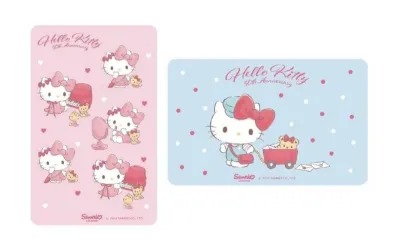
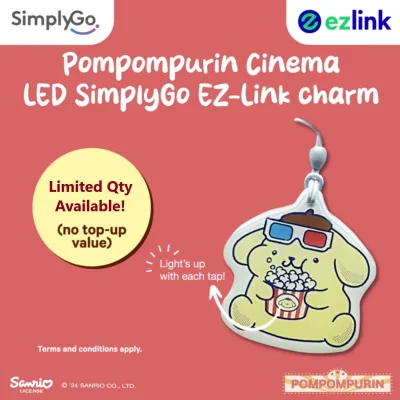
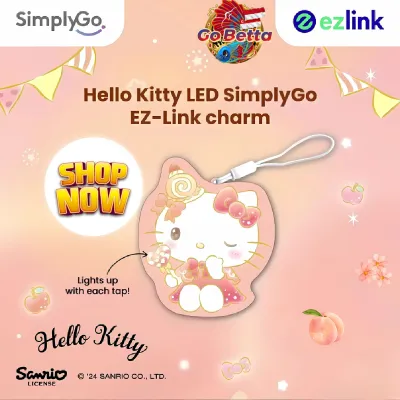
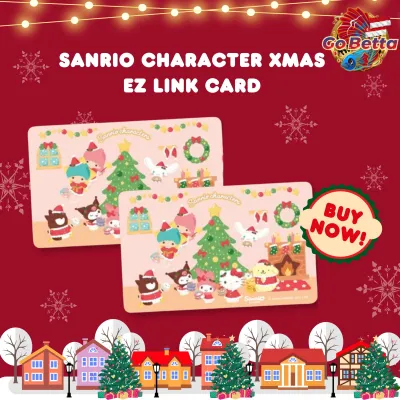
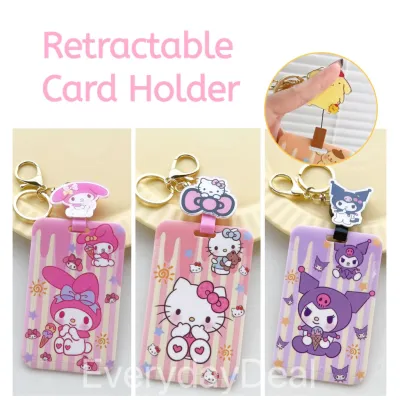
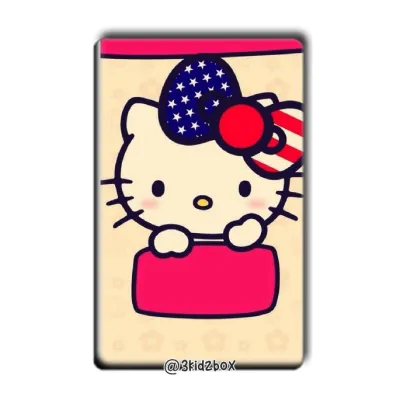
Prices are valid at publication and may change. Please refer to the product page for the latest price.

The same tap-in and tap-out protocol applies to the LRT system, ensuring smooth transfers between different modes of public transport. Beyond public buses and trains, your card is highly useful for point-to-point private transport. Many participating taxi operators and selected private hire vehicles are equipped with onboard transit card readers that accept EZ-Link payments.
Before starting your journey, it is always wise to inform the driver that you intend to pay with your card, as terminal availability can vary by vehicle or fleet operator. To ensure an uninterrupted journey across any transport mode, you must keep an eye on your card’s minimum balance. Public transit readers require a minimum reserve balance to allow entry; if your card falls below this threshold, the terminal will display an error message, and you will be denied boarding.
Everyday Retail and Convenience Shopping
Your daily shopping routine can be significantly streamlined by using your card at various retail outlets across the island. Major convenience store chains are among the most common locations where you can tap to pay for quick purchases like snacks, drinks, or emergency toiletries. Additionally, selected pharmacies and participating supermarkets accept these contactless payments, making it incredibly easy to grab daily essentials without reaching for your wallet.
To confirm whether a retail store accepts your card, look for the official EZ-Link payment decal or logo displayed prominently at the checkout counter or on the payment terminal itself. If you do not see the logo, simply ask the cashier before they scan your items. This quick check prevents any awkward moments at the register and ensures a smooth transaction.
If you find yourself at the checkout with an insufficient balance on your card, you still have options. Many retail terminals support split-payment methods, allowing you to pay the remaining balance using cash or another card. However, because terminal capabilities vary by merchant, you should verify with the cashier whether their system supports split payments before initiating the transaction.
Dining at Food Courts and Quick-Service Eateries
Navigating busy lunch crowds at local food courts and quick-service eateries is much simpler when you do not have to fumble with loose change. Many modern food courts, particularly those in shopping malls or commercial hubs, feature drink stalls and food vendors equipped with contactless payment terminals. Tapping your card to pay for your morning coffee or afternoon meal keeps the queue moving quickly and eliminates the need to carry heavy coins.
When dining at quick-service restaurant chains, the payment process is similarly straightforward. However, because franchise locations may have different payment configurations, it is highly recommended to verify terminal acceptance at the cashier counter before placing your order. Look for the familiar terminal reader or ask the staff if they accept contactless transit card payments.
Using your card for multiple small meals and snacks throughout the day provides a clear, consolidated record of your dining expenses. It also offers a hygienic alternative to handling physical cash right before eating, allowing you to maintain a cleaner, more efficient dining routine.
Managing Your Card and Verifying Merchant Acceptance
Keeping your card active and ready for daily use requires proactive management of your balance and validity dates. You can easily check your current balance using several convenient methods. The official transit mobile application allows you to scan your card using your smartphone’s near-field communication (NFC) reader to view your balance instantly.
Alternatively, you can use general ticketing machines located at MRT stations, or retail top-up terminals at convenience stores to check your funds and add money to your card. Identifying accepted merchants is a matter of recognizing the official network logos displayed at physical storefronts. Merchants who participate in the network typically place decals on their glass doors, cash registers, or payment terminals.
Because your Hello Kitty card is a co-branded or limited-edition design, it is important to keep track of its physical condition and expiry date. Unlike standard transit cards, collectible designs may have specific validity periods determined by the issuer. You can find the expiry date printed on the back of the physical card or within the packaging documentation. Checking this date ensures you do not face unexpected declines at transit readers or retail terminals.
Frequently Asked Questions (FAQ)
Can I use my Hello Kitty EZ-Link card for online shopping?
Standard EZ-Link cards require a physical tap on a compatible terminal reader, meaning they cannot be used directly for traditional online shopping checkout pages. However, you can register your card on the official transit mobile application. This integration may allow you to use your card’s balance for specific digital services, in-app purchases, or transit-related payments, subject to the current terms and platform updates of the application.
What happens if my card balance is too low for a retail purchase?
If your card balance is lower than the total transaction amount, the payment terminal will typically decline the transaction. To resolve this, you can ask the cashier if the store supports split payments, allowing you to use your remaining card balance and pay the rest in cash. Alternatively, you can top up your card at a nearby convenience store or transit station before completing your purchase.
Do limited-edition Hello Kitty cards expire faster than standard cards?
Limited-edition and co-branded cards do not necessarily expire faster, but their validity periods are set by the issuer at the time of production. The exact lifespan is typically printed on the card’s packaging or can be verified by scanning the card at a ticketing machine or via the official mobile app. If your card is nearing its expiry date, you can initiate a balance transfer to a new card at designated transit customer service centers.

Community discussion
Share your experience or ask a question. Comments are reviewed before publication.