
Quick Answer: Finding the Best Balance of Price and Quality
When selecting a3 paper 70gsm for everyday printing in Singapore, Standard tier brands typically offer the best overall value. These mid-range options strike a practical balance between reliable runnability and a lower cost per ream, making them ideal for routine office and home use.
Premium brands are highly reliable and offer an exceptional finish, but their higher cost is generally only justified for high-speed production copiers or critical, client-facing documents. Conversely, Economy brands present the lowest upfront price but can quickly become expensive due to higher paper dust levels, frequent printer jams, and increased maintenance overhead.
Rather than declaring a single “winner” brand, the best value depends entirely on your specific printing volume, the sensitivity of your equipment, and whether your tasks involve double-sided documents or heavy ink coverage.
Products mentioned in this guide
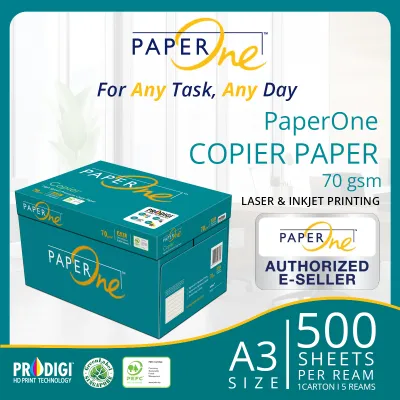
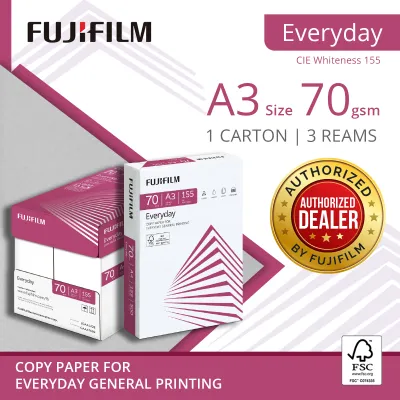
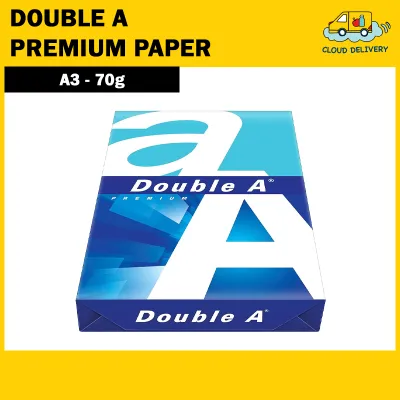

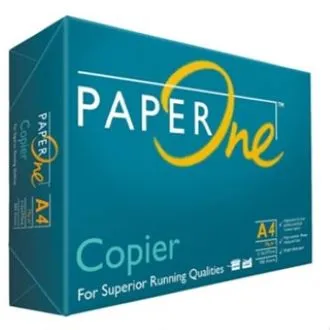
![PaperOne A3 A4 A5 Printing Paper | Double A A4 Printing Paper | Fujifilm A4 Printing Paper [70gsm | 80gsm | 100gsm]](https://img.lazcdn.com/g/p/e6656a7d0c70606a115a8596caf6a15d.png_400x400q80.png_.webp)
Prices are valid at publication and may change. Please refer to the product page for the latest price.
What Defines "Best Value" in A3 Paper 70gsm Copy Sheets?
Evaluating the value of copy paper requires looking beyond the initial purchase price of a 500-sheet ream. While a low upfront cost is attractive, the true cost of printing includes factors like printer downtime, wasted toner or ink from aborted print jobs, and premature wear on internal hardware components.

Upfront Cost vs. True Cost Many offices calculate paper expenses solely on the purchase price of a 500-sheet ream. However, the true cost of printing includes factors like paper-induced printer jams, wasted toner from aborted print jobs, and premature wear on printer rollers and fusers. If a cheaper ream leads to even two or three major jams that require user intervention or professional servicing, the initial savings are completely wiped out. Calculating true cost requires factoring in these operational disruptions over a long-term printing cycle.
Runnability Runnability refers to a paper’s ability to pass through a printer’s feed rollers, registration sensors, and fuser unit without jamming or tearing. This metric is particularly critical for A3 formats, which measure 297mm x 420mm—exactly double the surface area of standard A4 sheets. Because A3 paper has a much longer path to travel through the internal machinery of a printer, any minor physical defect, slight edge curl, or structural weakness is magnified. A sheet that lacks sufficient stiffness or has uneven fiber distribution is highly prone to skewing, wrinkling, or misfeeding during its journey.
Paper Dust During the manufacturing process, large master rolls of paper are slit and chopped into individual sheets. If the cutting blades are not perfectly sharp or calibrated, they leave microscopic paper fibers and dust along the edges of the sheets. As the paper feeds through your printer, this dust sheds and accumulates on optical sensors, pick-up rollers, and electrostatic transfer belts. Over time, this buildup causes slipping rollers, dirty prints, and frequent “no paper” errors.
Opacity and Brightness 70gsm paper is inherently thinner than its 80gsm counterpart. This lower basis weight makes opacity a critical consideration, especially for double-sided printing. If the paper’s opacity is too low, text and images from the reverse side will show through, rendering the document difficult to read. This is particularly problematic for dense A3 documents like financial spreadsheets, engineering schematics, or architectural drafts. Brightness determines the contrast between the printed ink or toner and the background, affecting overall legibility.
Comparing Popular A3 70gsm Brands by Market Tier
In Singapore, the market for copy paper is highly competitive, with products sourced primarily from major pulp and paper mills across Southeast Asia (such as Indonesia, Thailand, and Malaysia). These products generally fall into three distinct tiers based on their refining quality, physical properties, and pricing structure.
Note that the brands and examples discussed below are non-exhaustive and serve to illustrate the performance characteristics you can expect from each tier.
Premium Tier (High Reliability and Finish)
Premium tier papers are engineered for demanding print environments. They feature high CIE whiteness (often exceeding 160 CIE), which provides a striking, high-contrast background for both monochrome and color prints. These papers undergo rigorous dust-removal processes during cutting and feature precise moisture control to ensure flat, curl-free feeding.
- Best Applications: This tier is ideal for high-speed multi-function copiers, critical client presentations, legal documents, and double-sided A3 printing where show-through must be kept to an absolute minimum.
- Value Proposition: While the upfront cost per ream is higher (typically ranging from S$9.00 to S$12.00 per ream for A3 70gsm), the near-zero jam rate and superior aesthetic finish justify the investment for high-profile business environments.
Standard Tier (The Everyday Workhorses)
Standard tier papers represent the sweet spot for the vast majority of Singaporean offices and home workspaces. These sheets offer a balanced CIE whiteness (typically between 145 and 155 CIE) and respectable opacity. While they may not have the ultra-smooth, silky feel of premium sheets, their surface texture is highly uniform, ensuring consistent toner adhesion and ink absorption.
- Best Applications: Perfect for routine internal reports, daily spreadsheets, single-sided drafts, and standard office correspondence.
- Value Proposition: This tier offers the most practical balance of cost and performance (usually priced around S$7.00 to S$9.00 per ream). They feed reliably through modern office printers without causing excessive wear or frequent jams, making them the default choice for daily operations.
Economy and Bulk Tier (High-Volume, Low-Cost)
Economy papers are designed for maximum cost savings. To keep prices low, manufacturers may use less refined pulp, lower levels of whitening agents, and less precise cutting methods. This results in a lower CIE whiteness (often below 140 CIE), a slightly rougher surface texture, and a higher presence of paper dust.
- Best Applications: Best suited for high-volume, single-sided internal drafts, temporary packing slips, or older, less sensitive printing equipment where the cost of occasional downtime is low.
- Value Proposition: With prices often falling below S$7.00 per ream, this tier offers the lowest upfront acquisition cost. However, users must accept the trade-off of more frequent printer maintenance, manual jam clearing, and a higher rate of discarded misprints.
Key Performance Dimensions to Verify Before Buying
To ensure you are getting the best value for your specific setup, it is helpful to understand how to verify paper performance through direct observation and basic testing. Because paper quality can occasionally vary by production batch or storage conditions, these verification steps will help you identify potential issues before they disrupt your workflow.
Runnability and Jam Risk Before committing to a bulk purchase of a specific brand, check the manufacturer’s packaging or technical datasheet for runnability guarantees. Many reputable brands explicitly state compatibility with high-speed copiers. When testing a new batch, observe the first 50 to 100 sheets as they feed through the machine. Watch for any signs of hesitation, double-feeding (where two sheets stick together), or skewing as the paper enters the fuser unit.
Brightness vs. Whiteness It is common to confuse these two terms, but they measure different optical properties. Brightness (measured via ISO standards) refers to the amount of blue light reflected by the paper, affecting how “bright” the sheet appears to the human eye. Whiteness (measured via CIE standards) represents the paper’s reflection across the entire visible spectrum, indicating how neutral the white is. For high-contrast text and sharp lines, look for a CIE whiteness of at least 150. If you are printing color charts or detailed graphics, a higher whiteness value ensures that colors appear vibrant and true to life.
Inspecting for Paper Dust You can easily check for excessive paper dust before loading a new ream into your printer’s paper tray. Open the ream wrapper carefully and run a clean, dry thumb or a dark microfiber cloth firmly along the cut edges of the paper stack. If a visible white powder or fiber residue clings to your finger or the cloth, the paper has a high dust content. Loading such paper will require you to clean your printer’s pick-up rollers and optical sensors more frequently to prevent slipping and misfeeds.
Moisture Content and Curling in Singapore’s Climate Singapore’s tropical climate presents a unique challenge for paper storage and printing. Relative humidity levels regularly exceed 80%, especially in non-air-conditioned spaces or during the monsoon seasons. Because 70gsm paper is thinner and less rigid than 80gsm paper, it is highly susceptible to absorbing moisture from the surrounding air. When a moisture-laden sheet passes through the intense heat of a laser printer’s fuser unit (which can reach temperatures over 180°C), the water inside the fibers rapidly evaporates. This uneven moisture loss causes the paper to curl severely as it exits the printer, leading to immediate jams in the output tray or when attempting automatic double-sided printing.
To mitigate this, always store your paper reams in a cool, dry, air-conditioned environment. Keep the ream wrappers tightly sealed until the exact moment you load the paper into the machine. If your printer sits idle for several days (such as over a long weekend), remove any unused paper from the tray and return it to a sealed plastic container or its original wrapper to prevent moisture absorption.
Decision Framework: Which A3 70gsm Paper Should You Choose?
To make your final decision, evaluate your printing environment against these specific scenarios:
Choose Premium Tier if:
- You operate high-speed multi-function printers (MFPs) that run at speeds exceeding 45 pages per minute, where any paper defect immediately triggers a system-wide halt.
- You regularly print client-facing documents, architectural presentations, or complex engineering schematics where visual crispness and professional hand-feel are paramount.
- You perform high volumes of double-sided (duplex) printing and require maximum opacity to prevent distracting show-through.
Choose Standard Tier if:
- You need a dependable, cost-effective "daily driver" for a standard office or home workspace.
- Your print jobs consist primarily of internal reports, routine spreadsheets, single-sided drafts, and basic line drawings.
- You want to minimize printer maintenance and paper jams without paying the premium price associated with top-tier marketing brands.
Choose Economy Tier if:
- You are printing high volumes of single-sided, temporary documents (such as picking lists, internal packing slips, or rough layout drafts) where visual appearance is secondary.
- You use older, robust printers with simple paper paths that are less sensitive to dust and minor sheet variations.
- You have a dedicated maintenance routine in place to regularly clean the printer's rollers and sensors.
Verify First if:
- You are using a specialized inkjet printer rather than a laser printer. Inkjet printing deposits liquid ink onto the paper surface. Because 70gsm paper is thin, high ink coverage (such as solid color blocks or heavy graphics) can oversaturate the fibers, causing the paper to warp, buckle, or bleed through. If your work involves heavy color graphics, verify whether your printer's manual recommends a minimum weight of 80gsm or higher for the A3 input tray.
- Always consult your printer manufacturer's manual to confirm compatibility with 70gsm media. Some older office copiers have pick-up mechanisms optimized specifically for 80gsm paper and may struggle to feed lighter 70gsm sheets reliably, regardless of the brand's quality.

Community discussion
Share your experience or ask a question. Comments are reviewed before publication.