
Finding the best value 80gsm A4 paper for your daily printing needs requires looking beyond the price tag on a single ream. True value is a calculation of the total cost of ownership, which includes the purchase price, the cost of wasted sheets from printer jams, and the long-term wear on your printing equipment. In Singapore’s humid environment, paper behavior changes rapidly once a package is opened, making structural reliability just as important as initial affordability.
To secure the most cost-effective option for your home or office, you must evaluate how different paper grades interact with your specific printer type. Whether you are running a high-speed laser printer or a desktop inkjet, the interaction between the paper surface, moisture content, and fuser heat determines your final print quality. This guide establishes a practical framework to compare available paper options, perform simple quality checks, and calculate the true cost per printed page.
What Makes 80gsm A4 Paper a Good Value?
Evaluating paper value starts with distinguishing between the upfront cost of a ream and the actual cost of successful prints. A low-cost ream of paper that frequently misfeeds, jams, or produces smudged text quickly becomes more expensive than a slightly higher-priced, reliable alternative. Every time a sheet jams, you lose not only the paper but also fuser toner, ink, and valuable operational time.
Products mentioned in this guide
![PaperOne™ Copier Paper 80gsm Copy Paper A4 [2 Reams]](https://img.lazcdn.com/g/p/0eb80601f7c5c82b1f75200b439c7562.jpg_400x400q80.jpg_.webp)
![[2 Reams 1000 sheets] A4 80Gsm Paperone Copy Paper / Paperone Digital Inkjet & Laser Paper 85gsm A4](https://img.lazcdn.com/g/p/6b30a8abe0e8c9414c33ea8ecc1cc966.jpg_400x400q80.jpg_.webp)
Prices are valid at publication and may change. Please refer to the product page for the latest price.
Reliability in everyday printing is heavily influenced by physical metrics such as jam frequency, edge dust generation, and paper curling. High-quality 80gsm paper is engineered with consistent fiber distribution to ensure uniform stiffness, allowing the printer’s pickup rollers to feed a single sheet at a time. Poorly manufactured paper often suffers from uneven thickness or static buildup, leading to double-feeding and mid-print halts.
Edge dust is another hidden cost factor associated with lower-grade paper brands. When paper is sliced into A4 dimensions during manufacturing, dull blades can leave microscopic paper dust along the edges. As this paper runs through your printer, the dust accumulates on the rubber feed rollers and optical sensors, causing slippage and feed errors that require professional cleaning or premature parts replacement.
Print quality indicators like opacity, brightness, and ink absorption also define the value of your paper. Opacity determines how much light passes through the sheet, which is critical for double-sided printing to prevent text from showing through on the reverse side. Brightness affects the contrast of your printed text, while controlled ink absorption ensures that inkjet prints dry quickly without feathering or bleeding through the fibers.
How to Check Paper Quality and Printer Compatibility
Before committing to a large purchase of any paper brand, you can perform several physical checks to verify its compatibility with your office setup. The first factor to examine is the moisture content of the paper, which is highly sensitive to local humidity levels. When paper absorbs excess moisture from the air, it loses its structural stiffness and is highly prone to curling when exposed to the intense heat of a laser printer’s fuser unit.

You can test a paper’s resistance to curling by taking a single sheet from a newly opened ream and holding it horizontally by one corner. A high-quality sheet with balanced moisture and proper fiber alignment will remain relatively flat, while a moisture-compromised or poorly structured sheet will immediately droop or twist. If the paper curls significantly before it even enters the printer, it is highly likely to jam during the delivery cycle.
To check for edge dust, fan a fresh stack of paper over a dark, clean surface such as a black desk or a piece of dark cardboard. If you observe a visible shower of white powder or tiny paper fibers settling on the surface, the paper has been poorly cut. While a small amount of dust is normal, excessive debris indicates that you will need to clean your printer’s pickup rollers more frequently to prevent paper slippage.
Matching the paper’s brightness and opacity to your specific document types prevents unnecessary spending on premium grades. Standard text-heavy drafts, internal memos, and shipping labels do not require high-brightness paper; a standard utility grade is perfectly adequate. However, if your daily work involves printing detailed charts, color graphics, or external correspondence, you will need a sheet with higher brightness and smoother surface texture to ensure sharp contrast and clean color reproduction.
How to Compare 80gsm A4 Paper Brands Using Label Claims
When browsing office supply aisles or online catalogs, you will encounter various marketing claims on paper wrappers, such as “jam-free,” “multi-purpose,” or “high whiteness.” To make an objective comparison, you must understand what these claims mean and how to verify them. A “jam-free” claim is typically based on manufacturer tests under controlled laboratory conditions, which may not match the humidity and mechanical wear of your specific office printer.
To verify these claims, implement a small-batch testing protocol before buying in bulk. Purchase a single ream of the candidate brand and run a test batch of fifty double-sided pages through your most frequently used printer. Observe whether the paper feeds smoothly, check for any signs of multi-sheet feeding, and examine the output tray to see if the printed sheets lie flat or curl excessively.
It is also helpful to compare standard economy lines against premium or multi-purpose lines within the same brand’s 80gsm catalog. Economy lines are generally optimized for high-volume, single-sided black-and-white copying where minor surface roughness and lower opacity are acceptable. Premium or multi-purpose lines feature advanced surface treatments, such as specialized pigment coatings, that enhance ink drying times and color vividness, making them better suited for inkjet printers and external documents.
In humid climates, the quality of the ream wrapper itself is a critical factor in preserving paper quality. Look for brands that package their paper in moisture-barrier wrappers, which often feature a thin plastic or wax lining on the inside of the paper wrap. This protective barrier prevents ambient moisture from penetrating the stack while it sits in storage, ensuring that the last ream in your cabinet performs just as well as the first.
How to Calculate the True Cost Per Sheet
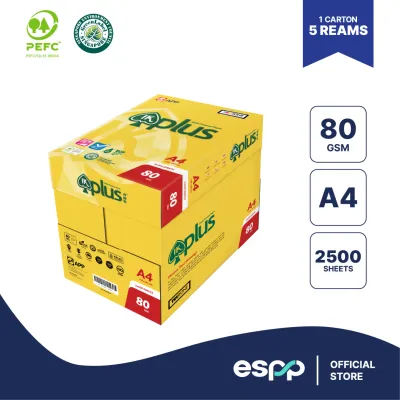
To find the most economical paper option, you must calculate the actual cost per sheet rather than comparing raw carton prices. This calculation allows you to compare different packaging configurations, such as single reams of 500 sheets, multi-packs, or full cartons containing five reams (2,500 sheets).
Use this simple formula to determine your unit cost: Cost Per Sheet = Total Purchase Price (S$) / Total Number of Sheets
For example, if a single ream of 500 sheets costs S$6.50, the cost per sheet is S$0.0130. If a five-ream carton of a competing brand costs S$28.00, the cost per sheet drops to S$0.0112. While a difference of less than a cent seems negligible, a business printing 10,000 pages per month will save significant amounts over a year by choosing the lower unit cost, provided the paper performs reliably.
Bulk buying offers clear financial advantages, but it introduces logistical trade-offs that you must manage. Storing large quantities of paper requires a dedicated, dry space away from direct sunlight and concrete floors, which can transfer moisture to the bottom cartons. If your storage area is prone to high humidity, the money saved by buying in bulk can easily be lost if the stored paper absorbs moisture and becomes unusable due to constant printer jamming.
When sourcing paper, compare pricing structures across different purchasing channels. Local supermarkets and retail stationery shops are convenient for quick, single-ream purchases but often carry a premium price. Dedicated office supply distributors and online marketplaces typically offer better rates for carton or pallet quantities, often including free delivery which eliminates the physical effort of transporting heavy paper cartons to your premises.
Which 80gsm A4 Paper Should You Choose?
Your choice of 80gsm A4 paper should align with your primary printing technology, document volume, and presentation requirements. By matching your specific operational conditions to the right paper category, you can optimize both print quality and your stationery budget.
Choose standard economy brands if your daily operations consist primarily of high-volume, text-only printing. Internal drafts, packing slips, warehouse pick lists, and simple text documents do not require premium brightness or specialized surface coatings. For these applications, a basic, budget-friendly 80gsm paper will deliver excellent cost efficiency, provided it passes your initial edge dust and curl checks.
Choose premium or multi-purpose branded lines if you regularly produce client-facing documents, marketing materials, or double-sided reports. These papers are manufactured with higher opacity to minimize show-through and feature smoother surfaces that allow toner and ink to bond cleanly. If your office relies heavily on inkjet printers, premium multi-purpose papers are highly recommended because they are designed to handle liquid inks without feathering or warping.
Always verify compatibility first if you are operating specialized, high-speed fuser units or older printer models with worn feed rollers. Older machines often have reduced tolerance for slight variations in paper stiffness and thickness, making them highly sensitive to lower-grade papers. In such cases, running a trial ream is an essential step to prevent costly downtime and maintenance calls.
Frequently Asked Questions (FAQ)
Does 80gsm paper work well for double-sided printing?
Yes, 80gsm paper can work well for double-sided printing, but its performance depends heavily on the paper’s opacity and the type of printer used. Laser printers are generally more forgiving for double-sided printing on 80gsm paper because dry toner sits on the surface of the sheet. Inkjet printers, which deposit liquid ink, require paper with high opacity and specialized fuser settings or surface sizing to prevent the ink from soaking through and becoming visible on the opposite side. To test a brand, print a high-density text block on one side and check the reverse for distracting shadows.
How should I store open reams of A4 paper in a humid climate?
To prevent paper from absorbing moisture and curling in a humid climate, always store open reams in a resealable plastic container or a heavy-duty zip-top bag. Only remove the specific number of sheets you need for immediate printing, and keep the remaining stack tightly wrapped in its original moisture-barrier packaging. Avoid storing paper cartons directly on concrete floors, as moisture can seep upward; instead, keep them on shelves or pallets in a cool, dry room away from open windows and air conditioning vents that cycle on and off.

Community discussion
Share your experience or ask a question. Comments are reviewed before publication.