
For architects and design professionals in Singapore, transitioning early-stage conceptual ideation to a paperless format requires a tool that balances immediacy, spatial scale, and tactile feedback. A standard lcd writing tablet serves as an excellent digital alternative to the traditional tracing paper roll, offering an instant-on canvas for rapid sketching without the glare or eye strain of backlit tablets. Brands such as Boogie Board (Kent Displays), Giotohun, Vson, and Xiaomi (Mijia) stand out as the top choices, each catering to different priorities in canvas size, line precision, and workflow integration.
Selecting the ideal brand depends on how you plan to integrate these sketches into your broader architectural workflow. While some models excel in fine-line precision and localized erasing, others prioritize expansive drawing areas that accommodate large-scale spatial layouts. Understanding the technical specifications and physical limitations of these devices ensures you choose a tool that enhances your creative process rather than complicating it.
Why Architects Use LCD Writing Tablets for Concept Sketching
During the initial phases of architectural design, the speed of externalising an idea is paramount. LCD writing tablets excel in this pre-digital stage, serving as a modern equivalent to the classic napkin sketch or yellow trace paper. Unlike traditional tablets or computer screens, these devices utilize cholesteric liquid crystal technology, which reflects ambient light rather than emitting a backlight. This makes them exceptionally comfortable for long design sessions in the studio or under the bright, direct sunlight of Singapore construction sites, completely eliminating digital eye strain.
Products mentioned in this guide
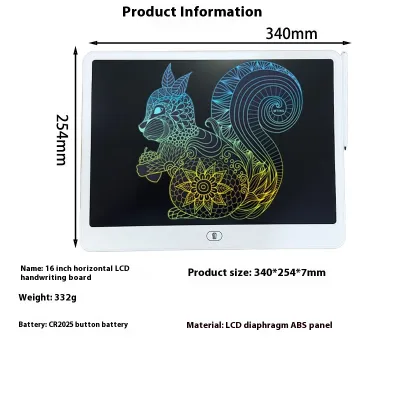
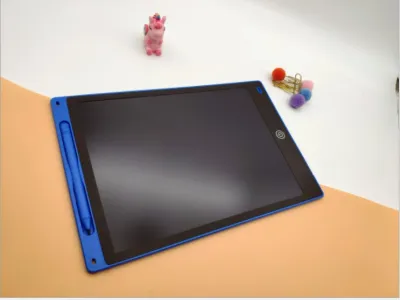
![[✅SG Ready Stock] 8.5 inch / 12 inch LCD Pad Writing Tablet For kidsKids Drawing Pad Portable Electronic Tablet Board](https://img.lazcdn.com/g/p/fee43f1d7f9017a12c1bc992432adbda.jpg_400x400q80.jpg_.webp)
![[SG LOCAL SELLER] 12 inch LCD Pad Writing Tablet For kidsKids Drawing Pad Portable Electronic Tablet Board](https://img.lazcdn.com/g/p/750c5b36b2e9fed44d96d7335003e660.jpg_400x400q80.jpg_.webp)
![[✅SG Ready Stock] 10 inch LCD Pad Writing Tablet color screen For kidsKids Drawing Pad Portable Electronic Tablet Board](https://img.lazcdn.com/g/p/4e3791a390c0a513306355446bce9f13.jpg_400x400q80.jpg_.webp)
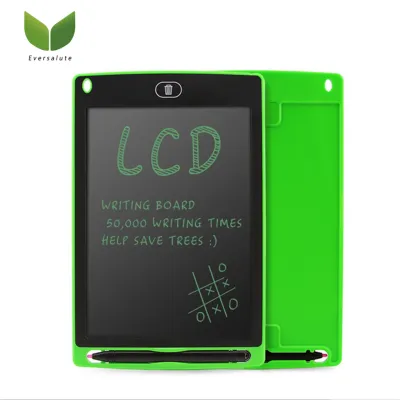
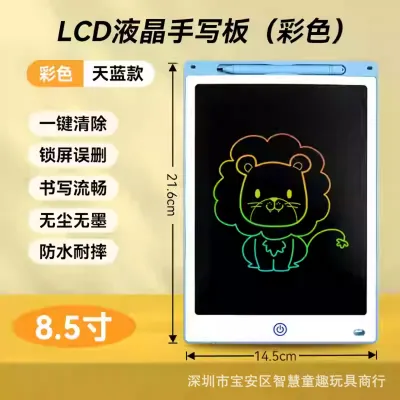
Prices are valid at publication and may change. Please refer to the product page for the latest price.
These tablets allow for rapid, low-friction iteration. When brainstorming massing studies, spatial relationships, or circulation diagrams, an architect can sketch a concept, evaluate it, and clear the screen instantly to try another variation. This fluid process saves a significant volume of physical paper and reduces studio clutter. Additionally, they are highly effective tools for client-facing meetings, allowing you to quickly sketch structural details or layout adjustments directly in front of a client to communicate design intent clearly and dynamically.
However, it is vital to recognize the operational boundaries of these devices. Standard LCD writing tablets are strictly analog-to-digital bridge tools; they do not feature native digital layers, vector outputs, or direct software integration. There is no “undo” button in the traditional digital sense, and any sketch you wish to preserve must be manually digitized. They are designed to replace the scratchpad and tracing roll during the ideation phase, not to replace the high-precision drafting software used in later stages of project development.
Key Features to Look for in Architectural LCD Tablets
To ensure an LCD writing tablet can handle the spatial and graphical demands of architectural layouts, you must evaluate several critical performance criteria before purchasing.

Canvas Size
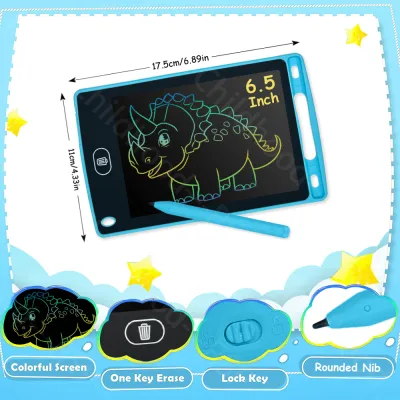
Architectural drawings require sufficient physical space to establish scale and proportion. While a standard 10-inch or 12-inch tablet is highly portable, it quickly becomes cramped when drawing multi-room floor plans, detailed sections, or site elevations. For professional architectural sketching, look for screen sizes ranging from 15 inches to 21 inches. This larger surface area allows you to draw at a recognizable scale (such as 1:100 or 1:50) and leaves ample room for margin notes, dimension strings, and structural grids without requiring constant compression of your drawing style.
Pressure Sensitivity
In architectural graphics, line weight is the fundamental language of depth and hierarchy. Thick, bold lines represent cut structural elements like walls and columns; medium lines denote visible edges and steps; thin lines are reserved for hatch patterns, material textures, and dimension lines. A high-quality tablet must feature excellent pressure sensitivity, allowing the liquid crystals to respond dynamically to the force of your hand. This ensures your hand-drawn elevations and sections maintain proper graphic standards and read clearly to structural engineers or clients.
Partial Erase Capability
When drafting a complex floor plan, a single misplaced column or door swing should not force you to discard your entire drawing. Standard, budget-friendly LCD tablets only offer a full-screen clear function. For architectural work, partial erase capability is a highly valuable feature. This technology allows you to use a specialized eraser tip on the stylus to erase specific lines or details with precision, mimicking the utility of a traditional drafting eraser on tracing paper.
Lock Mechanism and Build Quality
Architectural work is highly mobile, moving between office environments, client boardrooms, and active construction sites. A physical erase-lock switch is non-negotiable. This simple toggle prevents you from accidentally wiping out a detailed site sketch or structural detail during transport or while holding the tablet on-site. Furthermore, because these tablets are carried in gear bags alongside measuring tapes and scale rulers, look for models with robust ABS plastic frames and scratch-resistant screen coatings to withstand daily professional use.
Top LCD Writing Tablet Brands for Architectural Sketching
Several brands have developed LCD writing technology that meets the specific demands of design professionals. Here is an analysis of the leading brands, their technological strengths, and what to verify before making a purchase.
Boogie Board (Kent Displays): The Pioneer in Partial Erase
As the original creator of the category, Boogie Board (manufactured by Kent Displays) remains a premier choice for professional designers. Their Blackboard series is particularly suited for architectural work due to its semi-transparent Liquid Crystal Paper. This unique feature allows you to slide physical templates—such as isometric grids, dot matrices, or even printed site maps—underneath the writing surface, enabling you to trace over them with high precision.
Boogie Board’s standout feature is its proprietary Exact Erase technology. By pairing the tablet with its calibrated stylus, you can adjust the erase sensitivity and clear precise segments of your drawing. This allows you to modify specific partition walls or adjust window placements without losing the rest of your schematic layout. The drawing experience is exceptionally smooth, closely mimicking the tactile drag of a soft graphite pencil on heavy paper.
- Verification Check: Because Boogie Board screens rely entirely on reflected ambient light, contrast levels can vary depending on your environment. Before committing to a specific model for site visits, verify the screen's legibility under the specific lighting conditions of your workspace. Additionally, check the availability of replacement styluses and templates in the Singapore market, as the proprietary eraser tip is required to utilize the partial-erase function.
Giotohun and Vson: Large-Format and Pressure-Sensitive Canvases
Giotohun and Vson are prominent manufacturers specializing in expansive, large-format LCD writing boards. Offering screens that scale up to 20 and 21 inches, these brands provide the generous canvas space that architects need to sketch sprawling site plans, complex master layouts, or multi-story building sections. These large-format boards are highly popular in design studios as collaborative brainstorming tools.
Both brands focus heavily on high-contrast, pressure-sensitive writing films. Their styluses are designed to glide smoothly across the screen, translating subtle shifts in hand pressure into distinct line weights. This sensitivity makes it easy to sketch varied architectural textures, from light concrete hatching to heavy structural boundaries. The screens are highly responsive, displaying lines instantly with zero lag, which is crucial for maintaining a natural drawing rhythm.
- Verification Check: On very large LCD surfaces, screen uniformity is critical. When purchasing a Giotohun or Vson tablet, perform an initial "grid test" by drawing parallel horizontal and vertical lines across the entire canvas. Verify that the line thickness remains consistent from the center to the extreme edges and corners. Additionally, check whether the specific model supports partial erasing or only full-screen clearing, as many large-format models prioritize pure drawing area over localized editing features.
Xiaomi (Mijia): Reliable and Clear Large-Screen Options
Xiaomi, under its Mijia smart home and lifestyle brand, offers highly refined LCD writing tablets that are widely available in Singapore. Known for their clean, minimalist aesthetic and exceptional build quality, the Mijia LCD Blackboards—particularly the 13.5-inch and 20-inch variants—provide a premium drawing experience at an accessible price point.
Xiaomi utilizes a customized liquid crystal film that produces a vibrant blue-green stroke against a deep black background. This high-contrast color profile mimics the look of traditional blueprints or chalkboard sketches, making the drawings highly legible even from a distance during presentations. The tablet is incredibly energy efficient; it consumes power only during the screen-clearing phase, allowing a standard button-cell battery to last for up to a year of daily sketching. The magnetic stylus snaps securely to the side of the chassis, reducing the risk of losing your drawing tool during travel.
- Verification Check: Most standard Xiaomi Mijia LCD tablets do not support partial erasing; pressing the single button clears the entire screen instantly. If your architectural workflow requires incremental editing, you must verify the exact model specifications before buying. Look specifically for their advanced or "storage" versions if you require digital saving capabilities, and confirm whether the base model's full-screen clear limit aligns with your sketching habits.
LCD Writing Tablets vs. Pen Displays: Which Do You Need?
To make an informed purchasing decision, it is essential to distinguish standalone LCD writing tablets from connected digital pen displays or graphics tablets. While they may look similar, they serve entirely different stages of the architectural workflow.
| Feature | Standalone LCD Writing Tablet | Connected Pen Display / Graphics Tablet |
|---|---|---|
| Primary Use | Rapid ideation, napkin sketches, site notes, client diagrams | Technical drafting, 3D modeling, BIM, detail rendering |
| Software Integration | None; requires manual scanning to import into CAD/BIM | Direct integration with AutoCAD, Revit, Rhino, SketchUp |
| Power Source | Long-lasting button cell (months to years of use) | Requires connection to computer or frequent recharging |
| Display Type | Non-backlit, reflective liquid crystal (zero eye strain) | Backlit LED/OLED screen (potential eye strain over time) |
| Price Range | Highly budget-friendly (typically S$20 to S$80) | Professional investment (typically S$150 to S$1,000+) |
Modern architectural drafting is heavily reliant on Building Information Modeling (BIM) and Computer-Aided Design (CAD) platforms like Revit, AutoCAD, and Rhino. These programs require precise mathematical coordinate inputs, vector lines, and multi-layered file structures. A standalone LCD writing tablet cannot run these programs or interface with them in real time; it operates purely as an electronic sketchpad.
For the initial conceptual phase—what architects call the “napkin sketch” or schematic design phase—an LCD writing tablet is often superior. It offers an instant, distraction-free drawing surface that requires no boot-up time, no calibration, and no connection to a computer. It is highly portable and perfect for quick site surveys in the humid Singapore climate, where carrying a heavy, expensive laptop is impractical.
Conversely, once a project moves into the detailed design development and construction documentation phases, you must transition to a pen display (such as a Wacom, Huion, or XP-Pen) or a tablet computer (like an iPad Pro with an Apple Pencil). These devices connect directly to your workstation, allowing you to use pressure-sensitive styluses to draw directly inside vector-based software, manipulate 3D models, and execute precise technical drafts. Choose your tool based on your current project stage: use the LCD tablet to discover the design, and use the pen display to document it.
How to Integrate LCD Sketches into Your Digital Workflow
Although standard LCD writing tablets lack direct file-export capabilities, you can easily integrate your physical hand sketches into a professional CAD or BIM digital environment using a simple, structured digitization process.
To begin, utilize a high-quality document scanning application on your smartphone (such as Adobe Scan, Microsoft Lens, or CamScanner). When your conceptual sketch is complete, place the LCD tablet flat on a well-lit surface. Position your phone directly above the screen to minimize perspective distortion. These scanning apps use automatic edge detection and perspective correction to crop the image precisely to the borders of the tablet’s screen, ensuring your architectural proportions remain true.
Once captured, apply a high-contrast black-and-white or grayscale filter within the app. This step is crucial: it eliminates any background glare or reflections from the LCD screen and converts the colored drawing lines into clean, sharp black lines on a pure white background. Save the optimized image as a high-resolution JPEG or PDF file and transfer it to your workstation.
Finally, import the digitized image directly into your design software, such as AutoCAD, Revit, or SketchUp. To scale the sketch accurately, identify a known dimension within your drawing—such as a standard door opening, a corridor width, or a structural column grid bay. Use the software’s scaling tool to reference this dimension, resizing the imported image so that it matches the true-scale coordinates of your digital workspace. Lower the opacity of the image layer to create a faint underlay, allowing you to quickly and accurately trace over your hand-drawn concept with precise digital vectors.
Frequently Asked Questions (FAQ)
Can I connect a standard LCD writing tablet directly to AutoCAD or Revit?
No, standard LCD writing tablets cannot be connected directly to AutoCAD, Revit, or other CAD software. These devices are designed as standalone, offline sketching tools without internal operating systems or data-transmission hardware. If you require a device that inputs lines directly into digital drafting software in real time, you should look into active graphics tablets or pen displays from brands like Wacom or Huion.
How do I manage battery life on a large-format LCD drawing board?
Managing battery life on an LCD writing tablet is incredibly simple because the screen consumes no power while you are drawing or displaying a sketch. Power is only drawn in a brief pulse when you press the erase button to clear the screen. To maximize battery life, ensure the physical lock switch is engaged when storing the tablet in your bag, which prevents the erase button from being pressed accidentally. When the screen eventually stops clearing cleanly, simply slide out the battery compartment and replace the inexpensive coin-cell battery (typically a CR2016 or CR2032, depending on the manufacturer’s specifications).
Is a 12-inch LCD tablet sufficient for drawing architectural floor plans?
A 12-inch LCD tablet is generally too small for drafting comprehensive, multi-room floor plans or complex site layouts, as the limited screen real estate forces you to draw elements too small to analyze accurately. However, a 12-inch model is highly practical for quick detail sketching, structural section diagrams, massing studies, or writing down site-measurement notes. For drawing complete floor plans with legible dimension strings and column grids, it is highly recommended to opt for a 15-inch or larger model.

Community discussion
Share your experience or ask a question. Comments are reviewed before publication.