
Selecting the right office stationery is a balance between cost, printer longevity, and presentation quality. In Singapore’s fast-paced corporate environments, the standard choice for daily printing is a4 paper 80 gsm. This specific paper weight offers the ideal compromise between thickness and flexibility, ensuring that everyday documents—from internal memos to client contracts—look professional and feed smoothly through office machinery.
While many office managers view copy paper as a generic commodity, subtle differences in manufacturing, raw materials, and packaging can have a significant impact on daily operations. Opting for the wrong brand can lead to frequent paper jams, poor print clarity, and accelerated wear on your office printers. Understanding how to evaluate these brands and matching them to your specific office needs is key to maintaining a productive workplace.
Why 80 GSM A4 Paper is the Standard for Daily Office Use
To understand why 80 GSM (grams per square meter) has become the standard for office environments, it is helpful to look at how paper weight influences performance. Paper weight directly correlates with density, thickness, and structural integrity. While lighter options like 70 GSM exist and are often cheaper, they present distinct operational challenges that can end up costing more in terms of printer downtime and wasted sheets.
Products mentioned in this guide
![PaperOne A4 Printing Paper - All Purpose Paper 80gsm [Available in Single Ream / Box]](https://img.lazcdn.com/g/p/27dcdcd07b80cf8dfb582f4178a0997b.png_400x400q80.png_.webp)

![[SG] FujiXerox A4 x EverydayCopier Paper | 80gsm | 1 Carton | MAX 2 CARTONS/ORDER [Evergreen Stationery]](https://img.lazcdn.com/g/p/0125993f2367983b77308ed48045bba3.jpg_400x400q80.jpg_.webp)
Prices are valid at publication and may change. Please refer to the product page for the latest price.
Opacity and Show-Through One of the primary benefits of choosing 80 GSM paper is its superior opacity. When printing double-sided (duplexing), the thickness of the paper prevents the ink or toner from showing through to the opposite side. Lighter 70 GSM papers are more translucent, meaning that text printed on one side often creates a distracting shadow on the reverse. This show-through compromises the readability of formal reports, legal agreements, and double-sided marketing drafts, making 80 GSM the minimum acceptable standard for professional external communications.
Printer Compatibility and Stiffness Modern high-speed office laser printers and multifunction copiers are finely calibrated machines that rely on precise physical tolerances. Paper must have sufficient stiffness to travel through the complex internal paper path, around drum rollers, and through the high-heat fuser unit without buckling. 80 GSM paper provides the necessary structural rigidity to resist curling and folding under pressure. Lighter papers often lack this stiffness, leading to misfeeds, multi-sheet pulls, and accordion-style jams inside the printer body.
Professional Feel The tactile experience of handling a document plays a subtle but important role in business perception. A sheet of 80 GSM paper feels substantial, crisp, and reliable in hand. It does not limp or crease easily when held. For contracts, proposals, and official correspondence, this weight conveys a sense of quality and attention to detail that lighter papers simply cannot match. Conversely, heavier weights like 100 GSM or 120 GSM, while even more premium, are too thick for standard high-volume printing and can quickly overwhelm standard printer feed mechanisms.
How to Evaluate A4 Paper Brands for Office Reliability
Choosing the right paper brand involves assessing several physical characteristics that influence print quality and machine health. While most brands look identical at a glance, a closer inspection reveals key differences that affect how well they perform under daily office conditions.

Surface Smoothness The smoothness of a paper’s surface directly impacts how toner or ink is transferred to the sheet. A smooth surface ensures that laser printer toner adheres uniformly, resulting in sharp text edges, solid black fills, and smooth color transitions. Inkjet printers also benefit from smooth surfaces, as they allow for more controlled ink absorption without bleeding. You can evaluate smoothness by running your fingertips across a sample sheet; it should feel consistently flat and free of noticeable grain, textures, or rough patches.
Cutting Precision and Edge Dust When paper is manufactured, large rolls are sliced into individual A4 sheets using industrial rotary cutters. The precision of these cuts is critical. High-quality brands use advanced cutting technology that leaves clean, sharp edges. Lower-quality brands may have microscopic burrs or loose paper fibers along the edges, commonly referred to as paper dust. This dust accumulates inside your printer over time, coating the rubber feed rollers and optical sensors. This leads to roller slippage, paper feed errors, and frequent maintenance calls. Inspecting the edges of a freshly opened ream can help you identify whether the cut is clean and dust-free.
Moisture-Proof Packaging Paper is naturally hygroscopic, meaning it readily absorbs moisture from the surrounding air. In a tropical climate like Singapore, where relative humidity levels are consistently high, unprotected paper will quickly swell, warp, and curl. This makes moisture-proof packaging essential. Premium paper brands wrap their reams in specialized wrappers lined with a polyethylene (PE) moisture barrier. This lining prevents ambient humidity from penetrating the paper while it is in storage, ensuring each sheet remains flat and dry until it is loaded into the printer.
Sustainability Certifications Many modern businesses operate under strict corporate social responsibility (CSR) guidelines that dictate sustainable procurement practices. When evaluating paper brands, look for recognized environmental certifications on the packaging. The Forest Stewardship Council (FSC) and the Programme for the Endorsement of Forest Certification (PEFC) are two globally recognized bodies that certify paper sourced from responsibly managed forests. Choosing certified brands ensures your office supports sustainable forestry practices and helps meet internal environmental targets.
Common A4 80 GSM Paper Brands Available in Singapore
The Singapore office supply market features several prominent paper brands, each catering to different operational needs and budget constraints. While these brands are widely available, actual performance can vary based on production batches, printer models, and local storage conditions. Here is an overview of the most common options to help you narrow down your choices.
Double A
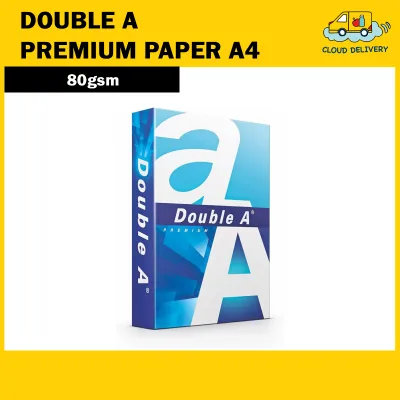
Double A is widely recognized as a premium option in Singapore and is heavily marketed for its high smoothness and jam-free performance. The brand uses short-fiber eucalyptus pulp grown by local farmers, which contributes to the paper’s dense structure and smooth surface texture.
This brand is best suited for high-volume laser printers, critical external contracts, and frequent double-sided printing where visual clarity is paramount. Its high brightness and opacity ensure that colors pop and text remains perfectly legible on both sides of the sheet.
Before purchasing, keep in mind that Double A typically commands a price premium compared to other brands, with a standard ream often priced at the higher end of the market scale (typically between S$6.50 and S$8.00 depending on the supplier and quantity). Because of its popularity, it is also important to verify packaging seals and buy from reputable distributors to avoid counterfeit or poorly stored stock.
PaperOne
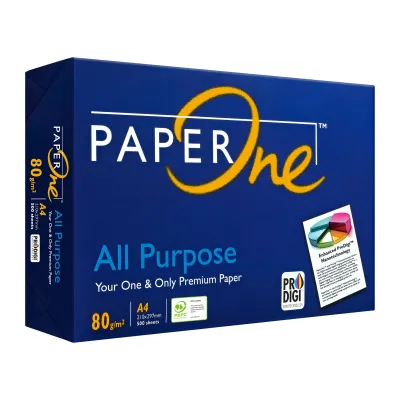
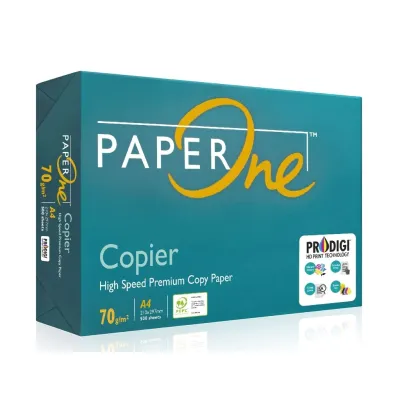
PaperOne is another established premium brand produced by April Group, widely respected for its consistent quality and high brightness. It features ProDigi HD Print Technology, which is designed to enhance color vibrancy, reduce ink bleed, and save ink during inkjet printing.
This paper is highly versatile and is best for daily bulk internal documents, comprehensive reports, and standard double-sided printing. It offers excellent opacity and a stiff, reliable feed performance that minimizes the risk of multi-sheet feeding in high-speed copiers.
When sourcing PaperOne, make sure to confirm the specific product line. The brand offers variations such as PaperOne Digital, PaperOne All Purpose, and PaperOne Copier. Matching the correct product line to your primary printer type (laser versus inkjet) will ensure optimal print quality and prevent unnecessary feed issues.
IK Plus / IK Yellow
IK Plus and IK Yellow, produced by Indah Kiat, are generally positioned as cost-effective, everyday office papers that meet standard printing requirements without the premium price tag. They are a staple in many Singapore offices looking to balance quality with high-volume budget constraints.
These brands are best for internal drafts, single-sided documents, and informal communications where high-end presentation finishes are not required. They provide respectable brightness and clarity for standard monochrome text documents.
As a pre-purchase check, note that these budget-friendly brands may require stricter moisture control. Their packaging, while protective, may not offer the same level of heavy-duty moisture barrier as premium brands. Additionally, because they are slightly less opaque than premium tiers, double-sided show-through may be more noticeable, making them better suited for single-sided printing.
Retailer or In-House Brands
Many major office suppliers, stationery chains, and bulk distributors in Singapore offer their own house brands of A4 paper. These white-label products are designed for maximum cost efficiency and are typically sold in large bulk quantities or pallets.
These house brands are best for high-volume single-sided printing, internal circulation, and basic administrative tasks where minimizing cost per sheet is the primary objective.
Before committing to a large corporate contract for a house brand, always inspect the paper’s stiffness and the integrity of the packaging. It is highly recommended to purchase a single test ream first. Run it through your office’s primary printer models under high-speed conditions to evaluate jam rates and dust accumulation before placing a bulk order.
Buying Channels and Storage Tips for Singapore's Climate
Acquiring your office paper from the right source and storing it correctly are just as important as selecting the brand itself. Singapore’s tropical climate presents unique challenges that can quickly ruin high-quality paper if proper care is not taken.
Purchasing Channels For businesses in Singapore, there are three primary ways to source office paper:
- Office Supply Distributors: These specialized business-to-business (B2B) distributors are ideal for corporate bulk orders. They offer tiered volume discounts, consistent stock levels, and reliable delivery directly to your office storage room. This is the most cost-effective route for medium to large enterprises.
- Physical Stationery and Retail Stores: Local stationery stores and retail outlets are best for small, urgent purchases. Buying in person allows you to physically inspect the ream packaging. Avoid buying reams with dented corners or torn wrappers, as bent paper corners are a leading cause of instant printer jams.
- E-commerce Platforms: Online marketplaces are highly convenient for price comparisons and small-to-medium recurring orders. However, when buying online, you must select reputable, highly rated sellers. Unofficial sellers may store their stock in unconditioned warehouses, leading to paper that has already absorbed significant moisture before it even reaches your office.
Storage Best Practices To protect your investment and maintain printer reliability in Singapore’s humid climate, implement the following storage guidelines:
- Keep Original Packaging: Never break the moisture-proof inner wrapper of a ream until you are ready to load the paper directly into the printer tray. The wrapper is specifically designed to keep humidity out.
- Environmental Control: Store your paper boxes in a cool, dry room. Keep them off concrete floors by placing them on pallets or shelves, as concrete can transfer ground moisture into the bottom boxes. Avoid storing paper directly under air-conditioning vents, which can drip condensation, or next to open windows where humid air drafts are common.
- Tray Management: Do not overfill your printer trays. If your office is closed over the weekend, the air conditioning is typically turned off, causing indoor humidity to rise. Any paper left exposed in the printer tray will absorb this moisture. It is best practice to return unused paper to its original wrapper or a sealed plastic bag if the printer will sit idle for more than 24 hours.
Frequently Asked Questions (FAQ)
Can I use 80 GSM paper in all types of office printers?
Yes, almost all modern office laser printers, inkjet printers, and copiers are designed to work seamlessly with 80 GSM paper. It is the standard calibration weight for most office-grade hardware. However, if you are using older, specialized, or compact portable printers, it is always wise to check the recommended weight range in the manufacturer’s user manual to ensure full compatibility.
Is 80 GSM paper thick enough for double-sided printing?
For standard text documents, monochrome reports, and basic spreadsheets, 80 GSM paper offers sufficient opacity to prevent distracting show-through. However, if your documents contain heavy color graphics, solid dark backgrounds, or high-coverage charts, some show-through may occur. In those specific cases, upgrading to a heavier weight like 100 GSM is recommended to maintain a clean, professional appearance.
How can I tell if my A4 paper has absorbed too much moisture?
Moisture-saturated paper exhibits several clear warning signs. The most common indicators are wavy or puckered edges along the sides of the sheet, frequent double-sheet feeding, and severe curling after the paper passes through the hot fuser unit of a laser printer. If you notice these symptoms, or if your printer suddenly starts jamming repeatedly with sheets that appear wavy, the paper has likely absorbed too much ambient humidity and should be replaced.

Community discussion
Share your experience or ask a question. Comments are reviewed before publication.