
Selecting the right paper weight is a critical step in transforming a digital image into a physical print that looks and feels professional. When browsing A4 photo paper, you will immediately notice a wide range of numbers followed by “GSM.” This measurement plays a decisive role in how your finished print handles, how long it lasts, and whether your home printer can feed it without jamming.
Understanding the relationship between paper weight and your specific printing equipment prevents costly mistakes and wasted materials. Thick, heavy paper feels luxurious, but forcing it through an incompatible printer can lead to mechanical issues. By matching the weight of your A4 photo paper to your printer’s capabilities and your display goals, you can achieve clean, durable prints every time.
What GSM Means for Photo Print Quality and Feel
GSM stands for Grams per Square Meter, which is the standard metric unit used to measure the density and base weight of paper. In the context of A4 photo paper, a higher GSM indicates a heavier, denser sheet that typically offers greater physical thickness and structural stiffness.
Products mentioned in this guide
![[SG Seller][Astar][Glossy 135gsm]Astar Glossy Fast Dry Photo Paper 135gsm Photograph Inkjet Printing A4 Photo Paper](https://img.lazcdn.com/g/p/70e6c4f49fa5c491e3aff5c4fbe4c4de.png_400x400q80.png_.webp)
Prices are valid at publication and may change. Please refer to the product page for the latest price.
While a higher GSM makes a sheet feel more substantial, it is important to distinguish physical weight from digital print quality. The GSM rating does not dictate the color gamut, contrast, or sharpness of your printed image. Those visual attributes are determined by the printer’s resolution, the ink formulation, and the chemical coating applied to the paper surface. Instead, GSM governs the physical handling characteristics, opacity, and resistance to bending or tearing.
Heavier papers, such as those ranging from 250 to 300 GSM, provide a premium feel reminiscent of traditional darkroom prints. They resist curling when exposed to heavy ink coverage and remain flat under their own weight. Conversely, lighter photo papers, typically between 150 and 200 GSM, are more flexible and easier to fold, making them highly suitable for projects where stiffness is not the primary requirement.
How to Check Your Printer’s Maximum Paper Weight
Before purchasing a pack of heavy A4 photo paper, you must verify that your printer can physically handle the thickness. Every printer model has a maximum paper weight limit specified by the manufacturer. Attempting to feed paper that exceeds this limit can cause severe paper jams, feed roller slippage, or even permanent damage to the internal feeding mechanisms.

To find this limit, consult your printer’s user manual or search the manufacturer’s official website for the technical specification sheet. Look for the section labeled “Supported Paper Weight” or “Media Compatibility.” This specification is often broken down by paper type, as printers can sometimes handle heavier weights of dedicated photo paper than standard plain paper due to differences in surface texture and stiffness.
The physical design of your printer’s paper path plays a major role in handling thick media. Printers with a bottom-loading cassette usually employ a curved path, where the sheet must bend 180 degrees. This design is prone to jamming with stiff, high-GSM photo papers. In contrast, printers with a rear-feed tray allow the paper to pass through with minimal bending, making them far better suited for heavy sheets.
Matching Paper Weight to Your Display and Storage Needs
The ideal GSM for your A4 photo paper depends on how you plan to display and store the finished prints. If you intend to place your prints in glass frames, a medium weight of 200 to 230 GSM is sufficient. The frame provides the structural support to keep the paper flat, meaning you do not need to pay a premium for ultra-heavy sheets unless you prefer extra opacity.
For prints destined for photo albums, flexibility is key. High-GSM papers can be stiff and bulky, making them difficult to slide into plastic sleeves. A lighter weight, such as 170 to 200 GSM, allows the prints to bend slightly as pages are turned, reducing the risk of the protective sleeves tearing or the paper coating cracking.
If you plan to display prints without a frame, such as pinning them to a board, you need the structural integrity of heavy paper. Selecting a weight of 260 to 300 GSM ensures the print remains rigid and resists curling at the corners. This extra stiffness is also beneficial for portfolio presentations where clients handle the physical prints directly.
Aligning GSM with Ink Type and Paper Coating
The overall thickness of photo paper is heavily influenced by its printable surface coating. Photo paper features specialized chemical layers designed to lock in ink droplets and prevent spreading. This coating adds to the total weight of the sheet and dictates how the paper interacts with different ink formulations.
When selecting a paper weight, consider whether your printer uses dye-based or pigment-based inks. Dye inks penetrate deep into the coating, making them excellent for glossy, medium-weight papers. Pigment inks consist of tiny solid particles that sit on top of the surface, making them ideal for heavy, matte, or luster-coated papers of 260 GSM and above.
Using heavy ink volume on thin paper can lead to cockling, where the paper fibers swell and warp from moisture. High-GSM papers have a denser fiber core that absorbs larger amounts of liquid carrier without warping. If your projects involve deep, saturated dark tones, choosing a heavier paper helps maintain a flat surface during and after drying.
Reading Photo Paper Packaging for Weight and Usage Clues
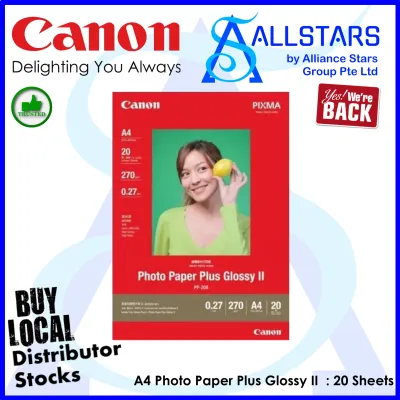
When shopping for A4 photo paper on an online marketplace or at a local stationery store, the packaging contains all the essential information you need to make an informed decision. The most prominent specification is usually the weight, clearly printed as a number followed by “GSM” or “g/m².” Ensure this number aligns with your printer’s maximum supported weight before making a purchase.
In addition to the weight, the packaging will specify the surface finish, such as glossy, matte, satin, luster, or semi-gloss. The finish interacts closely with the paper’s weight to create a specific tactile experience. For example, a heavy 300 GSM matte paper feels like a premium fine art card, while a 200 GSM glossy paper has the classic feel of a standard snapshot print.
Always verify that the paper size is explicitly marked as “A4” (210 mm x 297 mm) rather than similar regional sizes like Letter. Look for compatibility icons or text on the box, which often indicate whether the paper is designed for inkjet printers, laser printers, or both. Using inkjet-specific photo paper in a laser printer can melt the plastic-based coatings and ruin your equipment, so verifying these labels is a crucial safety step.
Frequently Asked Questions (FAQ)
Can I use heavy A4 photo paper in a standard home inkjet printer?
Yes, you can use heavy A4 photo paper in a standard home inkjet printer, provided the paper’s weight does not exceed the maximum GSM limit specified in your printer’s manual. To ensure smooth feeding, use the rear-feed tray or manual slot if your printer has one, as this provides a straighter path for stiff sheets. It is always wise to test a single sheet first to observe how the printer feeds and handles the paper before attempting a large print job.
Does a higher GSM guarantee better photo color and sharpness?
No, a higher GSM does not guarantee better photo color or sharpness. GSM only measures the physical weight and density of the paper, which affects its stiffness, thickness, and durability. The visual quality of your print—including color accuracy, vibrancy, and sharpness—depends entirely on the quality of the paper’s surface coating, the type of ink your printer uses, and your printer’s resolution settings.

Community discussion
Share your experience or ask a question. Comments are reviewed before publication.