
Selecting the right A4 paper (a4纸) for your home or office in Singapore is more than just grabbing the first ream you see on the shelf. The choice between the three most common weights—70gsm, 80gsm, and 100gsm—directly impacts your print quality, budget, and printer performance. To make the correct decision, you must evaluate your typical printing volume, whether you require double-sided printing, and the level of professionalism your documents need to convey. While 70gsm is the budget-friendly choice for everyday drafts, 80gsm serves as the versatile office standard, and 100gsm offers the premium thickness required for client-facing presentations and heavy ink coverage.
What Does GSM Mean in A4 Paper?
To understand the differences between these options, you first need to understand how paper is measured. GSM stands for “Grams per Square Meter.” It is a metric unit that indicates the density and weight of a single sheet of paper measuring one meter by one meter. When you see a ream of A4 paper labeled as 80gsm, it means that a square meter of this specific paper stock weighs exactly 80 grams.
It is a common misconception that GSM is a direct measurement of physical thickness. While a higher GSM generally yields a stiffer, more substantial sheet, the actual caliper (thickness) of the paper can vary. This variation occurs because different manufacturers use distinct fiber blends, wood pulp qualities, and surface finishes. For example, a highly compressed, ultra-smooth paper might feel thinner than a rougher, bulkier paper of the exact same GSM.
Products mentioned in this guide
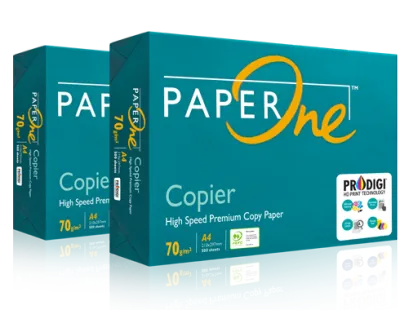
![PaperOne™ Copier Paper 70gsm / 75gsm Copy Paper A4 [1 Box]](https://img.lazcdn.com/g/p/62f961291078a3b12171dd45eea2a9a4.jpg_400x400q80.jpg_.webp)
![PaperOne™ Copier Paper 70gsm / 75gsm Copy Paper A4 [2 Reams]](https://img.lazcdn.com/g/p/f3cf1c76beaab92a1010bb2f08235177.jpg_400x400q80.jpg_.webp)

![PaperOne A3 A4 A5 Printing Paper | Double A A4 Printing Paper | Fujifilm A4 Printing Paper [70gsm | 80gsm | 100gsm]](https://img.lazcdn.com/g/p/e6656a7d0c70606a115a8596caf6a15d.png_400x400q80.png_.webp)
Prices are valid at publication and may change. Please refer to the product page for the latest price.
Furthermore, a higher GSM does not automatically equate to superior paper quality for every task. A paper’s suitability is entirely dependent on your specific printing application. Choosing a heavier paper when a lighter one suffices leads to unnecessary expenditure and increased environmental waste, whereas using paper that is too thin for high-ink documents results in messy, illegible prints.
70gsm vs 80gsm vs 100gsm: Practical Differences
When comparing 70gsm, 80gsm, and 100gsm A4 paper, the physical differences become obvious the moment you handle the sheets. A 70gsm sheet feels lightweight, limp, and highly flexible, offering very little resistance when bent. In contrast, 80gsm paper provides a familiar, balanced stiffness that holds its shape reasonably well when held by one corner. Stepping up to 100gsm introduces a noticeable premium weight; the paper feels thick, smooth, and rigid, offering a substantial “drape” that immediately signals high quality.

The most critical physical difference for everyday use is opacity, which dictates how much ink shows through to the reverse side. 70gsm paper has relatively low opacity, meaning text and images printed on one side are clearly visible from the back. This makes double-sided (duplex) printing highly impractical. The 80gsm standard offers moderate opacity, allowing for clean double-sided text printing with minimal distracting “ghosting.” Meanwhile, 100gsm paper features high opacity, making it the ideal choice for double-sided documents that contain heavy graphics, charts, or solid color blocks.
From an economic and environmental perspective, the differences are also significant. In Singapore, a standard ream of 500 sheets of 70gsm paper is the most economical option, typically costing around S$4.00 to S$6.00. An 80gsm ream usually ranges from S$5.50 to S$8.00, while premium 100gsm paper can cost anywhere from S$9.00 to S$14.00 per ream. From an environmental standpoint, lighter paper uses less wood pulp during manufacturing and reduces shipping-related carbon emissions due to its lower weight.
| Weight (GSM) | Feel & Stiffness | Opacity Level | Relative Cost (per 500-sheet ream) | Primary Use Case |
|---|---|---|---|---|
| 70gsm | Very light, flexible, thin | Low (high show-through) | Low (S$4.00 – S$6.00) | High-volume drafts, internal memos, single-sided text |
| 80gsm | Balanced, moderate rigidity | Medium (minimal show-through) | Moderate (S$5.50 – S$8.00) | Standard office printing, double-sided text, schoolwork |
| 100gsm | Thick, rigid, premium feel | High (excellent opacity) | High (S$9.00 – S$14.00) | Client proposals, color presentations, certificates |
Which A4 Paper Weight Should You Choose?
To select the right paper weight, you must evaluate your daily printing habits. Consider the type of documents you produce, the volume of ink your printer deposits on the page, and whether you frequently utilize double-sided printing. Matching your needs to the correct grammage prevents paper waste and ensures your printed materials look professional.
70gsm: Best for High-Volume Drafts and Internal Notes
If your primary goal is to minimize operational costs and save physical storage space, 70gsm A4 paper is an excellent choice. This lightweight paper is highly recommended for high-volume, single-sided printing tasks where aesthetic appeal is secondary. Typical applications include printing rough drafts, temporary internal memos, academic reading packs, and personal receipts.
However, you must be mindful of its limitations. Because of its thinness, 70gsm paper is highly prone to ink show-through and ghosting. If you attempt to print double-sided documents or pages with dense black text and color graphics, the ink will bleed through, rendering the document difficult to read. It is best reserved for simple, single-sided, text-only printing.
80gsm: The Standard for Everyday Office and Double-Sided Printing
For the vast majority of businesses and households in Singapore, 80gsm A4 paper serves as the default, go-to option. It strikes an optimal balance between cost-efficiency, physical stiffness, and opacity. This weight is versatile enough to handle everyday business correspondence, homework assignments, standard double-sided reports, and general office printing.
One of the major advantages of 80gsm paper is its structural integrity. It possesses sufficient rigidity to feed smoothly through high-speed office photocopiers and multi-function printers without curling or causing frequent paper jams. It provides a clean, professional presentation for external communications without the premium price tag of heavier stocks.
100gsm: Ideal for Professional Reports, Presentations, and Heavy Ink Coverage
When you need to make a strong impression or print documents with high visual impact, upgrading to 100gsm paper is highly justified. This premium weight is specifically designed for client-facing proposals, marketing materials, real estate listings, certificates, and formal contracts. The added density ensures that the paper feels substantial and high-end when held.
Furthermore, 100gsm paper is essential when your documents feature heavy ink coverage, such as colorful charts, high-resolution images, or solid background colors. The high opacity prevents ink from bleeding or warping the paper fibers, preserving sharp contrast and vibrant colors. It elevates the perceived value of your work, signaling attention to detail and professionalism.
Printer Compatibility and Jamming Risks
Before switching between different paper weights, you must consider your hardware’s capabilities. Not all printers handle all paper weights equally. It is crucial to consult your printer’s user manual to verify the maximum supported GSM, as feeding paper that exceeds these specifications can damage the internal feed rollers or the fuser unit.
While standard 70gsm and 80gsm papers feed seamlessly through almost every modern inkjet and laser printer, 100gsm paper introduces unique operational challenges. In older, basic, or highly compact home inkjet printers, the thicker sheets can cause frequent paper jams because the pickup rollers struggle to grab and route the stiff paper through tight internal curves.
To mitigate these risks when using 100gsm paper, utilize your printer’s manual feed tray or bypass tray if one is available, as these paths typically have a straighter paper route. Additionally, always adjust the “Paper Type” or “Media Type” settings in your printer driver to “Heavy Paper” or “Thick Paper.” This adjustment signals the printer to slow down the feeding speed and adjust the fuser temperature (for laser printers) or ink deposition rate (for inkjet printers), ensuring proper ink drying and preventing smudges. In Singapore’s humid climate, storing your paper in a dry, cool place is also vital; damp paper loses its stiffness and is significantly more likely to jam, regardless of its GSM.
Frequently Asked Questions (FAQ)
Can I mix different paper weights in the same printer tray?
No, you should never mix different paper weights in a single printer tray. A printer’s pickup rollers and separation pads are calibrated to pull a single sheet based on a consistent thickness and friction level. Mixing 70gsm, 80gsm, or 100gsm sheets in the same stack alters these friction dynamics, frequently leading to multi-feeds (where the printer pulls multiple sheets at once), misfeeds, or severe internal paper jams.
Does higher GSM always mean better paper quality?
No, GSM only measures the weight and density of the paper, not its overall quality. The visual appeal and performance of paper also depend on factors such as brightness, whiteness, surface smoothness, and whether the paper is acid-free (which prevents yellowing over time). A premium, ultra-smooth 80gsm paper from a reputable brand will often deliver sharper text, faster ink drying, and a more professional look than a cheap, rough, and poorly manufactured 100gsm paper.

Community discussion
Share your experience or ask a question. Comments are reviewed before publication.