
Paper weight, measured in GSM (Grams per Square Meter), indicates the density and thickness of a sheet of paper. For standard A4 paper, choosing the right GSM is the difference between a crisp, professional document and a crumpled printer jam. The most common weights are 70gsm, 80gsm, and 100gsm, each serving a distinct purpose from cheap internal drafts to premium client proposals.
To make the right choice, you must balance your specific printing hardware, the nature of your document (single-sided versus double-sided), and your budget. Selecting the wrong weight can lead to ink bleeding through the page, frequent paper jams, or an underwhelming presentation that fails to impress.
What Does GSM Actually Mean for A4 Paper?
GSM stands for Grams per Square Meter. It is a metric unit that measures the density and weight of a paper sheet if it were cut to exactly one meter by one meter. Because an A4 sheet is much smaller than a square meter (exactly one-sixteenth of an A0 sheet), a single piece of 80gsm A4 paper does not weigh 80 grams; instead, it weighs approximately 5 grams.
Products mentioned in this guide



![[SG] FujiXerox A4 x EverydayCopier Paper | 80gsm | 1 Carton | MAX 2 CARTONS/ORDER [Evergreen Stationery]](https://img.lazcdn.com/g/p/0125993f2367983b77308ed48045bba3.jpg_400x400q80.jpg_.webp)
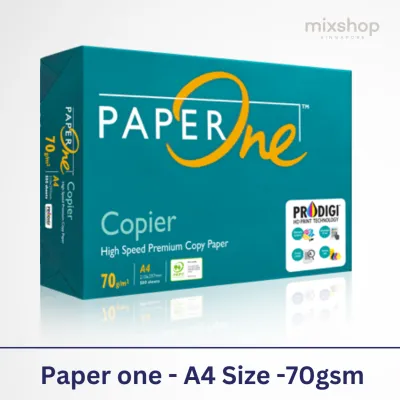

![PaperOne A3 A4 A5 Printing Paper | Double A A4 Printing Paper | Fujifilm A4 Printing Paper [70gsm | 80gsm | 100gsm]](https://img.lazcdn.com/g/p/e6656a7d0c70606a115a8596caf6a15d.png_400x400q80.png_.webp)
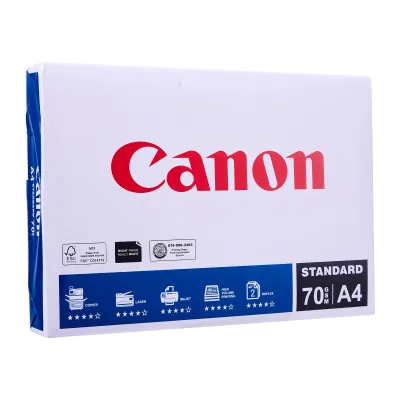
Prices are valid at publication and may change. Please refer to the product page for the latest price.
This measurement is crucial because it directly correlates with three physical characteristics: thickness, stiffness, and opacity. As the GSM number increases, the paper fibers become denser or thicker, making the sheet more rigid and less translucent.
Understanding these traits helps you avoid practical printing issues. For instance, paper with low stiffness may bend too easily, causing it to crumple as it is pulled through the complex path of printer rollers. Conversely, paper with low opacity allows light and ink to pass through easily, making double-sided printing look messy and unreadable. By matching the GSM to your specific task, you ensure that your document feels substantial, reads clearly, and feeds smoothly through your machine.
70gsm vs 80gsm vs 100gsm: Which Weight Fits Your Document?
Selecting the right grammage requires matching the paper’s physical properties to the document’s purpose. Here is a breakdown of the three most common A4 paper weights you will encounter in retail stores and office suppliers.

70gsm A4 Paper: Best for High-Volume Drafts
At the lighter end of the spectrum, 70gsm paper is thin, highly flexible, and economical. It is primarily designed for high-volume, single-sided black-and-white printing where cost efficiency is the top priority. Think of everyday office drafts, internal memos, utility bills, and temporary packing slips.
However, 70gsm paper has distinct physical limitations. Because it is thin, it has low opacity, meaning that text printed on one side will easily show through to the other side. This makes double-sided (duplex) printing highly impractical. Additionally, because the paper lacks stiffness, older or high-speed commercial printers may struggle to feed it cleanly, leading to a higher frequency of paper jams as the thin sheets struggle to navigate tight roller bends.
80gsm A4 Paper: The Standard for Professional Documents
If you walk into a typical office or home study, 80gsm is almost certainly the paper you will find. This is the universal standard for everyday printing, offering an optimal balance of cost, opacity, and structural stiffness. It is robust enough to handle double-sided printing with minimal ink show-through, making it the default choice for formal reports, contracts, standard correspondence, and general office paperwork.
One of the greatest advantages of 80gsm paper is its hardware compatibility. Almost every standard home inkjet printer and office laser copier is calibrated out of the box to feed, heat, and roll 80gsm paper. This universal calibration minimizes the risk of feeding errors, ensuring a smooth, reliable printing process even during large, unattended print jobs.
100gsm and Above: For Premium and Specialized Prints
When you need to make a strong physical impression, upgrading to 100gsm or heavier paper is highly effective. This weight category is reserved for high-impact, client-facing documents such as professional resumes, formal business proposals, certificates, and colorful marketing presentations.
The physical difference is immediately noticeable. Heavier paper has an elegant tactile feel, a smooth surface finish, and excellent opacity that completely prevents ink show-through, even when printing dense, colorful graphics on both sides. However, before purchasing a large supply of 100gsm or 120gsm paper, you must verify your printer’s technical specifications. Thicker sheets require more force to bend around internal rollers and more heat to fuse toner properly, meaning some entry-level home printers may jam or fail to bind the ink.
How to Match Paper Weight to Your Printer and Ink Type
To avoid frustrating hardware issues, you must align your paper choice with your printer’s technology and mechanical limits. Every printer has a maximum supported paper weight, usually listed in the user manual under “Media Specifications” or “Supported Paper Weights.” Feeding paper that exceeds this limit can cause permanent damage to the feeding rollers or the fuser unit.
The way your printer applies markings to the page also dictates the ideal paper weight. Laser printers use extreme heat and pressure to melt dry toner powder onto the paper fibers. If the paper is too thin (such as 70gsm), the intense heat of the fuser can cause the sheet to curl excessively as it exits the machine, leading to stacking issues. Conversely, if the paper is too thick (above 100gsm), the fuser may not reach a high enough temperature to melt the toner completely, resulting in printouts that smudge or flake off when touched.
Inkjet printers, on the other hand, spray liquid ink directly onto the paper surface. This process relies heavily on the paper’s absorption capacity. When using light 70gsm paper with an inkjet printer, the liquid ink can saturate the thin fibers, causing the paper to warp, wrinkle, or suffer from “feathering”—where the ink bleeds outward along the fiber lines, making text look blurry. Heavier paper, such as 90gsm or 100gsm, absorbs liquid ink much better, maintaining its flat shape and producing sharp, clean lines.
When you do decide to print on heavier paper (100gsm or above), you must adjust your printer settings before clicking “Print.” In your computer’s print dialog box, locate the “Media Type” or “Paper Type” setting and change it from “Plain Paper” to “Heavy Paper,” “Thick,” or “Cardstock.” This simple adjustment instructs the printer to slow down the feeding speed, apply more pressure to the rollers, and increase the fuser temperature, ensuring a clean, jam-free print.
Key Factors to Check Before Buying A4 Paper in Bulk
Buying A4 paper in bulk can save significant money, but making a purchase based solely on the GSM rating can lead to unexpected issues. First, never confuse the gross weight of a paper ream with its GSM rating. A standard ream contains 500 sheets of paper. A box or pack labeled “2.5kg” refers to the actual physical weight of those 500 sheets of A4 paper, which typically equates to an 80gsm rating. Always look for the explicit “gsm” label on the packaging rather than relying on the package’s physical weight.
Second, pay attention to the paper’s brightness and whiteness ratings alongside the GSM. Whiteness (measured on the CIE scale) and brightness (measured on the ISO scale) determine how vibrant your prints will look. A high-GSM paper with a dull, greyish tone will still look unprofessional, whereas a bright, high-CIE 80gsm paper will make black text pop and colors look vivid.
Finally, storage conditions are critical, especially in humid climates like Singapore. High relative humidity can cause paper fibers to absorb moisture from the air, making them limp, prone to static cling, and highly likely to jam inside your printer. To prevent this, always keep your spare paper sealed in its original moisture-resistant wrapper until you are ready to load it into the printer tray. Store the packages completely flat on a shelf or in a cabinet, away from direct sunlight, air conditioning drafts, and damp floors.
Frequently Asked Questions (FAQ)
Can I use 100gsm paper in a standard home printer?
Yes, most modern home inkjet and laser printers can comfortably handle 100gsm paper. However, because home devices have smaller, less powerful rollers than commercial office copiers, you should verify the maximum paper weight in your printer’s manual. If you experience feeding issues, try using the manual feed slot or bypass tray (if your printer has one). This pathway is usually straighter, reducing the bending force required and preventing jams.
Does a higher GSM always mean better print quality?
No, a higher GSM does not guarantee better print quality. GSM only measures the weight and density of the paper, not its surface texture, coating, or ink compatibility. A high-quality, smooth 80gsm paper specifically engineered for inkjet or laser printing can produce sharper text and more vibrant colors than a rough, unrefined 100gsm sheet that allows ink to bleed or toner to flake.

Community discussion
Share your experience or ask a question. Comments are reviewed before publication.