
When setting up a home office or managing supplies for a corporate workspace, selecting the right printing medium directly impacts both your budget and your daily productivity. Among the vast array of office supplies, a4 paper 80gsm stands as the undisputed global standard for photocopying, printing, and general documentation. This specific specification balances physical durability, text readability, and cost-efficiency, making it the default choice for millions of users worldwide.
Understanding what these technical specifications mean helps you make informed purchasing decisions and avoid common printing frustrations. While it is easy to grab the first ream of paper on the shelf, matching the paper weight to your specific machine and document type ensures professional results. This guide breaks down the science behind paper density, evaluates its performance across various printing technologies, and helps you decide when to stick with this reliable baseline or upgrade to a heavier stock.
What Does "80gsm" Actually Mean for A4 Paper?
The term “gsm” stands for Grams per Square Meter, which is the standard metric unit used globally to measure paper density and weight. A common misconception is that a single sheet of A4 paper weighs 80 grams, which would make it incredibly heavy and impractical. In reality, the 80gsm rating means that if you were to lay out a single sheet of paper measuring exactly one square meter, that sheet would weigh 80 grams.
Products mentioned in this guide
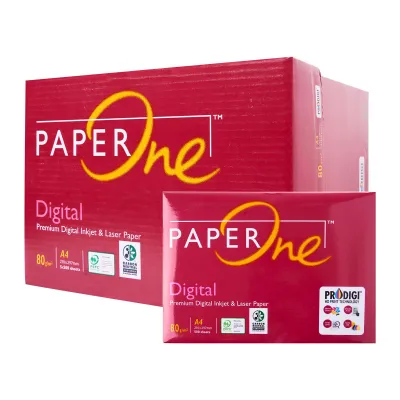
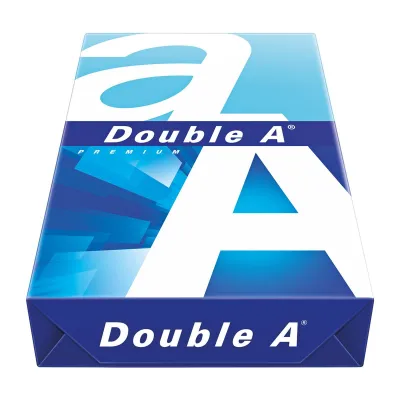
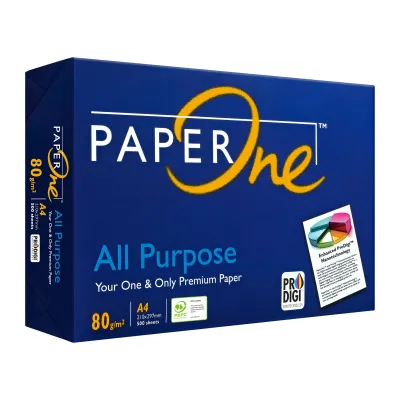
Prices are valid at publication and may change. Please refer to the product page for the latest price.
To find the actual weight of a single A4 sheet, we can use a simple mathematical calculation based on standard paper dimensions. The international ISO 216 paper standard dictates that an A0 sheet measures exactly one square meter. Because each subsequent size in the “A” series is created by cutting the previous size in half, an A4 sheet is exactly one-sixteenth (1/16) of an A0 sheet. Therefore, dividing 80 grams by 16 gives us the precise weight of a single sheet of 80gsm A4 paper: exactly 5 grams.
This 5-gram weight makes 80gsm the ideal middle-ground baseline in the stationery market. It provides enough physical substance to feed smoothly through high-speed office copiers without tearing, yet it remains light enough to keep bulk shipping costs and raw material consumption low. In Singapore, where a single office can go through dozens of reams a month, this weight represents the sweet spot for balancing operational costs and document quality.
How A4 Paper 80gsm Performs in Everyday Printing Tasks
The physical performance of a4 paper 80gsm depends heavily on how its thickness, opacity, and surface texture interact with different printing technologies. When you hold a sheet, it should feel relatively stiff and crisp, allowing you to handle, staple, and file documents without the paper flopping or wrinkling under its own weight. It is flexible enough to fold cleanly into standard envelopes, making it highly versatile for postal correspondence.

Opacity is another critical performance factor, especially for text-heavy documents. Standard 80gsm paper offers sufficient opacity to prevent text printed on one side from showing through clearly under normal office lighting. This ensures that readers can focus on the content without being distracted by shadows or reverse-side text.
For double-sided (duplex) printing, 80gsm performs exceptionally well for standard black-and-white text and simple line graphics. However, if your document includes heavy color graphics, dense charts, or dark photographic elements, some show-through or shadowing is likely to occur. Before executing a massive double-sided print run of a graphic-heavy report, always print a single test sheet to verify if the show-through meets your professional standards.
The way paper interacts with ink and toner is also determined by its weight and surface treatment. In laser printers, dry toner powder is transferred to the page and then fused using intense heat and pressure. Uncoated 80gsm paper handles this thermal process beautifully, resulting in sharp, smudge-free text. Inkjet printers, conversely, spray liquid, water-based ink onto the page. Because standard copy paper is uncoated, it absorbs this moisture; if you print high-density graphics, the paper fibers may swell slightly, leading to minor warping or ink feathering.
80gsm vs. Other Weights: Which One Fits Your Project?
Paper weights generally span a wide spectrum, from lightweight 70gsm sheets up to heavy cardstocks exceeding 250gsm. Understanding where 80gsm sits in this hierarchy allows you to select the most cost-effective option without compromising on the quality of your finished project.
Ideal Scenarios for Standard 80gsm Paper
Standard 80gsm paper is the optimal choice for high-volume, everyday tasks where cost per page is a primary consideration. It is the industry standard for internal office memos, student assignments, draft documents, standard black-and-white reports, and everyday business correspondence.
Using this weight for high-volume jobs minimizes the risk of paper jams, as office copiers and desktop printers are mechanically optimized for this exact thickness. Furthermore, buying 80gsm paper in bulk reams (typically 500 sheets per pack) is highly economical, with prices in Singapore generally ranging from S$5 to S$8 per ream depending on the brand and quantity purchased.
When to Upgrade to 100gsm or Heavier Stock
While 80gsm is highly versatile, certain projects demand a heavier, more premium medium to achieve the desired aesthetic and physical result. You should consider upgrading to 100gsm or 120gsm paper for client-facing presentations, formal business proposals, resumes, and marketing brochures. The increased thickness immediately conveys a sense of quality and professionalism when held.
Heavier paper is also essential for double-sided documents that feature heavy color graphics, full-page charts, or high-resolution images. The denser fiber structure of 100gsm+ paper prevents liquid ink from saturating the sheet and eliminates distracting show-through on the reverse side. Before purchasing heavier stock, always verify your printer’s maximum supported paper weight in its user manual, as feeding excessively thick paper through standard trays can cause severe jams or damage the fuser unit.
Ensuring Printer Compatibility and Preventing Jams
To achieve reliable, jam-free printing, you must ensure your hardware is properly configured for the paper weight you are using. Start by checking your printer’s physical manual, specification label, or online support page to confirm its supported paper weight range, which is typically listed in gsm. While virtually all desktop and office printers are designed to handle 80gsm paper, older or highly specialized machines may have specific tray limitations.
When loading 80gsm paper into your printer tray, take a moment to adjust the print settings in your computer’s printer driver. Selecting “Plain Paper” or “Standard Copy Paper” ensures that the printer applies the correct amount of heat to fuse the toner or calibrates the ink nozzles for optimal absorption. Leaving the setting on “Heavy Paper” or “Cardstock” can cause the printer to overheat the fuser, potentially leading to paper curling or premature component wear.
Environmental factors play a massive role in paper performance, particularly in humid tropical climates like Singapore. Uncoated paper fibers act like a sponge, rapidly absorbing moisture from the surrounding air. This moisture absorption causes the paper to lose its crispness, leading to curling, static buildup, and frequent multi-sheet feeds or jams. To prevent this, store your paper reams in their original moisture-resistant packaging until they are ready to be loaded into the printer. Avoid leaving a large stack of paper in an open printer tray for weeks; instead, load only what you need for your immediate printing tasks and store the rest in a dry, enclosed cabinet.
Frequently Asked Questions (FAQ)
Is 80gsm paper suitable for fountain pens or heavy markers?
Standard 80gsm copy paper is generally not ideal for fountain pens or heavy alcohol-based markers. Because it is uncoated and designed for rapid ink absorption in office printers, the highly liquid ink from fountain pens tends to feather, spreading along the paper fibers and creating fuzzy lines. It is also highly susceptible to bleeding through to the other side of the page. If you plan to use fountain pens or markers, it is best to test a single sheet first or look for specialized, hard-sized paper designed specifically for wet inks.
Can I use standard 80gsm paper for printing photos?
You should avoid using standard 80gsm paper for printing high-quality photographic images. Plain copy paper lacks the specialized chemical coating required to keep photo inks on the surface of the sheet. When you print a photo on 80gsm paper, the excessive liquid ink saturates the uncoated fibers, causing the paper to warp, buckle, and potentially tear inside the printer. Additionally, the colors will appear dull, muddy, and washed out because the ink sinks deep into the paper. For vibrant, sharp photos, always use dedicated photo paper, which is thicker and features a glossy or matte barrier coating.

Community discussion
Share your experience or ask a question. Comments are reviewed before publication.