
What GSM Means for A4 Copy Paper
When purchasing paper for your home or office printer, you will inevitably encounter the term GSM printed prominently on the packaging. GSM stands for Grams per Square Meter. This metric measures the area density of the paper rather than its physical thickness. Specifically, it tells you how much a single sheet of paper measuring one square meter would weigh in grams.
While GSM is technically a measurement of weight, it serves as a reliable indicator of the paper’s physical characteristics. In general, a higher GSM rating correlates with increased paper thickness, greater stiffness, and higher opacity. When you handle a sheet with a higher GSM, it feels more substantial and is less likely to bend or tear easily under normal handling.
To verify the exact specifications of your paper, always check the label on the ream wrapper or the outer box. A standard ream of A4 copy paper will clearly display the GSM rating alongside the standard dimensions of 210 mm by 297 mm. Understanding this number is the first step toward selecting a paper that matches your specific printing equipment and document needs.
Products mentioned in this guide
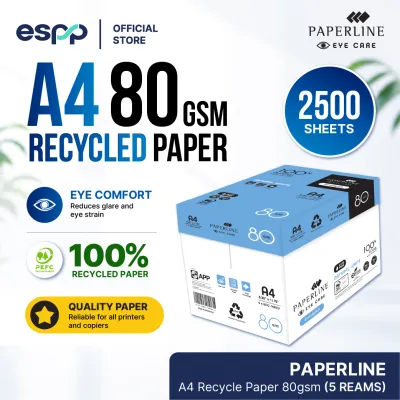
![PaperOne A4 Printing Paper - All Purpose Paper 80gsm [Available in Single Ream / Box]](https://img.lazcdn.com/g/p/27dcdcd07b80cf8dfb582f4178a0997b.png_400x400q80.png_.webp)
![PaperOne™ Digital Premium Quality 100gsm Copy Paper A4 [1 Box]](https://img.lazcdn.com/g/p/53d006c39030b6a26f2964c4e8a6afae.jpg_400x400q80.jpg_.webp)
![PaperOne™ Digital Premium Quality 100gsm Copy Paper A4 [2 Reams]](https://img.lazcdn.com/g/p/19b942556bf5e935f0ea0c7e4750b7df.jpg_400x400q80.jpg_.webp)
![PaperOne™ Copier Paper 70gsm / 75gsm Copy Paper A4 [1 Box]](https://img.lazcdn.com/g/p/62f961291078a3b12171dd45eea2a9a4.jpg_400x400q80.jpg_.webp)

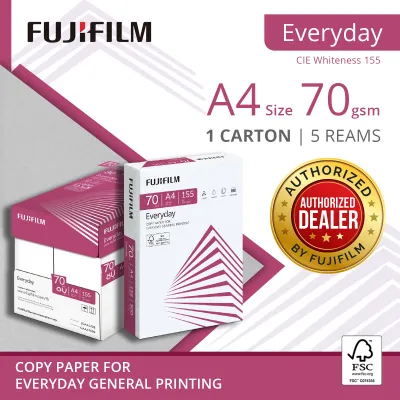

Prices are valid at publication and may change. Please refer to the product page for the latest price.
Comparing Common Paper Weights: 70gsm, 80gsm, and 100gsm
A4 copy paper is widely available in several standard weights, each suited to different tasks. The most common options you will encounter are 70gsm, 80gsm, and 100gsm. Choosing between them requires balancing document quality against practical storage and budget considerations.

At the lighter end of the spectrum, 70gsm paper is an economical choice. This weight is thin and flexible, making it ideal for high-volume internal drafts, basic text documents, and everyday utility printing where presentation is not a priority. However, because it is thin, 70gsm paper is more prone to show-through, meaning text printed on one side is easily visible from the other.
The standard benchmark for everyday office use is 80gsm paper. This weight offers a reliable balance of thickness, opacity, and runnability in most standard office copiers and printers. It is sturdy enough for general correspondence, reports, and moderate double-sided printing without excessive show-through, making it the default choice for most business environments.
For documents that require a premium look and feel, 100gsm paper is a suitable option. This heavier weight provides high opacity and a stiff, tactile quality that immediately conveys professionalism. It is well suited for external presentations, formal proposals, certificates, and documents with heavy color graphics where you want to minimize show-through.
When choosing between these weights, consider the physical trade-offs. Heavier paper weights like 100gsm result in thicker reams. This means a box of 100gsm paper will contain fewer sheets or take up significantly more storage space than a box of 70gsm paper. Additionally, heavier paper typically carries a higher cost per sheet, which can impact your overall stationery budget if used for high-volume printing.
How to Match Paper Weight to Your Printing Tasks
Selecting the right paper weight involves analyzing the purpose of your document and how it will be handled. A simple decision framework can help you match the paper to the task without overspending or compromising on quality.
First, evaluate your target audience. For internal documents, such as meeting agendas, rough drafts, or personal reference sheets, a lighter 70gsm or 80gsm paper is entirely adequate. If the document is intended for clients, stakeholders, or external partners, upgrading to 100gsm paper ensures a professional finish that reflects well on your organization.
Next, assess the ink coverage and layout of your document. If you plan to print on both sides of the page (duplex printing), 80gsm is the minimum recommended weight to prevent distracting show-through. For documents featuring heavy ink coverage, such as charts, diagrams, or full-page color graphics, 100gsm paper is highly recommended to prevent the paper from warping, wrinkling, or bleeding through.
Finally, balance your operational costs with your durability requirements. Documents that will be handled frequently, archived for long periods, or placed in binders benefit from the added tear resistance of 80gsm or 100gsm paper. For temporary, single-use printouts that will be recycled almost immediately, sticking to 70gsm paper minimizes waste and reduces your overall paper consumption costs.
Checking Printer Compatibility and Paper Handling
Before loading your printer with a new paper weight, you must verify that your hardware can handle it. Using paper that is too heavy or too light for your specific machine can lead to frequent paper jams, misfeeds, and potential internal damage.
Start by locating the maximum supported paper weight in your printer’s user manual or official specification sheet. Most standard office printers easily handle weights up to 120gsm, but some compact home models may have lower limits. The manual will outline the acceptable GSM range for each input tray, as manual feed slots often support heavier media than standard paper cassettes.
When loading the paper, adjust the physical paper tray guides so they rest snugly against the edges of the stack without pinching. Next, open your print driver settings on your computer and select the correct media type. Changing the setting from “Plain Paper” to “Heavyweight” or “Cardstock” tells the printer to adjust its feed speed and fuser temperature, ensuring the toner or ink adheres correctly to the thicker sheet.
Keep an eye out for signs of feed roller slippage or paper jams during the printing process. If you hear the printer motor straining, or if sheets consistently fail to feed from the tray, the paper may exceed your machine’s physical limits. In such cases, stop using the heavy paper immediately to avoid damaging the feed rollers or fuser assembly, and revert to a standard 80gsm stock.
Frequently Asked Questions (FAQ)
Can I use 100gsm paper in a standard home inkjet printer?
Yes, most standard home inkjet printers can handle 100gsm paper, but you should always verify the maximum supported weight in your printer’s manual first. Inkjet printers with a rear-feed slot or a straight paper path generally handle heavier sheets more reliably than models with a bottom paper tray. Bottom-tray models force the paper to make a tight 180-degree turn inside the machine, which can cause stiffer 100gsm paper to jam or misfeed if the rollers are worn.
Does higher GSM always mean better print quality?
No, a higher GSM does not automatically guarantee better print quality. GSM only measures the weight and density of the paper, which affects its thickness, stiffness, and opacity. The actual quality of the printed image—such as color vibrancy, sharpness, and ink absorption—depends on other paper specifications, including its surface coating, smoothness, and brightness. For high-resolution color prints, a specially coated paper or a high-brightness sheet will yield better results than a heavy but uncoated standard copy paper.

Community discussion
Share your experience or ask a question. Comments are reviewed before publication.