
Selecting the ideal GSM (Grams per Square Meter) for A3 paper depends on your project’s visual goals and your printer’s mechanical limits. For routine office printing, large spreadsheets, and internal drafts, standard weights between 80gsm and 100gsm offer a practical, cost-effective solution. When your project demands a professional presentation, durable poster, or double-sided color print, upgrading to 120gsm or 160gsm provides the necessary stiffness and opacity.
Before purchasing any paper stock, verifying your printer’s maximum supported media weight is essential. Standard office copiers and home printers often have strict limits on the thickness they can reliably feed. Choosing an incompatible weight can lead to frequent paper jams, poor toner fusion, or ink smudging.
Understanding GSM and Its Impact on A3 Paper
GSM stands for Grams per Square Meter, which is the standard metric unit used to measure paper density and mass. While it is highly correlated with the physical thickness of a sheet, GSM specifically measures weight rather than caliper (thickness). Two different brands of 100gsm A3 paper may have slightly different physical thicknesses depending on their fiber composition, manufacturing compression, and surface coatings.
Products mentioned in this guide
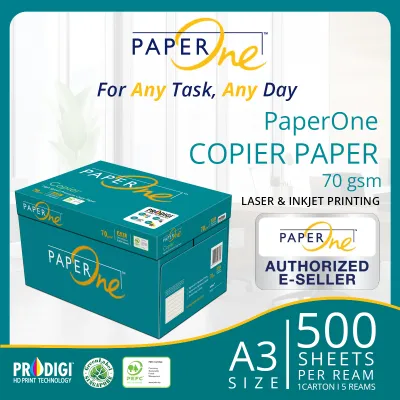
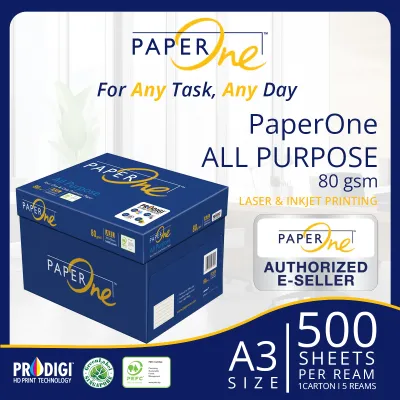

Prices are valid at publication and may change. Please refer to the product page for the latest price.
As the GSM rating increases, the paper generally becomes stiffer, heavier, and more opaque. High opacity is particularly critical for double-sided printing, as it prevents text and images from showing through to the opposite side. However, the tactile feel and print receptivity of the paper are also heavily influenced by its finish. Uncoated, matte, and glossy finishes interact differently with inks and toners, meaning a 120gsm glossy sheet will feel and perform differently than a 120gsm uncoated sheet.
Matching Common A3 Paper Weights to Your Printing Tasks
Selecting the right A3 paper weight requires matching the physical properties of the sheet to the intended life cycle and presentation level of your document. Using heavy paper for temporary drafts is an unnecessary expense, while using thin paper for client-facing materials can undermine the perceived quality of your work.

Achieving the best visual and tactile results relies on pairing the correct weight with a compatible paper finish and printing technology. Laser printers and inkjet printers handle paper absorption and heat fusion differently, making the combination of weight and surface treatment a key factor in your final output.
80gsm to 100gsm: Everyday Documents and High-Volume Drafts
The 80gsm to 100gsm range represents the standard weight for everyday office tasks. This category is highly suitable for printing large-format spreadsheets, internal reports, basic architectural line drawings, and high-volume drafts. Because these sheets are relatively thin, they are highly cost-effective and allow you to load more paper into standard printer cassettes without constant refilling.
While 80gsm is the absolute standard for single-sided monochrome printing, upgrading to 90gsm or 100gsm offers a noticeable improvement in quality for basic color documents. If you plan to print double-sided documents, be sure to check for show-through. Heavy ink coverage or dark graphics on 80gsm paper will often bleed visually through the sheet, making 100gsm a safer choice for double-sided office reports.
120gsm to 160gsm: Presentations, Posters, and Durable Prints
For documents that need to make a strong impression or withstand frequent handling, the 120gsm to 160gsm range is the appropriate choice. This heavier stock is ideal for client proposals, high-resolution architectural renders, promotional posters, and durable flyers. The added weight gives the paper a premium, professional feel that immediately communicates quality to the recipient.
In addition to its tactile appeal, heavier paper offers excellent rigidity and significantly reduced show-through, making it the standard choice for double-sided color printing. However, because these weights behave more like light cardstock, they require careful handling. Standard printer rollers may struggle to bend and feed these thicker sheets smoothly, meaning you must adjust your printing workflow to accommodate the heavier media.
Verifying Printer Compatibility and Paper Handling
Before purchasing a bulk supply of heavy A3 paper, you must consult your printer’s user manual to verify its maximum supported GSM. Printer manufacturers specify different weight limits for different input trays. While a standard paper cassette might only support up to 105gsm, the manual bypass tray or multi-purpose slot is often designed with a straighter paper path that can handle media up to 160gsm or higher.
Attempting to feed heavy paper through a standard cassette can lead to severe curling, misfeeds, or stubborn paper jams that can damage internal rollers. To ensure optimal print quality, you must also adjust your printer driver settings before sending the job. Selecting options such as “Heavy Paper,” “Cardstock,” or “Thick” tells the printer to slow down the feeding speed. In laser printers, this adjustment allows the fuser unit to reach the higher temperature required to melt and adhere toner to the thick paper. In inkjet printers, it ensures the print heads adjust their height and ink delivery to prevent smudging and feathering.
How to Decide: A Practical Selection Checklist
To choose the correct A3 paper weight for your specific needs, follow this step-by-step decision framework:
- Define the Document's Purpose: Determine who will handle the document and how long it needs to last. Use 80gsm to 100gsm for internal drafts, everyday office records, and temporary markups. Choose 120gsm to 160gsm for external client presentations, marketing materials, and documents requiring high durability.
- Check Your Printer's Specifications: Look up your printer model's manual to find the maximum supported GSM for each tray. Ensure your chosen paper weight does not exceed the limit of the specific tray you plan to use.
- Match the Finish to Your Printer Type: Decide whether you need an uncoated, matte, or glossy finish. Verify that the paper is specifically rated for your printer technology (inkjet or laser) to avoid issues with ink drying speed, smudging, or poor toner adhesion.
- Conduct a Trial Run: Before committing to a bulk order, purchase a small sample pack to test feed reliability. Because smoothness, bleed resistance, and drying speed depend entirely on the exact combination of your printer's ink or toner and the paper's specific surface coating, a manual test run is the most reliable way to verify performance.
Frequently Asked Questions (FAQ)
Can I use 160gsm A3 paper in a standard home printer?
Many standard home printers are designed primarily for document printing and max out between 105gsm and 120gsm in their main paper cassettes. Forcing 160gsm paper through these standard cassettes can cause paper jams or damage the internal rollers and fuser unit. If your home printer features a manual feed slot or a bypass tray, check the manual to see if it supports heavier media, as these slots typically utilize a straighter paper path designed for thicker cardstock.
Does a higher GSM always mean better print quality?
A higher GSM increases the physical weight, stiffness, and opacity of the paper, but it does not automatically improve the sharpness, color vibrancy, or resolution of the printed image. True print quality depends heavily on the paper’s surface coating and its compatibility with your specific printer type. For example, using a heavy but uncoated paper in an inkjet printer can lead to ink feathering and dull colors, whereas a lighter, specially coated inkjet paper will produce much sharper and more vibrant results.

Community discussion
Share your experience or ask a question. Comments are reviewed before publication.