
Quick Guide: Matching A3 Paper GSM to Your Printing Needs
Choosing the right A3 copier paper weight is essential for ensuring print quality, managing office budgets, and preventing frustrating equipment malfunctions. Because A3 sheets are twice the size of standard A4 paper, their structural integrity behaves differently under heat, ink, and mechanical rollers.
- 70gsm A3 Paper: Best for high-volume internal drafts, quick monochrome proofs, and single-sided text documents where minimizing cost is your main priority.
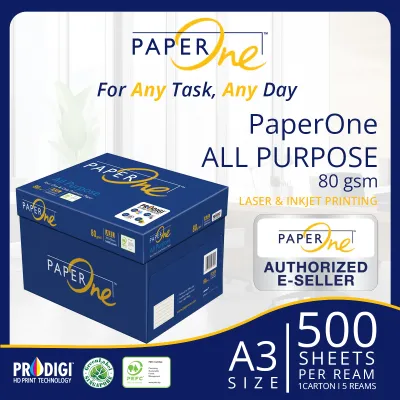
- 80gsm A3 Paper: The industry standard for everyday office documents, double-sided printing, standard color charts, and general photocopying.
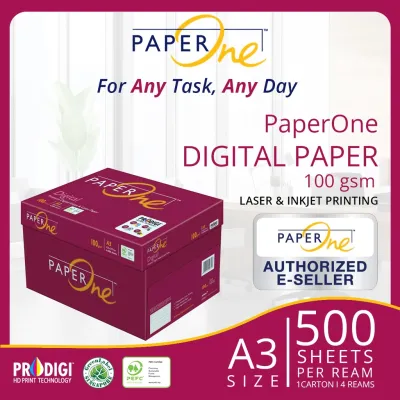
- 100gsm A3 Paper: Ideal for client-facing presentations, full-color marketing materials, certificates, and graphic-heavy architectural layouts.
Before purchasing bulk reams, always check your printer’s technical manual. Standard office copiers often restrict heavier paper weights to specific feed trays to prevent internal paper jams.
What GSM Means for A3 Copier Paper
GSM stands for Grams per Square Meter. It is the universal unit of measurement for paper density and thickness. Rather than representing the physical weight of an individual sheet, GSM measures the weight of a single square meter of the paper, directly indicating its density, stiffness, and opacity.
Products mentioned in this guide
![PaperOne A3 A4 A5 Printing Paper | Double A A4 Printing Paper | Fujifilm A4 Printing Paper [70gsm | 80gsm | 100gsm]](https://img.lazcdn.com/g/p/e6656a7d0c70606a115a8596caf6a15d.png_400x400q80.png_.webp)
Prices are valid at publication and may change. Please refer to the product page for the latest price.

When dealing with the larger A3 format (297 x 420 mm), GSM becomes a critical factor in performance. Because an A3 sheet has a larger surface area, it is naturally more susceptible to gravity, bending, and curling. If the GSM is too low, the paper lacks the structural stiffness required to glide smoothly through the long, winding paper path of a commercial office printer. Thinner sheets are more likely to sag, misalign, or trigger sensor errors.
Environmental factors also play a major role in how different paper weights behave. In high-humidity environments, such as Singapore’s tropical climate, paper fibers act like a sponge and absorb ambient moisture. This moisture absorption causes the cellulose fibers to expand and weaken. Lower GSM papers lose their stiffness much faster under these conditions, leading to frequent multi-sheet feeding and severe jams in high-speed paper trays.
70gsm vs 80gsm vs 100gsm: Which Thickness Fits Your Workflow?
Selecting the right paper thickness requires balancing cost, presentation quality, and machine compatibility. Each of the three common A3 weights serves a distinct purpose within a professional workflow.
70gsm A3 Paper: Best for High-Volume Drafts
Pros: This is the most economical option available for large-format printing. Reams of 70gsm paper are thinner and lighter, allowing you to store more sheets in your office cabinets. In Singapore, a standard ream of 70gsm A3 paper typically ranges from S$5 to S$7, making it highly cost-effective for bulk printing.
Cons: The thinness of 70gsm paper results in low opacity, leading to significant show-through (bleed-through) if you attempt double-sided printing. It also lacks the stiffness required for reliable high-speed feeding, increasing the risk of paper jams in high-volume copier trays.
Ideal for: Internal black-and-white drafts, temporary layout proofs, architectural line-art sketches, and single-sided text documents where aesthetic presentation is secondary to cost savings.
80gsm A3 Paper: The Standard All-Rounder
Pros: This is the universal standard for office environments. It offers an excellent balance of structural stiffness, opacity, and cost-efficiency. It feeds reliably through almost all standard A3 printer paths without causing frequent paper jams. A standard ream of 80gsm A3 paper generally costs between S$7 and S$9.
Cons: While highly versatile, 80gsm paper is not designed to handle high-density color graphics or wet ink. Heavy toner or liquid ink coverage can cause the paper to warp, ripple, or show noticeable bleed-through on the reverse side.
Ideal for: Everyday office reports, double-sided manuals, standard color charts, general-purpose copying, and corporate correspondence.
100gsm A3 Paper: For Premium and Heavy Ink Coverage
Pros: This weight offers high opacity and a substantial, luxurious tactile feel. It handles heavy toner and ink coverage from professional graphics printers without warping or curling. It also resists moisture-induced sagging, making it highly durable in humid conditions.
Cons: It is a premium product, with prices typically ranging from S$12 to S$18 or more per ream. Because the sheets are thicker, standard paper trays hold fewer pages, requiring more frequent refills. Some standard office copiers cannot feed 100gsm paper through their primary paper cassettes.
Ideal for: High-end client presentations, full-color A3 posters, certificates, detailed architectural renderings, and graphic-heavy design portfolios.
Avoiding Paper Jams: A3 Size and Printer Compatibility
To prevent wasting materials and experiencing office downtime, always verify your copier’s technical specifications before loading different paper weights. Many standard office A3 copiers cap their primary paper cassettes at 105gsm or 120gsm. Attempting to feed heavier specialty paper through these standard drawers can damage the feeding rollers.
Most modern office copiers feature two primary feed paths:
- The Main Paper Cassette: Typically optimized for high-volume 70gsm to 80gsm paper. These drawers use a tight, curved path to feed paper, which can easily cause stiffer 100gsm paper to jam.
- The Bypass or Multipurpose Tray: Located on the side of the machine, this tray is designed with a straight-through paper path. This minimal bending makes it the ideal choice for feeding 100gsm and heavier stock safely.
Proper storage is also vital for preventing jams, especially in humid climates. Always keep your A3 paper sealed in its original moisture-proof wrapper until you are ready to load it. Avoid leaving large stacks of unused paper in the tray overnight, as they will absorb ambient moisture and curl. Before loading a fresh stack into the printer, gently fan the sheets to break any static cling and separate the edges, ensuring the printer’s feed rollers can grab one sheet at a time.
Frequently Asked Questions (FAQ)
Can I use 100gsm A3 paper in the main paper drawer of my office copier?
While some high-end commercial copiers support 100gsm in the main drawer, most standard office machines are mechanically optimized for 70gsm to 80gsm in their primary cassettes. Loading 100gsm paper in the main drawer often causes multi-sheet feeding or stubborn jams. For weights of 100gsm and above, it is safest to use the printer’s bypass or multipurpose tray.
Does a higher GSM always mean better print quality?
No, a higher GSM does not change your printer’s resolution (DPI) or color accuracy. However, heavier paper provides a more stable canvas. It prevents the paper from warping, rippling, or buckling under heavy ink and toner coverage, which indirectly preserves the sharp physical layout of your graphics and gives the final print a much more professional, high-quality feel.

Community discussion
Share your experience or ask a question. Comments are reviewed before publication.