
Finding the ideal paper for your daily printing tasks is rarely as simple as grabbing the cheapest ream on the shelf. When comparing popular brands of 80gsm a4 paper, you will quickly discover that no single product is universally the “best” choice for every scenario. The ideal selection depends heavily on finding the right balance between your specific print quality expectations, such as text sharpness and color vibrancy, and your operational budget constraints.
Different environments demand different attributes from their stationery. A corporate office printing high-stakes client proposals requires a completely different paper profile than a home user printing school homework or a high-volume logistics department churning out internal packing slips. To make an informed decision, you must evaluate how physical paper properties, printer compatibility, and the true cost-per-page align with your daily workflow.
By establishing a clear decision framework, you can easily categorize paper options. Premium, high-brightness sheets are best reserved for external communication where presentation is paramount, while standard everyday sheets offer the most practical value for high-volume, internal drafting. Understanding these distinctions prevents both unnecessary overspending and the frustration of poor print results.
Products mentioned in this guide
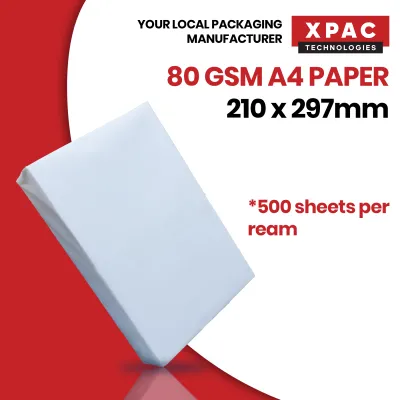
![PaperOne A4 Printing Paper - All Purpose Paper 80gsm [Available in Single Ream / Box]](https://img.lazcdn.com/g/p/27dcdcd07b80cf8dfb582f4178a0997b.png_400x400q80.png_.webp)
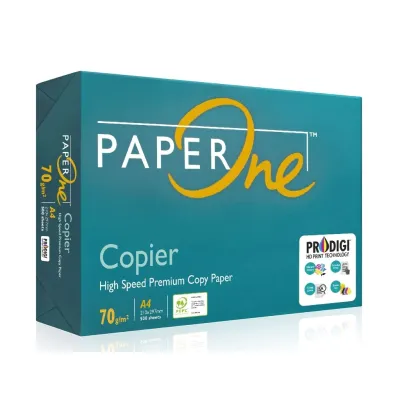
![PaperOne™ All Purpose Premium Quality 80gsm Copy Paper A4 [2 Reams]](https://img.lazcdn.com/g/p/6fe22f63efd1aeac13600887dc29a7da.jpg_400x400q80.jpg_.webp)


Prices are valid at publication and may change. Please refer to the product page for the latest price.
Evaluating the Core Dimensions of 80gsm A4 Paper
Brightness, Whiteness, and Contrast
The visual appeal of any printed document is heavily influenced by how the paper interacts with light. While the terms brightness and whiteness are often used interchangeably in casual conversation, they refer to distinct optical properties that manufacturers measure using standardized scales. Understanding these metrics helps you look past vague marketing terms like “ultra-white” or “super-premium” to find the exact performance level you need.
Brightness measures the amount of light reflectance on a specific blue wavelength, typically rated on a scale up to 100 based on ISO standards. Higher brightness levels provide a starker contrast against black toner or colored inks, making text appear crisper and graphics more vibrant. However, extremely high brightness can sometimes backfire, as the intense light reflection can cause eye strain during prolonged reading sessions.
Whiteness, on the other hand, refers to the overall color tone of the paper across the entire visible light spectrum, usually measured using the CIE whiteness index. A paper with a high CIE whiteness index often has a slight blue tint added during manufacturing, which makes the sheet appear cleaner and more brilliant to the human eye. Conversely, paper with a lower whiteness rating has a warmer, slightly yellowish tone, which is often more comfortable for reading long-form text documents.
When comparing options, it is highly recommended to check the packaging or manufacturer datasheets for explicit ISO brightness (typically ranging from 95% to 110%) and CIE whiteness (often between 140 and 170) ratings. This objective data allows you to compare different brands accurately, ensuring you select a sheet that delivers the exact level of contrast and readability your documents require.
Smoothness and Toner/Ink Adhesion
The surface texture of a sheet of paper determines how evenly ink or toner is deposited and bonded to the fibers. Smoothness is controlled during the manufacturing process through a combination of mechanical pressing, calendering, and the application of surface sizing chemical treatments. A highly smooth surface is critical for achieving sharp, professional-looking prints, particularly when dealing with fine fonts or detailed diagrams.
In laser printers, a smooth surface ensures that the dry toner particles make consistent contact with the paper before being fused by heat and pressure. If the paper is too rough, the toner may not adhere evenly, leading to microscopic gaps in text characters and a generally dusty or faded appearance. For inkjet printers, surface smoothness combined with proper sizing prevents the liquid ink from feathering along the paper fibers, which can blur the edges of your text.
To ensure your chosen paper matches your hardware, look for packaging labels that explicitly state “laser-optimized” or “inkjet-compatible.” If you are planning a bulk purchase, it is wise to acquire a single ream first to perform a simple smudge test. Rub a finger firmly across a freshly printed page; any immediate smudging or flaking indicates poor toner adhesion or slow ink drying times, suggesting the paper’s surface profile is not fully compatible with your printer’s output settings.
Opacity and Show-Through
For organizations looking to reduce paper consumption and postage costs, double-sided printing is an essential practice. The success of duplex printing depends almost entirely on the paper’s opacity, which is its ability to prevent light and printed images from passing through the sheet. At 80gsm (grams per square meter), paper sits right at the critical threshold where double-sided printing is highly viable, but performance still varies between brands.
It is important to distinguish between show-through and bleed-through when diagnosing print issues. Show-through occurs when the text printed on the reverse side is visible through the paper due to low opacity, even though the ink or toner remains on the surface. Bleed-through, which is more common with wet inkjet inks, occurs when the liquid physically saturates the paper fibers and penetrates to the opposite side, ruining the document’s appearance.
You can easily evaluate opacity by holding a printed sheet up to a standard office light source or placing it over a page of dark text. If you can easily read the text underneath, the opacity is likely too low for professional double-sided documents. Selecting a brand with high opacity ensures that your double-sided reports remain clean, legible, and professional, without the distracting shadow of reverse-side content.
Moisture Content and Curling
Paper is a highly hygroscopic material, meaning it naturally absorbs and releases moisture to reach equilibrium with its surrounding environment. During manufacturing, the moisture content of the paper is carefully controlled, usually targeted at a specific percentage that ensures flat running through high-speed machinery. If the moisture content is too high or too low, the paper is highly prone to curling, which is the leading cause of printer jams.
When paper passes through a laser printer, it is subjected to intense heat from the fuser unit to melt and set the toner. This sudden application of heat causes any moisture inside the paper to rapidly evaporate, resulting in physical shrinkage. If the paper has absorbed excess humidity from the air, this uneven moisture loss causes the sheet to curl dramatically as it exits the printer, leading to immediate jams in the output tray or sorting bins.
While premium paper brands generally employ tighter quality control measures to seal their product at the optimal moisture level, your local storage conditions are ultimately what preserve this balance. Understanding how environmental factors influence paper behavior is the first step toward maintaining a reliable, jam-free printing setup in any office or home environment.
Calculating the True Value of Your Paper Investment
Cost Per Page and Bulk Yield
When assessing the financial impact of your stationery choices, looking solely at the price of a single ream can be highly misleading. To establish a realistic budget, you must calculate the true cost per page by dividing the total purchase price of the paper by the number of usable sheets. This simple mathematical exercise often reveals that slightly more expensive bulk options actually yield a lower cost per sheet than cheap, single-ream purchases.

A standard ream contains 500 sheets of paper, while a standard box typically houses five reams, totaling 2,500 sheets. Purchasing paper by the box or in multi-box pallets from dedicated office supply distributors or online marketplaces almost always secures a significant volume discount. For example, a single ream priced at S$6.50 translates to S$0.013 per sheet, whereas a five-ream box purchased on sale for S$25.00 drops the cost to S$0.010 per sheet, representing substantial savings over time.
However, bulk purchasing requires careful consideration of your physical storage capacity and consumption rate. In Singapore, where office space and residential square footage are often limited, storing large boxes of paper can be impractical. Furthermore, paper that sits unused for months in non-climate-controlled spaces will gradually degrade due to environmental exposure, potentially wiping out any upfront savings achieved through bulk discounts.
Factoring in Printer Wear and Hidden Costs
The true cost of using low-grade paper often manifests as hidden expenses that do not appear on your office supply invoices. Budget-grade papers are frequently manufactured with lower-quality wood pulp and higher ratios of mineral fillers, such as calcium carbonate. These cheaper materials tend to release a significant amount of microscopic paper dust as they travel through the printer’s paper path.
Over time, this fine paper dust accumulates on the printer’s rubber pickup rollers, reducing their grip and causing frequent misfeeds and multi-sheet pulls. Dust can also settle on the optical sensors, triggering false error messages, or bake onto the fuser assembly, leading to permanent print defects like vertical streaks. Cleaning or replacing these components requires professional servicing, which easily eclipses the minor savings gained from buying cheap paper.
Additionally, poor quality control during the cutting process can leave rough, uneven edges or microscopic burrs on the sheets. These physical imperfections prevent clean separation in the paper tray, leading to double-feeding and immediate paper jams. When you factor in the cost of wasted toner, ruined sheets that must be reprinted, lost administrative time, and premature hardware wear, investing in a slightly higher-quality, low-dust paper profile becomes the more financially sound decision for any busy printing environment.
Choosing the Right 80gsm A4 Paper Profile for Your Workflow
To simplify your procurement process, it is highly effective to categorize your choices into distinct paper profiles rather than focusing on volatile brand names. Brand formulations and manufacturing locations can change over time, but the underlying specifications of these profiles remain consistent. By matching your specific document requirements to the appropriate profile, you can optimize both print quality and expenditure.
The following comparison matrix outlines the primary paper profiles available, their ideal applications, key technical features, and their overall value proposition:
| Paper Profile | Best Use Case | Key Features to Look For | Value Proposition |
|---|---|---|---|
| Premium High-Brightness | Client proposals, official contracts, high-resolution color graphics, and double-sided corporate reports. | CIE Whiteness above 160, ISO Brightness above 105%, high opacity, and ultra-smooth surface sizing. | Higher cost per page (typically S$6.00 to S$8.00 per ream) but delivers maximum contrast and professional presentation. |
| Standard Everyday | Internal office drafts, high-volume student worksheets, basic black-and-white text printing, and daily emails. | CIE Whiteness between 145 and 155, ISO Brightness around 95%, and standard laser/inkjet compatibility. | Outstanding cost-to-performance ratio (typically S$4.50 to S$5.50 per ream), minimizing operating costs for daily use. |
| Eco-Friendly/Recycled | Sustainability reports, internal memos, and organizations with strict corporate social responsibility mandates. | Post-consumer recycled content percentage (e.g., 30% to 100%), FSC or PEFC certification, and low-chlorine processing. | Supports environmental goals; may have slightly lower whiteness (CIE 135-145) but offers excellent opacity at a moderate price. |
Choose Premium High-Brightness if: You print client-facing proposals, high-resolution graphics, or need crisp double-sided documents where show-through is unacceptable. Expect to pay a higher cost per page for superior optical properties.
Choose Standard Everyday if: You print high-volume internal drafts, student assignments, or basic text documents where basic readability is sufficient and minimizing cost per page is the primary goal.
Choose Eco-Friendly/Recycled if: Your organization has sustainability mandates, and you are willing to accept slightly lower brightness and higher opacity variance for environmental benefits. Verify that the recycled content percentage meets your specific compliance needs.
Verify first if: You are using a specialized printer (e.g., high-speed production laser or specialized inkjet) that requires specific moisture or smoothness tolerances; always check the printer manufacturer’s recommended paper specifications before buying in bulk.
Practical Maintenance: Testing and Storing Paper in a Humid Climate
Singapore’s tropical climate, characterized by consistently high relative humidity that frequently exceeds 80%, presents a challenging environment for maintaining paper quality. High humidity causes paper to absorb ambient moisture rapidly, leading to dimensional instability, wavy edges, and severe printer jams. Implementing a strict quality inspection and storage protocol is essential to protect your stationery investment.
When receiving a new shipment of paper, perform a quick visual and tactile inspection before moving the stock to your storage area. Carefully check the outer protective wrapper of each ream for any punctures, tears, or broken seam seals, as even minor damage allows humid air to penetrate the paper stack. Inspect the edges of the sheets for any signs of uneven cutting or excessive paper dust, which can indicate poor manufacturing quality control.
To preserve the optimal moisture content of your paper, always keep individual reams sealed in their original moisture-barrier wrappers until the exact moment you are ready to load them into the printer tray. Do not stack paper boxes directly on concrete floors, as moisture can migrate through the cardboard; instead, store them on elevated pallets or shelving units. Avoid placing your paper storage area directly beneath air conditioning vents, next to dehumidifiers, or in direct sunlight, as these locations cause rapid temperature and humidity fluctuations that induce paper curling.
In highly humid environments, it is best practice to only load the printer tray with the amount of paper you expect to use for the immediate print job or within a single day. Leaving a full tray of paper exposed to ambient air over a weekend allows the top and bottom sheets to absorb moisture unevenly, which almost guarantees a multi-sheet misfeed or paper jam when printing resumes on Monday morning.
Frequently Asked Questions (FAQ)
Is 80gsm thick enough for double-sided printing?
Yes, 80gsm is the standard industry minimum weight for reliable double-sided printing in most office environments. However, actual show-through performance depends heavily on the specific brand’s optical opacity, the density of the printer’s ink or toner, and the design of your document. For documents featuring heavy color graphics, solid dark backgrounds, or large bold fonts, upgrading to a heavier 100gsm paper may be necessary to prevent distracting visual bleed-through.
Why does my paper keep jamming even though it is a premium brand?
Paper jams with premium brands are rarely caused by inherent manufacturing defects in the paper itself. In most cases, these jams are the result of improper storage conditions that have allowed the paper to absorb excess ambient moisture, causing the sheets to curl or stick together. You can dramatically reduce these occurrences by fanning the paper stack to break static cling before loading it, ensuring the paper guides in the tray are adjusted correctly, and keeping unused paper sealed in its original moisture-proof wrapper.

Community discussion
Share your experience or ask a question. Comments are reviewed before publication.