
When shopping for office supplies, you will inevitably encounter the term “80gsm” on almost every box of A4 copier paper. This standard specification is the default choice for offices, schools, and home printing setups. Understanding what this measurement means and how it affects your printed documents is key to choosing the right paper for your daily tasks. While 80gsm paper is highly versatile, certain printing jobs require either a lighter or heavier alternative to achieve the best results.
What "80gsm" Actually Means for Your A4 Paper
The acronym GSM stands for “grams per square meter.” This is a standard metric unit used globally to measure the density and weight of paper. To put this into perspective, if you were to cut a sheet of paper to a size of exactly one meter by one meter, an 80gsm sheet would weigh exactly 80 grams. Because an A4 sheet is much smaller—measuring 210mm by 297mm—a single sheet of 80gsm A4 paper actually weighs approximately 5 grams.
It is important to understand that GSM measures weight and density rather than direct physical thickness. While higher GSM generally correlates with thicker paper, the actual thickness (often referred to as caliper) can vary between different paper manufacturers. This variation occurs because of differences in wood pulp quality, fiber length, and the manufacturing process. For instance, paper that undergoes heavy calendering—a process where paper is pressed between high-pressure rollers—will feel thinner and smoother than a less-compressed sheet of the exact same weight. When handling 80gsm paper, you can expect a moderate level of stiffness and a standard level of opacity that prevents text from easily showing through to the other side.
Products mentioned in this guide
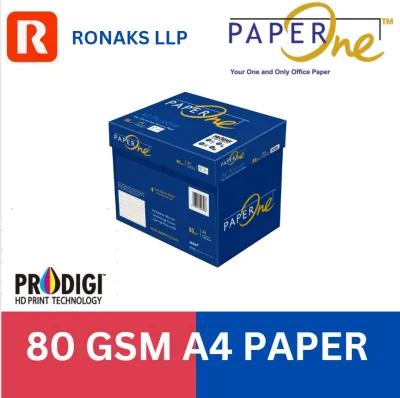
![PaperOne A4 Printing Paper - All Purpose Paper 80gsm [Available in Single Ream / Box]](https://img.lazcdn.com/g/p/27dcdcd07b80cf8dfb582f4178a0997b.png_400x400q80.png_.webp)
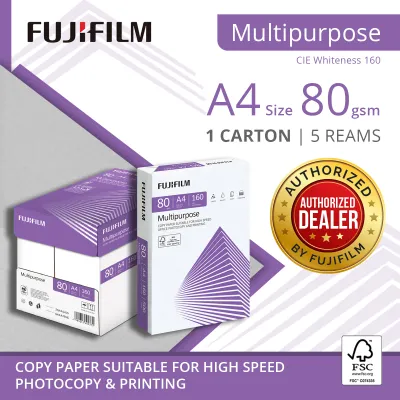

![[SG] Perfect Print A4 80gsm White Copier Paper 5 Reams Per Carton [Evergreen Stationery]](https://img.lazcdn.com/g/p/19d31f3b827df3ea5ccc2552bb199b2a.png_400x400q80.png_.webp)
![[SG] FujiXerox A4 x EverydayCopier Paper | 80gsm | 1 Carton | MAX 2 CARTONS/ORDER [Evergreen Stationery]](https://img.lazcdn.com/g/p/0125993f2367983b77308ed48045bba3.jpg_400x400q80.jpg_.webp)
Prices are valid at publication and may change. Please refer to the product page for the latest price.
Best Use Cases for 80gsm Copier Paper
For the vast majority of daily printing tasks, 80gsm copier paper is the industry standard for a reason. It offers an optimal balance of durability, print quality, and cost-effectiveness. This weight is ideal for printing standard office documents, emails, text-heavy reports, and internal training manuals. Because it is lightweight yet sturdy, it feeds smoothly through high-speed office copiers and multi-function printers without causing frequent feeding errors.

When it comes to double-sided printing, 80gsm paper performs reliably for standard text documents. However, its suitability for duplex printing depends heavily on the type of content you are printing. If your documents contain high-density graphics, dark charts, or solid color blocks, you may notice some show-through, where the printed image on one side is visible from the reverse side. For text-only documents, such as essays or standard business letters, the opacity of 80gsm paper is perfectly sufficient to keep both sides legible and professional.
For external client presentations, marketing materials, or formal proposals, 80gsm paper is highly acceptable but may not leave the strongest physical impression. If you want to convey a sense of premium quality, prestige, or high value, you might want to reserve 80gsm for drafts and internal reviews, opting for a heavier weight for the final client-facing copies.
Comparing 80gsm with 70gsm and 100gsm Alternatives
To make an informed purchasing decision, it helps to compare 80gsm paper with its two most common alternatives: 70gsm and 100gsm. Each weight serves a distinct purpose and comes with its own set of trade-offs regarding cost, performance, and presentation quality.
At the lighter end of the spectrum, 70gsm paper is a popular choice for high-volume, budget-conscious printing. It is thinner, lighter, and generally costs less in S$ per ream, making it highly attractive for large-scale draft printing or internal filing. However, the trade-off is a noticeable reduction in opacity and stiffness. 70gsm paper is highly prone to show-through, making double-sided printing impractical for most documents. It is also more susceptible to curling under the intense heat of laser printer fusers, which can lead to more frequent paper jams in high-speed machines.
On the other hand, 100gsm paper represents a premium upgrade. It is significantly thicker, stiffer, and offers excellent opacity. This weight is ideal for official letterheads, certificates, resumes, and documents containing heavy color graphics or double-sided illustrations. The primary trade-off here is cost; 100gsm paper is more expensive and may not be economical for everyday, high-volume office printing.
Ensuring Printer Compatibility and Avoiding Paper Jams
While 80gsm paper is highly compatible with almost all modern printing equipment, ensuring smooth operation requires a few simple checks and proper handling. Before purchasing paper in bulk, always consult your printer or copier’s user manual to verify its supported paper weight range. Most standard office copiers easily handle weights from 60gsm up to 120gsm or higher, but some compact home printers or specialized photo printers may have narrower limits.
To optimize print quality and prevent feeding issues, adjust your printer driver settings to match the paper you are using. Selecting “Plain Paper” or “Standard” in your print dialog box ensures that the printer applies the correct temperature to fuse toner properly or calibrates the ink delivery system for optimal drying times. This simple step prevents smudging and ensures crisp text.
Environmental factors also play a critical role in paper performance. In Singapore’s humid climate, paper fibers can quickly absorb moisture from the air. This moisture absorption causes the paper to expand, curl, or stick together, leading to frustrating multi-sheet feeds and paper jams. To prevent this, store your paper in its original moisture-resistant packaging until you are ready to load it. Keep your paper trays closed, and store spare reams in a cool, dry cupboard away from direct sunlight or drafty air conditioning units.
Frequently Asked Questions (FAQ)
Can I use 80gsm paper for double-sided printing without ink bleeding through?
Yes, 80gsm paper is generally suitable for double-sided printing of standard text documents. However, actual bleed-through and show-through depend on your printer type and ink formulation. Laser printers and pigment-based inkjet inks tend to sit on the surface of the paper, minimizing bleed-through. Dye-based inkjet inks, which are more liquid, can penetrate deeper into the paper fibers. To ensure acceptable results, print a single test page with your specific document layout and inspect it under normal lighting before committing to a large double-sided print run.
Does 80gsm paper work in all inkjet and laser printers?
Yes, 80gsm is the global standard weight for copier paper and is fully compatible with virtually all modern home and office inkjet and laser printers. To ensure reliable feeding, always fan the paper stack gently before loading it into the paper tray to static-separate the sheets. Additionally, adjust the paper guides in the tray snugly against the edges of the stack to prevent the paper from feeding at an angle, which is a common cause of paper jams.

Community discussion
Share your experience or ask a question. Comments are reviewed before publication.