
Choosing the right A4 copier paper weight is more than just a matter of price; it directly affects how your documents look, feel, and feed through your printer. The standard weights you will encounter in most offices and retail stores are 70gsm, 80gsm, and 100gsm. Selecting the correct weight depends on whether you are running high-volume internal drafts, printing double-sided reports, or preparing high-stakes client presentations. Matching your specific printing tasks to the appropriate paper weight ensures clear text, prevents frustrating paper jams, and keeps your printing budget efficient.
Understanding GSM: What Paper Weight Means for Your Prints
To make an informed choice, it helps to understand what GSM actually represents. GSM stands for “grams per square meter,” which is a standard metric unit measuring the weight of paper. Specifically, it indicates the weight of a single sheet of paper measuring one square meter. Because paper is manufactured to uniform standards, this weight measurement directly correlates with the thickness, density, and stiffness of each individual sheet of A4 copier paper.
The weight of the paper has a direct impact on its opacity, which refers to how much light can pass through the sheet. Lighter papers have lower fiber density, meaning they are more translucent. When you print on thin paper, the ink or toner on one side is often visible from the other side, a phenomenon known as show-through or ghosting. Heavier papers contain more fibers and fillers per square meter, providing higher opacity that prevents text and images from bleeding through to the reverse side.
Products mentioned in this guide

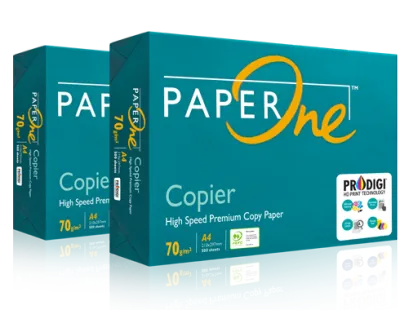
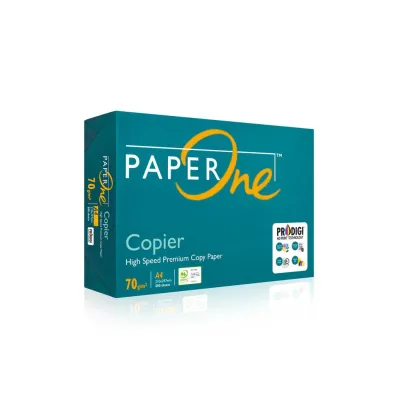


Prices are valid at publication and may change. Please refer to the product page for the latest price.
Beyond visual appeal, paper weight is a critical factor in printer compatibility. Every printer is engineered to handle a specific range of paper weights. If you feed paper that is too light or too heavy for your machine’s feed rollers and fuser unit, you risk experiencing frequent paper jams, misfeeds, or poor toner adhesion. Always consult your printer’s user manual to verify the supported GSM range before purchasing non-standard paper weights.
70gsm A4 Paper: Best for High-Volume Drafts and Internal Documents
At 70gsm, this is typically the lightest and thinnest grade of copier paper widely available for office use. The primary advantage of 70gsm paper is its cost-efficiency, making it the most economical option per ream for high-volume printing. For businesses that print thousands of pages of internal drafts, temporary packing slips, or reference documents every week, switching to 70gsm can lead to noticeable savings over time. Additionally, a standard ream of 500 sheets of 70gsm paper is significantly thinner and lighter than heavier paper, which helps maximize physical filing cabinet space and reduces the overall weight of physical archives.

However, the thinness of 70gsm paper comes with distinct trade-offs. It has relatively low opacity, which makes it highly susceptible to show-through. If you attempt double-sided printing on 70gsm paper, the text from the back page will likely interfere with the readability of the front page. Furthermore, liquid-based inks from inkjet printers can easily saturate the thin fibers, causing the paper to warp, cockle, or feather.
In humid environments, such as Singapore’s tropical climate, 70gsm paper requires careful handling. Paper is naturally hygroscopic, meaning it absorbs moisture from the surrounding air. Because 70gsm paper lacks structural stiffness, absorbing moisture can cause the sheets to limp or curl quickly. This curling often leads to multi-sheet pulls or paper jams in laser printers, where the high heat of the fuser unit dries out the damp paper unevenly. To prevent this, store unused 70gsm paper in its original moisture-resistant wrapper or an airtight container until needed.
80gsm A4 Paper: The Reliable Standard for Double-Sided Printing
For the vast majority of home and office environments, 80gsm A4 paper is the undisputed industry standard. It represents the sweet spot where cost, opacity, and structural integrity meet, making it the default choice for standard office documents, reports, and spreadsheets. Printer manufacturers optimize their hardware specifically for 80gsm paper, ensuring the smoothest possible feeding process and minimizing the risk of mechanical wear and paper jams. It also offers sufficient opacity for standard double-sided (duplex) printing with minimal show-through, helping to reduce paper consumption without sacrificing readability.
In terms of tactile feel, 80gsm paper provides a professional, standard quality that is acceptable for almost all daily business communications. It is stiff enough to be handled easily, signed, folded, and inserted into envelopes without tearing or feeling flimsy. Whether you are printing standard contracts, invoices, meeting agendas, or school homework, 80gsm paper delivers a reliable, consistent performance across both inkjet and laser printers.
Because of its widespread popularity, 80gsm paper is highly accessible and compatible with almost every printing device on the market. It is the default choice for office leasing agreements, where service providers often recommend or require the use of standard 80gsm paper to keep machine maintenance calls to a minimum. For general, multi-purpose daily printing, keeping a steady supply of 80gsm paper is the most practical strategy for any workspace.
100gsm A4 Paper: The Premium Choice for Presentations and Client Files
When you need to make a strong impression, upgrading to 100gsm A4 paper is highly effective. This premium, heavy-duty copier paper is noticeably thicker, stiffer, and heavier than standard office paper, giving it a luxurious tactile feel that immediately conveys quality and professionalism. The primary technical advantage of 100gsm paper is its superior opacity, which virtually eliminates show-through even when printing high-contrast, double-sided documents. This makes it the ideal medium for color-heavy presentations, detailed charts, design proposals, resumes, and official certificates that require heavy ink saturation or high-temperature laser printing without warping.
However, the extra thickness and stiffness of 100gsm paper require some caution regarding printer compatibility. Standard home printers or older office copiers with complex, winding paper paths may struggle to feed heavier sheets smoothly. Overloading the paper tray with thick paper can lead to misfeeds or multi-sheet jams. Additionally, because the paper is thicker, it requires more heat to fuse the toner properly to the surface.
To avoid printing issues, always verify your printer’s maximum supported paper weight. When printing on 100gsm paper, it is often necessary to adjust your printer driver settings. Changing the media type from “Plain Paper” to “Heavy Paper,” “Thick,” or “Bond” instructs the printer to slow down the feed rate and increase the fuser temperature. This adjustment ensures that the toner melts completely and adheres permanently to the thick paper fibers, preventing the print from smudging or flaking off.
70gsm vs 80gsm vs 100gsm: Side-by-Side Comparison
To help you quickly evaluate which paper weight fits your specific requirements, the table below summarizes the key differences across essential performance and cost dimensions.
| Paper Weight (GSM) | Opacity Level | Best Use Cases | Duplex Printing Suitability | Relative Cost | Printer Compatibility Check |
|---|---|---|---|---|---|
| 70gsm | Low (High show-through) | High-volume drafts, internal memos, single-sided reference sheets | Not recommended | Low (Most economical) | Verify feed rollers can handle thin, flexible sheets without double-feeding |
| 80gsm | Medium (Minimal show-through) | Everyday office documents, standard reports, general duplex printing | Good for standard text | Moderate (Standard baseline) | Universally compatible with almost all home and office printers |
| 100gsm | High (Virtually no show-through) | Client proposals, presentations, resumes, color-heavy documents | Excellent for graphics and text | High (Premium pricing) | Check printer manual for maximum weight limits; adjust settings to "Thick" |
How to Choose the Right Copier Paper Weight for Your Needs
Selecting the right paper weight is a balance between your printing volume, the nature of your documents, and the capabilities of your office hardware. To make the best purchasing decision, you can apply a simple decision framework based on your primary printing goals.
First, evaluate your printing volume and budget. If your primary goal is to minimize operational costs and you print massive volumes of single-sided internal documents, 70gsm paper is the most practical choice. It saves money per ream and reduces physical storage space in your filing cabinets. However, keep in mind that you must store this thin paper carefully in a dry environment to prevent moisture-related feeding issues.
Second, consider your daily standard needs. If you require a versatile, all-purpose paper that can handle double-sided printing, standard office correspondence, and daily reports without jamming, stick with 80gsm paper. It is the safest choice for general office use, offering the best balance of performance, cost, and universal printer compatibility.
Third, identify your high-value outputs. If you are preparing external-facing documents, client proposals, resumes, or color-heavy presentations, invest in 100gsm paper. The premium tactile feel and excellent opacity will ensure your work looks professional and polished.
Before purchasing any paper weight in bulk, always perform a quick compatibility check. Look up your printer’s model number online or consult the physical manual to confirm its supported GSM range. Additionally, remember that weight is not the only factor affecting print quality. When browsing paper options, check the packaging labels for brightness (measured in CIE) and smoothness ratings. A higher brightness rating provides better contrast for sharp text, while a smooth surface finish ensures even ink distribution and reduces wear on your printer’s internal components.
Frequently Asked Questions (FAQ)
Can I mix different GSM papers in the same printer tray?
No, you should avoid mixing different paper weights in the same printer tray. Printer feed mechanisms rely on consistent friction to pull a single sheet of paper from the stack at a time. When you mix papers of different thicknesses and weights, such as 70gsm and 100gsm, the feed rollers cannot apply even pressure. This uneven friction often causes the printer to pull multiple sheets at once, leading to immediate paper jams or misaligned prints. Always load a single, uniform paper weight into the tray, and adjust your printer’s paper guides to fit the stack snugly.
Does higher GSM paper always mean better print quality?
Not necessarily. While a higher GSM paper provides greater thickness, stiffness, and opacity, it does not automatically guarantee sharper text or more vibrant colors. Print quality is heavily influenced by other paper characteristics, such as surface smoothness, brightness, and specialized coatings. For example, a high-quality 80gsm paper with a very smooth finish and a high brightness rating can produce sharper, more vibrant prints than a rough, low-grade 100gsm paper. For the best results, look for paper that matches your specific printer type (inkjet or laser) and features a high brightness and smooth finish, rather than relying solely on weight.

Community discussion
Share your experience or ask a question. Comments are reviewed before publication.