
Choosing between 70gsm and 80gsm A4 paper for daily office printing depends on your specific document types, printing volume, and equipment capabilities. While 70gsm paper is highly economical for high-volume, single-sided internal drafts, 80gsm paper provides the necessary opacity, stiffness, and professional presentation required for double-sided printing, color graphics, and client-facing documents. Finding the true value requires balancing the lower upfront cost of lighter paper against the operational reliability and presentation quality of standard-weight paper.
To make an informed decision for your workplace, you must evaluate how these two paper weights perform across key operational areas. Understanding the physical differences in paper density will help you minimize printing issues and optimize your office supply budget.
Print Quality and Document Appearance
Paper weight is measured in grams per square meter (gsm), which directly correlates with the thickness, density, and opacity of each sheet. These physical properties have a significant impact on how your printed documents look and feel to the reader.
Products mentioned in this guide

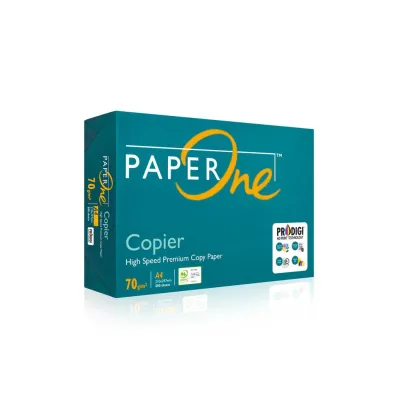
![PaperOne™ Copier Paper 70gsm / 75gsm Copy Paper A4 [1 Box]](https://img.lazcdn.com/g/p/62f961291078a3b12171dd45eea2a9a4.jpg_400x400q80.jpg_.webp)

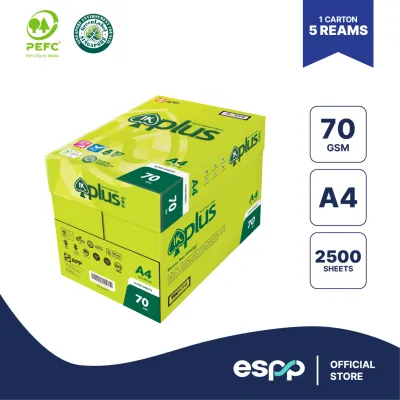
![[SG]Perfect Print A4 Size 70gsm White Copier Paper [Evergreen Stationery] (5 Reams per Carton) | MAX 2 CARTONS/ORDER](https://img.lazcdn.com/g/p/5b68d91431474af3ae7b65825324d08d.png_400x400q80.png_.webp)
![PaperOne™ Digital Premium Quality 100gsm Copy Paper A4 [2 Reams]](https://img.lazcdn.com/g/p/19b942556bf5e935f0ea0c7e4750b7df.jpg_400x400q80.jpg_.webp)
Prices are valid at publication and may change. Please refer to the product page for the latest price.
Opacity and Show-Through Risks
Opacity refers to how much light is blocked from passing through the paper. Because 70gsm paper is thinner and contains fewer wood fibers per square inch, it has lower opacity than 80gsm paper. This makes 70gsm highly susceptible to show-through, where text or graphics printed on one side are visible from the reverse side.
If your office frequently utilizes double-sided (duplex) printing, show-through on 70gsm paper can make documents difficult to read and visually cluttered. Standard 80gsm paper offers a higher fiber density that significantly reduces show-through, making it the preferred choice for double-sided reports, manuals, and presentations.
Tactile Feel and Stiffness
The weight of a document influences how readers perceive the professionalism of your business. Standard 80gsm paper has a noticeable stiffness and substantial tactile feel, which conveys attention to detail and quality when handing over contracts, proposals, or resumes to clients.
In contrast, 70gsm paper feels noticeably thinner and more flexible. While this lightweight feel is perfectly acceptable for internal memos, packing slips, and temporary worksheets, it may appear flimsy or cheap when used for external business correspondence.
Brightness, Texture, and Ink Interaction
While brightness and surface texture are determined by the manufacturer’s chemical treatments and fiber processing rather than the paper weight itself, they interact closely with the gsm of the paper. Thinner 70gsm paper is more prone to absorbing liquid inks deeply into its fibers, which can lead to feathering—where ink spreads outward, causing text edges to look fuzzy.
Because 80gsm paper is thicker, it handles ink saturation from inkjet printers much better, keeping the ink closer to the surface for sharper text and more vibrant color graphics. For laser printers, which use dry toner and heat, both weights generally deliver sharp text, but 80gsm provides a flatter, more stable surface for high-density toner coverage.
Printer Compatibility and Jam Resistance
Printer reliability is a major factor in determining the true value of your office paper. Frequent paper jams waste time, frustrate employees, and can lead to costly hardware wear or repair bills.

Checking Printer Specifications
Before purchasing any paper, always consult your printer or copier’s user manual to verify the supported media weight range. While almost all modern office printers are rated to handle both 70gsm and 80gsm paper, some high-speed copiers or specialized multi-function devices have specific feed settings or minimum weight requirements.
Using paper that falls below the manufacturer’s recommended minimum weight can cause the printer’s pickup rollers to slip, leading to misfeeds or multi-sheet feeding where several pages are pulled into the paper path simultaneously.
Feed Mechanisms and Paper Weight
Laser printers and copiers use high heat and pressure in the fuser unit to melt and bond toner to the paper fibers. Because 70gsm paper is thin, the intense heat of the fuser can cause the paper to curl excessively as it exits the machine. This curl can obstruct the paper path, leading to jams during high-speed print runs.
Standard 80gsm paper possesses the structural stiffness required to resist heat-induced curling, allowing it to pass smoothly through complex duplexing paths and high-speed sorting trays without bending or catching on internal components.
Humidity and Storage Considerations
In tropical environments like Singapore, ambient humidity levels are often high outside of air-conditioned spaces. Paper is highly hygroscopic, meaning it readily absorbs moisture from the surrounding air. When thin 70gsm paper absorbs moisture, its structural stiffness degrades rapidly, making it limp and highly prone to wrinkling or jamming inside the printer.
While 80gsm paper also absorbs moisture, its higher initial density helps it maintain better structural integrity under humid conditions. Regardless of the weight you choose, storing paper in its original moisture-resistant wrapper inside a closed cabinet or airtight container until use is essential to prevent feeding issues.
Cost Evaluation and Long-Term Value
To determine which paper weight offers the best value, you must look beyond the initial purchase price and calculate the total cost of ownership associated with your office printing workflow.
Calculating the Cost per Sheet
Generally, 70gsm paper is priced lower than 80gsm paper because it requires fewer raw materials to manufacture. To compare them accurately, calculate the cost per sheet using the following formula:
Cost per Sheet = Price per Ream / 500
For example, if a standard ream of 500 sheets of 70gsm paper is priced at S$5.50, the cost per sheet is S$0.011. If an equivalent ream of 80gsm paper is priced at S$6.50, the cost per sheet is S$0.013. While a difference of S$0.002 per sheet seems negligible, it accumulates to S$2.00 per thousand sheets, which can represent significant savings for high-volume operations printing tens of thousands of pages monthly.
Factoring in Hidden Operational Costs
The upfront savings of 70gsm paper can quickly be erased by hidden operational costs. If thin paper causes frequent jams, you must factor in the cost of wasted toner, ruined sheets of paper, and the lost productivity of employees clearing jams.
Furthermore, if the low opacity of 70gsm paper forces your office to print documents single-sided instead of double-sided, you will consume twice as much paper. In this scenario, standardizing on 80gsm paper and utilizing double-sided printing actually reduces your overall paper consumption and saves money.
Volume-Based Cost Analysis
For offices that primarily print single-sided internal drafts, temporary logs, or high-volume shipping labels where presentation quality is irrelevant, 70gsm paper offers excellent value. The lower cost per sheet directly reduces overhead without affecting business operations.
However, for professional offices where a large portion of the printed output consists of client reports, contracts, and double-sided documents, 80gsm paper provides superior long-term value. The reduction in paper waste, combined with a professional presentation, easily justifies the slight price premium per ream.
Decision Framework: Choosing the Right A4 Paper
To help you select the ideal paper weight for your office, use the following condition-based guidelines and verification steps.
When to Choose 70gsm Paper
Opt for 70gsm A4 paper if your printing environment meets these criteria:
- The vast majority of your printing is single-sided.
- Documents are strictly for internal use, such as drafts, packing lists, or temporary reference sheets.
- Your office uses modern, well-maintained printers that handle lightweight media reliably.
- You have a climate-controlled storage area to protect the paper from humidity.
- Minimizing upfront paper acquisition costs is your primary budget priority.
When to Choose 80gsm Paper
Opt for 80gsm A4 paper if your printing environment meets these criteria:
- You frequently utilize double-sided (duplex) printing and need to prevent show-through.
- Documents are shared with clients, partners, or external stakeholders who value a professional presentation.
- Your print jobs include color graphics, charts, or heavy ink and toner coverage.
- Your office printers are older, high-speed, or prone to jamming with lightweight paper.
- You want a versatile, all-purpose paper that simplifies inventory management.
Pre-Purchase Verification Checklist
Before purchasing paper in bulk (such as cartons or pallets), perform these quick checks to ensure compatibility:
- Check the Manual: Verify that your printer models explicitly support 70gsm paper in their technical specifications.
- Conduct a Trial: Purchase a single ream of 70gsm paper and run a test batch of 50 double-sided pages to observe feed reliability and show-through under your office lighting.
- Assess Storage: Ensure you have dry, elevated storage space away from open windows or damp areas to prevent moisture absorption.
- Analyze Print Jobs: Review a week's worth of printed documents to determine the ratio of internal drafts to client-facing materials.
Quick Comparison Table
| Feature / Criterion | 70gsm A4 Paper | 80gsm A4 Paper |
|---|---|---|
| Primary Use Case | High-volume internal drafts, single-sided printing | Client documents, double-sided printing, color graphics |
| Opacity & Show-Through | Lower opacity; high risk of show-through | Higher opacity; minimal show-through |
| Tactile Feel & Stiffness | Lightweight, flexible, and thin | Substantial, stiff, and professional |
| Jam Resistance (Humid Air) | Lower; requires strict climate-controlled storage | Higher; more resilient to moisture-induced curling |
| Upfront Cost | Economical (typically 10% to 20% cheaper per ream) | Standard pricing |
| Overall Value | Best for high-volume, single-sided internal workflows | Best for professional, double-sided, and versatile use |

Community discussion
Share your experience or ask a question. Comments are reviewed before publication.