
When stocking up on office supplies, you will often encounter various numbers on paper packaging, with 70gsm being one of the most common lightweight options. If you are trying to balance your office budget or find the right medium for high-volume printing, understanding what this specification means is essential. This paper weight offers distinct advantages for specific tasks, but it also comes with limitations that can affect your daily printing experience. Choosing the right paper involves balancing cost, print quality, and machine compatibility to avoid unnecessary frustration.
What the 70gsm Label Actually Means for Your Paper
The term “GSM” stands for Grams per Square Meter. This is the standard metric unit used globally to measure the weight of paper, regardless of the sheet’s final cut size. To put this in perspective, if you were to take a sheet of paper measuring exactly one meter by one meter, it would weigh exactly 70 grams. Because an A4 sheet is precisely one-sixteenth of an A0 sheet, a single sheet of 70gsm A4 paper weighs approximately 4.38 grams.
In terms of physical characteristics, 70gsm paper is thin, flexible, and lightweight. When you hold a single sheet, you will notice it has less structural stiffness than standard office paper, bending easily under its own weight. It is also slightly translucent, meaning you can easily see light and shapes through it when held up to a window or lamp.
Products mentioned in this guide

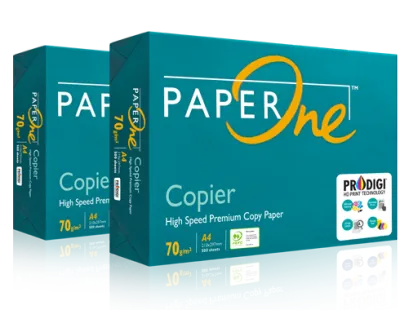

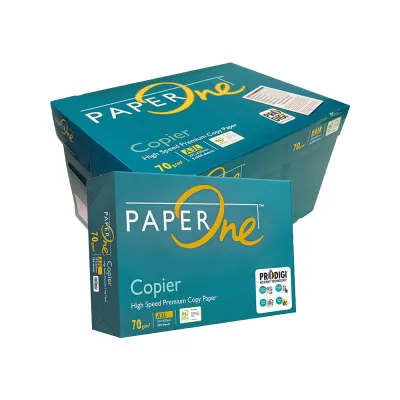
Prices are valid at publication and may change. Please refer to the product page for the latest price.
However, weight is not the sole indicator of how a sheet feels in your hand. The actual stiffness, smoothness, and tactile quality can vary based on the manufacturer’s pulping process, the types of wood fibers used, and the application of surface finishes. For instance, paper made with highly compacted fibers or specific mineral fillers might feel slightly thinner but stiffer than a bulkier, more porous sheet of the exact same weight.
Comparing 70gsm to 80gsm and Heavier Options
When deciding on the right paper for your office or home setup, comparing 70gsm to heavier alternatives helps clarify where you can save money and where you should invest in thicker stock.

The most common comparison is between 70gsm and 80gsm paper. The 80gsm weight is the universal standard for everyday office printing and photocopying. Compared to 80gsm, 70gsm paper is roughly 12.5% lighter. This reduction in weight means that a standard ream of 500 sheets of 70gsm paper is physically thinner, taking up less storage space on your shelves and allowing you to load more sheets into your printer tray at once. However, because 80gsm paper is thicker, it offers slightly better feed reliability in older or high-speed office copiers and provides a more substantial feel for everyday business correspondence.
When you compare 70gsm to 100gsm or heavier options, the differences become even more pronounced. Papers rated at 100gsm and above are premium stocks. They are highly opaque, stiff, and designed to resist ink bleed-through, making them the preferred choice for professional presentations, formal proposals, and documents containing heavy color graphics. In contrast, 70gsm paper is built for utility, high-volume efficiency, and cost-effectiveness.
To help you align your paper choice with your specific document needs, consider this quick reference guide:
| Paper Weight | Common Applications | Key Characteristics |
|---|---|---|
| 70gsm | Internal drafts, high-volume single-sided printing, student lecture notes, temporary handouts, mass mailings. | Lightweight, highly flexible, lower opacity, cost-effective. |
| 80gsm | Standard office correspondence, general double-sided printing, external memos, standard reports. | Balanced stiffness, moderate opacity, universal printer compatibility. |
| 100gsm+ | Client-facing proposals, resumes, formal certificates, documents with heavy color graphics or ink coverage. | Premium feel, high opacity, excellent ink resistance, rigid structure. |
Checking Printer Compatibility and Preventing Paper Jams
Using lighter paper like 70gsm requires a quick check of your printing equipment to ensure smooth operation. While most modern laser and inkjet printers are highly versatile, they all have specific mechanical tolerances.
Before loading a new batch of 70gsm paper, check your printer’s user manual for the manufacturer’s specified paper weight limits. Most modern office printers easily handle paper weights ranging from 60gsm up to 160gsm, but some high-speed copiers or older multi-function devices may have a minimum limit of 80gsm. If your machine’s minimum limit is higher than 70gsm, attempting to feed lighter sheets can result in frequent misfeeds.
There are several observable signs that your printer might be struggling with lighter paper. These include multi-sheet feeding, where the printer’s rollers grab two or more sheets simultaneously, and severe curling as the paper exits the fuser unit of a laser printer. You might also notice ink smudging or feathering on inkjet models, as the thinner fibers of 70gsm paper can sometimes absorb liquid ink differently than heavier stocks.
If you experience minor feeding issues, you can often resolve them by adjusting your printer driver settings on your computer. Before sending a print job, open the printer properties menu and change the paper type setting from “Plain Paper” to “Thin Paper” or “Lightweight.” This adjustment signals the printer to modify its feed speed and fuser temperature, which helps prevent overheating, reduces curling, and ensures a smoother path through the internal rollers.
Deciding If 70gsm Is Right for Your Printing Tasks
To make the best decision for your inventory, evaluate your typical daily printing tasks against the strengths and limitations of 70gsm paper.
This lightweight paper is highly suitable for high-volume internal printing, everyday student notes, single-sided drafts, and large-scale mailings. Using 70gsm paper for high-volume administrative drafts can lead to noticeable cost savings over time, especially when purchasing paper by the box or pallet. It is also an excellent choice for temporary handouts that will be discarded or recycled shortly after a meeting.
Conversely, you should avoid using 70gsm paper for formal client presentations, double-sided documents with heavy ink coverage, and archival records meant for long-term storage. The lower opacity of thin paper means that text and images will show through to the other side, reducing readability and giving a less professional impression.
When purchasing 70gsm paper, remember that weight is only one part of the equation. Be sure to check additional packaging specifications such as brightness (often measured as a CIE rating) and surface finish. A higher brightness rating ensures better contrast and readability, while a smooth finish helps prevent ink feathering, allowing you to get the best possible performance out of a lighter sheet.
Frequently Asked Questions (FAQ)
Is 70gsm paper too thin for double-sided printing?
Generally, yes. Because 70gsm paper is thin and has lower opacity, text and images printed on one side will often show through to the reverse side, a phenomenon known as ghosting. If you are using an inkjet printer with liquid ink, the ink can easily saturate the thin fibers, leading to noticeable bleed-through. If you must print double-sided on 70gsm paper, it is best to test a single sheet with your specific document layout and ink settings first to ensure the text remains legible on both sides.
Will 70gsm paper jam my laser or inkjet printer?
Not necessarily, as most modern printers are fully capable of handling 70gsm paper without issues. However, lighter paper is more sensitive to environmental conditions and improper storage. In humid climates, open reams of thin paper can quickly absorb moisture from the air, causing the sheets to curl, stick together, and jam during the feeding process. To prevent jams, store your paper in its original moisture-resistant wrapper until you are ready to use it, keep it in a dry or air-conditioned space, and make sure the printer’s paper tray guides are snugly adjusted against the stack.

Community discussion
Share your experience or ask a question. Comments are reviewed before publication.