
Finding the right writing tablet for your child in Singapore involves balancing educational benefits, durability, and age-appropriate safety features. With a wide array of options lining the shelves of local stationery shops and online marketplaces, parents often face a choice between simple magnetic sketchers and high-tech LCD writing boards. The ideal tablet depends heavily on your child’s developmental stage, as a toddler’s need for a drop-proof, battery-free drawing surface differs vastly from a primary school student’s need for a sleek, high-precision scratchpad. By understanding the distinct technologies and design standards of reputable brands, you can select a screen-free tool that fosters creativity, supports handwriting practice, and withstands daily use.
Defining the Scope: Screen-Free Writing Tablets vs. Digital Devices
Before exploring specific brands and features, it is essential to clarify what a screen-free writing tablet is. This guide focuses strictly on non-electronic, reusable drawing and writing boards—such as LCD writing tablets, magnetic sketch pads, and light-up tracing stations. These devices are entirely distinct from fully digital smart tablets like iPads or Android devices. While digital tablets run complex operating systems, connect to the internet, and display bright, emissive blue light, screen-free writing tablets are dedicated, single-purpose stationery tools designed solely for drawing and writing.
Choosing a screen-free writing tablet offers several distinct advantages for young children, particularly regarding physical health and cognitive development. Because these tablets do not use backlit screens, they do not emit harmful blue light, making them an excellent choice for quiet play before bedtime without disrupting sleep patterns. Furthermore, the physical sensation of pressing a stylus onto an LCD or magnetic surface provides tactile feedback that closely mimics traditional pen and paper. This tactile engagement helps children develop fine motor skills and master the physical mechanics of writing, such as the tripod grip, without the digital distractions of apps, games, or video streaming. Consequently, our evaluation of these brands focuses on structural build quality, physical safety, and ergonomic usability rather than digital app ecosystems or processing power.
Products mentioned in this guide
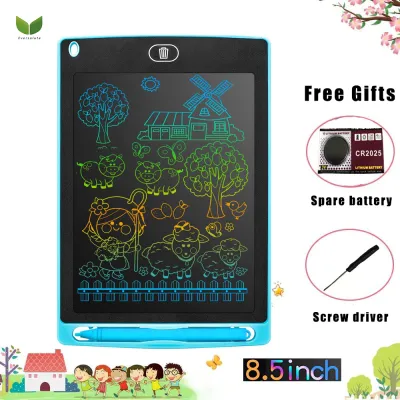
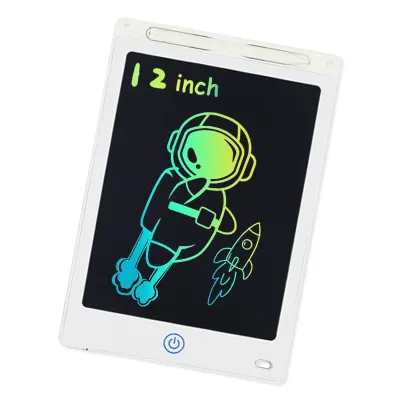
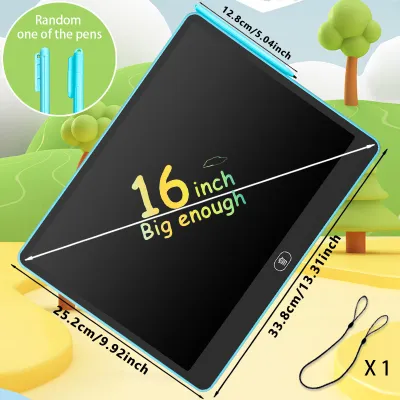
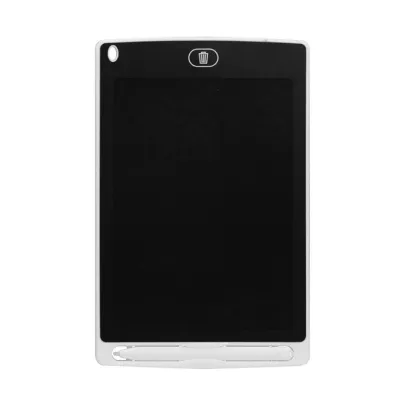
![[✅SG Ready Stock] 8.5 inch / 12 inch LCD Pad Writing Tablet For kidsKids Drawing Pad Portable Electronic Tablet Board](https://img.lazcdn.com/g/p/fee43f1d7f9017a12c1bc992432adbda.jpg_400x400q80.jpg_.webp)

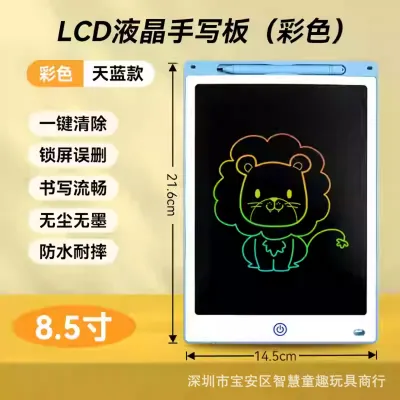
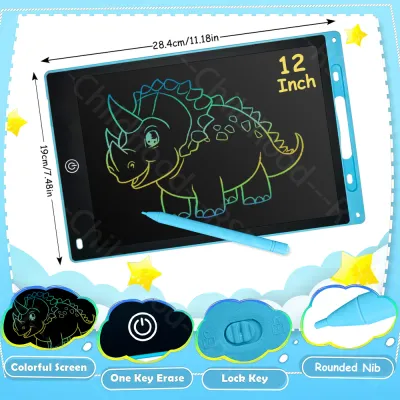
Prices are valid at publication and may change. Please refer to the product page for the latest price.
What to Look for When Choosing a Writing Tablet Brand
When evaluating different writing tablet brands, parents must look beyond attractive packaging and vibrant colors. A high-quality brand prioritizes structural integrity, visual clarity, and user safety to ensure the device remains a functional part of your child’s stationery kit for years.

Build Quality and Drop Resistance Children’s stationery must be exceptionally resilient. Whether a tablet is slipped into a school bag or carried along to a busy hawker centre, it will inevitably experience drops, bumps, and heavy pressure. Look for brands that utilize reinforced ABS plastic for their outer frames. The screen itself should be shatter-resistant and flexible enough to withstand the localized pressure of a child leaning their full weight on the stylus. A robust frame not only protects the internal components but also prevents the outer casing from cracking and exposing sharp edges or small internal parts.
Screen Clarity and Contrast The visual performance of a writing tablet directly impacts how comfortable it is for a child to use over extended periods. High-quality LCD brands engineer their screens to maximize ambient light reflection, resulting in bright, high-contrast green or multi-colored lines against a dark background. Poorly manufactured, generic brands often produce dim, low-contrast lines that force children to squint, leading to eye strain. When shopping, seek out brands that specify high-reflectivity screens or provide clear, high-contrast writing lines under standard indoor lighting conditions.
Erase Mechanism Reliability The ease with which a child can clear their work determines how fluidly they can play or study. Most LCD writing tablets feature a simple, one-touch erase button that resets the screen instantly. However, a crucial feature to verify is the presence of a physical screen-lock switch, usually located on the back or side of the device. This switch disables the erase button, allowing children to preserve their drawings or school notes without the fear of accidental deletion. For magnetic boards, the sliding eraser mechanism should slide smoothly across the track without jamming or leaving dark, ghost-like magnetic residue behind.
Safety and Ergonomics Safety is the paramount consideration for any children’s product. Writing tablet brands must feature rounded corners, smooth edges, and entirely non-toxic, BPA-free plastics. For electronic LCD models, pay close attention to the battery compartment. Because these devices are powered by small, highly dangerous lithium coin-cell batteries, the battery compartment must be securely fastened with a metal screw rather than a simple plastic snap-on latch. This prevents curious toddlers from accessing and accidentally swallowing the battery.
Stylus Design and Accessories The stylus is the primary point of contact between your child and the tablet. It should be ergonomically designed to match the grip strength and hand size of the target age group. For younger children, a thicker, textured stylus is easier to hold, while older kids benefit from a slim, pen-like design that mimics a standard pencil. Additionally, check if the brand includes a secure stylus dock, a built-in lanyard hole, or an elastic tether to keep the pen attached to the board, as losing the stylus renders the tablet temporarily unusable.
Matching Writing Tablets to Your Child's Age and Skill Level
Children’s physical abilities and educational needs evolve rapidly as they grow. A writing tablet that delights a toddler will likely frustrate a primary school student, making it vital to match the brand’s features to your child’s specific developmental stage.
Toddlers (Ages 1–3): Prioritizing Durability and Simplicity
For toddlers, the primary goals are sensory exploration and basic cause-and-effect play. At this stage, children lack fine motor control and will often drop, step on, or chew their toys. Therefore, look for brands that specialize in chunky, ultra-durable designs with thick protective rubber borders or highly impact-resistant plastic casings.
The operation of the tablet must be incredibly simple. Toddlers cannot navigate complex switches, so a simple slide eraser on a magnetic board or a large, easily clickable erase button on an LCD tablet is ideal. Avoid any models with small, detachable parts or intricate dials.
Safety is critical for this age group. You must verify that the battery compartment on any LCD tablet is completely sealed with a screw that requires a screwdriver to open. If you prefer a completely battery-free option, magnetic drawing boards are the safest choice. Furthermore, ensure the stylus is thick enough to prevent choking and is securely tethered to the main board with a durable, short cord.
Preschoolers (Ages 4–6): Encouraging Creativity and Motor Skills
As children enter preschool, they begin to develop refined hand-eye coordination and start practicing basic letter shapes, numbers, and drawings. To support this growth, look for brands that offer larger drawing surfaces, typically between 10 and 12 inches. This extra space accommodates the broad, sweeping arm movements common in young artists.
Creativity can be further stimulated by choosing brands that offer multi-color LCD screens, where different sections of the screen display different vibrant hues when drawn upon. Many preschool-focused brands also include creative accessories, such as magnetic stamps in geometric shapes (circles, triangles, stars) and plastic stencils that slide over the screen to help children practice drawing straight lines and curves.
Ergonomics also play a key role during these years. Some brands design their tablets with built-in kickstands or easel-back frames. This allows the tablet to be propped up at an angle on a desk, promoting proper posture and helping children transition from drawing flat on a table to writing on an upright surface, which strengthens wrist muscles.
School-Age Kids (Ages 7–12): Focusing on Portability and Functionality
For older children, writing tablets transition from toys into practical educational aids. School-age kids use these devices for solving math equations, practicing spelling words, drafting quick sketches, or playing classic pen-and-paper games like tic-tac-toe during long commutes on the MRT.
Portability and sleek design are the top priorities for this age group. Look for brands that offer ultra-slim, lightweight profiles—ideally under 10 millimeters thick—that can easily slide into a school bag alongside textbooks and pencil cases. The writing experience should feel highly precise, with a fine-tip stylus that allows for detailed writing and intricate sketching.
Advanced functionality, such as partial-erase capabilities, becomes highly valuable at this stage. While standard LCD tablets clear the entire screen at once, some premium brands offer a partial-erase feature that allows students to erase a single mistake with the eraser end of the stylus while leaving the rest of their work intact. Additionally, consider brands that supply protective felt sleeves or folio covers to shield the screen from scratches caused by loose rulers or keys in a backpack.
LCD vs. Magnetic vs. Tracing Boards: Which Technology Fits Best?
To choose the right device, you must understand the underlying technology of each tablet type. Each option offers distinct benefits and trade-offs depending on where and how your child plans to use it.
LCD Writing Tablets These tablets utilize a thin layer of liquid crystals sandwiched between two protective sheets. When the stylus applies pressure, the crystals realign to reflect ambient light, creating a clear, bright line. They are incredibly thin, lightweight, and offer a highly realistic, paper-like writing sensation. They require a small coin-cell battery, but this power is only consumed for a split second when the erase button is pressed, meaning a single battery can last for tens of thousands of erasures. However, because they rely on reflected ambient light, they are difficult to see in dimly lit environments. Best for: Travel, road trips, school math practice, and older children.
Magnetic Drawing Boards Magnetic boards contain a white liquid medium filled with tiny dark magnetic particles. When the magnetic tip of the stylus passes over the screen, it draws these particles to the surface to form lines. Sliding the eraser bar across the back of the screen pulls the particles back down, clearing the display. These boards require absolutely no batteries, are highly durable, and offer a satisfyingly tactile drawing experience. However, they are bulkier, heavier, and the drawing resolution is relatively low, meaning lines can appear fuzzy or thick. Best for: Toddlers, mess-free home play, and rough outdoor use.
Light-Up and Tracing Boards Unlike LCD and magnetic boards, tracing boards do not have a self-contained drawing surface. Instead, they consist of a flat, backlit LED panel. Your child places a template or drawing on the panel, covers it with a sheet of standard drawing paper, and turns on the light to trace the design. These boards require a continuous power source, either via a USB cable or standard AA/AAA batteries, and must be used with traditional writing utensils like pencils, colored pens, or markers. Best for: Aspiring young artists, handwriting practice, and detailed craft projects at a home desk.
Keeping the Tablet Safe and Functional: Care Tips for Parents
Proper maintenance ensures your child’s writing tablet remains safe, clean, and fully functional for years. Because these devices combine plastic housings with delicate screen technologies, following a few basic care guidelines can prevent premature wear and damage.
Cleaning the Screen Dust, fingerprints, and natural skin oils will gradually accumulate on the tablet’s surface. To clean both LCD and magnetic screens, gently wipe them with a dry or slightly damp microfiber cloth. Never use harsh chemical household cleaners, window sprays, alcohol-based sanitizers, or abrasive sponges. These substances can permanently strip away the screen’s protective scratch-resistant or anti-glare coatings, leaving the surface dull and prone to damage.
Temperature and Humidity Management Singapore’s tropical climate, characterized by high humidity and intense heat, presents specific challenges for electronic stationery. Never leave an LCD writing tablet in direct sunlight on a balcony, near a window, or inside a parked car. Extreme heat can cause the liquid crystal layer to degrade, resulting in permanent black spots or dead zones on the screen. Furthermore, high humidity can accelerate battery terminal corrosion, so store the tablet in a cool, dry indoor drawer when not in use.
Battery Safety and Replacement For LCD tablets, the erase function relies on a small electrical charge from a coin-cell battery. Periodically inspect the battery compartment by unscrewing the cover to check for any signs of white powdery residue or corrosion. If the screen begins to erase unevenly, leaves ghost images, or fails to clear entirely, replace the battery immediately. Always dispose of old coin-cell batteries safely at designated recycling points in Singapore, keeping them strictly out of reach of children.
Frequently Asked Questions (FAQ)
Can LCD writing tablets be used in the dark?
Standard LCD writing tablets do not feature built-in backlights or emissive screens. This design choice is intentional, as it eliminates blue light exposure and prevents eye strain during prolonged use. Consequently, these tablets rely entirely on reflecting the ambient light in the room. To use them comfortably, your child will need to be in a well-lit room, near a window, or under a reading lamp. While some specialty brands offer clip-on reading lights, standard models are not suitable for use in complete darkness.
What should I do if the screen won't erase completely?
If your LCD tablet’s screen fails to clear when you press the erase button, first locate the physical screen-lock switch, which is typically found on the back or bottom edge of the frame. If this lock is engaged, slide it to the unlocked position and try erasing again. If the lock is already off and the screen still will not clear, the coin-cell battery is likely depleted. A weak battery cannot deliver the brief electrical pulse required to reset the liquid crystals. Replacing the coin-cell battery with a fresh one should instantly restore the full erase function.
Are replacement styluses universally compatible?
Compatibility depends entirely on the technology of the tablet. For LCD writing tablets, the screen is pressure-sensitive, meaning the stylus is simply a shaped piece of smooth plastic with no electronic or magnetic elements. You can easily replace a lost LCD stylus with any smooth, blunt object, such as a generic plastic stylus, a clean finger, or the rounded cap of a ballpoint pen. However, magnetic drawing boards require a stylus with a specific magnetic tip to pull the iron particles to the surface. If you lose a magnetic stylus, you must purchase a proprietary replacement from the same brand or verified compatible source to ensure the magnet is strong enough to work without damaging the screen.
Community discussion
Share your experience or ask a question. Comments are reviewed before publication.