
Finding the right white sticker label for your label maker requires understanding that there is no universal, one-size-fits-all refill. Brother, Niimbot, and Dymo each operate within distinct proprietary ecosystems, utilizing different printing technologies, physical cartridge shapes, and digital detection mechanisms. Attempting to force a label roll designed for one brand into another will result in physical jams, sensor errors, or a complete refusal to print.
To achieve clean, legible, and long-lasting labels, you must match the exact specifications of your device. This guide breaks down the compatibility requirements of these three major ecosystems, outlines how to evaluate label quality under local environmental conditions, and provides a step-by-step verification process for third-party alternatives.
Understanding Label Maker Compatibility Requirements
To determine which white sticker label fits your machine, you must first identify the underlying printing technology. Label makers generally use either direct thermal printing or thermal transfer printing. Direct thermal printers use heat-sensitive paper that darkens when exposed to the print head, eliminating the need for ink or toner. This technology is highly convenient for quick labeling but makes the labels sensitive to heat, friction, and sunlight. Thermal transfer printing, on the other hand, uses a heated ribbon to fuse ink onto the label material, resulting in highly durable prints that resist fading.
Products mentioned in this guide
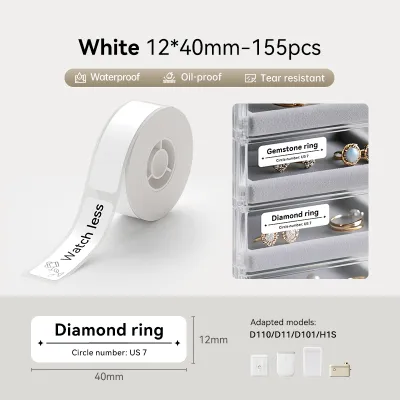
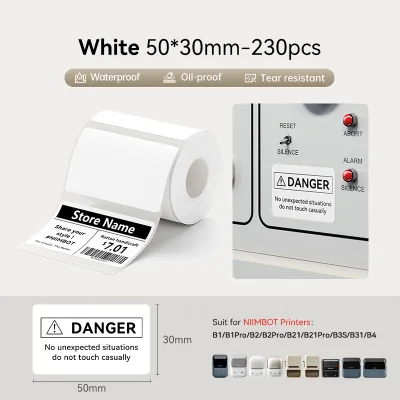
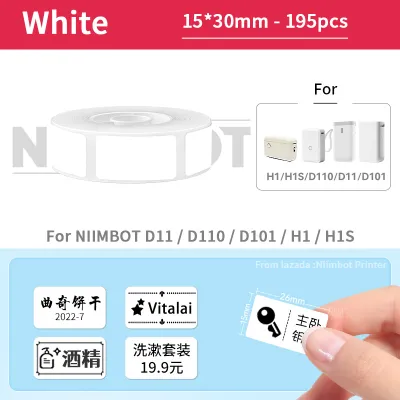
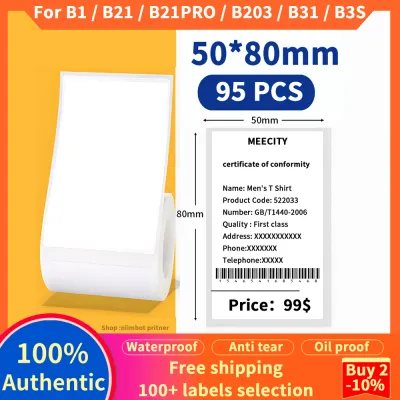
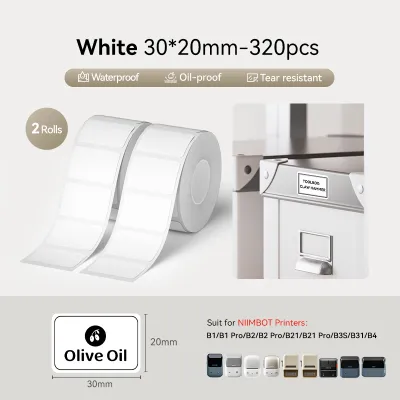
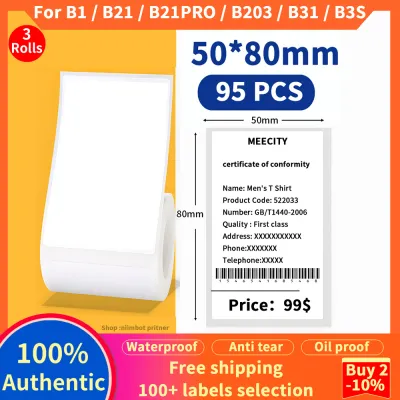
Prices are valid at publication and may change. Please refer to the product page for the latest price.
Physical dimensions represent the next critical compatibility barrier. Label tapes and rolls come in varying widths, typically ranging from 6mm to 50mm, and must match the internal guide rails of your device. Beyond width, the core diameter of the roll and the outer dimensions of the cassette must fit precisely within the printer’s compartment. A roll that is too wide or has an incompatible core size will prevent the printer cover from closing or cause feeding mechanisms to slip.
Furthermore, modern label makers often employ proprietary recognition systems to ensure users purchase brand-specific refills. Brother cassettes feature physical notches on the underside that mechanically press switches inside the printer, automatically communicating the tape width and material type to the device. Niimbot devices rely heavily on digital recognition, embedding Radio Frequency Identification (RFID) chips inside the label roll cores to transmit size, color, and remaining label count directly to the mobile application. Dymo utilizes a mix of physical alignment pegs, optical sensors, and RFID chips depending on the model series. Understanding these mechanisms is essential before attempting to purchase any replacement white sticker label.
Evaluating White Sticker Label Quality and Performance
Evaluating the quality of a white sticker label involves observing its performance across several key areas immediately after printing. Print clarity and contrast are the first indicators of a high-quality label. On a premium white background, text, borders, and barcodes should appear sharp, solid black, and free of pixelation or fading. You can verify smudge resistance by firmly rubbing your thumb across the freshly printed text; a quality thermal label should not smear or leave dark streaks under normal handling.

Adhesive performance is equally critical and must be tested on the specific surfaces you intend to label. Apply a test label to common materials such as smooth plastic, glass, or textured cardboard, and allow it to cure for 24 hours. In warm and humid climates, such as Singapore’s tropical environment, low-quality adhesives can soften, slide, or leave a sticky, gummy residue when peeled away. A reliable white sticker label should maintain its bond without curling at the corners, yet allow for clean removal when specified as a removable adhesive type.
Physical construction and feeding consistency must also be inspected to prevent machine damage. Examine the edges of the label roll or cassette tape for any oozing adhesive, which can quickly accumulate on the printer’s feed rollers and print head, leading to frequent jams. The backing paper should be evenly cut and flexible enough to feed smoothly through the printer’s internal path without slipping or causing sensor errors. If you notice the printer struggling, emitting unusual clicking sounds, or misaligning the print layout, the label backing may be too thick or poorly calibrated for your device’s feed mechanism.
Comparing the Ecosystems: Brother, Niimbot, and Dymo
The Brother ecosystem is highly regarded for its focus on durability and heavy-duty applications. Brother’s flagship TZe tape series utilizes a patented laminated design where the text is printed on the underside of a protective film, sandwiching the ink between layers of polyester. This makes Brother white sticker labels exceptionally resistant to water, abrasion, and chemical exposure, making them ideal for kitchen containers, outdoor equipment, and industrial settings. When choosing Brother refills, you must verify whether your machine requires TZe laminated cassettes or DK paper rolls, as these two formats are entirely incompatible and serve different printer models.
Niimbot offers a highly portable, user-friendly ecosystem designed primarily for home organization, retail labeling, and creative projects. These compact, battery-powered devices connect via Bluetooth to a mobile app, allowing you to design labels on your smartphone. Niimbot white sticker labels are direct thermal, meaning they do not require separate ink ribbons. However, because Niimbot utilizes RFID chips in their label rolls, the app will actively detect the consumable. If you attempt to use an unauthorized or non-RFID label, the app may restrict printing capabilities or refuse to format the layout correctly, making you highly dependent on their official product line.
The Dymo ecosystem spans a wide range of home, office, and industrial solutions, divided into distinct product families. The Dymo LetraTag series is designed for basic home organization, utilizing simple plastic or paper tape cassettes. The D1 series caters to standard office labeling with more durable polyester tapes. For high-volume shipping and address labeling, the Dymo LabelWriter series uses large rolls of direct thermal labels. It is crucial to note that newer Dymo models, such as the LabelWriter 550 series, feature automatic label recognition technology that requires official Dymo rolls with embedded sensors; older or generic rolls without these sensors will not function in these specific machines.
To choose the right ecosystem, apply a conditional decision framework based on your primary environment. If your labels will be exposed to moisture, sunlight, or frequent cleaning, the Brother laminated system provides the necessary physical protection. If you prioritize quick, mobile-driven labeling for indoor storage, pantry jars, or price tags, the Niimbot system offers unmatched convenience. For structured office filing, shipping logistics, or high-volume desktop printing, the Dymo ecosystem remains a highly efficient choice, provided you match the correct tape family to your device.
How to Verify Third-Party and Refill Options
When considering third-party or generic white sticker labels to reduce ongoing costs, you must systematically verify compatibility to avoid damaging your printer. Start by cross-referencing the third-party packaging claims with the exact model number of your device, which can be found on the manufacturer’s label on the bottom or back of the printer. Do not rely on broad statements like “compatible with all Brother printers”; instead, look for explicit compatibility with your specific model, such as “PT-H110” or “QL-800.”
Using unverified refills carries several operational risks that can impact your device’s lifespan. Poorly calibrated third-party cassettes can cause physical resistance, straining the printer’s motor and leading to premature mechanical failure. Additionally, if the adhesive on generic labels bleeds or if the thermal paper requires excessive heat to print, it can permanently damage the sensitive print head. Manufacturers often state that physical damage caused by non-original consumables is not covered under the standard warranty, meaning any savings on cheap refills could be offset by the cost of replacing the machine.
To mitigate these risks, establish a strict small-batch testing protocol when trying a new third-party brand. Purchase a single roll or cassette rather than a bulk pack. Before printing, manually feed a small portion of the tape to ensure it moves smoothly through the guide rails. Print a simple, low-density test pattern to check for alignment, clarity, and any signs of adhesive transfer onto the cutter blade. If you observe feeding errors, faint print quality, or adhesive residue inside the compartment, stop using the refill immediately and clean the print head with an isopropyl alcohol swab.
Frequently Asked Questions (FAQ)
Can I use generic direct thermal labels in a Niimbot printer?
Using generic direct thermal labels in a Niimbot printer is generally not recommended and often physically impossible due to the brand’s smart recognition system. Most Niimbot printers require rolls equipped with an RFID chip located in the core. The accompanying mobile app scans this chip to identify the label size and material; without it, the app may block the print command or fail to align the text. Additionally, the physical spool dimensions of generic rolls rarely match the compact, proprietary internal dimensions of Niimbot compartments, leading to feeding failures.
Why are my white sticker labels fading after printing?
Fading is a common issue with direct thermal white sticker labels and is typically caused by environmental exposure or incorrect printer settings. Because direct thermal paper relies on heat-sensitive chemicals to create an image, prolonged exposure to sunlight, high temperatures, or humid conditions will cause the print to fade and the white background to turn gray. To prevent this, ensure your labels are stored away from direct heat sources. You can also check your printer’s companion software or app settings to increase the print darkness or density, ensuring a deeper, more resilient burn during the printing process.

Community discussion
Share your experience or ask a question. Comments are reviewed before publication.