
Selecting the ideal label maker to create a personalized name sticker requires looking closely at where the sticker will be placed, how often it will be washed, and your preferred design workflow. In Singapore, parents preparing their children for childcare or primary school orientation, as well as professionals organizing shared office spaces, face a diverse market of labeling devices. The absolute best brand for a name sticker depends on your specific priorities: long-term durability, quick physical typing, or creative app-based customization.
For heavy-duty applications—such as labeling water bottles, food containers, and outdoor gear that undergo frequent washing and sterilization—Brother stands out as the premier choice due to its laminated tape technology. If you prefer a quick, standalone device with a physical keyboard for straightforward text-based labels without needing a smartphone, Dymo offers excellent ergonomic options. For those who want highly customizable, aesthetic name stickers with cute icons, custom fonts, and decorative borders for dry, indoor items like notebooks and pencil cases, smart mini thermal printers like Niimbot provide the most versatile app-based experience. These brands are widely available across Singapore through local stationery stores, department stores, and major online marketplaces.
Key Features to Compare When Choosing a Label Maker for Name Stickers
To find a device that produces clear, long-lasting name stickers, you must evaluate several technical specifications. The physical printer is only part of the equation; the printing technology, resolution, and connectivity dictate how versatile the machine will be in daily use.
Products mentioned in this guide
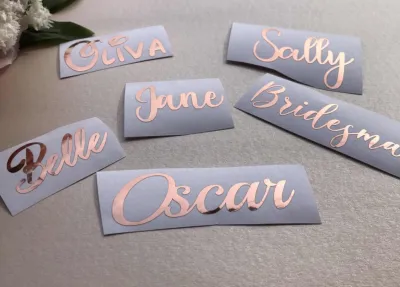
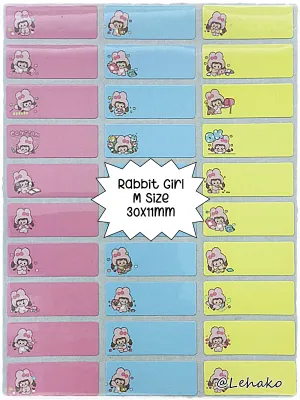
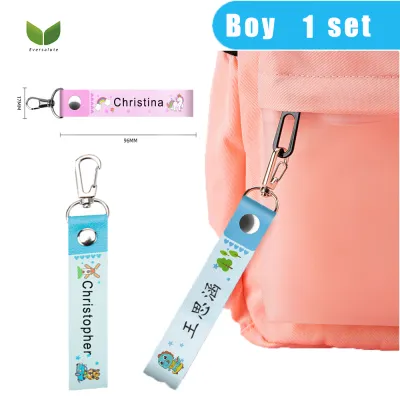
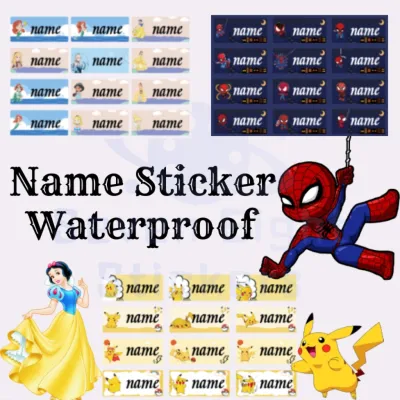
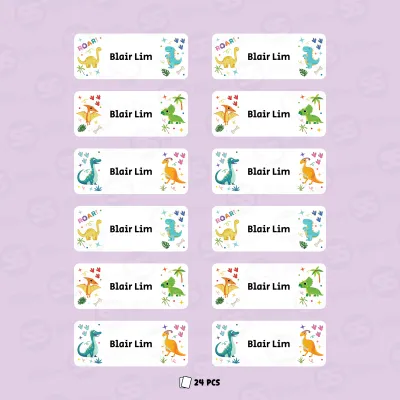
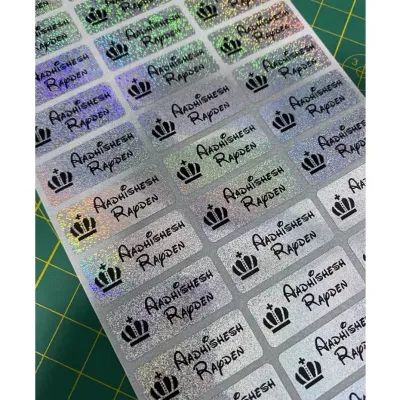
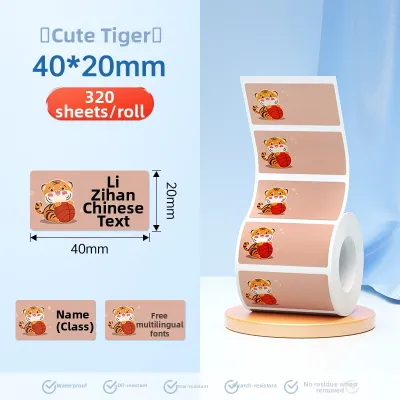
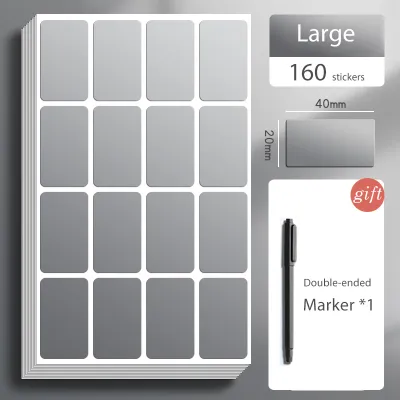
Prices are valid at publication and may change. Please refer to the product page for the latest price.
Print Resolution and Text Clarity
Print resolution is measured in dots per inch (DPI). Because a typical name sticker is printed on narrow tape—usually 9mm or 12mm wide—the font size is necessarily small. If you are printing a child’s full name along with a contact number or a school class identifier, a low-resolution printer (such as 180 DPI) can produce pixelated, blocky text that is difficult to read. If you plan to print intricate Chinese characters, special symbols, or small decorative icons, look for a printer with a resolution of at least 203 DPI. High-end desktop models offer up to 360 DPI, ensuring razor-sharp text even on ultra-narrow 6mm tapes.
Connectivity Options: Standalone vs. Bluetooth
Label makers generally fall into two categories: standalone keyboard models and app-connected smart models. Standalone units feature a physical QWERTY or ABC keyboard and a small LCD screen. They are highly efficient for rapid, on-the-spot labeling because they require no external devices, pairing, or internet connection. However, they limit you to the machine’s built-in fonts and symbols. Bluetooth-enabled models offload the design interface to a smartphone or tablet app. This allows you to use any system font, import custom clip art, generate QR codes, and design complex layouts, though it does require keeping a companion app updated and paired with your device.
Built-in Templates and Graphics
A name sticker often benefits from visual identifiers, especially for young children who cannot yet read their names. Many brands offer dedicated software libraries containing school-themed borders, animal icons, and pre-set name sticker templates. When evaluating a brand, check the quality of its software ecosystem. Some proprietary apps offer extensive, free-to-use graphic libraries that are updated regularly, while others require subscription fees or offer limited design options that restrict your creative freedom.
Power Source and Portability
Consider where and how frequently you will use the label maker. Entry-level handheld models often run on multiple AAA or AA alkaline batteries. While convenient for occasional use, these can become an expensive ongoing cost if you have large labeling projects. Many modern portable models feature built-in rechargeable lithium-ion batteries that charge via a standard USB-C cable, making them highly cost-effective and portable. For high-volume home or office labeling, look for a model that includes or supports an external AC power adapter so you do not have to worry about battery life mid-project.
How Popular Label Maker Brands Compare for Name Stickers
Singaporean consumers have access to several major label maker brands, each operating on a distinct design philosophy. Understanding how these brands compare in terms of printing mechanisms, tape structures, and software usability will help you select the right device for your household or office.

Brother: Best for Heavy-Duty and Laminated Labels
Brother’s P-touch ecosystem is highly regarded for its exceptional durability. The core advantage of Brother label makers is their proprietary laminated TZe tape technology. During the printing process, the text is printed onto the underside of a protective laminate layer using thermal transfer technology. The ink is sandwiched between two layers of polyester film, resulting in a name sticker that is highly resistant to water, chemical cleaners, UV rays, extreme temperatures, and heavy abrasion.
In Singapore’s hot, humid climate, and with the frequent washing required for school lunchboxes and water bottles, Brother laminated labels remain firmly attached without peeling, fading, or smudging. They can safely go through dishwashers, microwave sterilizers, and outdoor exposure.
The primary trade-off is the cost. Brother devices and official TZe tape cassettes carry a price premium compared to direct thermal alternatives. Additionally, the physical design of Brother’s tape transport mechanism leaves a small margin of wasted tape (often referred to as “leads”) at the beginning of each print job, though this waste can be minimized on advanced models by adjusting the margin settings to “Chain Print” or “Narrow.”
Dymo: Best for Ergonomic and Quick Everyday Use
Dymo is a classic brand in office organization and quick home labeling, with its LetraTag and LabelManager lines being highly popular. These devices are engineered for immediate, hassle-free operation. Most models feature an ergonomic handheld design with a physical keyboard and an easy-to-read display, allowing you to type a name, hit print, and cut the label manually in a matter of seconds without needing to pair a smartphone.
Dymo LetraTag models print on non-laminated plastic, paper, or metallic tapes using direct thermal printing. While these tapes are highly cost-effective and excellent for organizing dry, indoor items—such as school textbooks, ring files, storage boxes, and pencil cases—they lack the heavy-duty protective lamination of Brother’s TZe tapes. If placed on a water bottle that is scrubbed daily with dish soap, a standard Dymo LetraTag plastic label may eventually show signs of edge peeling or surface wear. For everyday household and office tasks where extreme water resistance is not a priority, Dymo offers unmatched convenience and a very low learning curve.
Niimbot and Smart Mini Printers: Best for App Control and Custom Designs
Niimbot and similar smart mini thermal printers have gained immense popularity for their ultra-portable, pocket-sized designs and highly aesthetic output. These devices operate entirely via Bluetooth through a smartphone app and do not feature physical keyboards, resulting in a sleek, minimalist aesthetic that fits easily into a drawer or handbag.
The main appeal of Niimbot lies in its highly creative and user-friendly mobile application. The app allows users to design highly customized name stickers with a massive library of fonts, cute cartoon borders, custom icons, QR codes, and even imported images. Furthermore, Niimbot offers a vast array of pre-cut thermal paper labels in various colors, patterns (such as animal prints, floral designs, or popular cartoon themes), and shapes.
However, these printers use direct thermal printing technology. The paper itself is treated with a heat-sensitive chemical layer that darkens when exposed to the print head. Because there is no ink or protective lamination, direct thermal labels are sensitive to heat, friction, and UV light. Over several months of exposure to direct sunlight or frequent washing in warm water, the print on a Niimbot label can fade, and the white paper may turn gray or yellow. They are highly recommended for dry, indoor items like pencil cases, notebooks, rulers, and toy bins, but are less suitable for heavy-duty outdoor gear or frequently washed items.
Choosing the Right Label Tape for Durability and Adhesion
When creating a name sticker, the printing device is only half of the equation; the physical tape medium determines whether the label will stay attached or peel off prematurely. Buyers must match the tape material and adhesive type to the specific surface they are labeling.
Tape Widths and Device Compatibility
The standard width for a name sticker is typically 9mm or 12mm. A 12mm tape provides enough vertical space for a clear name in a readable font size, along with a small icon or a class name (e.g., “Primary 1-A”). A 9mm tape is excellent for slim items like pens, pencils, and toothbrushes. Before buying a label maker, verify its supported tape widths; some ultra-compact models only print on 12mm or 15mm tape and cannot accommodate narrower 9mm or 6mm options.
Adhesive Types and Specialized Materials
Most standard tapes feature a permanent acrylic adhesive designed to stick firmly to smooth plastic, glass, and metal. However, if you are labeling shared school materials, rental books, or items you plan to resell, look for removable adhesive tapes that peel off cleanly without leaving a sticky residue. For fabrics, school uniforms, PE shirts, and canvas bags, standard adhesive tapes will quickly peel off in the wash. You must use specialized iron-on fabric tapes, which fuse with the textile fibers when heat is applied with a household iron.
Material Verification
Do not assume all tapes from a single brand perform identically. Always check the product packaging or manufacturer specifications for specific resistance claims. For example, Brother offers “Extra Strength Adhesive” (TZe-S) tapes for textured surfaces, and “Flexible ID” (TZe-FX) tapes for wrapping around curved cables or pens. If your child’s water bottle has a slightly textured or matte powder-coated finish, a standard tape may lift at the edges, making extra-strength adhesive a necessity.
Third-Party Alternatives
Because official tape cassettes from major brands can be expensive, many users turn to third-party compatible tapes available on online marketplaces. While these alternatives can save you up to 50% or more, quality varies significantly. Some third-party tapes use inferior adhesives that peel off prematurely, or thinner backing paper that causes jams in the printer’s cutter mechanism. If you choose to use third-party tapes, test a single roll first to verify adhesive strength and print clarity before purchasing a bulk pack.
Final Decision Guide: Match the Brand to Your Needs
To help you make the right choice, consider this straightforward decision matrix based on your primary labeling goals:
- Choose Brother if: You need highly durable, waterproof, scratch-resistant, and heat-resistant name stickers for items that undergo daily washing and rough handling, such as water bottles, lunchboxes, food containers, and outdoor sporting gear. If you don't mind paying a higher upfront cost for the device and official laminated tapes, Brother provides the longest-lasting results.
- Choose Dymo if: You want a dedicated, standalone, and ergonomic device that is always ready to print without needing a smartphone or an app. It is the ideal choice for quick, text-based name stickers to organize school books, files, stationery, storage bins, and household items where extreme water exposure is not a concern.
- Choose Smart Mini Printers (e.g., Niimbot) if: You prioritize design customization, cute aesthetics, and creative layouts. If you want to print name stickers featuring colorful borders, cartoon characters, and unique fonts for indoor school supplies, journals, and dry storage, these app-controlled thermal printers offer unmatched versatility at an affordable entry price.
- Verify first if: You require specialized media like iron-on fabric tapes for clothing or extra-strong adhesives for textured surfaces. Ensure the specific model you intend to buy supports these specialty tape cassettes, as some entry-level or ultra-compact models are restricted to standard plastic tape rolls.
Frequently Asked Questions (FAQ)
Can I use third-party label tapes with branded label makers?
Yes, many third-party manufacturers produce compatible tape cassettes designed to fit popular label makers from brands like Brother and Dymo. While these third-party options are significantly cheaper and widely available on local e-commerce platforms in Singapore, they can vary widely in quality. Some may have weaker adhesives, causing the name sticker to peel off easily, or they may leave a sticky residue when removed. Additionally, using non-genuine tapes could theoretically void your manufacturer’s warranty if they cause mechanical damage to the print head or cutter. It is best to read user reviews carefully and test a single roll before buying in bulk.
How do I make name stickers for clothing and uniforms?
Standard adhesive plastic or paper tapes will not survive a cycle in the washing machine. To make durable name stickers for school uniforms, PE shirts, socks, and fabric bags, you must use specialized iron-on fabric tapes. Brands like Brother offer iron-on fabric tape cassettes (such as the TZe-FA3) that are compatible with their standard P-touch label makers. Once printed, you place the fabric label onto the clothing and press it firmly with a hot household iron (without steam) for a specified number of seconds. The heat activates a special adhesive that fuses the label permanently to the textile fibers, allowing it to withstand repeated laundry cycles. Always check your label maker’s manual to ensure it supports fabric tape before purchasing.
Do app-based thermal label makers require ink cartridges?
No, app-based smart mini printers (like Niimbot) utilize direct thermal printing technology, which means they do not require ink cartridges, toner, or ribbons. Instead, the printer uses a thermal print head to apply heat directly to specially treated, heat-sensitive thermal paper. The heat causes a chemical reaction on the paper, making it turn black to form your text and graphics. This eliminates the ongoing cost and hassle of buying ink. The only consumable you need to purchase is the thermal label paper itself. However, the trade-off is that thermal prints are sensitive to heat, friction, and UV light, meaning they may fade over time if exposed to direct sunlight or hot water.

Community discussion
Share your experience or ask a question. Comments are reviewed before publication.