
Selecting the right HP paper shredder for your home or small office in Singapore requires balancing your daily document volume, data security requirements, and physical space constraints. For light, personal use in a home setting, a compact cross-cut shredder that handles basic mail and receipts is usually sufficient. In contrast, a small office handling sensitive client records or financial statements requires a high-capacity, micro-cut machine with a longer continuous run time to ensure compliance with local data protection standards.
By evaluating how much paper you need to destroy daily and the level of confidentiality required, you can narrow down the specifications that matter most. This guide breaks down the essential technical details, category differences, and maintenance practices to help you choose the ideal HP paper shredder for your workspace.
Quick Selection Framework: Matching HP Shredders to Your Needs
To make an efficient decision, it is helpful to categorize your shredding requirements based on your working environment and the sensitivity of your documents. Home offices and small businesses have vastly different operational cadences, making a one-size-fits-all approach impractical. In Singapore, where residential and commercial spaces are often highly optimized, physical footprint and operating noise are critical secondary factors alongside raw performance.
Products mentioned in this guide
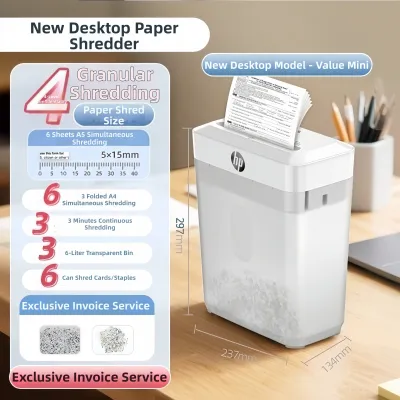
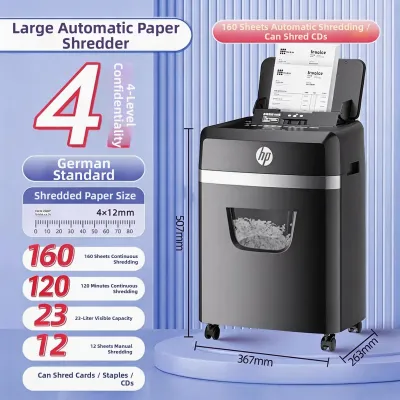
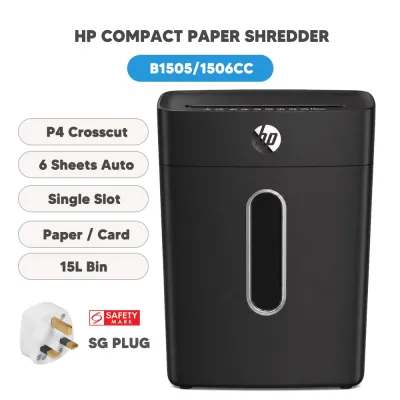
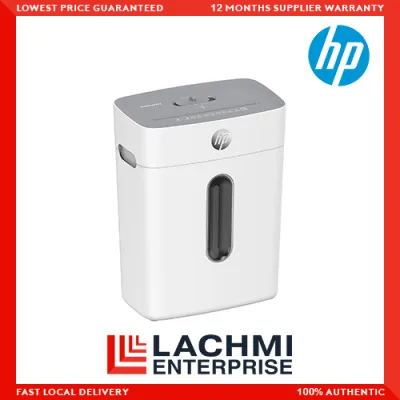
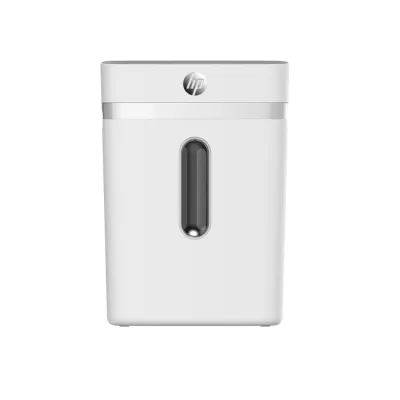
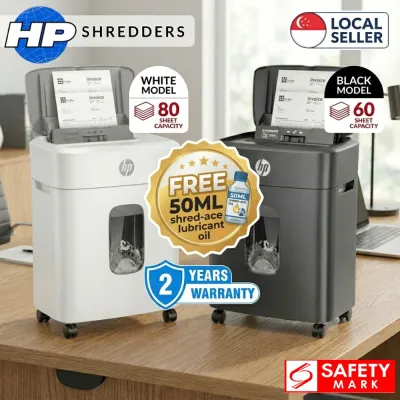
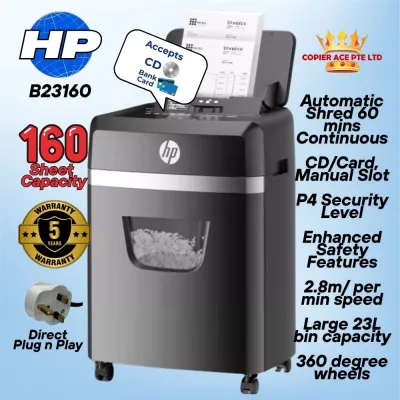
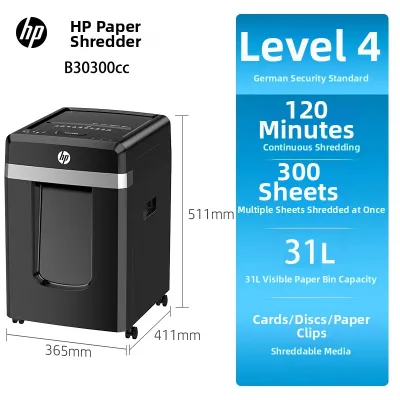
Prices are valid at publication and may change. Please refer to the product page for the latest price.
The table below provides a quick reference matrix to align your specific operational constraints with the appropriate shredder classification:
| Feature / Requirement | Home & Personal Use | Small Office & Workgroup Use |
|---|---|---|
| Typical Daily Volume | Low (Occasional shredding) | Moderate to High (Daily, shared use) |
| Sheet Capacity per Pass | 5 to 10 sheets | 12 to 24+ sheets |
| Recommended Security Level | DIN P-3 or P-4 (Cross-cut) | DIN P-4 or P-5 (Micro-cut) |
| Continuous Run Time | 2 to 5 minutes | 10 to 40+ minutes |
| Bin Capacity | 10 to 15 liters | 20 to 30+ liters |
| Primary Document Types | Utility bills, junk mail, expired cards | Client files, financial reports, HR records |
| Space Footprint | Ultra-compact, fits under desks | Mid-sized, often on casters for mobility |
| Noise Tolerance | Quiet operation preferred for homes | Low-noise essential for shared offices |
Identifying where your daily workflow falls on this spectrum allows you to target the exact technical specifications that will prevent operational bottlenecks. If you only destroy a few bank statements a week, prioritizing a compact design over a long duty cycle will save both budget and space. Conversely, if your small office regularly processes bulk document runs, investing in a machine with a robust continuous run time is essential to avoid constant cool-down interruptions.
Key Specifications: Volume, Security, and Workspace Constraints
Before purchasing an HP paper shredder, you must understand the technical specifications listed on the product packaging or spec sheets. These metrics directly dictate how the machine performs under pressure and how well it fits into your daily routine. Focusing on volume, security, and physical constraints ensures you do not overpay for unnecessary features or purchase an underpowered machine.

Shredding Volume and Run Time
Shredding volume is determined by two primary factors: sheet capacity per pass and continuous run time. Sheet capacity refers to the maximum number of paper sheets the machine can cut simultaneously without jamming. While a higher sheet capacity speeds up individual tasks, it must be paired with an adequate continuous run time—also known as the duty cycle. The duty cycle is the length of time a shredder can operate continuously before the motor overheats and requires a cool-down period.
Home-use shredders are engineered for quick, intermittent tasks, typically offering a continuous run time of two to five minutes, followed by a cool-down period that can last anywhere from 20 to 40 minutes. Small office models feature heavy-duty motors designed to run for 10 to 40 minutes continuously, or even indefinitely in high-end commercial brackets. To prevent premature motor wear, always check the manufacturer’s official specifications for exact sheet capacities and duty cycles, and aim to operate the machine slightly below its maximum limits during daily use.
Security Levels and Cut Types
Data security is classified internationally by the DIN 66399 standard, which uses “P” ratings to denote the security level of paper-based destruction. The higher the P-rating, the smaller the shredded particles, making document reconstruction virtually impossible. Choosing the correct cut type is a balance between the level of confidentiality you require and the speed of the shredding process.
- Strip-Cut (P-1 to P-2): Cuts paper into long, parallel strips. This level is generally considered obsolete for confidential data, as the strips can be reconstructed relatively easily.
- Cross-Cut (P-3 to P-4): Cuts paper diagonally from both directions, creating small, confetti-like rectangles. A P-4 rating is the standard recommendation for general home use, providing excellent protection for personal correspondence, utility bills, and basic financial records.
- Micro-Cut (P-4, P-5, or higher): Reduces a single sheet of A4 paper into upwards of 2,000 tiny, unreadable particles. This security level is highly recommended for small offices in Singapore handling proprietary business data, legal documents, medical records, or personal data protected under the Personal Data Protection Act (PDPA).
Workspace Constraints: Footprint and Noise
In Singapore’s compact residential flats and high-density commercial offices, physical dimensions and noise levels are major usability factors. The physical size of a shredder is closely tied to its bin capacity, measured in liters. A larger bin holds more shredded waste and reduces the frequency of emptying, but it also occupies a larger physical footprint. For tight spaces, look for models with pull-out bins, which are easier to empty in confined areas than lift-off head models.
Operating noise, measured in decibels (dB), is another critical consideration. Standard shredders can produce noise levels exceeding 70 dB, which can be highly disruptive in a quiet home environment or an open-plan office. Many modern HP shredders are engineered with noise-reduction technology to operate at or below 60 to 65 dB. If you frequently make phone calls, participate in video conferences, or share a workspace with others, verifying the decibel rating of the machine before buying is highly recommended.
HP Shredder Categories: Home vs. Small Office Environments
HP designs its shredder lineup to target distinct user groups, dividing machines into personal/home models and commercial/office models. Understanding these categories helps you navigate the market and avoid purchasing a machine that is either too delicate for your office workload or too bulky for your home study.
HP Shredders for Home and Personal Use
HP’s home and personal shredders focus on compact aesthetics, ease of storage, and straightforward operation. These machines are designed to blend seamlessly into residential spaces, often featuring sleek finishes and low-profile designs that slide easily under a desk or into a closet. They are optimized for the occasional destruction of sensitive mail, expired credit cards, and household bills, protecting your family from identity theft without taking up valuable living space.
Because these models are built for light duty, they typically feature lower sheet capacities (usually between 5 and 10 sheets per pass) and use cross-cut technology to achieve a solid balance of security and speed. The waste bins on these personal units generally range from 10 to 15 liters, which is plenty for occasional use but will fill up quickly during large-scale filing cleanouts. When shopping for a home model, always verify current availability and exact specifications on official HP channels or authorized online retailers in Singapore, as product lines receive periodic updates.
HP Shredders for Small Office and Workgroup Use
HP’s small office and workgroup shredders are engineered to withstand the demands of daily, multi-user environments. These machines are built with high-torque motors, hardened steel cutters, and robust drive systems that can handle continuous operation. They are ideal for businesses that must comply with strict data privacy laws, such as Singapore’s PDPA, which mandates the secure disposal of physical documents containing personal identifiable information (PII).
These commercial-grade models offer significantly higher sheet capacities, often allowing users to feed 12 to 24 sheets of paper per pass, including stapled documents. They feature larger waste bins, typically 20 to 30 liters or more, and are frequently equipped with heavy-duty casters so they can be easily rolled between departments. Additionally, office models often incorporate advanced micro-cut mechanisms to ensure maximum security for sensitive corporate data. Before purchasing, check the manufacturer’s specifications to confirm the maximum daily volume limits and duty cycles to ensure the machine aligns with your office’s document disposal habits.
Essential Features and Media Compatibility to Verify Before Buying
Beyond the core metrics of volume and security, several secondary features can significantly affect the convenience, safety, and longevity of your paper shredder. Evaluating these features before making a purchase ensures you get a machine that integrates smoothly into your workflow without causing maintenance headaches.
- Media Compatibility: Modern offices do not just handle paper. You may need to destroy credit cards, CDs, DVDs, or documents held together by staples and paperclips. Not all shredders are built to cut through non-paper materials. Feeding credit cards or CDs into a model not rated for them can permanently dull or chip the cutting blades. Always consult the product manual to verify what materials are supported before attempting to shred them.
- Anti-Jam Technology: Paper jams are the most common operational issue with shredders. Look for models equipped with active anti-jam features, such as automatic reverse functions. When the machine detects an overload of paper, it automatically stops the motor and reverses the cutting cylinders to back the paper out of the feed slot, preventing stubborn blockages.
- Safety Sensors: Shredders contain rapidly spinning steel blades that pose a safety risk if operated carelessly. Many HP models feature advanced safety sensors that instantly stop the motor if hands, hair, or clothing get too close to the paper entry slot. This feature is especially critical if the shredder is used in a home where children or pets are present.
- Power-Saving Modes: To reduce standby power consumption, look for shredders with energy-saving sleep modes. These systems automatically power down the electronics after a set period of inactivity, keeping your energy bills low while ensuring the machine is ready to use the moment paper is inserted.
Purchasing, Warranty, and Safe Maintenance in Singapore
To protect your investment and ensure your shredder operates reliably for years, you must buy from the right channels and practice proper machine maintenance. Purchasing through authorized local retailers or official brand stores in Singapore guarantees that your shredder comes with a valid local warranty and access to genuine replacement parts or customer support.
Maintaining your paper shredder is straightforward and requires only a few low-risk steps to keep the cutting cylinders running smoothly:
- Empty the Bin Regularly: Never allow the shredded paper to pile up to the point where it touches the underside of the cutting head. Overfilling the bin can cause paper to feed backward into the cutters, leading to severe jams and motor strain.
- Oil the Blades Consistently: Like any precision cutting tool, shredder blades require lubrication to reduce friction and heat. Use only manufacturer-recommended shredder oil or specialized lubricant sheets. To oil the machine safely, apply a thin, zig-zag line of oil across a sheet of paper, feed it through the shredder, and then run the machine in reverse for a few seconds to distribute the lubricant evenly across the blades. Follow up by shredding a few clean sheets of paper to absorb any excess oil.
- Clean the Exterior Safely: Dust and paper debris can accumulate on the outside of the machine over time. To clean the housing, first turn off the power and unplug the machine from the wall outlet. Wipe the exterior with a dry or slightly damp microfiber cloth. Warning: Never use water, compressed air, or aerosol-based solvents inside the shredding mechanism, as these can damage the electronics or create a serious fire hazard near the motor. Always consult your user manual for specific maintenance schedules and safety warnings.
Frequently Asked Questions (FAQ)
Can I shred glossy paper or thick cardstock in an HP shredder?
Whether you can shred glossy paper or thick cardstock depends entirely on your specific model’s specifications. While heavy-duty office shredders can easily process thick cardstock, standard home models may struggle. Glossy paper, such as that used in brochures, magazines, or photo paper, has a slick coating that can cause the feeding rollers to slip, leading to misfeeds or severe jams. Always check the maximum paper thickness, usually measured in grams per square meter (gsm), and the list of approved media types in your product manual before attempting to shred non-standard materials.
What should I do if my HP paper shredder jams?
If your shredder jams, immediately turn off the power and unplug the machine from the electrical outlet to ensure safety. If your model features a manual reverse function, plug the machine back in and switch it to reverse to back the paper out of the feed slot. If the paper remains stuck, unplug the machine again and gently pull the paper from the top feed slot. Warning: Never use sharp metal tools, such as scissors, screwdrivers, or knives, to pry paper out of the cutting cylinders. These tools can permanently chip the steel blades, damage the internal gears, and void your manufacturer’s warranty. If the jam cannot be cleared using safe, manual methods, consult your user manual or contact an authorized service center.
Community discussion
Share your experience or ask a question. Comments are reviewed before publication.