
The NETS FlashPay card remains a highly versatile payment tool for navigating daily life in Singapore. Operating on the Contactless e-Purse Application System (CEPAS) standard, this physical stored-value card is designed to handle instant, offline transactions across a vast network of transport, retail, and motoring touchpoints. As you navigate the cashless landscape, knowing where and how to use your nets flashpay card 2026 ensures smooth daily transactions and avoids unexpected payment rejections.
Physically, the card complies with the standard ISO/IEC 7810 ID-1 dimensions (85.60 mm by 53.98 mm with a thickness of 0.76 mm). This universal design ensures it fits perfectly into standard wallet slots, cardholders, and vehicle card readers. Understanding the specific locations, terminals, and systems that accept this card will help you maximize its utility for everyday commuting, shopping, and driving.
Navigating Public Transport: MRT, LRT, and Buses
Singapore’s public transit network fully supports the CEPAS standard, making the physical card a reliable companion for daily commutes on the MRT, LRT, and public buses. To ensure accurate fare calculation, you must tap the card against the reader at the entry gantry or bus boarding door, and tap out at the exit. This tap-in and tap-out process allows the transit system to calculate the exact distance traveled and deduct the correct distance-based fare.
Products mentioned in this guide
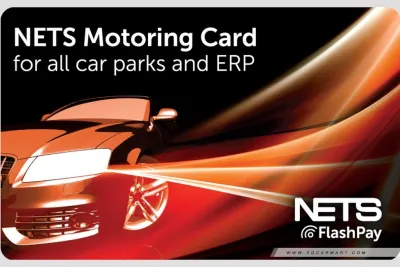

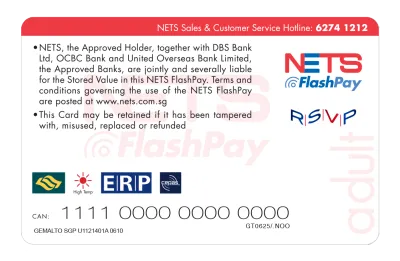
Prices are valid at publication and may change. Please refer to the product page for the latest price.
Unlike account-based transit systems that bill your bank account later, the physical card draws directly from its pre-loaded stored-value balance. This means the transaction is processed instantly at the gate, displaying your remaining balance on the screen as you pass through. It provides immediate visibility over your travel expenses without waiting for bank statements to update.
To avoid transit errors and penalty fares, you must use the exact same card or device for both entry and exit. Tapping in with your physical card and attempting to tap out with a mobile phone or a different card will cause a system mismatch. This results in the maximum fare being charged to both cards, alongside a temporary lock on your card that requires manual resolution at a passenger service center.
If you need to verify your travel history or check your current balance, transit ticketing machines are readily available at all MRT and LRT stations. These self-service terminals allow you to place your physical card on the reader to view a detailed log of your recent trips, fare deductions, and remaining funds. This is a highly practical way to monitor your transit spending and ensure you have enough balance for your next journey.
Everyday Retail: Supermarkets, Food Courts, and Stationery Shops
Beyond public transit, the card is widely accepted at a broad range of physical retail outlets across Singapore. To determine if a store accepts this payment method, look for the standard blue and yellow NETS logo or the specific NETS FlashPay decal displayed at the checkout counter. These visual markers indicate that the merchant’s point-of-sale (POS) terminal is equipped to process contactless CEPAS transactions.

Major supermarket chains, including FairPrice, Cold Storage, Giant, and Sheng Siong, fully support contactless payment via the physical card. It is also highly useful at widespread convenience stores like 7-Eleven and Cheers, where you can tap the card for quick purchases. Additionally, many popular food courts, such as Kopitiam and Food Junction, as well as digital payment kiosks at hawker centers, allow you to pay for meals with a single tap.
For students, teachers, and office professionals, the card is highly convenient for purchasing school and office supplies. Major bookstores and stationery retailers, including Popular Bookstore, accept the card at their checkout counters. This makes it easy to purchase writing instruments, notebooks, drawing materials, and filing systems without needing to carry cash or a mobile device.
However, you should remain aware that some smaller independent merchants or neighborhood shops may have different terminal setups. Some older terminals only support standard NETS payments, which require inserting the card’s physical chip and entering a personal identification number (PIN), or they may only accept SGQR payments. Verifying terminal compatibility with the cashier before attempting to tap your card will prevent checkout delays.
Driving and Parking: ERP Gantries and Car Parks
One of the most significant and practical advantages of the physical card is its role in motoring. The card is designed to be inserted directly into a vehicle’s In-Vehicle Unit (IU) or the newer dual-mode On-Board Unit (OBU). This physical integration allows for the seamless, automatic payment of Electronic Road Pricing (ERP) charges as you drive under active gantries across Singapore’s roads.
In addition to road pricing, the card is widely used to pay for parking at Housing & Development Board (HDB) and commercial car parks. As you enter and exit these electronic parking system (EPS) car parks, the gantry readers communicate directly with the card inside your vehicle’s IU to deduct the exact parking fee. For older car parks that do not feature automatic EPS, you can manually tap the physical card on the reader at the exit gantry.
While contactless credit cards and mobile wallets have expanded rapidly in the retail sector, a physical stored-value CEPAS card remains a necessity for many motorists. Standard or older vehicle IUs do not support direct credit card billing or mobile payment emulation. Therefore, keeping a physical card in your vehicle is essential for daily driving and parking operations.
To ensure uninterrupted travel, motorists should always maintain a sufficient buffer balance on the card. Running out of funds can lead to ERP transaction failures, resulting in administrative fines from the Land Transport Authority (LTA). It can also cause gantry rejections at car park exits, leading to stressful delays and traffic build-up behind your vehicle.
Automated Payments: Vending Machines and Kiosks
Unattended self-service terminals represent another convenient scenario where the physical card provides quick, cashless payments. You will find compatible card readers on various drink and snack vending machines located throughout MRT stations, shopping malls, and public housing (HDB) void decks. These machines allow you to select your item and tap your card to complete the purchase in seconds.
Beyond food and beverage dispensers, the card is accepted at self-service laundromats, automated photocopying kiosks in public libraries, and school campuses. Specific community and government service terminals also feature integrated NETS card readers. These terminals allow citizens to pay for administrative services, document printing, and facility bookings quickly.
It is important to note that these automated terminals require the physical card to be tapped on the reader or inserted into the card slot. Because these systems rely on the physical CEPAS chip architecture, they do not support mobile wallet NFC emulation for stored-value deductions. You must have the physical card on hand to complete transactions at these self-service machines.
FlashPay vs. SimplyGo: Which Payment Method to Use When
Choosing between a physical stored-value card and SimplyGo (which uses contactless bank cards or mobile wallets) depends on your specific lifestyle and driving habits. SimplyGo operates on an account-based ticketing model, charging transit fares directly to a linked credit card, debit card, or mobile device. In contrast, the physical card operates on a card-based ticketing model, requiring pre-loaded funds but offering immediate transaction processing.
Acceptance scope is the most critical differentiator for motorists. While SimplyGo is highly convenient for public transit and retail, standard bank cards cannot be inserted into older vehicle IUs for ERP and parking payments. The physical CEPAS card remains the standard for in-vehicle payments, making it the superior choice for drivers who want a single card for both motoring and commuting.
Balance tracking and budgeting also differ significantly between the two methods. SimplyGo aggregates your daily transit fares and bills them to your bank account later, which can make real-time budget tracking difficult. The physical card deducts fares instantly at the gantry, making it an excellent tool for parents managing their children’s allowances or individuals who prefer a strict, pre-paid monthly budget.
| Feature / Scenario | NETS FlashPay Card | SimplyGo (Bank Cards / Mobile) |
|---|---|---|
| Public Transit (MRT & Buses) | Supported (Immediate balance deduction) | Supported (Aggregated billing to bank account) |
| ERP & Car Park IUs | Fully Supported (Must be inserted in IU) | Not Supported by standard/older IUs |
| Retail & Dining POS | Supported at NETS FlashPay terminals | Broadly Supported via Visa/Mastercard/NETS |
| Balance Management | Manual or Auto Top-Up required | Direct debit from linked bank card (No top-up) |
| Gantry Balance Display | Instantly visible upon tap-out | Shows "SimplyGo" (No balance shown on screen) |
Keeping Your Card Ready: Balance Checks and Top-Ups
To ensure your card never runs out of funds during a transaction, you must actively manage its balance. You can easily check your remaining balance using the official NETS app on any NFC-enabled smartphone. Simply open the app and hold the physical card against the back of your phone to read the chip data, displaying your balance and transaction history instantly.
If you do not have an NFC-enabled smartphone, you can check your balance at physical locations. Placing your card on the reader of any transit ticketing machine at MRT stations, or tapping it at major retail point-of-sale terminals, will display your current balance. Many merchants will also print your remaining balance at the bottom of your shopping receipt after a transaction.
Standard top-ups can be performed using cash, debit cards, or credit cards at various physical locations. These include SimplyGo Kiosks, Assisted Service Kiosks, and passenger service centers at MRT stations. You can also top up your card at convenience store counters, such as 7-Eleven and Cheers, though these third-party merchants may charge a small administrative service fee per transaction.
For maximum convenience, you can set up the NETS Auto Top-Up service via the official NETS app or by linking your card to a bank account. This service automatically reloads a pre-defined amount (such as S$10 or S$20) onto your card whenever the balance falls below a specific threshold. This is highly recommended for motorists, as it eliminates the risk of insufficient funds at ERP gantries.
Finally, always inspect the physical condition of your card and check its expiry date, which is typically printed on the front or back. The physical plastic and internal antenna are durable, but they can degrade over years of use in hot vehicle interiors or wallets. Standard CEPAS cards have a lifespan of up to 7 years, after which they will be rejected by transit gates and in-vehicle units.
Frequently Asked Questions (FAQ)
Can I use my NETS FlashPay card for online shopping?
No, the physical card cannot be used for online shopping or e-commerce transactions. It is designed strictly for physical, offline point-of-sale terminals, transit gates, and in-vehicle units that can interact directly with the card’s physical CEPAS chip. The card lacks the standard 16-digit card number, CVV/CVC security code, and online payment processing infrastructure required by digital checkout pages. For online purchases, you should use alternative payment methods, such as standard credit or debit cards, mobile banking apps, or digital payment gateways.
What should I do if my card is lost, damaged, or expires?
If your card is lost or stolen, and it is registered for the Auto Top-Up service, you must report it immediately to NETS customer service to block the card and protect your linked bank account. For unregistered cards, the remaining stored value is generally non-recoverable, as the card functions like physical cash. If your card is physically damaged, has a malfunctioning chip, or has expired, you should take it to a SimplyGo Ticket Office or a designated NETS customer service point. The staff can verify the remaining balance on the physical chip and assist you with transferring the funds to a replacement card or initiating a refund, subject to standard administrative terms.
Community discussion
Share your experience or ask a question. Comments are reviewed before publication.