
The Gardenia EZ-Link card combines the convenience of Singapore’s primary contactless transit payment system with the familiar branding of a household bakery name. As a standard stored-value card operating on the national contactless infrastructure, this card is not limited to bread purchases; it functions across the island’s extensive public transport network and thousands of retail outlets. Whether you received this card as a promotional gift, a corporate giveaway, or purchased it as a collectible item, it serves as a fully functional payment tool. Understanding where and how to tap this card ensures you can seamlessly navigate your daily commute, purchase groceries, and enjoy quick meals without fumbling for cash or credit cards. By recognizing the standard payment logos and keeping the card sufficiently funded, you can maximize its utility in your daily routine.
Understanding Your Gardenia EZ-Link Card
At its core, the Gardenia EZ-Link card is a standard stored-value smart card that utilizes contactless technology to facilitate quick transactions. While the card face features distinctive Gardenia branding—often celebrating local heritage, iconic bread designs, or promotional campaigns—its underlying technology is identical to any standard EZ-Link card issued in Singapore. This means the card complies with the national contactless payment standards, allowing it to communicate with standard card readers across the island.
In terms of physical specifications, the card conforms to the standard CR80 dimensions, measuring approximately 85.6mm by 53.98mm. This standard sizing ensures perfect compatibility with everyday stationery accessories, including standard cardholder sleeves, wallets, lanyard badges, and protective plastic cases. The card’s internal antenna and chip are designed to work through these protective layers, allowing you to tap without removing the card from your wallet or badge holder.
Products mentioned in this guide
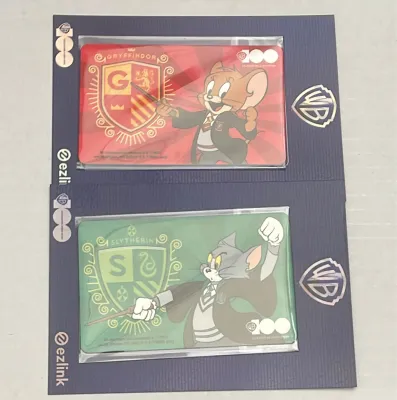
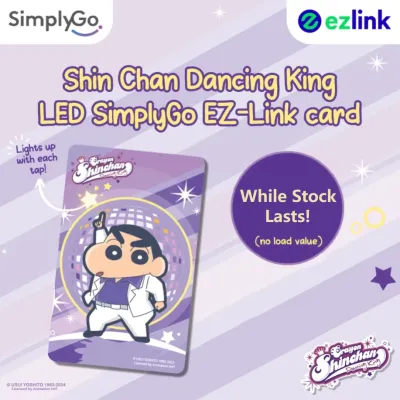
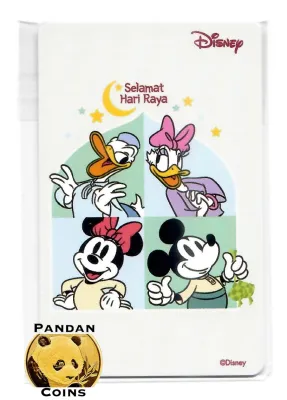
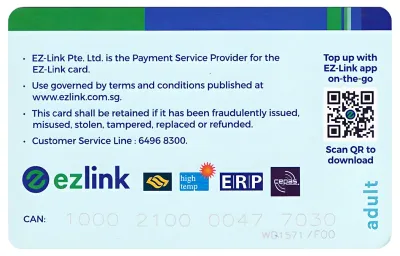
Prices are valid at publication and may change. Please refer to the product page for the latest price.
To verify the capabilities of your specific card, examine the card face and the reverse side for official logos. The presence of the standard EZ-Link logo or the SimplyGo logo indicates that the card is fully integrated into the national transit and retail payment ecosystem. It is important to distinguish between the card’s standard stored-value functions and any temporary promotional perks associated with the Gardenia brand. While the card can be used almost anywhere EZ-Link is accepted, any special discounts, free gifts, or promotional offers tied to the Gardenia branding are subject to specific terms, conditions, and promotional periods that must be verified independently.
Using the Card for Public Transit
Navigating Singapore’s public transportation network is highly efficient when using your Gardenia EZ-Link card. The card is fully compatible with the national transit ticketing system, allowing you to tap in and out at all Mass Rapid Transit (MRT) stations, Light Rail Transit (LRT) stations, and on all public buses. To use the card, simply hold it flat against the contactless card reader at the station gantry or the bus entry and exit doors. A successful tap is indicated by a green light and a single beep, along with a display of your remaining card balance or the fare deducted for that leg of the journey.

When using public transit, always look for the official EZ-Link or SimplyGo acceptance logos displayed on the gantries and readers. If your card has been upgraded to or issued as a SimplyGo EZ-Link card, you can also track your journeys and fares via the official transit companion application on your smartphone. To ensure a smooth journey and avoid gantry errors, it is essential to maintain a sufficient minimum stored value on your card. If your balance falls below the minimum required entry fare, the transit gantry will display an error message, and the barrier will not open. Keeping a buffer of at least S$3.00 on the card is a practical way to prevent unexpected delays during peak commute hours.
Tap-and-Pay at Retail and Dining Locations
Beyond public transportation, your Gardenia EZ-Link card serves as a convenient cashless payment method at a wide array of retail and dining establishments across Singapore. To determine if a merchant accepts your card, look for the distinctive EZ-Link or NETS FlashPay payment decals displayed near the cashier counter or on the point-of-sale terminal. Many merchants utilize unified terminals that accept multiple contactless payment methods, making it easy to complete your transaction with a simple tap.
Common acceptance categories include major convenience stores, supermarkets, neighborhood bakeries, and food courts. You can tap your card to pay for daily essentials, quick snacks, or full meals at participating hawker centers that support contactless transit card payments. However, before presenting your card for payment, it is wise to check if the merchant enforces a minimum spend requirement for contactless transactions. Some smaller retailers may require a minimum purchase of S$2.00 or S$5.00 to process card payments. Additionally, certain promotional items, tobacco, alcohol, or government services may be excluded from card payment options, so verifying the store’s specific payment policies with the cashier beforehand is always recommended.
Navigating Gardenia-Specific Acceptance and Perks
Because your card features the Gardenia co-branding, you may wonder if there are specific advantages when purchasing Gardenia products or shopping at affiliated outlets. While the card functions as a standard payment tool at any supermarket or convenience store selling Gardenia bread, any exclusive co-branded perks require active verification. These perks might include special discounts on specific loaf types, purchase-with-purchase offers, or loyalty points when tapping the card at participating retail partners or dedicated bakery counters.
To find out if there are active promotions tied to your Gardenia EZ-Link card, check official Gardenia social media channels, the EZ-Link mobile application, or in-store promotional signage at major supermarkets. Because promotional campaigns are dynamic and subject to change, these benefits are rarely permanent. Always verify the current terms and conditions at the point of sale before making a purchase. If a specific discount is advertised, confirm with the cashier that the promotion is active and that tapping your co-branded card will trigger the discount on their point-of-sale system.
Reloading and Managing Your Card Balance
To maintain the utility of your Gardenia EZ-Link card, you must manage its balance and understand the available top-up channels. You can reload your card using cash or digital payment methods at various physical locations across Singapore. These include ticketing service kiosks at MRT stations, convenience stores, and authorized transit agent booths. Note that while top-ups at transit stations are typically free of service fees, some convenience stores may charge a small administrative fee per transaction, which will be added to your total payment.
Monitoring your card balance is straightforward. You can view your remaining funds on the screen of transit gantries when tapping out, on the printed receipt after making a retail purchase, or by tapping your card against a physical ticketing machine. For greater convenience, you can register your card on the official EZ-Link mobile application. This allows you to check your balance on the go using your smartphone’s Near Field Communication (NFC) reader, track your transaction history, and even set up automatic top-ups linked to your preferred payment card. Additionally, keep in mind that standard EZ-Link cards have a typical lifespan of five years from the date of manufacture. When your card approaches its expiry date, you can check official transit guidelines or visit a transit ticket office to understand the process for transferring your remaining balance to an active replacement card.
Frequently Asked Questions (FAQ)
Can I use my Gardenia EZ-Link card for SimplyGo transit payments?
Yes, you can use your Gardenia EZ-Link card for SimplyGo transit payments, provided the card is compatible with or has been upgraded to the SimplyGo system. You can verify this by checking the card face for the SimplyGo logo or by scanning the card using the official EZ-Link mobile application to check its account status. Once onboarded to SimplyGo, your transit fares are deducted directly from your linked account or stored value, and you can view your detailed travel history and fare charges directly on your smartphone instead of relying on gantry screens.
What should I do if a merchant's terminal rejects my card?
If a merchant’s terminal rejects your Gardenia EZ-Link card, first verify that the terminal displays the correct EZ-Link or contactless payment acceptance logo. Next, check your card balance at a nearby transit machine or via your mobile application to ensure you have sufficient funds for the transaction, keeping in mind any minimum spend rules the merchant might enforce. If the balance is sufficient and the terminal is compatible, inspect the card for physical damage, such as deep scratches or bends, which can disrupt the internal antenna. If the card remains unresponsive across multiple terminals, visit a transit ticket office to have the card’s chip diagnostics checked by a customer service representative.
Community discussion
Share your experience or ask a question. Comments are reviewed before publication.