
If you are navigating Singapore’s bustling public transport network, driving through Electronic Road Pricing (ERP) gantries, or picking up daily essentials at a local convenience store, having a reliable payment method is essential. The Nets flashpay card is a multi-purpose contactless stored-value card designed to streamline these everyday transactions. Built on the physical ISO/IEC 7810 ID-1 standard, the card measures exactly 85.60 mm by 53.98 mm with a thickness of 0.76 mm. This standardized physical form factor ensures perfect compatibility with standard wallets, cardholders, and vehicle card slots across the country.
Understanding exactly where and how this card is accepted helps you decide if it fits seamlessly into your daily routine. From transit stations to retail counters, knowing the boundaries of its network prevents payment delays and helps you manage your personal transport budget effectively. By verifying its compatibility with different payment terminals and vehicle readers, you can ensure a smooth, disruption-free experience on the road and on the rails.
Navigating Public Transit: MRT and Bus Acceptance
Singapore’s public transport system relies heavily on seamless contactless payments to keep passenger flow moving efficiently. Your card is fully accepted across the entire public rail and bus network, including all Mass Rapid Transit (MRT) lines, Light Rail Transit (LRT) systems, and public buses operated by SBS Transit, SMRT, Tower Transit, and Go-Ahead Singapore. This universal coverage ensures that you do not need to worry about operator-specific restrictions when planning your commute.
Products mentioned in this guide

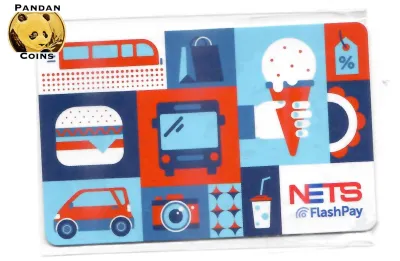
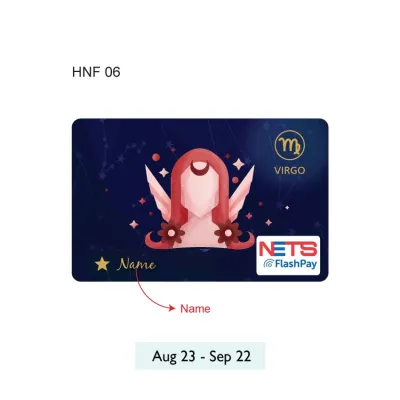
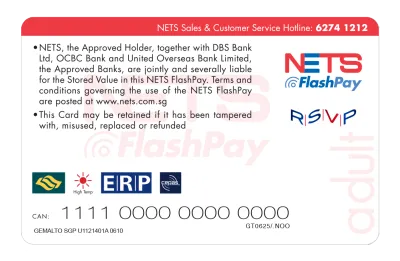
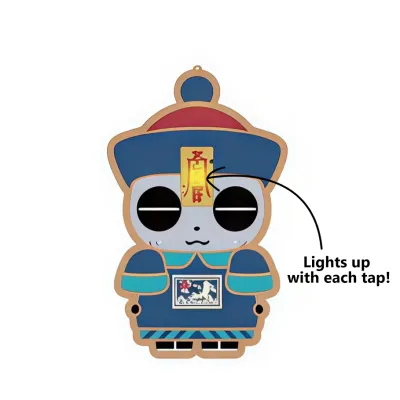

Prices are valid at publication and may change. Please refer to the product page for the latest price.
To ensure a correct fare deduction, you must follow the standard tap-in and tap-out protocol. When entering an MRT station or boarding a public bus, hold your card steadily against the designated contactless reader until you hear a single beep and see a green light. When exiting the station or alighting from the bus, you must tap out in the exact same manner. The reader will display the journey fare deducted and the remaining balance on your card, allowing you to monitor your funds in real time.
Failing to tap out properly is a common passenger error that can lead to unnecessary costs. If you forget to tap out when alighting from a bus or exiting an MRT station, the system automatically charges the maximum possible fare for that route journey. Additionally, you must use the exact same card to tap in and tap out. Using a NETS FlashPay card to enter and a different card or mobile device to exit will result in two separate, incomplete journeys, leading to double charges on both payment methods.
To prevent transaction failures at transit gantries, always verify that your card has a minimum travel balance before passing through. The transit system requires a minimum threshold balance (typically S$3.00) to let you tap in. If your balance falls below this limit, the gantry screen will display an error message, and the barrier will remain closed, requiring you to top up your card at a nearby ticketing machine before proceeding.
Driving and Parking: ERP Gantries and Car Parks
For motorists in Singapore, physical stored-value cards remain a critical tool for managing driving-related expenses. The card is engineered to be fully compatible with the standard In-Vehicle Unit (IU) installed in vehicles. Its physical dimensions and contact chip placement allow it to slide securely into dual-mode IUs, as well as the newer On-Board Units (OBU) introduced under the next-generation ERP system, ensuring reliable automated payment processing.

When inserted into your vehicle’s IU or OBU, the card facilitates automatic deductions at Electronic Road Pricing (ERP) gantries across the island. As you pass beneath an active gantry, the overhead sensors communicate with your in-vehicle device, deducting the appropriate toll fee directly from the card’s stored value. The unit will emit a single beep to confirm a successful transaction and briefly display your remaining card balance on the screen.
Beyond road tolls, the card is widely accepted for parking fees at Housing & Development Board (HDB) car parks and major commercial shopping malls. Most modern car parks utilize the Electronic Parking System (EPS), which reads the card inside your vehicle’s IU at both the entry and exit points. For private or older commercial car parks that do not support automated IU reading, you can manually remove the card from the unit and tap it against the physical reader terminal located at the exit gantry.
Motorists should establish a routine for checking their card balance before starting a journey to avoid gantry disruptions. If your card has insufficient funds when passing through an active ERP gantry, the IU will emit a warning tone and display an error code. You will subsequently receive a payment notice from the Land Transport Authority (LTA) requiring you to pay the missed toll fee along with an administrative charge. At car park exit gantries, insufficient funds will prevent the barrier from lifting, which can cause traffic queues; in this scenario, you must insert a different card with sufficient balance or use the intercom to request assistance from the car park operator.
Everyday Spending: Retail, Dining, and Vending Machines
Beyond transit and motoring, the card serves as a convenient payment tool for quick, everyday retail purchases. This eliminates the need to carry loose cash or wait for credit card authorization for minor transactions. Major supermarket chains across Singapore, including NTUC FairPrice, Cold Storage, Giant, and Sheng Siong, support contactless card payments at both manned checkout counters and self-service kiosks.
Convenience stores and quick-service dining outlets also form a major part of the acceptance network. You can tap your card to pay for items at 7-Eleven, Cheers, and various fast-food chains. Additionally, major food courts, such as Kopitiam and Food Junction, feature card readers at individual stalls, allowing you to pay for your meals with a single tap. Self-service vending machines dispensing drinks, snacks, or hot meals across public spaces also accept this payment method.
To verify whether a merchant accepts the card, look for the distinctive blue-and-yellow NETS FlashPay logo on the payment terminal at the checkout counter. Merchants with unified contactless terminals can process your payment instantly. Simply inform the cashier that you wish to pay via NETS FlashPay, wait for the terminal screen to prompt you, and tap your card against the reader.
However, users should note that acceptance is not universal across all retail environments. While larger chains and managed food courts are fully integrated, smaller independent hawker stalls, wet market vendors, and traditional mom-and-pop shops often rely on the SGQR system. While some SGQR codes support mobile NETS QR payments, they do not have physical contactless terminals to read physical cards. For these micro-merchants, you will need to rely on cash or mobile payment apps rather than your physical card.
Comparing Options: Nets FlashPay vs. EZ-Link and SimplyGo
When deciding on a daily payment companion, it is helpful to compare Nets flashpay against other prominent options in Singapore, such as standard EZ-Link cards and the SimplyGo system. All three options facilitate contactless transit payments, but they cater to slightly different user preferences, vehicle setups, and lifestyle requirements.
Both NETS FlashPay and traditional EZ-Link cards operate as physical stored-value cards, meaning the monetary value is held directly on the card’s chip. This physical storage allows you to use them in vehicle IUs for ERP and parking payments—a capability that standard contactless credit cards or mobile banking apps cannot replicate. The primary difference lies in their merchant networks: NETS FlashPay leverages the extensive NETS retail network, while EZ-Link has its own set of retail partners, though both cover major supermarkets and convenience stores.
SimplyGo, on the other hand, represents an account-based ticketing system that allows you to use contactless bank cards (Visa, Mastercard, NETS contactless) or mobile wallets to pay for transit fares directly. While SimplyGo eliminates the need to manually top up a dedicated physical card, it does not support physical IU integration for driving expenses. For motorists, keeping a physical stored-value card in the vehicle remains a necessity, making NETS FlashPay a highly practical dual-use card for both driving and transit.
A physical stored-value card is also highly beneficial for specific demographic groups. Parents often prefer these cards for students who do not yet have personal bank accounts or smartphones, allowing them to manage their daily allowance and transport expenses safely. Similarly, employers or families managing shared expenses for domestic helpers can distribute physical cards to track transport and grocery spending without sharing credit card details.
Managing Your Card: Reloading, Balances, and Expiry
Keeping your card active and funded requires minimal effort, thanks to a wide network of physical and digital top-up channels. You can reload your card using cash, debit cards, or local bank accounts at various touchpoints. Standard physical locations include SimplyGo Ticket Offices, Passenger Service Centres, SimplyGo Kiosks, and top-up machines located at all MRT stations. You can also top up your card at convenience stores like 7-Eleven and Cheers, though these third-party merchants may apply a small service fee per transaction.
For greater convenience, you can manage your card digitally using an NFC-enabled smartphone. By downloading the official NETS App, you can register your card and top up its balance directly using your preferred payment method. This mobile application also allows you to check your transaction history, view your remaining balance, and set up auto-top-up options, ensuring you never run out of funds unexpectedly.
Monitoring your card’s balance is straightforward. Aside from the NETS App, you can view your balance on the screen of any MRT transit gantry or bus reader during tap-out, at any physical top-up kiosk, or on your vehicle’s IU display when you insert the card. Checking your balance regularly is highly recommended, especially before driving or embarking on long transit journeys.
It is also important to be aware of your card’s physical lifespan and expiry date. A physical contactless card generally remains valid for 7 years from its date of manufacture. You can check the exact expiry date of your card via the NETS App, at physical ticketing machines, or on receipts generated from top-up terminals. Once a card expires or becomes physically damaged, it can no longer be used for transactions. To recover any remaining balance, you can visit a SimplyGo Ticket Office or a designated NETS Customer Service Centre to initiate a balance transfer to an active card or a refund to your bank account, subject to standard administrative verifications.
Frequently Asked Questions (FAQ)
Understanding the finer details of card acceptance helps you navigate minor disruptions and edge cases. Below are quick, actionable answers to common questions about using your card in Singapore.
Can I use NETS FlashPay to pay for rides in taxis or private hire vehicles?
Yes, you can use your card to pay for rides in standard street-hail or booking-based taxis, such as those operated by ComfortDelGro, SMRT Taxis, or Trans-Cab, provided the vehicle is equipped with a compatible physical payment terminal. You should inform the driver of your payment method before the journey ends, and note that a small administrative or processing fee may apply to card transactions. However, physical cards are not accepted for app-based private hire services like Grab, Gojek, Tada, or Ryde, which require digital payment profiles or credit cards linked directly to the mobile application.
What happens if my card has insufficient funds at an ERP gantry?
If your card lacks sufficient funds when passing under an active ERP gantry, your vehicle’s IU will emit a series of rapid warning beeps and display an error code. The transaction will fail, and the gantry sensors will log your vehicle’s license plate. You will subsequently receive a notification letter from the Land Transport Authority (LTA) detailing the missed payment. You must settle the outstanding ERP toll amount along with an administrative fee within the timeframe specified in the letter to avoid further penalties.
Can I transfer the balance from an expired or damaged card to a new one?
Yes, you can recover and transfer the remaining balance from an expired or physically damaged card. To do this, bring your physical card to any SimplyGo Ticket Office located at major MRT stations or visit the NETS Customer Service Centre. If the card’s internal chip is still readable by the terminal, the operator can transfer the balance to a new card or process a refund directly to your local bank account. If the card is severely damaged and the chip cannot be read, it will be sent for technical assessment, and the refund process may take several working days.
Community discussion
Share your experience or ask a question. Comments are reviewed before publication.