
When purchasing copy printing paper, the acronym GSM is the most critical specification you will encounter. It directly dictates how the paper feels, how much ink it can absorb, and whether it will run smoothly through your office or home printer. For the vast majority of everyday tasks, choosing between 70gsm, 80gsm, and 100gsm paper represents the primary decision you must make.
To answer the core question immediately: 80gsm is the standard, all-purpose choice for professional business documents and double-sided printing. Meanwhile, 70gsm is a budget-friendly, lightweight option best reserved for high-volume drafts and internal memos, and 100gsm is a premium, heavy-duty paper designed for high-impact presentations, certificates, and documents with heavy ink coverage. Selecting the wrong weight can lead to frustrating paper jams, messy ink bleed-through, or an unprofessionally flimsy presentation.
What Does GSM Actually Mean for Copy Printing Paper?
GSM stands for Grams per Square Meter. It is a metric unit of measurement that quantifies the density and weight of a single sheet of paper measuring exactly one meter by one meter. While many people use GSM as a proxy for thickness, it is technically a measure of mass per unit area. However, because copy paper is manufactured under highly standardized conditions, a higher GSM almost always correlates directly with thicker, stiffer, and more opaque paper.
Products mentioned in this guide
![PaperOne™ Copier Paper 70gsm / 75gsm Copy Paper A4 [1 Box]](https://img.lazcdn.com/g/p/62f961291078a3b12171dd45eea2a9a4.jpg_400x400q80.jpg_.webp)

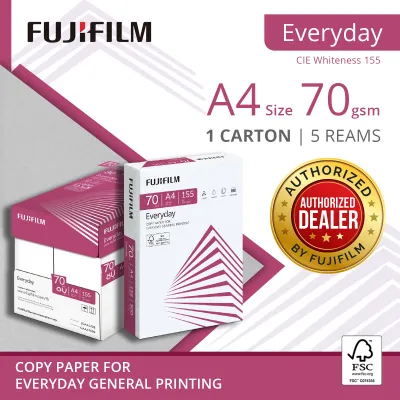

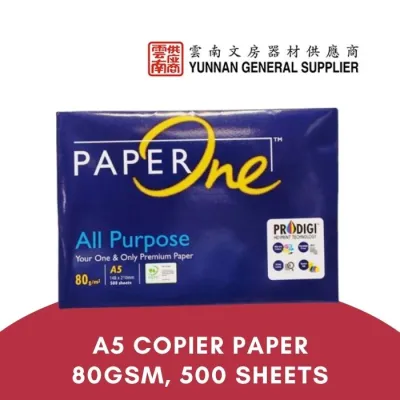
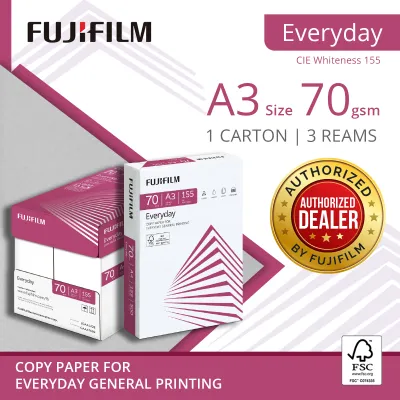
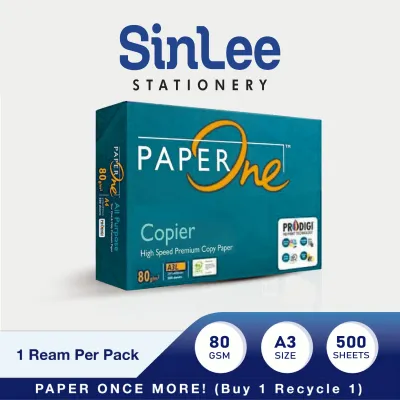

Prices are valid at publication and may change. Please refer to the product page for the latest price.
Understanding this physical relationship is crucial when managing your stationery supplies. When paper fibers are packed more densely to achieve a higher GSM, the resulting sheet becomes more rigid and less translucent. This opacity is what prevents printed text or images on one side of the page from showing through to the other side, which is vital for professional presentation.
On a practical level, GSM also dictates the physical weight and storage requirements of your paper. A standard ream of copy paper contains 500 sheets. If you opt for 80gsm paper, a single A4 ream weighs approximately 2.5 kilograms. Upgrading to 100gsm paper increases that weight to over 3 kilograms per ream, which makes bulk cartons significantly heavier to lift and handle. Furthermore, because thicker sheets stack taller, high-GSM reams take up slightly more physical space on your shelves and can fill your printer’s input tray much faster.
70gsm vs. 80gsm vs. 100gsm: Practical Differences and Best Uses
Choosing the right weight requires matching the paper’s physical properties to the specific demands of your printing task. Let’s examine how the three most common weights perform in daily use.

70gsm: The Everyday Draft and High-Volume Choice
At 70gsm, copy paper is lightweight and relatively thin. This makes it highly cost-effective and the ideal candidate for high-volume, single-sided black-and-white printing. If you regularly print internal drafts, temporary reference sheets, or rough memos that will be recycled quickly, 70gsm is the most economical choice.
The primary benefits of 70gsm paper lie in its efficiency. It is cheaper to purchase in bulk, and because the sheets are thin, you can store more paper in a smaller footprint. It also has a slightly lower environmental impact per sheet during production and transport due to the reduced raw material volume.
However, the trade-offs are significant. Because of its low density, 70gsm paper has low opacity. If you attempt double-sided printing, the text from the reverse side will easily show through, making the document difficult to read. It also feels flimsy and delicate to the touch, which can convey a lack of professionalism if handed to clients or business partners.
80gsm: The Standard for Professional and Double-Sided Printing
The 80gsm weight is the universal benchmark for standard office copy printing paper. If you walk into a typical corporate office in Singapore, this is almost certainly the paper loaded into the main multi-function printers. It represents the sweet spot where cost, physical performance, and professional presentation meet.
For double-sided (duplex) printing, 80gsm is the entry-level requirement. It offers sufficient opacity to prevent standard text from showing through to the other side, ensuring clean, legible documents. Additionally, its structural stiffness is optimized for the high-speed rollers and feed mechanisms of modern office laser printers and copiers, which greatly minimizes the risk of paper jams.
The limitations of 80gsm paper only become apparent under heavy ink or toner saturation. While it handles standard text and simple charts beautifully, it is not designed for full-page color graphics or heavy photographic printing, which can cause the paper to buckle or curl.
100gsm: For Premium Reports, Presentations, and Heavy Ink Coverage
When you need to make a strong impression, 100gsm paper is the premium choice. This weight is noticeably thicker, heavier, and smoother than standard office paper, giving any document an immediate sense of quality and importance.
This weight is best reserved for client-facing proposals, formal presentations, certificates, and marketing materials. Because of its superior density, 100gsm paper handles heavy ink and toner saturation exceptionally well. You can print vibrant, full-color graphics on both sides of the page without worrying about bleed-through, warping, or curling.
The main drawback of 100gsm paper is its cost, which is significantly higher per sheet than 80gsm. Additionally, because the paper is quite thick and rigid, it can sometimes struggle to feed smoothly through smaller, entry-level home printers that have tight, curved paper paths.
How to Match Paper Weight to Your Printer and Task
Before purchasing bulk cartons of copy printing paper, you must verify that your hardware can handle your chosen weight. Every printer has a specified media weight range, which you can find in the user manual or on the manufacturer’s website. While standard office machines easily handle everything from 60gsm to 120gsm, basic home printers may have narrower limits.
The physical path the paper takes through the machine plays a massive role in compatibility. Compact home printers often use a tight “U-turn” paper path, where the sheet is pulled from a bottom tray, looped 180 degrees around internal rollers, and ejected. Rigid 100gsm paper struggles with these tight turns, which can lead to misfeeds and physical jams. In contrast, printers with a straight-through paper path—often utilizing a rear manual feed slot—are much better suited for heavier media.
To get the best results from heavier paper, you must also adjust your printer settings. When loading 100gsm paper, do not simply leave your print settings on “Plain Paper.” Open your print dialog menu and change the “Paper Type” or “Media Weight” to match the actual paper. This instruction tells the printer to adjust the speed of its rollers and, crucially, increases the heat of the laser fuser unit to ensure the toner bonds properly to the thicker paper fibers.
Furthermore, managing environmental factors is essential, particularly in Singapore’s tropical, high-humidity climate. Paper is highly hygroscopic, meaning it readily absorbs moisture from the air. When copy printing paper absorbs humidity, its fibers swell unevenly. This causes the edges to curl, which dramatically increases the likelihood of paper jams, regardless of whether you are using 70gsm, 80gsm, or 100gsm paper.
To prevent this, always keep your paper stored in its original, moisture-proof wrapper until you are ready to load it into the printer. Avoid leaving large stacks of paper sitting in an open tray for extended periods, especially in non-air-conditioned rooms. For the best performance, only load the amount of paper you expect to use immediately.
Beyond GSM: Other Copy Paper Specs That Matter
While GSM is the primary indicator of paper weight and thickness, other specifications also influence print quality and visual appearance.
First, consider the difference between brightness and whiteness. Brightness measures the percentage of light reflected off the paper’s surface, which directly impacts the contrast between the printed text and the background. Whiteness refers to the specific shade or hue of the paper, ranging from a cool, blue-white tone to a softer, warm natural white. For high-contrast business documents, a high-brightness, cool-white paper is preferred, whereas natural white is easier on the eyes for long-form reading.
Second, pay attention to the paper size standard. In Singapore, A4 (210mm x 297mm) is the default standard for almost all business and educational printing. However, you should verify if your specific task requires international sizes like Letter or Legal, which are occasionally used for legal contracts or documents originating from North America.
Third, understand that standard copy printing paper is uncoated, which gives it a matte finish. This porous surface is specifically engineered to absorb liquid inkjet inks and bond with dry laser toners quickly. Uncoated paper is ideal for text, but if you need to print high-resolution photographs, you will need to look for specialty coated photo papers instead.
Ultimately, while these secondary specifications are important for fine-tuning, choosing the correct GSM remains the single most critical decision. Getting the weight right ensures your printer runs smoothly and your documents feel appropriate for their intended audience.
Frequently Asked Questions (FAQ)
Can I use 100gsm paper in a standard home inkjet printer?
Yes, but you must verify your printer’s maximum media weight specification first. While many modern home inkjets can handle 100gsm paper, some budget models with tight paper paths are limited to 90gsm. If supported, use the rear feed slot if available to keep the paper path as straight as possible.
Does higher GSM mean the paper is better quality?
Not necessarily. Higher GSM simply means the paper is heavier, thicker, and more opaque, which is desirable for premium documents. However, true print quality also depends on other factors like surface smoothness, brightness, and how well the paper fibers interact with your specific ink or toner type.
Why does my 80gsm paper keep jamming?
If standard 80gsm paper is jamming, the issue is rarely the weight itself. In Singapore, high humidity is the most common culprit, causing the paper to curl. Other potential causes include dirty feed rollers, static electricity sticking the sheets together, or failing to fan the paper stack before placing it in the tray.
Community discussion
Share your experience or ask a question. Comments are reviewed before publication.