
When selecting A5 paper (148 x 210 mm), the weight—measured in Grams per Square Meter (GSM)—is the primary factor determining how the paper feels, performs, and holds ink. GSM measures the density and thickness of the paper stock, regardless of its final cut size. Choosing the correct weight is not about finding the “best” paper, but matching its physical properties to your task. For high-volume drafting, lightweight 70 GSM paper is highly economical; for standard office printing, 80 GSM serves as the reliable industry standard; and for double-sided documents or professional handouts, a sturdy 100 GSM paper provides the necessary opacity and premium feel.
What Does GSM Mean for A5 Paper?
Grams per Square Meter (GSM) represents the weight of a single sheet of paper measuring exactly one meter by one meter. Because an A5 sheet is precisely half the size of an A4 sheet, a single A5 page weighs only a fraction of its rated GSM. However, the GSM rating remains constant across all sizes of the same paper stock, serving as a reliable indicator of density, thickness, opacity, and stiffness.
As the GSM rating increases, the paper fibers are packed more densely, resulting in a thicker sheet. This physical thickness directly influences opacity—the paper’s ability to block light and prevent text or images printed on one side from showing through to the other. Higher GSM paper also possesses greater structural stiffness, making it less prone to bending during handling.
Products mentioned in this guide
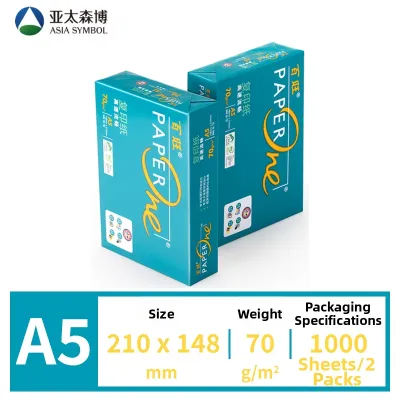
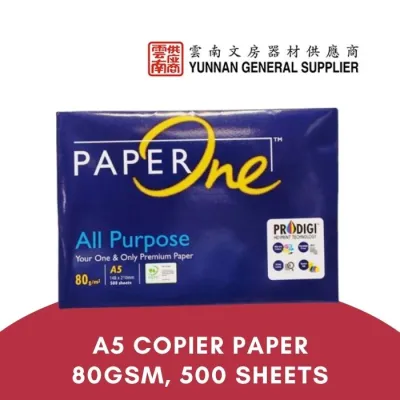
Prices are valid at publication and may change. Please refer to the product page for the latest price.
A common misconception is that a higher GSM is always superior. In reality, paper selection is a balancing act between tactile quality, printer compatibility, and cost. While heavy paper feels luxurious, it can easily jam basic printers, increase shipping costs, and take up excessive space in folders. Conversely, paper that is too thin may tear easily or bleed ink.
Comparing 70 GSM, 80 GSM, and 100 GSM A5 Paper
The market for A5 paper is dominated by three primary weights, each engineered to suit specific printing, writing, and organizational tasks.

70 GSM: Best for Everyday Drafts and High-Volume Printing
At 70 GSM, A5 paper is thin, lightweight, and highly flexible. It is the most economical option available, making it the preferred choice for high-volume printing where minimizing paper costs is a priority. This weight is commonly used for internal office memos, preliminary drafts, quick scratch pads, and single-sided text documents.
Because of its low density, 70 GSM paper is relatively translucent. If you attempt to print on both sides, you will experience significant ghosting, where the text from the reverse side is clearly visible. Furthermore, this paper has low resistance to wet inks; fountain pens, gel pens, and highlighters will easily bleed through the fibers. It is best reserved for dry media like pencils and standard ballpoint pens, or low-ink, single-sided printing.
80 GSM: The Standard for Professional Documents
The undisputed industry standard for office environments is 80 GSM paper. This weight strikes an optimal balance between structural rigidity, opacity, and cost-effectiveness. It is thick enough to feel professional in hand while remaining thin enough to feed smoothly through almost any standard office printer or copier without risk of jamming.
For daily operations, 80 GSM A5 paper is highly versatile. It is ideal for printing formal correspondence, multi-page reports, standard planner inserts, and double-sided documents with moderate text. While it handles standard ballpoint and gel pens beautifully, some very wet fountain pens or heavy highlighters may still produce minor ghosting. For general office use, however, it remains the most practical and reliable choice.
100 GSM: Ideal for Double-Sided Printing and Premium Handouts
When you need to make a strong impression or require high-quality color printing, 100 GSM A5 paper is the ideal choice. This weight feels noticeably thicker, heavier, and more substantial. It offers high opacity, ensuring that even dense, full-color graphics or heavy ink applications on one side do not show through to the other.
This premium weight is perfect for client-facing materials, marketing flyers, brochures, certificates, and double-sided planner pages. It handles wet inks, calligraphy pens, and art markers exceptionally well, resisting feathering and bleed-through. However, this extra thickness comes with practical trade-offs: 100 GSM paper is more expensive, takes up significantly more physical space in binders, and can occasionally cause paper jams in older or low-end home printers.
How to Choose the Right A5 Paper Weight for Your Needs
Selecting the perfect A5 paper weight requires evaluating how the paper will be used, written on, and stored.
- Writing Instruments: Standard ballpoint pens and pencils exert very little moisture, making them perfectly compatible with lightweight 70 GSM paper. However, if you prefer liquid-based inks—such as those found in gel pens, rollerballs, fountain pens, or artistic brush pens—you should opt for at least 80 GSM, and ideally 100 GSM. Heavier paper contains more fibers to absorb the liquid ink, preventing the ink from spreading outward (feathering) or soaking completely through the page (bleed-through).
- Printer Type and Settings: Before purchasing a large quantity of A5 paper, consult your printer's user manual to verify its maximum supported media weight. While heavy-duty office laser printers can easily handle paper weights up to 120 GSM or higher, standard home inkjet printers often have lower limits, sometimes maxing out around 90 to 105 GSM. Printing on paper that exceeds your machine's limits can damage the feed rollers or cause frequent paper jams.
- Document Lifespan and Purpose: Match the weight to the document's importance. Short-lived materials—such as daily to-do lists, temporary meeting agendas, or internal drafts—are best printed on 70 GSM paper to conserve resources and reduce physical clutter. On the other hand, documents intended for long-term reference, archival storage, or external presentation warrant the durability of 100 GSM paper, which resists tearing and wear over time.
- Binding and Folding: Thicker paper, such as 100 GSM, has high structural resistance. When folded to make small A5 booklets, the outer spine of 100 GSM paper can crack or buckle, resulting in an untidy finish. For booklets, 80 GSM is generally preferred because it folds cleanly and sits flat. Additionally, thick 100 GSM paper will quickly fill up standard binder rings or comb bindings, limiting the number of pages you can compile into a single volume.
Printer Compatibility and Paper Handling in Humid Climates
In tropical regions like Singapore, environmental factors play an equally critical role in how paper performs in your printer. High relative humidity can drastically alter the physical properties of paper, making proper handling essential.
- Equipment Limits: When using heavier 100 GSM A5 paper, always check your printer's specifications. If your printer features a manual bypass feed slot or a rear paper tray, use it instead of the standard bottom cassette. The rear feed slot typically provides a much straighter, flatter paper path. This minimizes the sharp bending radius required by bottom-loading trays, significantly reducing the likelihood of thick paper getting stuck or jamming inside the printer's internal rollers.
- Humidity and Curling: Paper is highly hygroscopic, meaning it naturally absorbs moisture from the surrounding air. In Singapore's humid climate, exposed paper fibers quickly swell as they take in ambient moisture. This uneven moisture absorption causes the paper to curl, warp, and develop static cling. Smaller paper sizes like A5 are particularly susceptible to these issues. When lightweight 70 GSM paper absorbs moisture, it loses its structural stiffness, becoming limp and prone to misfeeding, wrinkling, or pulling multiple sheets into the printer simultaneously.
- Storage and Handling Best Practices:
- Keep your A5 paper sealed inside its original moisture-proof wrapper until you are ready to use it. Only take out the specific number of sheets you need, rather than leaving a large stack exposed in the printer tray for weeks.
- Store your paper reams completely flat on a shelf or inside a cabinet. Avoid storing them vertically, which can cause the sheets to sag and warp over time. Keep them away from direct sunlight, air conditioning vents, or damp floors.
- Before placing a stack of A5 paper into your printer's feed tray, thoroughly fan the edges of the sheets. This action introduces air between the pages, breaks any moisture-induced static cling, and ensures the printer's pickup rollers can easily grab a single sheet at a time.
Frequently Asked Questions (FAQ)
Can I use 100 GSM A5 paper in a standard home inkjet printer?
Yes, most standard home inkjet printers can handle 100 GSM A5 paper, but you should always verify your specific model’s maximum media weight in its manual. Because home inkjets often have compact, curved paper paths, feeding heavier 100 GSM sheets through a rear manual feed slot (if available) is highly recommended. This provides a straighter path and minimizes the risk of paper jams compared to pulling the thick paper from a bottom paper drawer.
Does the A5 size change how GSM feels compared to A4?
Yes, there is a noticeable difference in how the stiffness is perceived. Because an A5 sheet (148 x 210 mm) is exactly half the size of an A4 sheet (210 x 297 mm), it has a much shorter span. This shorter physical span gives the A5 sheet more structural resistance to bending, making a 70 GSM A5 sheet feel slightly stiffer and less floppy in your hand than a 70 GSM A4 sheet of the same paper stock. However, its physical thickness, weight per unit area, opacity, and ink absorption properties remain completely identical.
Community discussion
Share your experience or ask a question. Comments are reviewed before publication.