
Selecting the most suitable document finishing system is a critical decision for any office, school, or professional service provider. The chosen binding method directly impacts how readers perceive your work, how easily they can flip through the pages, and how long the document remains intact under daily handling. Whether you are preparing a high-stakes corporate proposal for a client in Singapore’s central business district, compiling a thick training manual for internal staff, or assembling academic workbooks, the right choice balances presentation quality with functional utility.
Among the array of desktop finishing options, three methods dominate the market: thermal binding, plastic comb binding, and spiral (or coil) binding. Each approach relies on distinct physical mechanisms, requires specific equipment, and delivers a unique user experience. To find the optimal match, you must evaluate factors such as visual style, page capacity, editing flexibility, and equipment investment.
Quick Answer: Which Binding Method Should You Choose?
When choosing between these three popular binding methods, your decision should stem from the primary purpose of the document, the expectations of the recipient, and whether you need to modify the pages later.
Products mentioned in this guide
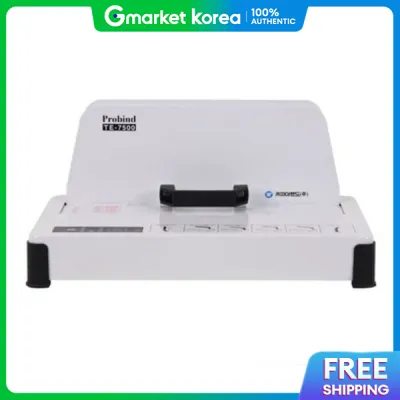
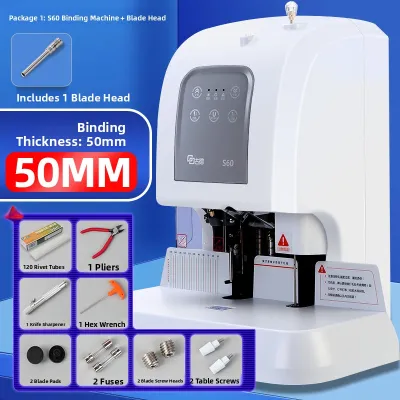
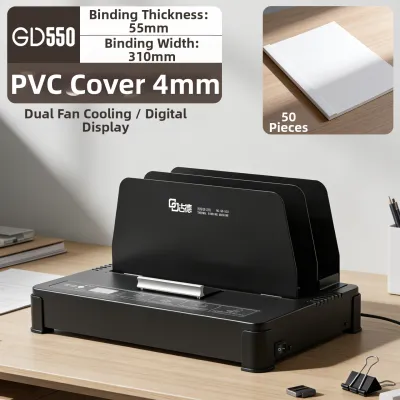
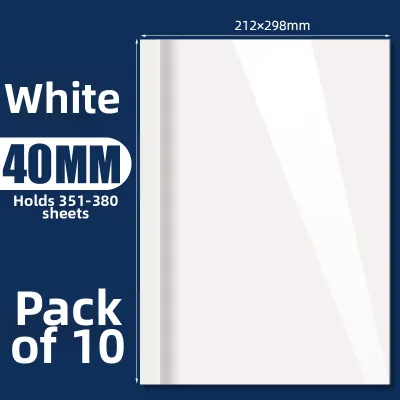
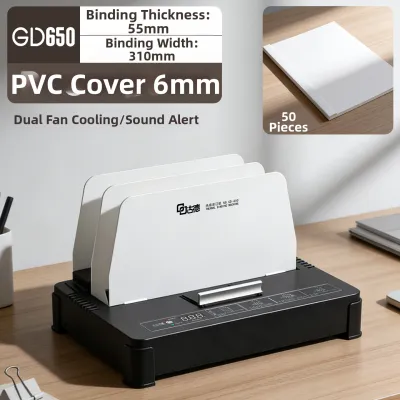
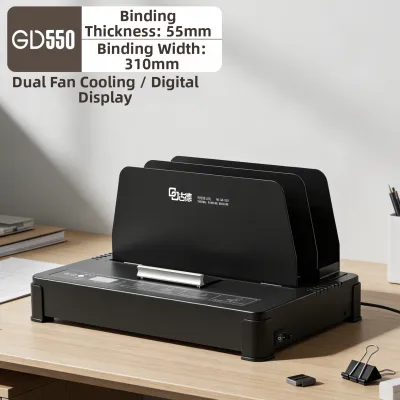
Prices are valid at publication and may change. Please refer to the product page for the latest price.
Choose Thermal Binding if you require a polished, book-like finish for formal, client-facing reports, high-end business proposals, or legal portfolios. A thermal binding machine secures pages within a neat, seamless cover without the need for visible punched holes along the margin, offering the most executive-level presentation.
Choose Comb Binding if you are producing thick, internal reference materials, training manuals, or directories that require a high page capacity and may need frequent updates. This method allows you to easily open the plastic comb to add, remove, or replace individual pages without destroying the binding element.
Choose Spiral Binding if you are creating workbooks, cookbooks, music scores, or presentation decks that must lie completely flat on a desk or fold back 360 degrees for hands-free reading. Spiral binding offers exceptional durability and a modern, highly practical aesthetic suitable for active, hands-on use.
Ultimately, the “best” method is entirely conditional. It depends on the balance you wish to strike between the document’s visual formality, its expected lifespan, your budget for consumables, and whether you require the ability to edit the bound content post-assembly.
How Thermal, Comb, and Spiral Binding Work
Understanding the physical mechanics of each binding method helps clarify why they perform differently in terms of durability, flexibility, and handling.

Thermal Binding
This process relies on heat and specialty adhesive rather than mechanical rings. You place your loose, unpunched pages into a specialized folder or spine cover that has a strip of solid hot-melt glue pre-applied along its inner spine. The assembled document is then placed into a thermal binding machine. The machine heats the spine to a specific temperature, liquefying the adhesive so that it flows into the edges of the paper sheets. Once the heating cycle completes, you transfer the document to a cooling rack. As the glue cools and solidifies, it fuses the pages permanently to the cover spine.
Comb Binding
This traditional mechanical method relies on physical alignment and rectangular hole punching. You first punch a series of rectangular slots (typically 21 holes along an A4-sized sheet) along the binding edge of your paper. Next, you place a flexible plastic comb onto the comb-opening mechanism of your binding machine. Pulling a lever spreads the comb’s teeth open, allowing you to thread the punched paper sheets onto the open prongs. Releasing the lever allows the plastic teeth to spring back into their closed, cylindrical shape, securing the pages together.
Spiral Binding
Also known as coil binding, this method involves punching a continuous row of round or oval holes along the document edge (commonly using a 4:1 pitch, which means four holes per inch). Once punched, a continuous plastic or metal coil is threaded through the holes. This threading can be done manually by spinning the coil through the first few holes and then using an electric roller inserter to spin the coil through the remaining length of the document. Finally, you use a pair of specialized crimping pliers to cut and bend the ends of the coil, preventing it from uncoiling during use.
Appearance and Professional Finish
The visual presentation of a bound document serves as the first point of contact with your reader. Matching the binding style to the formality of the occasion is essential for projecting the right professional image.
Thermal Binding
This method delivers the most sophisticated, high-end appearance of the three. Because it uses no visible loops, coils, or plastic teeth, the finished document closely resembles a professionally published paperback book. The spine is completely flat and clean, allowing for easy labeling and neat stacking on a bookshelf or desk. For executive-level reports, financial audits, and premium client pitches, thermal binding provides a seamless, uninterrupted layout that conveys permanence and high quality.
Comb Binding
This style offers a highly functional, traditional office aesthetic. The wide, flat plastic spine is highly visible on the front and back of the document. While it is incredibly practical and widely accepted for internal office reports, school projects, and standard reference guides, the bulky plastic comb can look somewhat utilitarian. If you are presenting a high-value proposal to a prospective client, the visible plastic teeth and punched margins may lack the premium, polished feel of a thermal bind.
Spiral Binding
This option provides a modern, clean, and highly organized look. The continuous spiral coil runs neatly along the edge, offering a balanced aesthetic that works well in both corporate and creative environments. Spiral-bound documents look organized and purposeful, making them popular for marketing decks, design portfolios, and educational materials. While highly professional, the exposed coil can occasionally snag on fabrics or other papers in a bag, and it may not match the formal, book-like gravity required for legal filings or board-member presentations.
Durability, Page Capacity, and Lay-Flat Performance
How a document behaves when opened and how well it survives repeated handling are critical factors in user satisfaction.
Durability
Thermal binding creates a highly secure, permanent bond, but its longevity depends on environmental conditions and paper alignment. In warm, humid climates, storing thermal-bound documents in non-air-conditioned spaces or leaving them in a hot car can soften the hot-melt adhesive, potentially causing sheets to slide loose. Comb binding is physically robust, but the plastic combs can become brittle over time, and the teeth can occasionally snag and unhook if the document is stuffed roughly into a tight filing cabinet. Spiral binding is exceptionally durable; plastic coils are highly flexible and will bounce back to their original shape even after being compressed in a briefcase, while metal coils offer a rigid, long-lasting structure.
Page Capacity
Comb binding leads the industry in terms of sheer capacity. Plastic combs are available in diameters up to 51mm, allowing you to bind documents containing up to approximately 450 to 500 sheets of standard 80gsm paper. Spiral binding also offers high capacity, with coils available up to 50mm (about 400 sheets), though winding a very large coil through a thick document requires careful handling to prevent misalignment. Thermal binding capacity is strictly limited by the pre-glued spine widths available from manufacturers, which typically range from 1.5mm (around 15 sheets) up to 50mm (around 500 sheets). However, binding very thick documents with thermal adhesive requires absolute precision; if the inner sheets do not make direct contact with the melted glue, they can easily fall out.
Lay-Flat and Fold-Back
Spiral binding delivers the best reading ergonomics. Because the pages slide freely along a continuous round coil, a spiral-bound document can lay completely flat on a desk and fold back a full 360 degrees. This makes it the ideal choice for workbooks, lab manuals, and presentation scripts where hands-free reading is essential. Comb-bound documents can lay flat when open, but they cannot fold back 360 degrees; trying to force the pages back will damage the plastic comb. Thermal binding behaves like a standard paperback book; it does not lay flat on its own without being held down, and attempting to fold the pages back 360 degrees will crack the glue spine, permanently ruining the bind.
Ease of Use, Editing, and Thermal Binding Machine Requirements
The operational workflow, labor requirements, and long-term flexibility of each binding method should align with your office productivity goals.
Equipment Needs
Thermal binding requires a dedicated thermal binding machine and matching thermal covers (which feature integrated front and back covers joined by the pre-glued spine). The machine itself has no moving mechanical parts, making it highly reliable and compact. Comb and spiral binding require mechanical punch machines to pierce the paper before binding. For comb binding, you need a machine with a built-in comb spreader. For spiral binding, you need a punch machine and either a manual coil inserter or an electric roller, plus a pair of coil crimping pliers.
Editing and Reusability
Comb binding is the only method that supports effortless, non-destructive editing. If you need to swap out a page or add an updated section to a training manual, you simply place the document back on the machine, open the plastic comb, make your changes, and close the comb again. The plastic comb remains completely reusable. Spiral binding is much harder to edit; you must cut the crimped end off the coil, spin the entire coil out of the document, make your page changes, and then thread a brand-new coil through the holes. Thermal binding is considered permanent. While you can technically reheat a thermal spine to slide a page out or insert a new one, this process often disrupts the adhesive layer, leading to a weaker bond and increasing the risk of subsequent page loss. For reliable updates, you generally must print a fresh set of pages and use a new thermal cover.
Workflow Speed and Effort
Thermal binding is incredibly fast and efficient for high-volume tasks. Because there is no manual punching involved, you simply drop your paper stack into the cover and place it in the heating slot. Many thermal machines can accommodate multiple thin documents at once, and the heating cycle typically takes less than a minute. Comb and spiral binding are significantly more labor-intensive. You must punch the paper in small batches (usually 10 to 20 sheets at a time, depending on your machine’s punch capacity). For a 200-page document, this requires multiple punching cycles, followed by the manual alignment and insertion of the comb or coil, which can quickly become tiring and time-consuming.
Before purchasing any system, always verify the paper weight and size compatibility with your specific machine model and consumables. Standard 80gsm paper is the default benchmark, but heavier cardstocks or glossy photo papers will reduce the maximum page capacity of your binding elements and may require adjustments to your punching or heating workflow.
Feature Comparison Matrix
This matrix provides a quick, scannable comparison of the three binding methods to help you choose the right option for your specific document needs.
| Feature | Thermal Binding | Comb Binding | Spiral Binding |
|---|---|---|---|
| Appearance | Professional, book-like, flat spine | Utilitarian, traditional office look | Modern, clean, active aesthetic |
| Editability | Permanent (difficult to edit) | Very easy (reusable combs) | Moderate (requires cutting/replacing coil) |
| Lay-Flat Ability | Limited (behaves like a paperback) | Good (lays flat, no 360-degree fold) | Excellent (lays flat and folds 360 degrees) |
| Page Capacity | Up to 500 sheets (requires matching spine) | Up to 500 sheets (highly versatile) | Up to 400 sheets (large coils can be bulky) |
| Equipment Needed | Thermal binding machine, thermal covers | Punch machine, comb opener, plastic combs | Punch machine, coil inserter, crimpers, coils |
| Best Use Case | Client proposals, legal briefs, formal reports | Internal manuals, directories, draft documents | Workbooks, cookbooks, notebooks, presentations |
Frequently Asked Questions (FAQ)
Can a thermal binding machine punch holes for comb or spiral binding?
No, a standard thermal binding machine cannot punch holes. It is designed solely as a heating and cooling station to melt and set the adhesive inside specialized spine covers. It contains no mechanical punching dies or levers. Comb and spiral binding rely on physical holes punched through the paper margins, which requires a dedicated mechanical or electric paper punch. While some high-end, multi-function modular workstations exist for commercial print shops, standard office desktop thermal binding machines are single-purpose devices that do not support hole punching.
Which method is best for thick textbooks or reference manuals?
Comb binding is generally the best choice for very thick textbooks, reference manuals, or directories. This is because plastic combs offer high structural stability at large diameters (up to 51mm) and allow the document to lay flat when open on a desk, which is essential for studying or referencing information. Furthermore, reference manuals often require periodic updates; comb binding allows you to open the spine, swap out outdated pages, and close it back up without damaging the rest of the book. While thermal binding can technically hold up to 500 sheets, very thick thermal-bound documents are highly rigid, do not lay flat easily, and run a higher risk of inner pages pulling away from the adhesive spine over time.
How do I know if my paper is compatible with thermal binding?
To ensure a successful thermal bind, you must check the manufacturer’s specifications for both your thermal binding machine and the thermal covers you plan to use. Standard uncoated office papers (such as standard 80gsm copy paper) are highly compatible because the porous paper fibers allow the melted adhesive to penetrate deeply, creating a strong bond. However, extremely glossy, heavily coated, or highly textured papers can present compatibility issues. The coatings on glossy paper can act as a barrier, preventing the hot glue from gripping the paper fibers, which can result in pages slipping out. If you must bind coated or non-standard paper stocks, it is highly recommended to perform a test bind with a small sample document first to verify the strength of the adhesive bond before proceeding with a large production run.
Community discussion
Share your experience or ask a question. Comments are reviewed before publication.