
Choosing between smart notebooks comes down to a fundamental trade-off: do you want the infinite reusability of synthetic pages, or do you prefer the tactile, authentic feel of traditional wood-pulp paper paired with digital tracking? While reusable synthetic notebooks offer a highly sustainable, wipe-to-erase workflow, they require specific erasable gel inks and feel noticeably slicker under the pen. On the other hand, traditional paper smart notebooks preserve the classic writing experience and support a wider range of standard inks, but they rely on specialized digital pens or precise app-based optical scanning to digitize your notes. Evaluating these options requires looking closely at paper texture, ink drying times, and the reliability of the companion digitization software.
Understanding Smart Notebook Technologies
To make an informed choice, it is essential to understand that “smart” notebooks generally fall into two distinct technological categories. The first category consists of reusable synthetic paper notebooks. These notebooks feature pages made from specialized plastics, such as polyethylene or polypropylene composites, which are designed to withstand repeated writing and erasing. The erasing process typically relies on heat, moisture, or friction to dissolve or lift specific erasable gel inks. Because the paper itself is synthetic, it does not absorb ink the way traditional wood pulp does, allowing you to wipe the pages clean and reuse the notebook dozens of times.
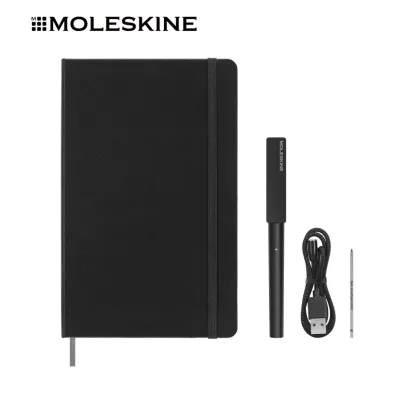
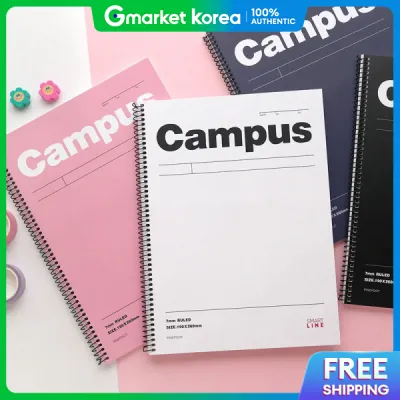
The second category comprises traditional paper notebooks embedded with smart markers. These notebooks use actual wood-pulp paper, which is often printed with a subtle pattern of microscopic dots, QR codes, or specialized border markers. Some systems in this category rely on a companion smartphone app to scan, crop, and align the pages using these printed markers as reference points. Other systems use an active digital pen equipped with an infrared camera near the tip, which tracks the pen’s exact coordinates on the micro-dot pattern in real time. In both cases, the “smart” element is a combination of physical page markers and digital processing, while the paper itself remains familiar and disposable.
Products mentioned in this guide
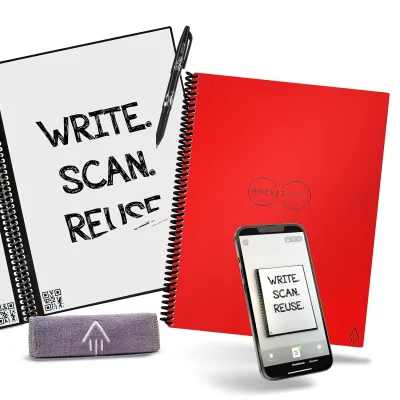
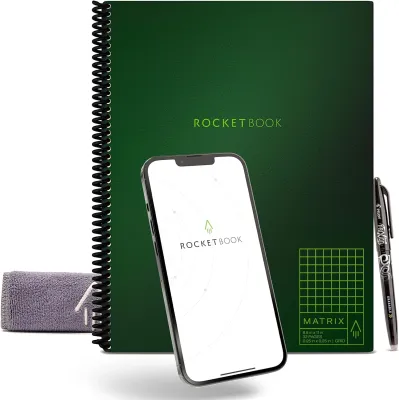
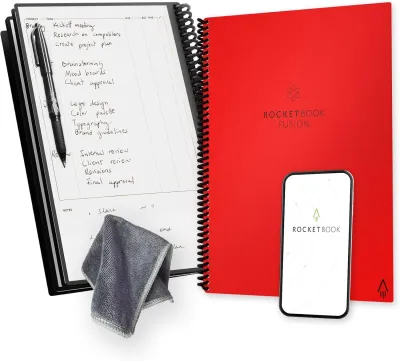
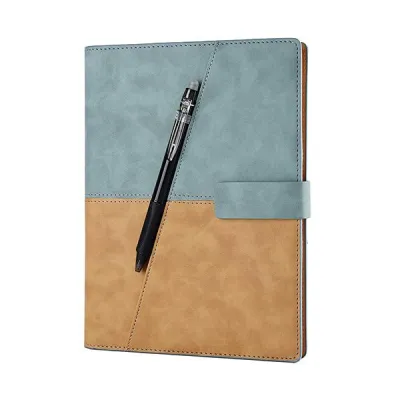
Prices are valid at publication and may change. Please refer to the product page for the latest price.
Ultimately, the core digitization technology dictates both the physical properties of the paper and the capture method you must use. Reusable synthetic notebooks are highly self-contained but require specific writing instruments and manual cleaning. Traditional smart paper systems offer a more seamless, high-fidelity writing experience but require you to purchase replacement paper refills once the pages are filled, or rely on specialized hardware that must be kept charged.
Comparing Paper Quality and Writing Experience
The physical sensation of writing is often the deciding factor for stationery enthusiasts, and smart notebooks present a stark contrast in tactile feedback. Reusable synthetic pages have a very smooth, coated texture with almost no “tooth”—the microscopic roughness of paper that creates friction against a pen tip. Writing on synthetic paper can feel somewhat slick, causing the pen to glide quickly across the surface. For some writers, this reduces hand fatigue, but for others, the lack of resistance can make handwriting more difficult to control. In contrast, traditional smart paper retains the natural tooth of wood-pulp fibers, providing the familiar scratch and tactile feedback of a standard notebook.

Paper weight and durability also differ significantly between the two types. When evaluating traditional smart paper, you should check the paper weight, measured in grams per square meter (GSM). Standard smart notebooks typically range from 80 GSM to 100 GSM. Higher GSM values generally indicate thicker, more opaque pages that resist ink feathering and ghosting—where writing is visible on the reverse side of the page. Synthetic notebooks do not use GSM ratings in the same way; instead, their quality is determined by tear-resistance, page thickness, and how well the binding holds up to repeated flexing and cleaning. High-quality synthetic pages should feel substantial and resist stretching or warping when wiped with a damp cloth or heated with a hair dryer.
Ink compatibility and drying times are critical practical considerations, especially in humid climates like Singapore where moisture can affect paper behavior. Reusable synthetic notebooks are highly restrictive, generally requiring specific erasable gel pens. Because synthetic paper is non-porous, the ink must dry entirely on top of the page surface rather than soaking into the fibers. This can result in significantly longer drying times, sometimes taking up to 15 seconds or more. If you are left-handed or write quickly, this slow drying time increases the risk of smudging. Traditional smart paper, being porous, absorbs ink quickly, allowing you to use a wider variety of standard gel pens, ballpoints, or even fountain pens, provided the paper is thick enough to prevent bleed-through.
Before purchasing any smart notebook, it is highly recommended to verify the manufacturer’s specifications regarding recommended pen types, drying times, and erasure methods. Some synthetic notebooks can be damaged if you use standard ballpoint pens or apply too much pressure, which can leave permanent indentations in the plastic pages. Checking these details beforehand ensures you select a system that aligns with your preferred writing speed and style.
Evaluating Smart Features and Digitization Reliability
A smart notebook is only as good as its ability to transition your physical notes into an organized digital format. The capture method is the first step in this workflow. App-based optical scanning relies entirely on your smartphone’s camera. The companion app uses the notebook’s dark borders or corner QR codes to automatically crop, de-skew, and enhance the image. While highly cost-effective, this method is sensitive to environmental factors. Poor lighting, shadows cast by your hand, or pages that do not lie completely flat can result in distorted scans or illegible text. Active digital pen systems, by contrast, bypass the smartphone camera entirely by tracking pen strokes directly on the page, capturing your writing in real time even if you are working in a dimly lit room.
Once the writing is captured, the software’s digitization accuracy becomes paramount. Most smart notebook apps include Optical Character Recognition (OCR) technology to convert your handwritten notes into searchable, editable text. The success of OCR depends heavily on page contrast, marker clarity, and the sophistication of the app’s processing engine. Clean, high-contrast scans from synthetic paper or well-lit traditional paper yield the best OCR results. However, if your handwriting is highly cursive or if the scan is slightly blurry, the software may struggle to index your notes accurately.
Cloud integration and organization features vary widely across different smart notebook ecosystems. Some systems use physical “destination icons” printed at the bottom of each page. By marking a specific icon with your pen, you instruct the companion app to automatically route the scanned page to a pre-configured folder in your preferred cloud storage service, such as Google Drive, Dropbox, or Microsoft OneDrive. Other systems rely on manual sorting within the app or use automatic tagging based on handwritten hashtags. Evaluating how seamlessly these workflows fit into your existing digital filing system is crucial for long-term utility.
Finally, you must consider the operational limitations of each technology. App-dependent scanning requires you to manually scan every page, which can become tedious if you write dozens of pages a day. Hardware-dependent systems, such as those using active digital pens, offer a more automated experience but introduce battery management, firmware updates, and the need to keep the specialized stylus paired and charged. If the pen battery dies mid-meeting, you lose the ability to digitize your notes until it is recharged, even if you can still write physically on the page.
Decision Framework: Choosing the Right Smart Notebook
To choose the right smart notebook for your daily routine, consider how your writing habits align with the strengths and limitations of each technology.
Choose a reusable synthetic notebook if:
- You prioritize sustainability and want to minimize physical paper waste over time.
- You prefer a highly streamlined, digital-first workflow where notes are scanned, uploaded, and then immediately erased from the physical book.
- You do not mind a smoother, slicker writing surface and are comfortable using only specific erasable gel pens.
- You want a durable, water-resistant notebook that can survive accidental spills or humid environments without warping.
Choose a traditional smart paper notebook if:
- You demand the authentic, tactile feel of real paper and prefer the natural friction of wood-pulp pages.
- You want to use a wider variety of standard writing instruments, such as fine-liners or fountain pens, without ruining the pages.
- You need to keep the original, physical copy of your notes for archiving, sketching, or quick reference while still having a digital backup.
- You prefer a system that does not require wet-wiping or heat-erasing to clear space.
Verify first if:
- You require specific enterprise-grade security or direct integration with specialized corporate cloud platforms, as some proprietary apps have limited export destinations.
- You are left-handed, as the slow drying time of erasable inks on synthetic paper may lead to frequent smudging during fast writing sessions.
- You are willing to manage the charging cycles and replacement nibs of an active digital pen, or if you prefer the simpler, battery-free approach of manual app scanning.
Frequently Asked Questions (FAQ)
Can I use any pen with a reusable smart notebook?
No, you cannot use standard pens with a reusable synthetic smart notebook. These notebooks require specific erasable gel inks or proprietary markers recommended by the manufacturer. Standard ballpoint pens, gel pens, fountain pens, and permanent markers use solvent-based or pigment-rich inks that penetrate or permanently bond with the synthetic page material, leaving permanent stains. Additionally, using hard-tipped pens or applying excessive pressure can scratch or indent the plastic coating, permanently damaging the page’s reusability. Always check the manufacturer’s guidelines to ensure your writing instruments are fully compatible.
Do smart notebooks require a subscription to use their apps?
Whether a smart notebook requires a subscription depends entirely on the brand and the specific features you need. Most companion apps offer basic scanning, cropping, and manual cloud exporting for free. However, advanced features—such as automated Optical Character Recognition (OCR), searchable handwriting databases, auto-tagging, and unlimited cloud storage integration—may be locked behind a monthly or annual subscription fee. Before purchasing, it is wise to check the app store listings and the manufacturer’s terms of service to understand what features are included for free and which ones require ongoing payments.

Community discussion
Share your experience or ask a question. Comments are reviewed before publication.