
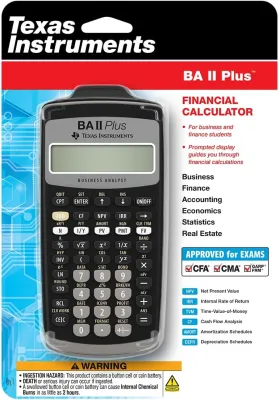
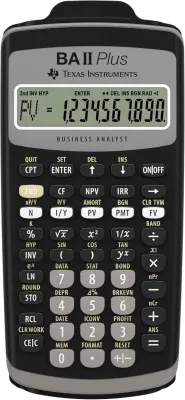
Financial calculators are not approved for use in the Singapore-Cambridge GCE A-Level examinations. The Singapore Examinations and Assessment Board (SEAB) maintains a strict, annually updated list of registered calculator models permitted in the examination hall. This list consists exclusively of specific scientific and graphing calculators. Bringing an unapproved financial calculator into an exam is a serious breach of regulations that can lead to the confiscation of your device and potential disciplinary action.
A-Level subjects assess your ability to apply mathematical formulas, logical reasoning, and step-by-step problem-solving. Financial calculators feature pre-programmed algorithms for complex business computations, such as Net Present Value (NPV), Internal Rate of Return (IRR), and loan amortization. Allowing these devices would compromise the integrity of the assessment, as the calculator would perform the core analytical work instead of the student. To ensure you do not purchase the wrong device, you must understand the distinction between these calculator types, how to verify the official SEAB list, and what to look for when buying an exam-compliant model in Singapore.
Understanding SEAB Calculator Regulations
SEAB oversees all national examinations in Singapore, ensuring a fair and standardized testing environment for all candidates. The board’s calculator policy is designed to prevent any unfair advantages. Calculators with wireless communication capabilities, external memory card slots, or the ability to store and display text files are strictly prohibited. The regulations ensure that every student relies on their own understanding and analytical skills rather than the storage capacity or advanced programming of a device.
Products mentioned in this guide
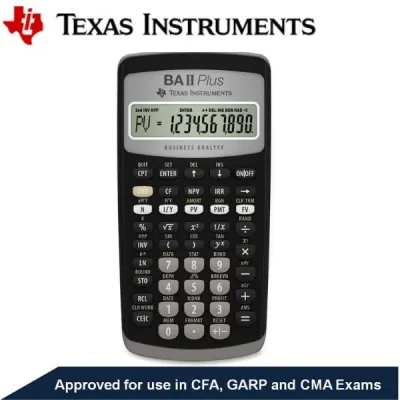
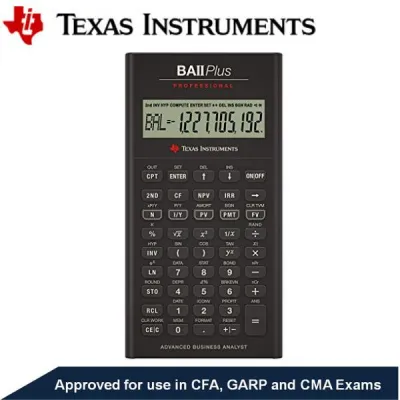

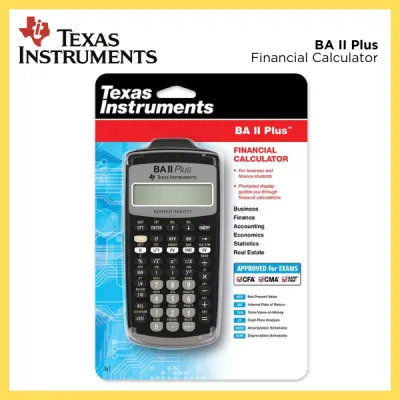

Prices are valid at publication and may change. Please refer to the product page for the latest price.
For junior college students in Singapore, compliance is managed through a formal registration and verification process. Before the national examinations begin, schools conduct calculator clearance exercises. Tutors inspect each student’s calculator to verify that the model matches the SEAB approved list. Once verified, a non-removable school approval sticker is affixed to the back of the device. Without this sticker, you will not be allowed to use the calculator during the examination.
It is also essential to check the specific syllabus for your subjects, as tool restrictions vary. While a particular scientific calculator might be approved for general use, certain papers may restrict calculators entirely or require a specific type of device, such as a graphing calculator. Bringing a non-compliant or unapproved device into the examination hall, even by accident, is treated as a breach of exam discipline. This can result in the confiscation of the calculator, leaving you to complete the paper manually, or even the cancellation of your subject results.
Scientific vs. Financial Calculators for A-Level Subjects
To make an informed purchase, you must understand the technical differences between financial calculators and approved scientific models. Financial calculators are specialized business tools. They feature dedicated keys for time-value-of-money (TVM) calculations, such as interest rates, cash flows, and amortization schedules. These keys allow users to solve complex business problems with minimal manual input, which is why they are banned in academic exams that test those exact mathematical derivations.

Scientific calculators, on the other hand, are designed for general mathematics, science, and engineering. They feature keys for trigonometric functions, logarithms, exponents, and statistical analysis. While some advanced scientific calculators can perform basic matrix calculations or solve quadratic equations, they do not have dedicated financial menus or pre-programmed business formulas. They require you to input the actual mathematical formulas step-by-step, which aligns with the assessment objectives of the A-Level curriculum.
Graphing calculators represent another category entirely. These devices feature large screens capable of plotting graphs, finding intersection points of curves, and performing advanced statistical modeling. In Singapore, graphing calculators are a mandatory requirement for H2 Mathematics. However, like scientific calculators, they do not contain pre-programmed financial analysis suites, and their memory must be completely reset to factory defaults before you enter the exam hall.
For subjects like Economics or Principles of Accounting, students often assume a financial calculator is appropriate. This is a common misconception. These subjects require you to show your workings and perform basic arithmetic or percentage calculations, which are easily handled by a standard scientific calculator. Using a financial calculator to bypass these steps is not permitted, and doing so will prevent you from earning method marks.
How to Verify the Official Approved Calculator List
Because SEAB updates its approved calculator list annually, you must independently verify your model before the exam season begins. Do not rely on advice from older siblings or outdated online forums, as models that were permitted in previous years may be removed if syllabus requirements change. The only definitive source of truth is the official SEAB portal.
To verify your calculator, visit the official SEAB website and search for the latest approved calculator document for the current examination year. This document is typically published as a downloadable PDF. It lists every approved brand and model number down to the exact letter and suffix. Suffixes are highly critical; for example, a model ending in “SG” or “SG X” is specifically configured for the Singapore curriculum and approved, whereas an international version of the same model might lack approval due to different firmware features.
If you find that your preferred calculator model is not on the official list, you must not bring it to the exam. There are no exceptions made for unlisted models, even if they appear identical to approved ones. If you are unsure about a specific model, consult your school’s general office or your subject tutor. Schools often organize bulk purchases of approved models at the start of the academic year to ensure all students have compliant devices.
Buying Checklist for Exam-Compliant Calculators
When shopping for a calculator at local retail bookstores, school bookshops, or online marketplaces, use this practical checklist to ensure your purchase is fully compliant with Singapore exam rules:
- Match the Exact Model Number: Double-check every character of the model number on the packaging against the SEAB approved list. A single letter difference can mean the device has unauthorized programmable memory or wireless features.
- Check for Prohibited Features: Ensure the device does not have a QWERTY keyboard, wireless connectivity (Wi-Fi, Bluetooth), or the ability to display text files. The calculator must only perform standard mathematical functions.
- Verify the Power Source: Long exam papers require reliable power. Choose a calculator with a dual power source (solar and battery) for scientific models. For graphing calculators, which consume more power due to their backlit screens, ensure the battery is fully charged or that you have fresh backup batteries ready.
- Inspect the Physical Condition: Ensure the screen is clear of any defects or bleeding ink, and that all keys register inputs smoothly. A sticky key can lead to calculation errors under exam pressure.
- Prepare the Cover: Ensure the slide-on hard cover of the calculator is completely clean. Any writing, stickers, or scribbles on the cover must be removed before the exam to avoid suspicion of cheating.
Frequently Asked Questions (FAQ)
Can I use a calculator with a slide-on hard cover during the exam?
Yes, you can bring a calculator with a slide-on hard cover into the exam room, but it is subject to strict inspection. Invigilators will check both the inside and outside of the cover for any written formulas, notes, or stickers. To avoid any issues or delays during the pre-exam inspection, it is highly recommended to slide the cover off and place it face down under your desk or leave it in your bag before the paper begins.
What happens if my calculator battery dies during the A-Level exam?
If your calculator battery dies during the exam, raise your hand immediately to alert an invigilator. While some exam centers may have a limited number of spare calculators to lend, this is not guaranteed, and you may lose valuable time adjusting to a different model. To prevent this, always replace your batteries before the exam season starts, or bring an approved backup calculator. You are allowed to have more than one approved calculator on your desk, provided both have been verified and cleared by your school.
Are graphing calculators allowed in A-Level Economics or Accounting?
No, graphing calculators are generally not permitted in non-mathematics subjects like Economics or Principles of Accounting. These subjects only allow approved scientific calculators. Graphing calculators are specifically reserved for Mathematics papers where their use is explicitly prescribed in the syllabus. Always refer to the specific subject syllabus document issued by SEAB to confirm which tools are permitted for each paper.
Community discussion
Share your experience or ask a question. Comments are reviewed before publication.