
For daily, high-volume printing in Singapore, A4 70gsm paper is an exceptionally cost-effective and practical choice. Reliable brands such as Double A, PaperOne, and IK Copy are widely available across local office suppliers and online marketplaces. However, choosing the right brand for your specific setup requires balancing your budget with Singapore’s unique tropical climate. High humidity can quickly turn an exposed, low-quality ream of paper into a jam-prone headache. Understanding the physical characteristics of 70gsm paper and how different brands perform under local environmental conditions will help you keep your home or office printer running smoothly.
Is 70gsm the Right Choice for Your Daily Printing?
Paper weight is measured in grams per square meter (gsm), which represents the physical density and thickness of the paper sheet. Standard A4 copy paper typically ranges from 70gsm to 80gsm for everyday office use. A single sheet of A4 paper measures exactly 210 mm by 297 mm. When manufactured at a 70gsm specification, each individual sheet is slightly thinner, lighter, and more flexible than its 80gsm counterpart. This reduced thickness means that a standard ream of 500 sheets is more compact, making it easier to store and transport in bulk.
Choosing 70gsm paper is highly advantageous for specific high-volume applications. It is the ideal medium for printing internal office memos, single-sided drafts, temporary school worksheets, and bulk documents destined for archiving. Because 70gsm paper uses less raw wood pulp during manufacturing, it is often more economical and represents a lower environmental footprint per sheet. For businesses or home offices that print hundreds of pages of reference material daily, switching to a reliable 70gsm paper can yield noticeable cost savings over time without sacrificing basic text readability.
Products mentioned in this guide
![[SG]Perfect Print A4 Size 70gsm White Copier Paper [Evergreen Stationery] (5 Reams per Carton) | MAX 2 CARTONS/ORDER](https://img.lazcdn.com/g/p/5b68d91431474af3ae7b65825324d08d.png_400x400q80.png_.webp)
![PaperOne A4 Printing Paper - Copier Paper 70gsm - 75gsm [Available in Single Ream / Box]](https://img.lazcdn.com/g/p/8b1532a731f2e376630ddd65374d9b96.png_400x400q80.png_.webp)
![PaperOne A3 A4 A5 Printing Paper | Double A A4 Printing Paper | Fujifilm A4 Printing Paper [70gsm | 80gsm | 100gsm]](https://img.lazcdn.com/g/p/e6656a7d0c70606a115a8596caf6a15d.png_400x400q80.png_.webp)
![Azone Paperpoint Broadline Lecture Pad A4 70gsm [3/ 6 Pads]/ Yellow Legal Pad](https://img.lazcdn.com/g/p/fa012717c364d0b11c43f6979d4e2187.jpg_400x400q80.jpg_.webp)
Prices are valid at publication and may change. Please refer to the product page for the latest price.
However, the thinner profile of 70gsm paper introduces specific performance trade-offs when compared to heavier 80gsm sheets. The primary difference lies in opacity. Thinner paper is naturally more translucent, meaning that high-intensity inks or heavy black toner can easily show through to the reverse side of the sheet. If your daily tasks involve double-sided (duplex) printing, formal client-facing presentations, or documents with heavy color graphics, 80gsm or heavier paper is generally preferred to prevent visual bleed-through. For standard single-sided monochrome text documents, however, 70gsm remains an incredibly efficient workhorse.
Before standardising your paper supply on 70gsm, it is essential to verify your printer’s specifications. Most modern laser printers, inkjet printers, and high-speed copiers are designed to handle paper weights ranging from 60gsm up to 220gsm. However, older or highly specialized office machines may occasionally experience feeding issues with lighter paper weights if their rollers are worn. Checking your printer manufacturer’s manual will confirm if 70gsm is within the recommended operating range for your specific device.
Key Quality Indicators for Everyday Copy Paper
When evaluating A4 copy paper, looking beyond the brand name to specific physical performance metrics is crucial. These indicators directly affect how easily the paper moves through your printer’s internal paper path and how clear your final printed text appears.

Smoothness and Friction
The surface texture of copy paper determines how printer rollers grip and feed individual sheets. High-quality paper undergoes a precise calendering process during manufacturing to achieve an optimal balance of smoothness. If the paper surface is too rough, it increases friction against the printer’s pickup rollers, leading to premature wear and a higher likelihood of paper jams. Conversely, if the paper is excessively slick or glossy, the rollers may fail to grip a single sheet, resulting in double-feeding or blank pages passing through the machine. Consistent surface smoothness ensures that sheets separate cleanly as they enter the printer feed mechanism.
Brightness and Whiteness
Paper brightness is measured using an ISO scale, typically ranging from 80% to over 100%. Higher ISO brightness percentages mean the paper reflects more light, creating a starker contrast between the black toner or ink and the page. This contrast is vital for text readability and the professional appearance of printed charts or diagrams. Whiteness, on the other hand, refers to the shade of the paper, which can range from a warm, yellowish-white to a cool, bluish-white. For daily office printing, a brightness level of ISO 95% or higher is generally recommended to ensure clean, professional-looking documents.
Moisture Content and Packaging
Paper is highly hygroscopic, meaning it naturally absorbs moisture from the surrounding air. This characteristic is particularly critical in Singapore, where the average relative humidity frequently exceeds 80%. When paper absorbs moisture, the fibers swell unevenly, causing the sheets to curl, warp, or stick together. Premium paper manufacturers address this by wrapping their reams in specialized moisture-proof packaging, often featuring a thin polyethylene (PE) inner lining. This moisture barrier keeps the paper at a stable, controlled moisture level from the factory floor to the moment you open the pack.
Dust and Lint Levels
During the high-speed cutting process at the paper mill, microscopic paper fibers and dust can accumulate on the edges of the sheets. If a brand uses dull cutting blades or poor dust-extraction systems, a significant amount of paper lint remains in the ream. As this paper passes through your printer, the dust transfers to the optical sensors, laser fusers, and inkjet printheads. Over time, this buildup can cause print defects, such as white streaks or spots, and may require professional servicing to clean. Opting for brands that emphasize low-dust manufacturing processes protects your printer’s internal components and extends its operational lifespan.
Widely Available A4 70gsm Paper Brands in Singapore
Singapore’s stationery and office supply market features several prominent paper brands. While specific product lines, packaging designs, and local availability can fluctuate over time, these brands generally fall into two distinct market segments based on their manufacturing standards, raw material sourcing, and price positioning.
Premium and High-Reliability Options
Premium brands are designed for environments where printer downtime is costly, and consistent feed reliability is the top priority. These options typically command a slightly higher price point per ream but deliver exceptional performance in high-speed office laser printers and heavy-duty commercial copiers.
- Double A A4 70gsm: Double A is widely recognized across Singapore for its premium quality and high brightness levels (often exceeding ISO 100%). The brand uses farmed eucalyptus trees, which produce fibers that give the paper high density, smooth texture, and excellent stiffness. This structural integrity minimizes bending and curling as the paper passes through hot laser fuser units, resulting in exceptionally low jam rates. It is highly suited for fast-paced office environments that rely on high-volume, automated printing runs.
- PaperOne Everyday 70gsm: Manufactured by the APRIL Group, PaperOne is another highly reliable option commonly found in Singaporean offices. This paper features ProDigi HD Print Technology, a proprietary surface treatment that enhances ink retention. This technology helps liquid inks dry faster on the surface, reducing smudging and bleed-through on inkjet printers while maintaining sharp contrast on laser printers. It offers a smooth surface and consistent thickness, making it a versatile choice for mixed printer fleets.
Cost-Effective and High-Volume Options
For businesses, schools, and home users focused on keeping printing costs as low as possible, several budget-friendly brands offer reliable performance for daily drafts and internal documentation.
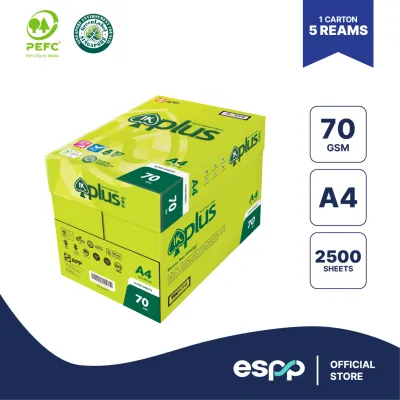
- IK Copy / IK Plus 70gsm: Produced by Indah Kiat (part of Asia Pulp & Paper), the IK brand is a staple for budget-conscious buyers in Singapore. It provides a highly economical solution for high-volume printing, such as school notes, internal drafts, and temporary records. While it may have slightly lower brightness or a simpler packaging barrier than premium options, it performs admirably in standard desktop printers. Users should, however, monitor storage conditions closely, as budget papers can be more sensitive to curling in humid environments.
- Regional House Brands: Many local office supply distributors and large retail chains offer their own private-label A4 70gsm copy paper. These house brands are typically sourced from regional mills in Southeast Asia and are priced aggressively. They are excellent for basic, single-sided printing tasks where color accuracy and premium brightness are not required. When purchasing house brands, it is wise to buy a single trial ream first to verify that the sheet smoothness and dust levels are compatible with your specific printer model.
Where to Buy A4 Paper for Home and Office Use
Acquiring A4 70gsm paper in Singapore is straightforward, with several purchasing channels catering to different volume requirements, budgets, and delivery preferences.
Office Supply Distributors
For corporate offices, schools, and businesses requiring bulk quantities (such as multiple cartons or pallets), specialized B2B office supply distributors are the most practical route. Purchasing by the carton (which typically contains five reams of 500 sheets each) unlocks volume discounts and structured delivery terms. Furthermore, reputable distributors store their stock in climate-controlled warehouses, reducing the risk that the paper has absorbed excess humidity before reaching your office. Many distributors also offer automated recurring delivery options to ensure your supply room is never empty.
E-commerce Platforms and Online Marketplaces
For home offices, small businesses, or individuals, online marketplaces offer unparalleled convenience. These platforms allow you to easily compare prices across various local merchants, read real-time customer reviews regarding recent batch quality, and have heavy paper cartons delivered directly to your doorstep. When purchasing online, it is important to check the seller’s rating and customer feedback. Ensure the seller packages the paper securely—ideally inside a sturdy shipping box—to prevent the ream wrappers from splitting or tearing during transit, which would expose the paper to ambient moisture.
Retail Supermarkets and Stationery Stores
When you need paper immediately for an urgent project or school assignment, local supermarkets, neighborhood stationery shops, and major bookshops across Singapore provide quick access. While buying individual reams at a retail store typically carries a higher per-page cost than buying in bulk online, it eliminates delivery wait times. When buying from retail shelves, inspect the packaging carefully. Avoid purchasing reams with torn wrappers, dented corners, or those stored directly underneath air-conditioning vents, as these conditions can compromise the paper’s flatness and feeding reliability.
How to Store and Handle Paper to Prevent Jams
Even the highest-quality A4 70gsm paper can cause printer jams if it is stored or handled incorrectly. Because 70gsm paper is thinner and more flexible than heavier papers, it is particularly susceptible to environmental factors. Implementing a few simple storage and handling habits will dramatically reduce feeding issues in your printer.
- Keep the Wrapper Sealed: Never open a new ream of paper until you are ready to load it into the printer. The protective wrapper is engineered with a moisture barrier to keep the paper dry. Opening a ream and letting it sit on a shelf exposes the edges of the sheets to Singapore's humid air, leading to uneven moisture absorption and warped edges.
- Store Reams Flat: Always store unopened paper reams horizontally on a flat shelf, cabinet, or pallet. Never store them vertically or lean them against a wall, as gravity will cause the sheets to sag and warp over time. Additionally, avoid storing paper directly on concrete floors; stack them on a shelf or wooden pallet to prevent moisture from seeping up from the ground.
- Avoid Temperature Extremes: Keep your paper storage area away from direct sunlight, open windows, and the direct path of air-conditioning vents. Rapid temperature fluctuations and cold air drafts can cause condensation to form inside the packaging, leading to wavy paper edges that are highly prone to jamming.
- Fan the Paper Before Loading: Before placing a stack of paper into your printer's input tray, take a moment to fan the sheets. Hold the stack firmly at one end and gently flex and flip through the pages. This action introduces a thin layer of air between the sheets, breaks any static cling, and helps the printer's pickup mechanism grab only one sheet at a time.
- Load on Demand: If you use your printer infrequently, avoid filling the input tray to its maximum capacity. Left sitting in an open tray for days or weeks, the paper will absorb ambient room humidity and begin to curl. Instead, only load the amount of paper you expect to use for your current printing task, keeping the remaining sheets sealed inside their original wrapper.
Frequently Asked Questions (FAQ)
Is 70gsm paper suitable for double-sided printing?
While you can physically run 70gsm paper through a duplex printer, it is generally not ideal for formal double-sided documents. Because 70gsm paper is thin, it has lower opacity than 80gsm paper. This causes printed text and images to show through clearly on the reverse side, which can make reading difficult. If you must print double-sided on 70gsm paper, consider adjusting your printer settings to draft mode or reducing the ink/toner density to minimize bleed-through.
Why does my new ream of paper keep jamming the printer?
If a freshly opened ream of paper keeps jamming, the most common culprit is moisture absorption. If the wrapper was torn or compromised during transit or storage, the paper may have absorbed Singapore’s ambient humidity, causing the edges to curl. Other common causes include static electricity holding the sheets together, or misaligned paper guides in the printer tray. To resolve this, try fanning the paper stack thoroughly, turning the stack over in the tray, or adjusting the tray guides so they sit snug against the paper edges without bending them.
Community discussion
Share your experience or ask a question. Comments are reviewed before publication.